User Manual
1. Applicable scenarios
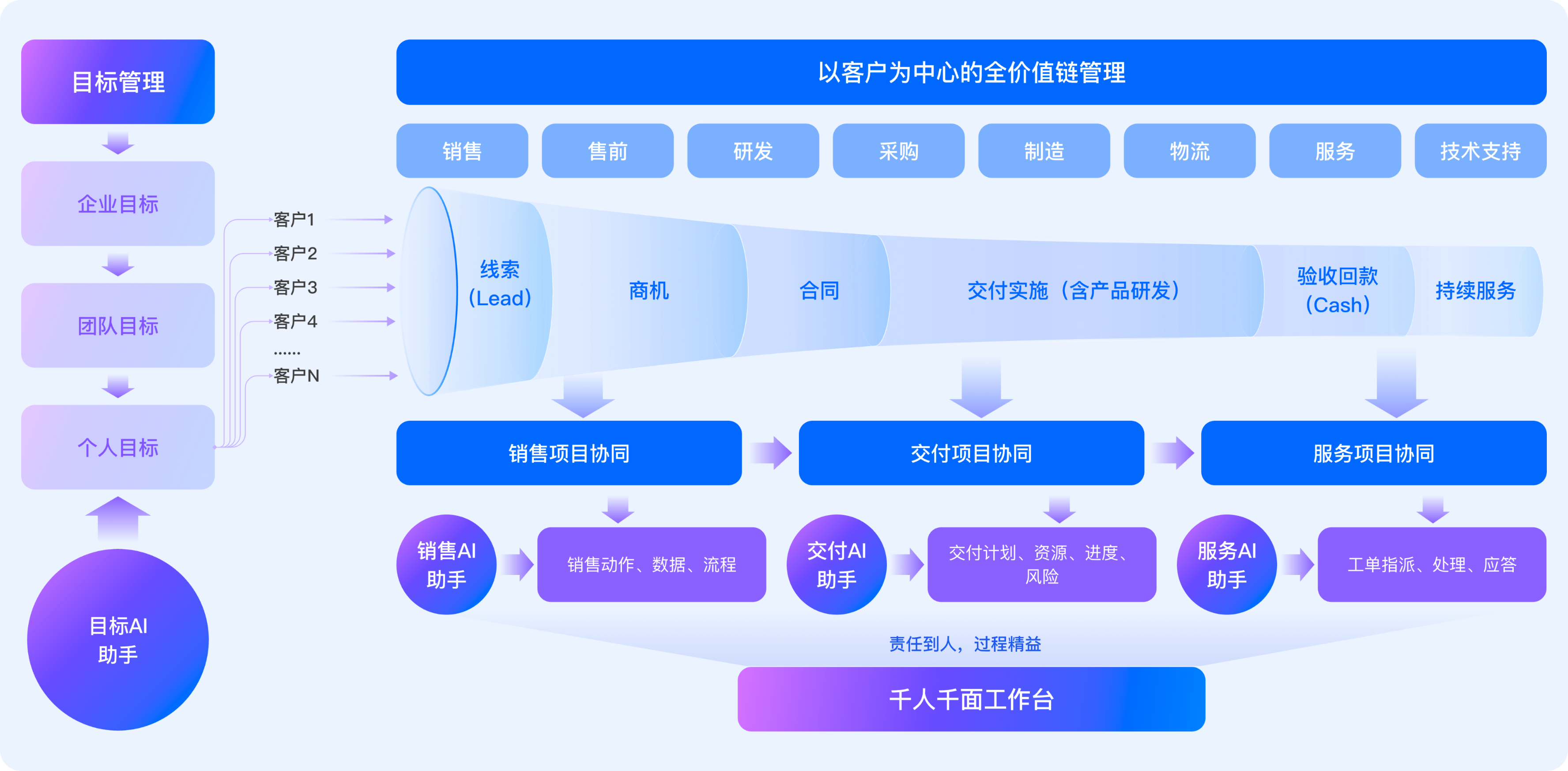
- Sales Target management: sales target formulation and execution process tracking, management sees the target decomposition process in real time, and business teams track task progress at any time
- Business opportunity management:Standardize the process of clue entry, customer filing, business opportunity creation, business opportunity follow-up, pre-sales project approval, and use tools to empower sales, so that newcomers can get started quickly.
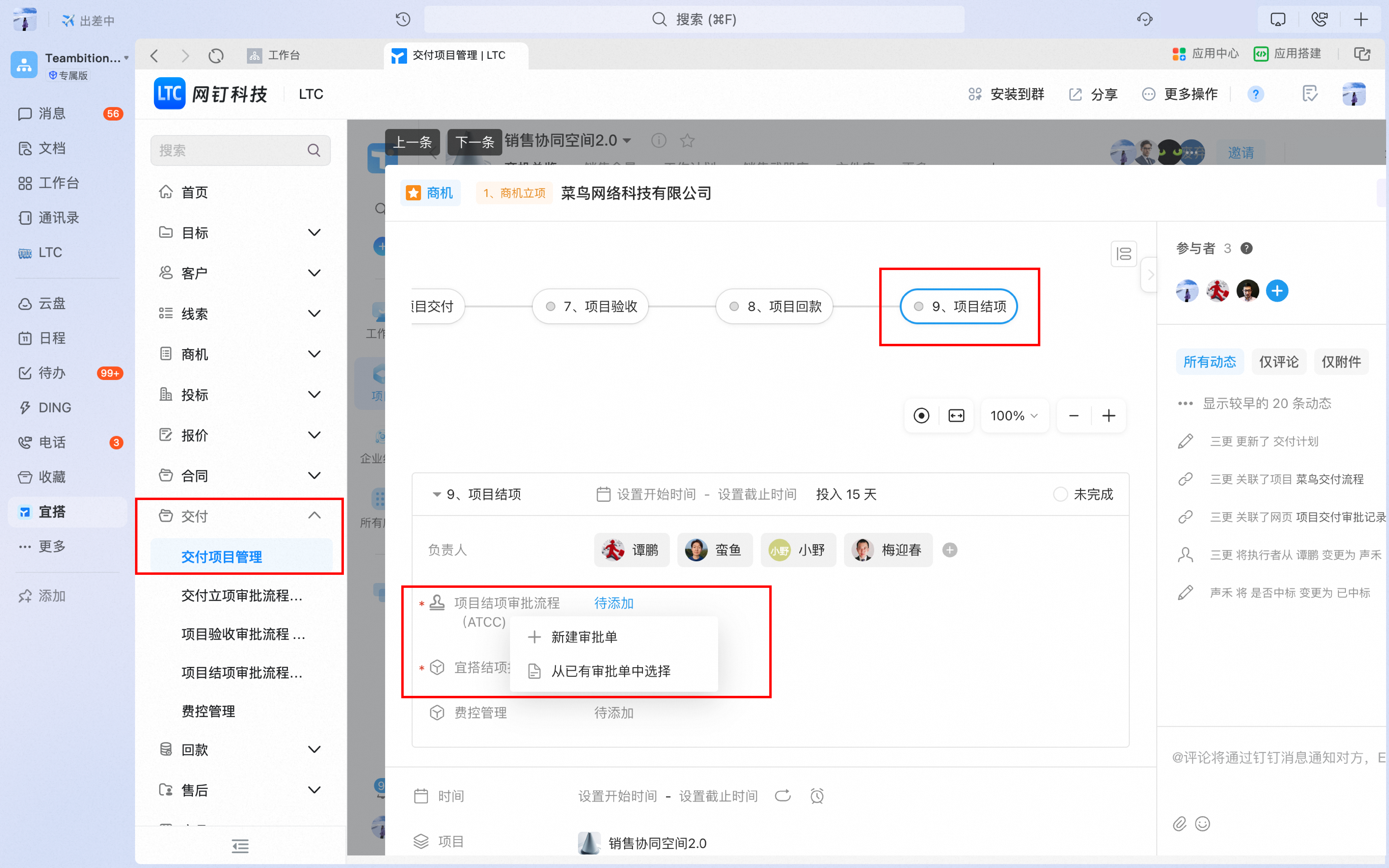
- Sales Collaboration: through sales work plan, pre-sales plan design, production and research advance intervention and other methods, sales and production and research can be effectively coordinated to significantly improve the order formation rate of large projects.
- Delivery Project management: After the sales contract is signed, the project handover will be carried out, the delivery plan will be formulated, and the delivery progress will be synchronized in real time to ensure timely delivery and project payment collection.
II. Operation process
1. Sales Target management
1.1 Open target managementAutomatic PositioningTo your department, you can add or delete indicators, enter the responsible department, responsible person (optional), and target value of the indicator, and complete the target addition.
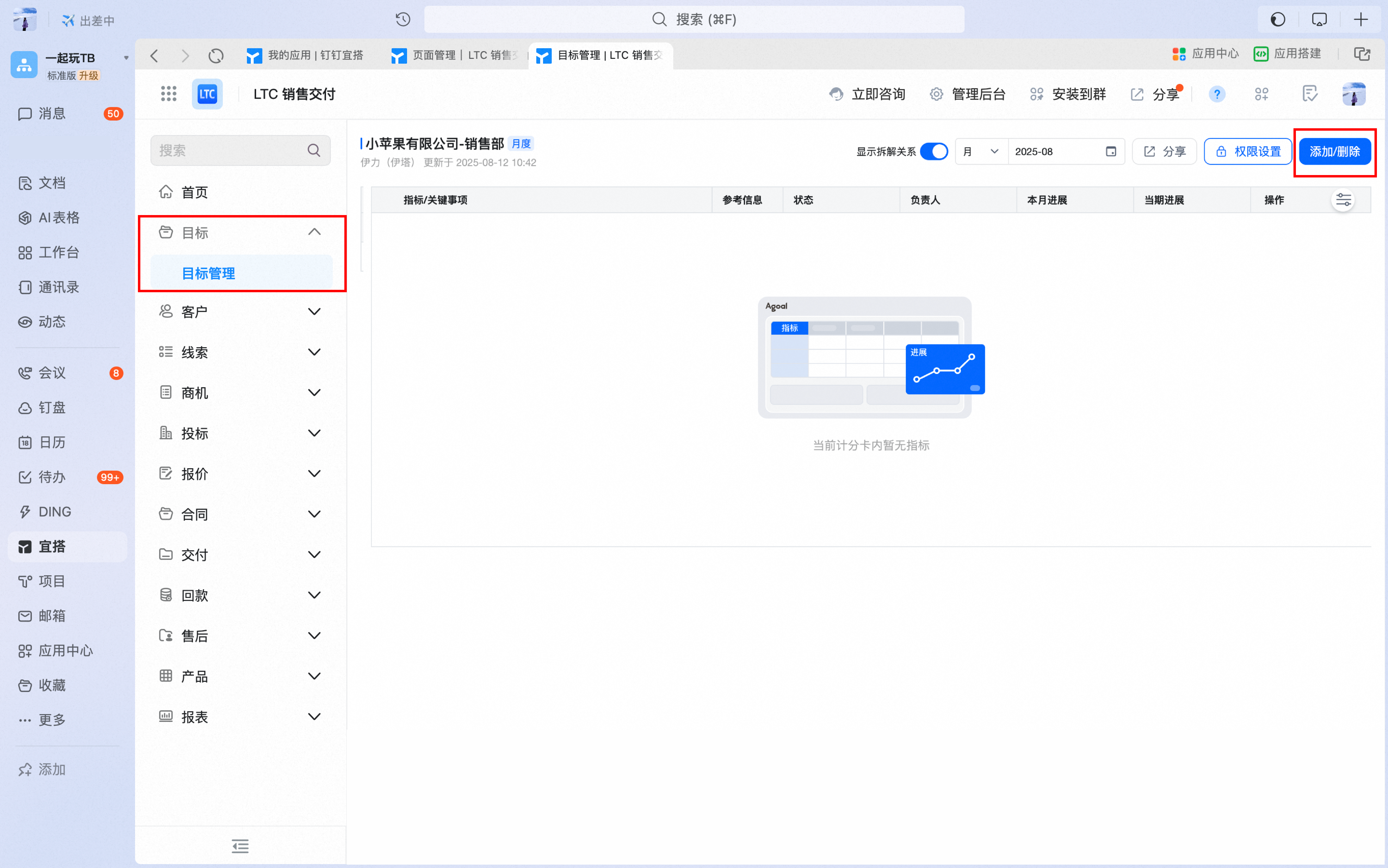
1.2 click the "disassemble" button to disassemble the indicator. After the indicator is disassembled, the sub-indicator will be indented under the parent indicator.

1.3 Click "View target disassembly chart" to see the complete disassembly path of the indicator from top to bottom.

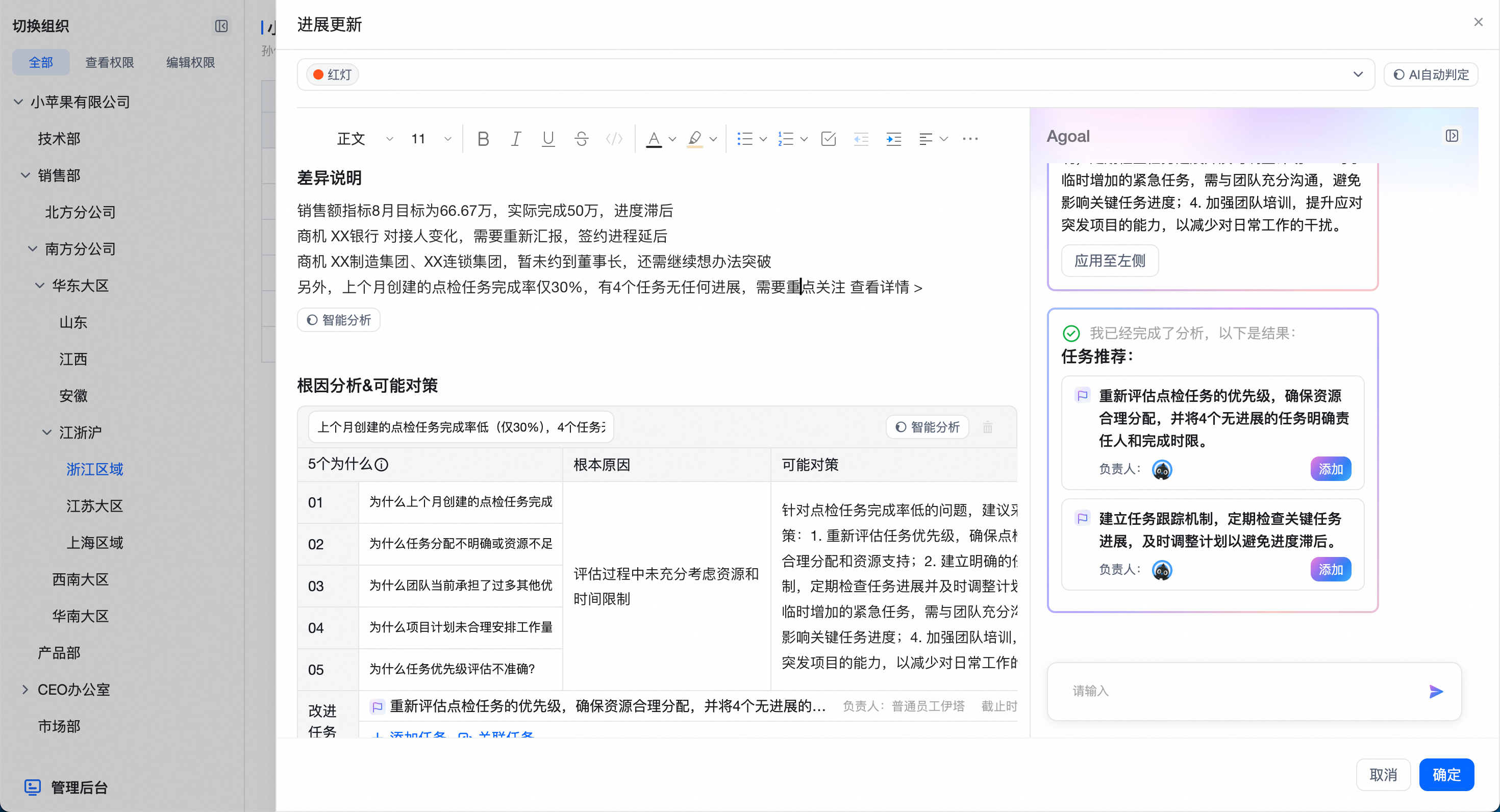
1.4 click the update button to check the indicators periodically. Click intelligent analysis to arouse AI Agent. In the AI analysis results, click apply to the left ", you can fill the content to the left for secondary processing.
2. Business opportunity management
2.1 go to the "customer management-my customers" page and click the "new" button in the upper left corner.

2.2 enter the information of the new customer into the customer form and click submit to create a new customer
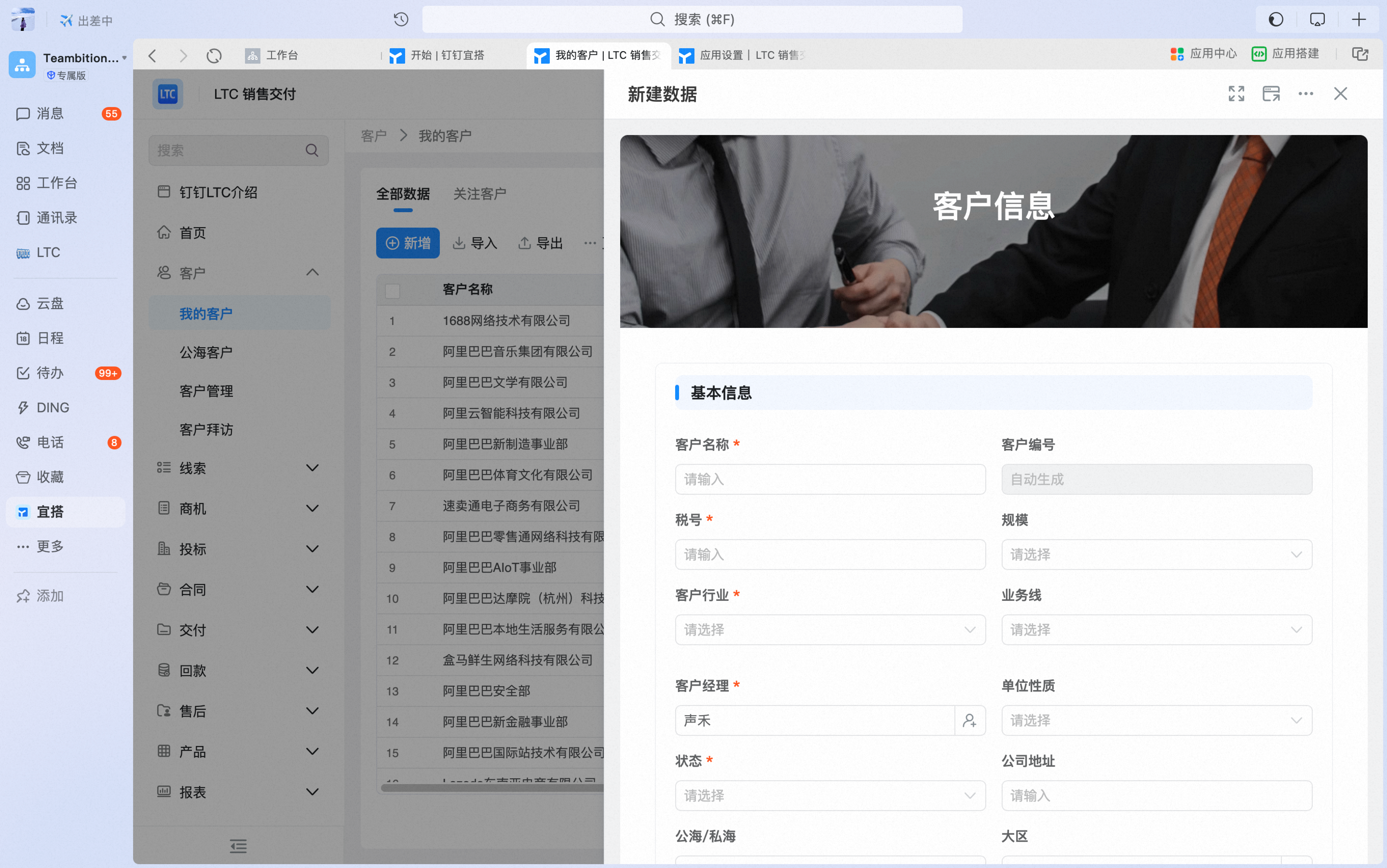
2.3 go to the "business opportunity management-Business opportunity entry" page, create new business opportunities according to requirements and select corresponding customer information
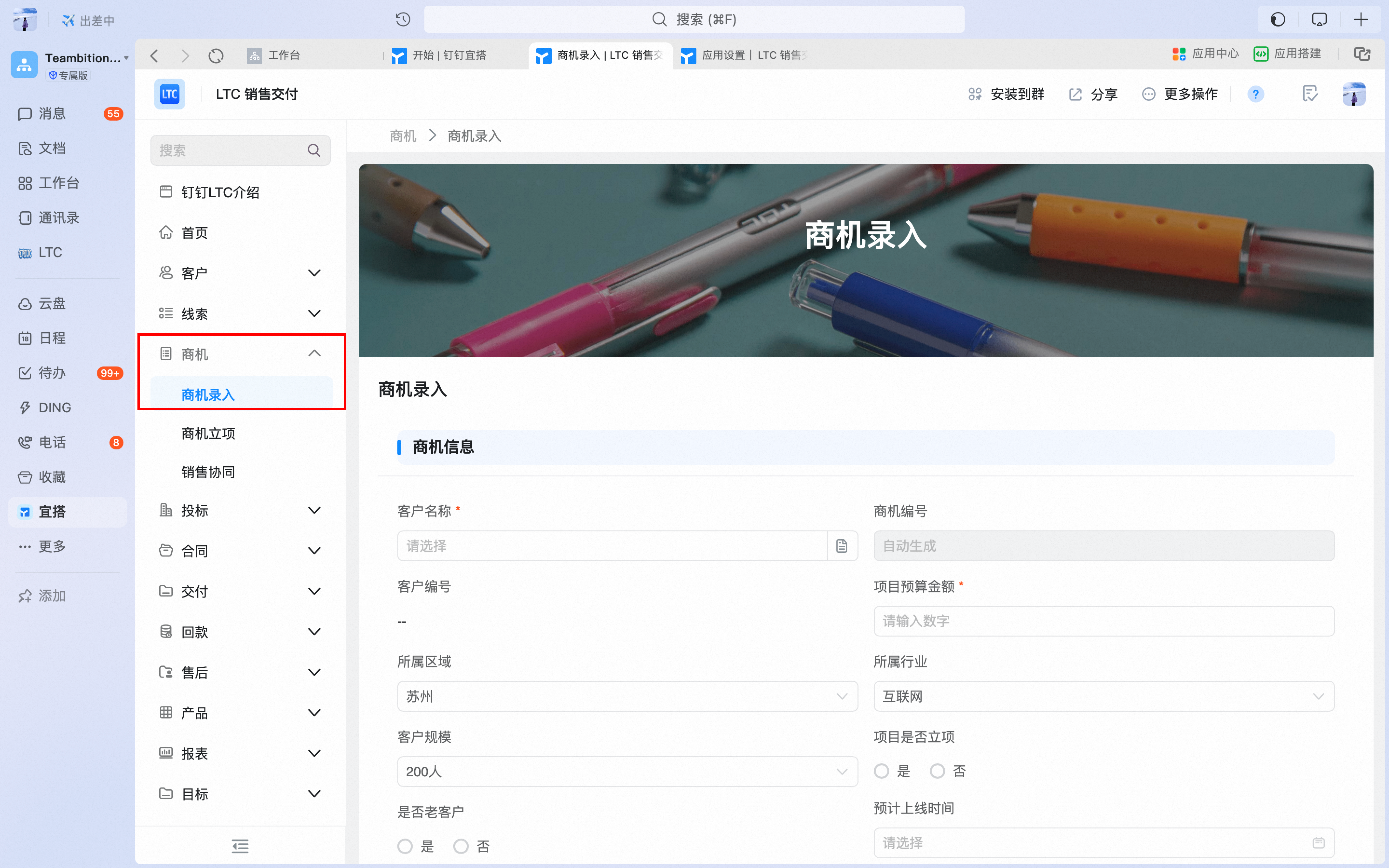
2.4 After confirming that the business opportunity is valid, initiate the approval of the business opportunity project on the "Business Opportunity Project" page, and automatically create follow-up tasks in the sales collaboration project space after the approval is passed.

3. Sales collaboration
3.1 enter the "business opportunity-sales collaboration space" to view the details of the business opportunity follow-up tasks automatically created after approval is passed.

3.2 invite node leaders in each business opportunity stage to collaborate
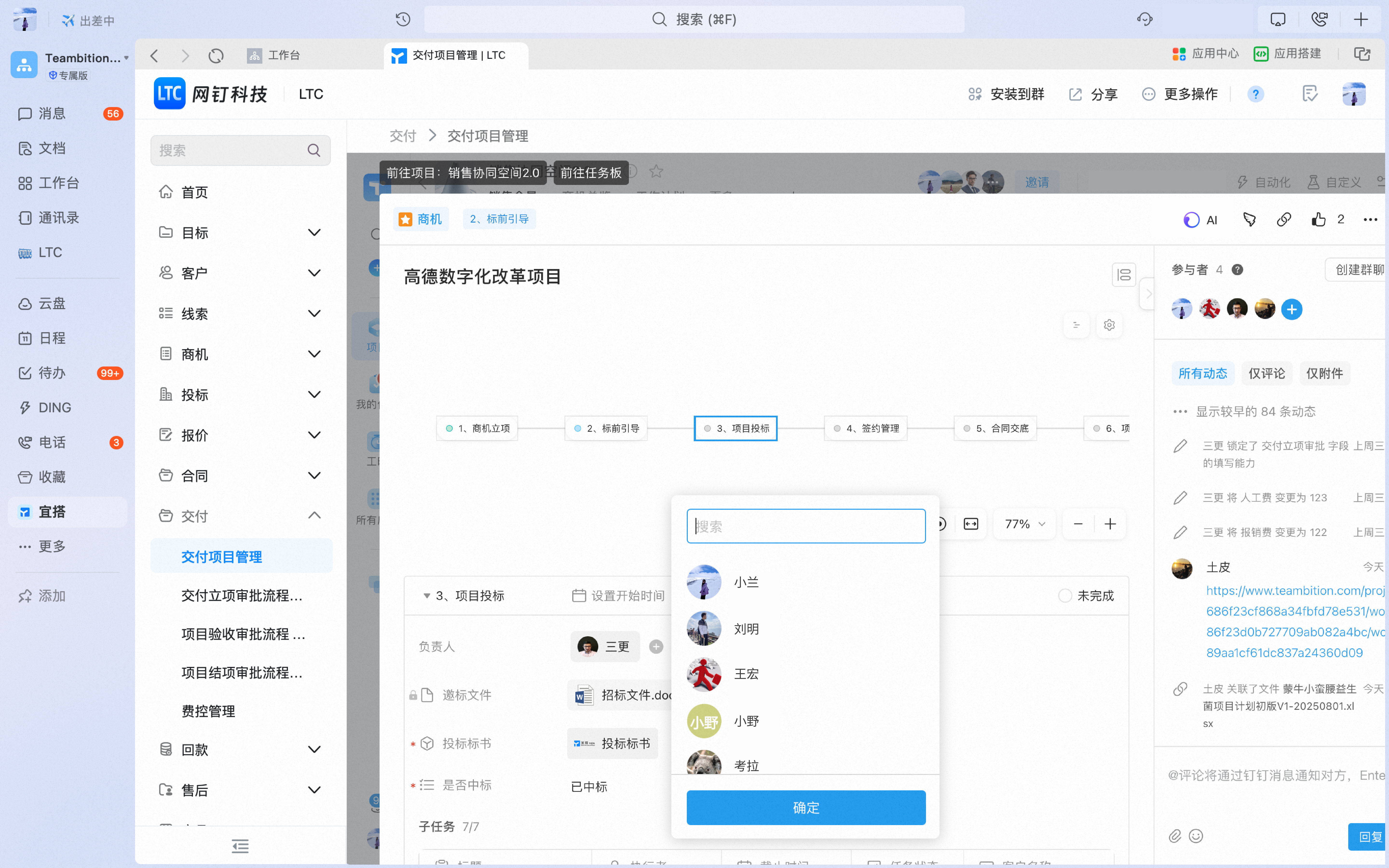
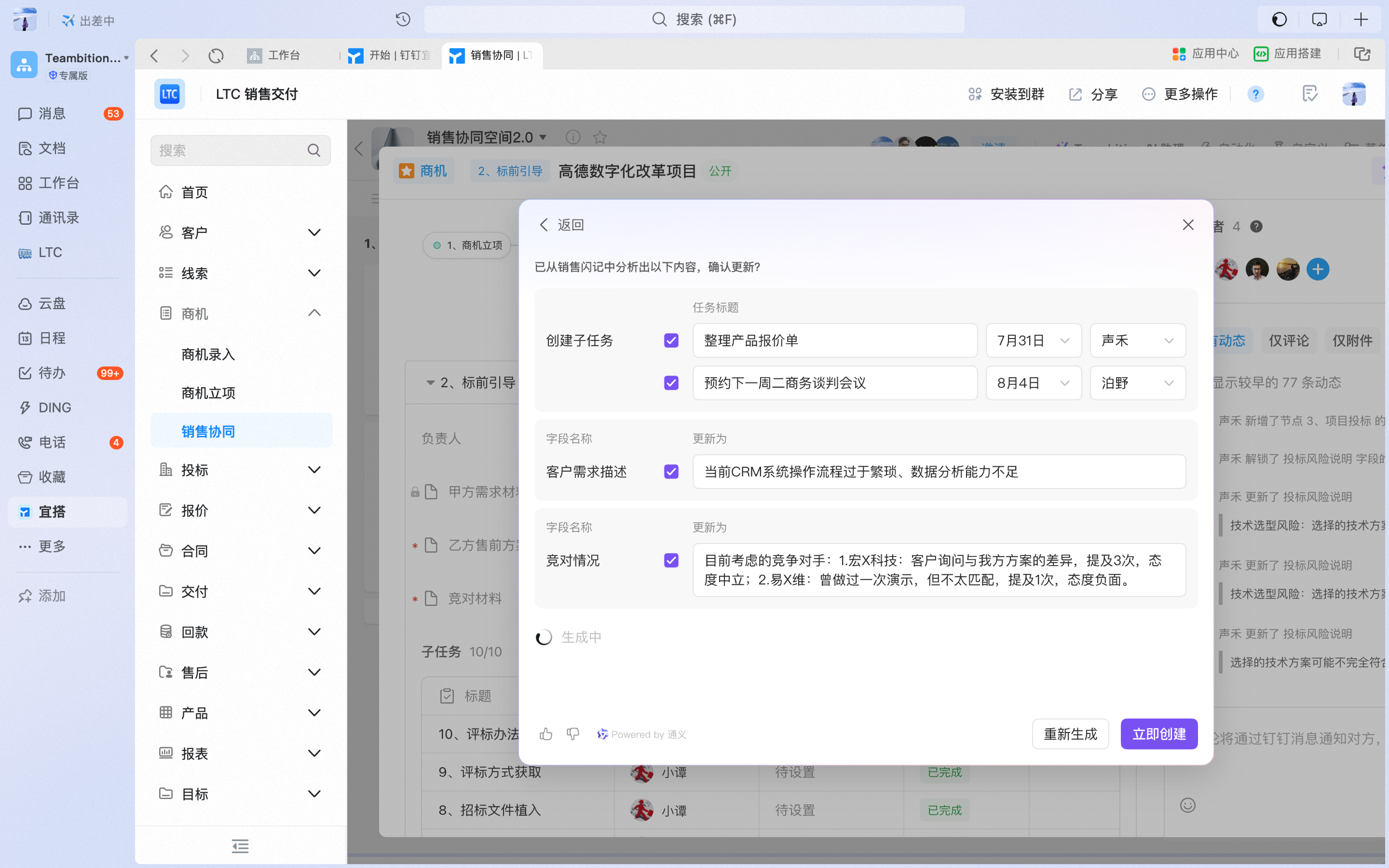
3.3 AI extracts key customer information from recording of customer visit meetings
3.3.1 click the "AI" button in the upper-right corner of the task, select "flash Information Extraction", enter the flash link and the information you want to extract

3.3.2 AI can automatically update business opportunity information, update task progress, and create follow-up tasks
4. Delivery Project management
4.1 after signing the business opportunity, find the business opportunity task created in the previous step, enter the task details, and start the "delivery project approval" in the "contract presentation" node. After the approval is passed, the delivery project will be automatically created.

4.2 go to "delivery project management", find the delivery project created in the previous step, and go to the "Project Plan" page to make a project plan and execute it
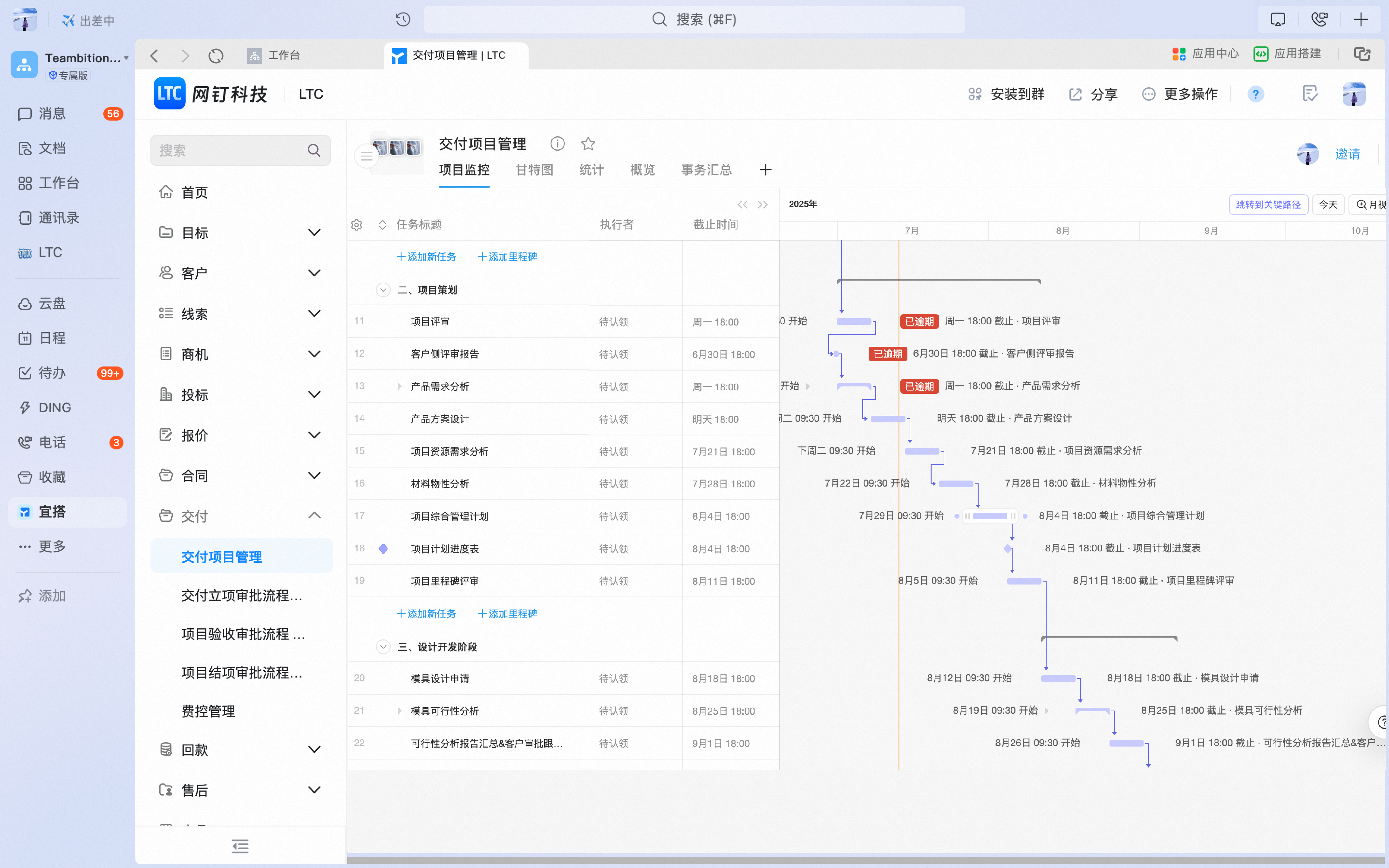
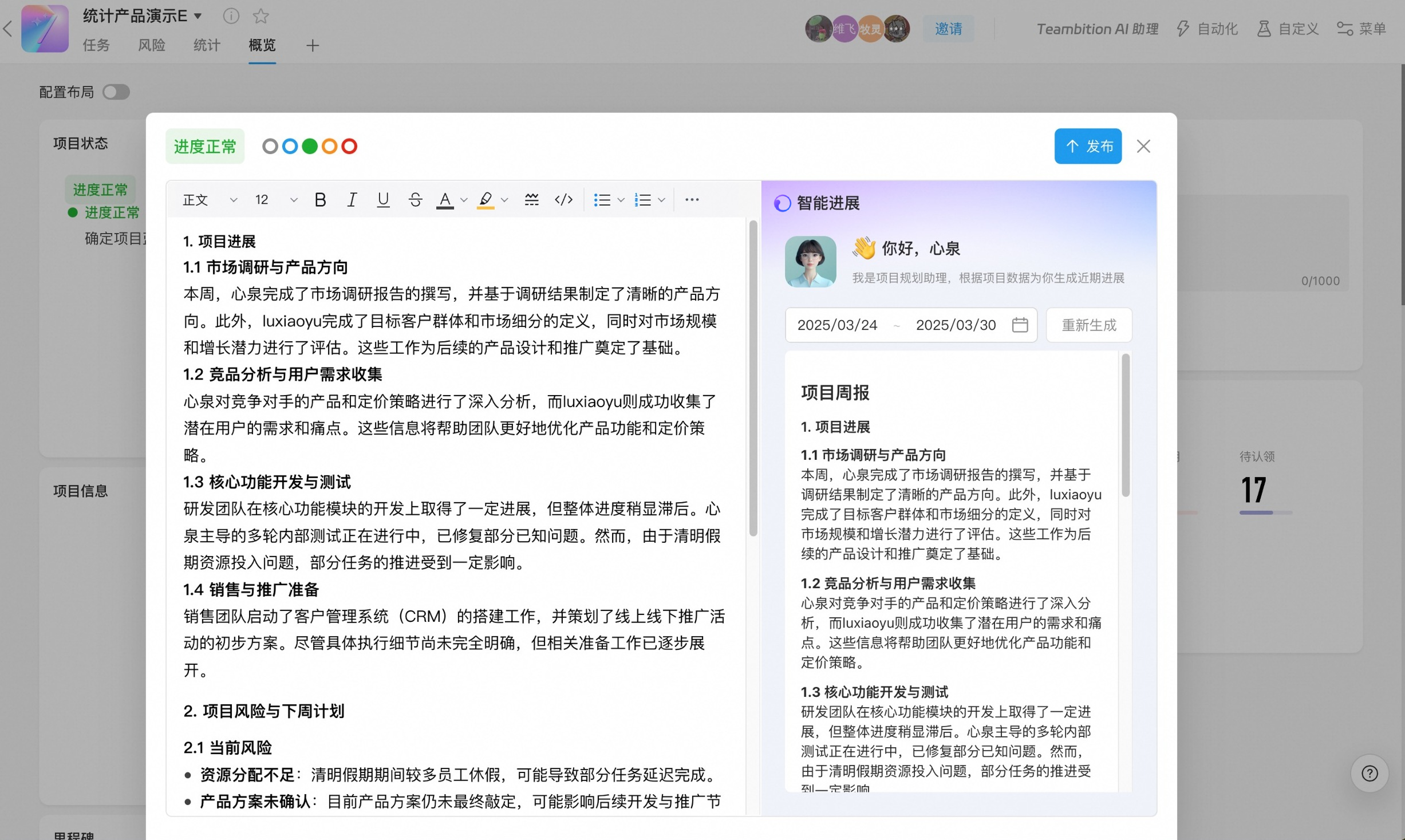
4.3 intelligently analyze the task progress and project progress of the delivered project through AI to ensure transparency and coordination of various projects and help more accurate decision-making
4.4 after the project development is completed, enter the "Project closure" node to initiate the project closure approval process.