Convert numbers to uppercase amounts
1. Usage scenarios
With this example, let's learn how to use YIDA formula.Convert numbers to uppercase amounts.
2. Implement functions
2.1 Configuration Table page
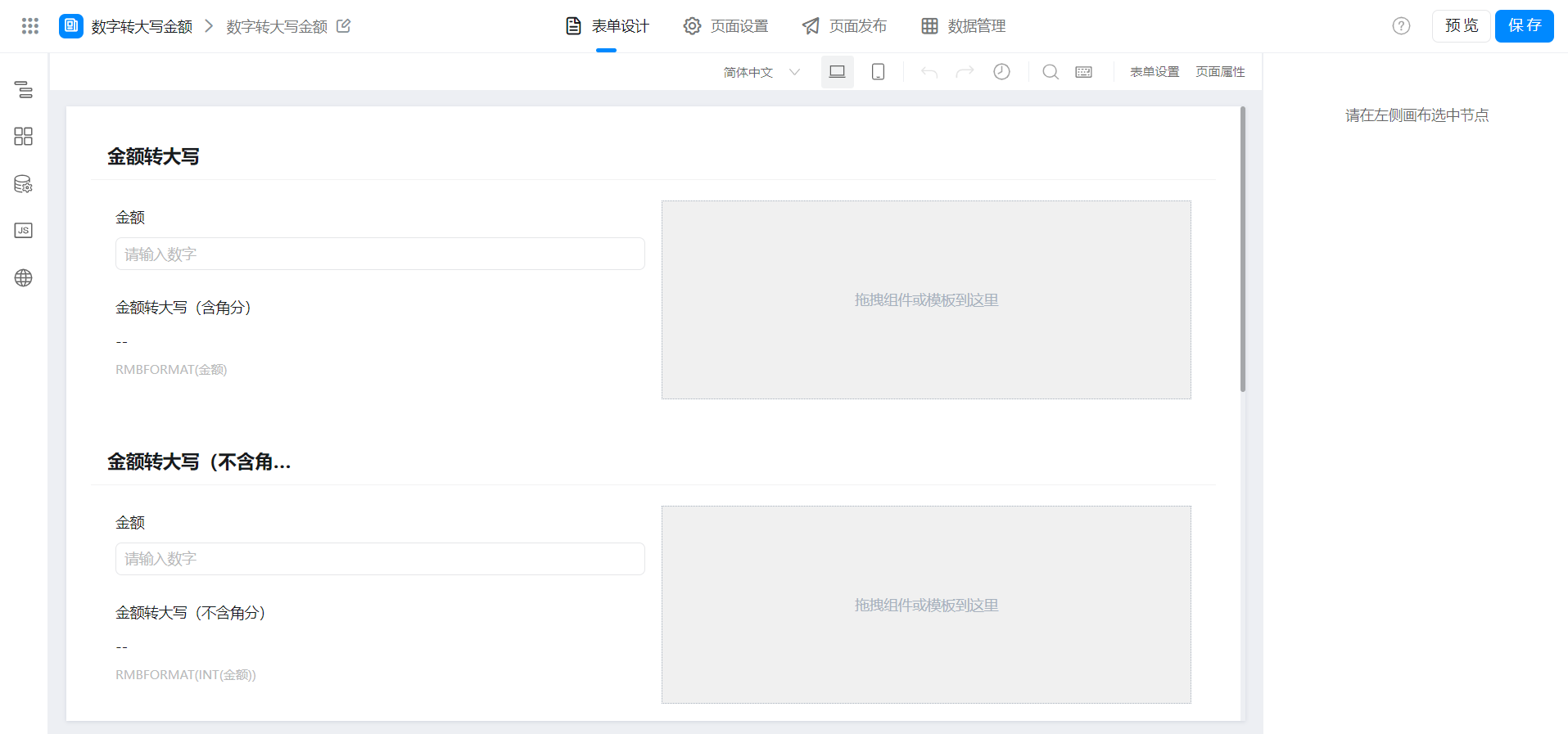
2.2 configuration field Formula
Modify the component identifier as needed.
(1) amount to uppercase (including angular points)
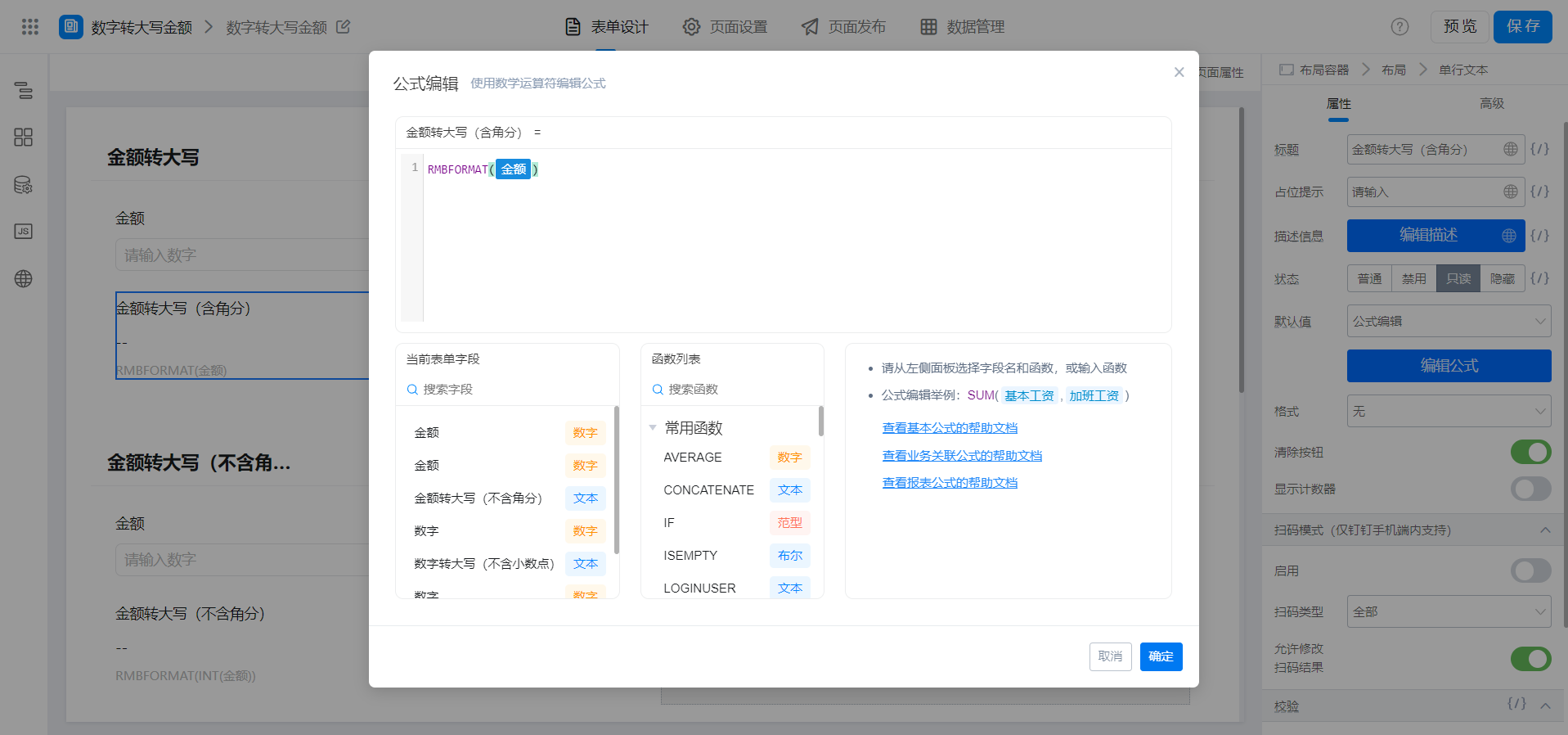
{"text":"RMBFORMAT(金额)","marks":[{"from":{"line":0,"ch":10,"sticky":null},"to":{"line":0,"ch":14,"sticky":null},"value":"numberField_ksr4oq3u","invalid":false}],"isCmData":true}
(2) amount to uppercase (excluding angular points)
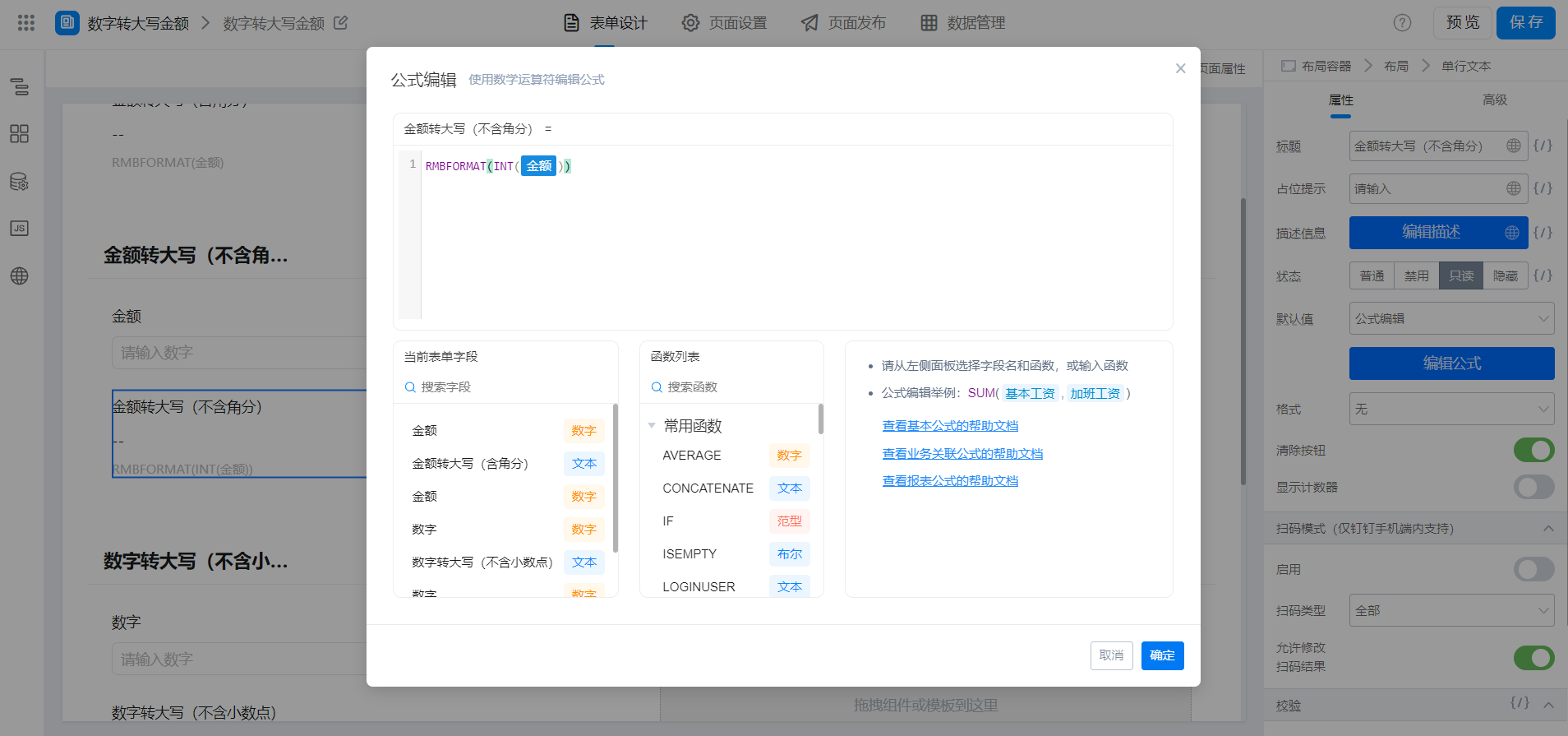
{"text":"RMBFORMAT(INT(金额))","marks":[{"from":{"line":0,"ch":14,"sticky":null},"to":{"line":0,"ch":18,"sticky":null},"value":"numberField_ksr9w5k7","invalid":false}],"isCmData":true}
3. Achieve results
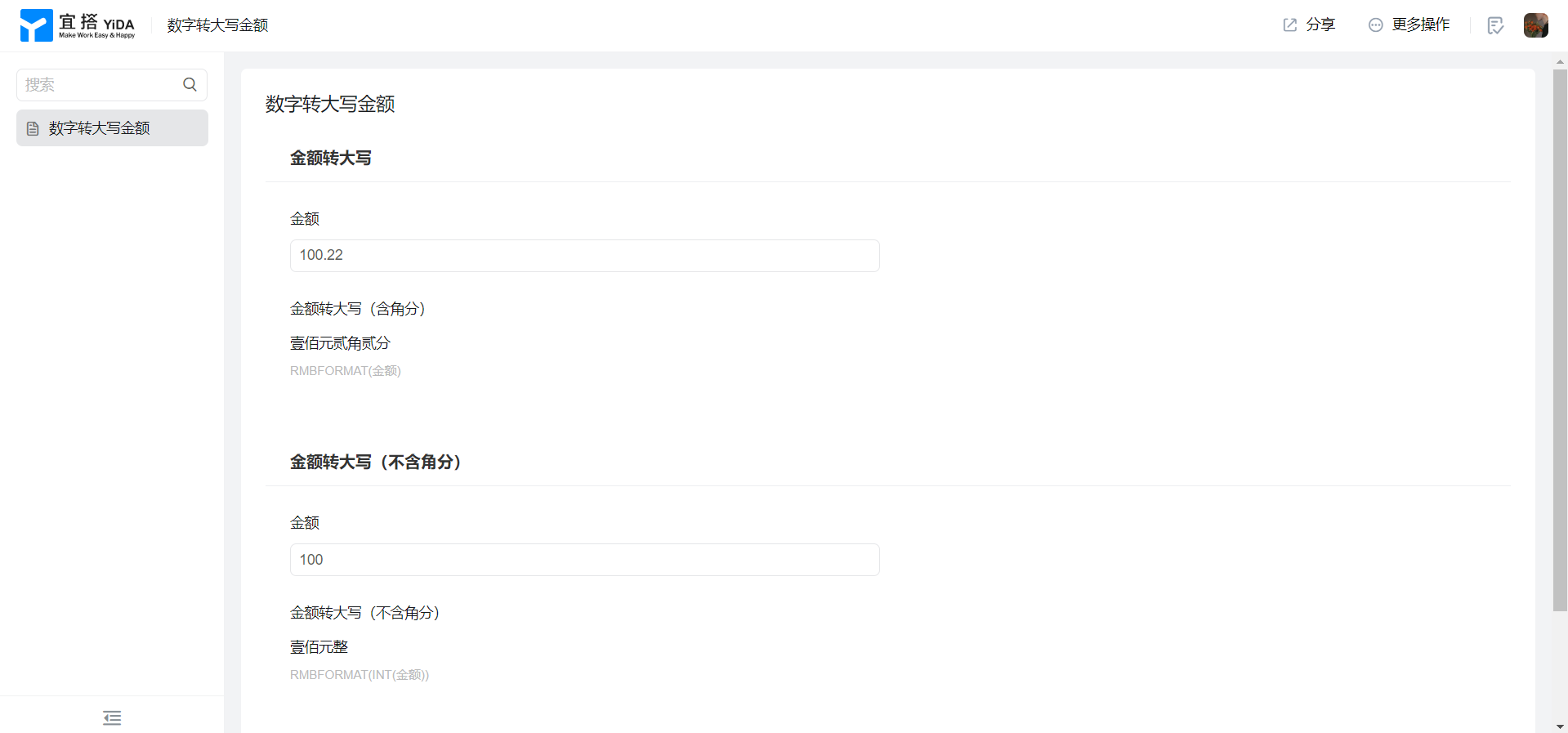
4. Try it online

This doc is generated using machine translation. Any discrepancies or differences created in the translation are not binding and have no legal effect for compliance or enforcement purposes.
Is this document helpful?