ページ案内
使用シーン
日常的なプロジェクトのニーズの中には、特定のページにユーザーが指定された端末 (パソコン側、携帯電話側) にアクセスして最高の使用効果を得る必要があるものもありますこの場合、ページにページブートを設定する必要があります。この例では、ページブートをすばやく設定できます。
機能を実現する
モバイル端末のみがアクセス可能な場合
カスタムページの設定
2つのコンテナが必要です。最初のコンテナはページのブートを設定するため、2番目のコンテナはページの内容です。

最初のコンテナは次のように構成されています

このコンテナには次のスタイルを設定します

:root {
  display: flex;
  flex-direction: column;
  align-items: center;
  justify-content: center;
  padding: 24px;
  min-height: 100vh;
  background-color: #ffffff;
}
バインドされた次のコードをレンダリングしますか?

!this.utils.isMobile()
コンテンツコンテナに次のスタイルを設定します

:root {
  display: flex;
  flex-direction: column;
  align-items: center;
  border-radius: 6px;
  padding: 24px;
  box-shadow: rgba(31, 56, 88, 0.2) 2px 2px 10px 0px;
}
2次元コード画像に次の設定を追加します

画像アドレスには、次の変数がバインドされています
state.qrcodeUrl
バインドされた変数をレンダリングしますか?

!!state.qrcodeUrl
Loadingコンテナは次のスタイルを設定します
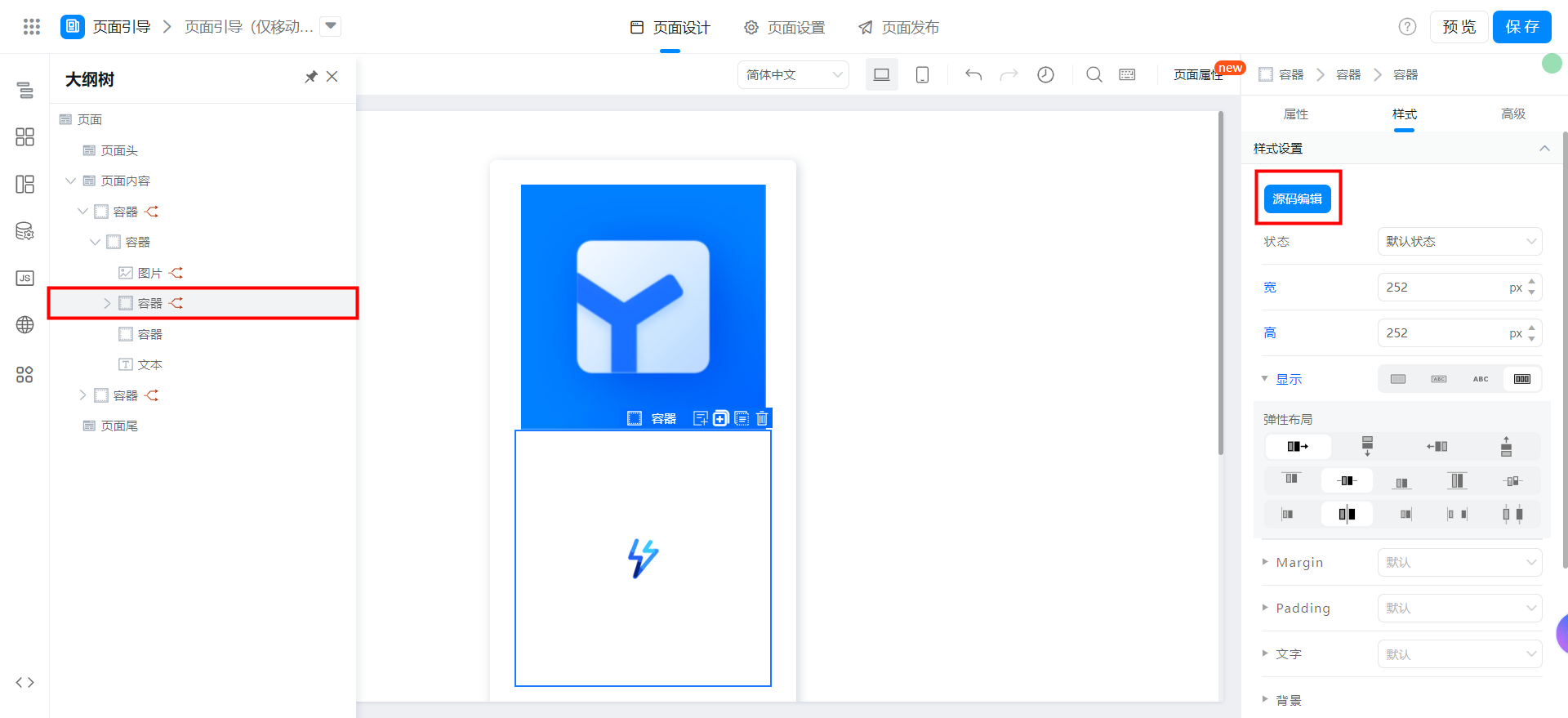
:root {
  width: 252px;
  height: 252px;
  display: flex;
  align-items: center;
  justify-content: center;
}
バインドされた変数をレンダリングしますか?

!state.qrcodeUrl
コンテナ内のloading画像に次の構成を追加します
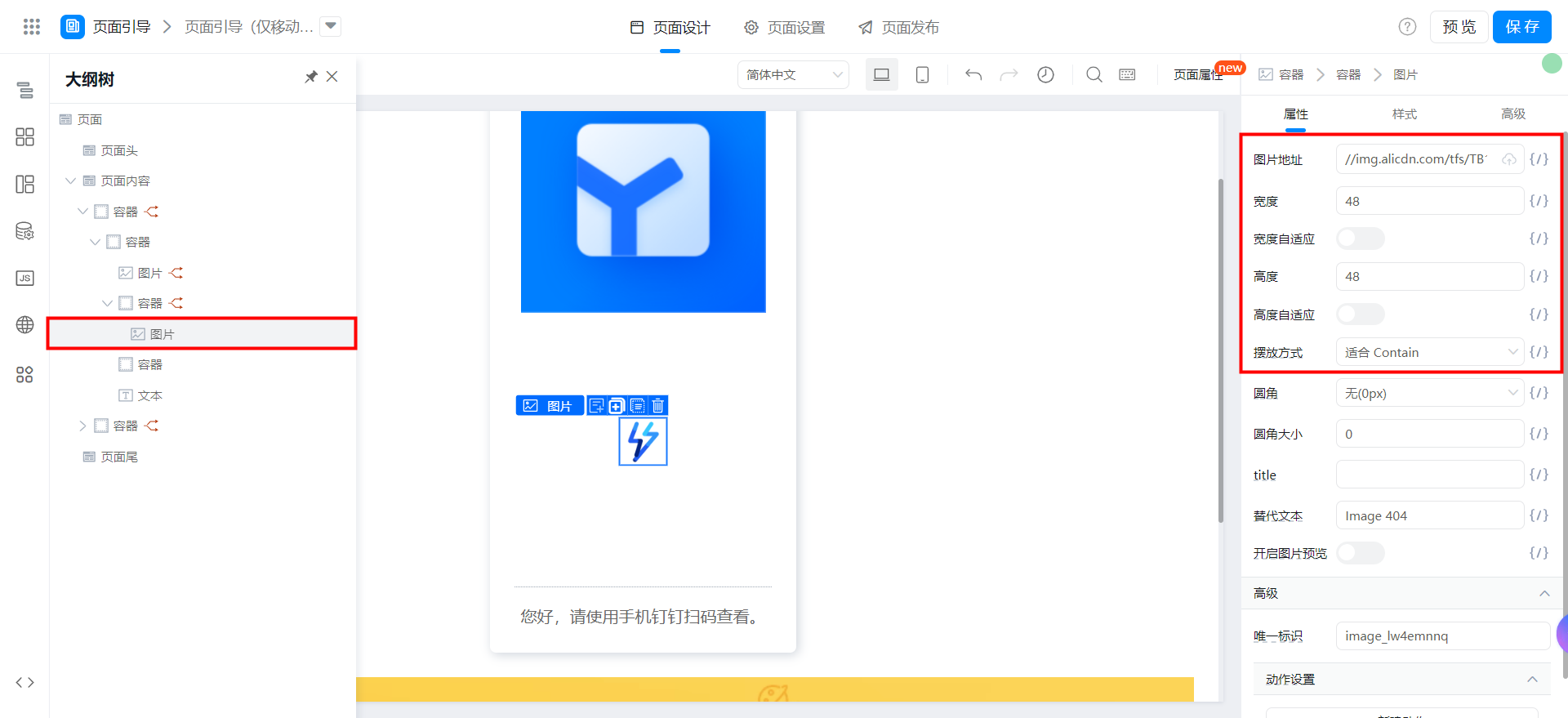
//img.alicdn.com/tfs/TB1S3fieubviK0jSZFNXXaApXXa-144-144.gif
分割線コンテナは次のスタイルを設定します

:root {
  width: 100%;
  margin: 16px 0;
  background: #f1f2f3;
  height: 1px;
  overflow: hidden;
}
ヒントテキストには、次のスタイルを設定します

:root {
  font-size: 16px;
  text-align: center;
  line-height: 1.5;
  color: #666;
}
添付:
{"type":"nodeSchema","componentsMap":{},"componentsTree":[{"componentName":"Div","props":{"useFieldIdAsDomId":false,"width":"","customClassName":"","className":"div_lw4e99e1","behavior":"NORMAL","__style__":":root {\n display: flex;\n flex-direction: column;\n align-items: center;\n justify-content: center;\n padding: 24px;\n min-height: 100vh;\n background-color: #ffffff;\n}\n","fieldId":"div_lw1nqz7g","height":"","events":{"ignored":true},"onClick":{"ignored":true},"onMouseEnter":{"ignored":true},"onMouseLeave":{"ignored":true}},"condition":{"type":"JSExpression","value":"!this.utils.isMobile()","mock":true},"loopArgs":["",""],"hidden":false,"title":"","isLocked":false,"conditionGroup":"","children":[{"componentName":"Div","props":{"useFieldIdAsDomId":false,"width":"","customClassName":"","className":"div_lw4e99e0","behavior":"NORMAL","__style__":":root {\n display: flex;\n flex-direction: column;\n align-items: center;\n border-radius: 6px;\n padding: 24px;\n box-shadow: rgba(31, 56, 88, 0.2) 2px 2px 10px 0px;\n}\n","fieldId":"div_lw1xxxpd","height":"","events":{"ignored":true},"onClick":{"ignored":true},"onMouseEnter":{"ignored":true},"onMouseLeave":{"ignored":true}},"condition":true,"loopArgs":["",""],"hidden":false,"title":"","isLocked":false,"conditionGroup":"","children":[{"componentName":"Image","props":{"preview":false,"autoHeight":true,"src":{"type":"JSExpression","value":"state.qrcodeUrl","mock":"/fileHandle?appType=default_tianshu_app&fileName=4115334f-803a-4df0-b87a-d9e6871a89ae.png&instId=&type=download"},"alt":"Image 404","className":"image_lw4e99dx","fit":"contain","round":"0","width":"","autoWidth":true,"roundRadius":"0","__style__":":root {\n display: block;\n}\n","height":"","fieldId":"image_lw1nqz7h","events":{"ignored":true},"onClick":{"ignored":true}},"condition":{"type":"JSExpression","value":"!!state.qrcodeUrl","mock":true},"loopArgs":["",""],"hidden":false,"title":"","isLocked":false,"conditionGroup":""},{"componentName":"Div","props":{"useFieldIdAsDomId":false,"width":"","customClassName":"","className":"div_lw4epxad","behavior":"NORMAL","__style__":":root {\n width: 252px;\n height: 252px;\n display: flex;\n align-items: center;\n justify-content: center;\n}\n","fieldId":"div_lw4emnnr","height":"","events":{"ignored":true},"onClick":{"ignored":true},"onMouseEnter":{"ignored":true},"onMouseLeave":{"ignored":true}},"condition":{"type":"JSExpression","value":"!state.qrcodeUrl","mock":true},"loopArgs":["",""],"hidden":false,"title":"","isLocked":false,"conditionGroup":"","children":[{"componentName":"Image","props":{"preview":false,"autoHeight":false,"src":"//img.alicdn.com/tfs/TB1S3fieubviK0jSZFNXXaApXXa-144-144.gif","alt":"Image 404","className":"image_lw4epxac","fit":"contain","round":"0","width":48,"autoWidth":false,"roundRadius":"0","__style__":":root {\n display: block;\n}\n","height":48,"fieldId":"image_lw4emnnq","events":{"ignored":true},"onClick":{"ignored":true}},"condition":true,"loopArgs":["",""],"hidden":false,"title":"","isLocked":false,"conditionGroup":""}]},{"componentName":"Div","props":{"useFieldIdAsDomId":false,"width":"","customClassName":"","className":"div_lw4e99dy","behavior":"NORMAL","__style__":":root {\n width: 100%;\n margin: 16px 0;\n background: #f1f2f3;\n height: 1px;\n overflow: hidden;\n}\n","fieldId":"div_lw1xxxpe","height":"","events":{"ignored":true},"onClick":{"ignored":true},"onMouseEnter":{"ignored":true},"onMouseLeave":{"ignored":true}},"condition":true,"hidden":false,"title":"","isLocked":false,"conditionGroup":""},{"componentName":"Text","props":{"maxLine":0,"showTitle":false,"contentPaddingMobile":"0","className":"text_lw4e99dz","title":{"en_US":"","use":"zh_CN","zh_CN":"","type":"i18n"},"behavior":"NORMAL","content":{"en_US":"Tips content","use":"zh_CN","zh_CN":"您好,请使用手机钉钉扫码查看。","type":"i18n"},"__style__":":root {\n font-size: 16px;\n text-align: center;\n line-height: 1.5;\n color: #666;\n}\n","fieldId":"text_lw1xxxpf","events":{"ignored":true},"onClick":{"ignored":true}},"condition":true,"hidden":false,"title":"","isLocked":false,"conditionGroup":""}]}]}]}
ページ機能の設定
変数を追加:

qrcodeUrl
Qrコードを生成する関数を追加します

// 生成二维码
export function createQrcode(text = '') {
  try {
    if (!text) {
      this.utils.toast({
        title: '二维码无内容',
        type: 'error',
      });
      return '';
    };
    if (!document.getElementById('qrcodeRootDom')) {
      // 若没有 qrcodeRootDom 则创建一个
      const qrcodeRoot = document.createElement('div');
      qrcodeRoot.setAttribute('id', 'qrcodeRootDom');
      qrcodeRoot.style.display = 'none';
      window.document.body.appendChild(qrcodeRoot);
    };
    document.getElementById('qrcodeRootDom').innerHTML = ''; // 清空内容
    const qrcode = new QRCode(document.getElementById('qrcodeRootDom'), {
      text: encodeURI(text),// 二维码内容
      width: 252, // 二维码宽度
      height: 252, // 二维码高度
      colorDark: '#000000',
      colorLight: '#ffffff',
      correctLevel: QRCode.CorrectLevel.H,
    });
    const canvas = qrcode._el.querySelector('canvas'); // 获取生成二维码中的canvas,并将canvas转换成base64
    const qrcodeUrl = canvas.toDataURL('image/png'); // 获取到生成的二维码的图片链接
    return qrcodeUrl;
  } catch (error) {
    console.error(error);
    this.utils.toast({
      title: '二维码生成失败',
      type: 'error',
    });
  }
}
ページdidmountにqrcodejsをロードし、2次元コードを生成します

// 当页面渲染完毕后马上调用下面的函数,这个函数是在当前页面 - 设置 - 生命周期 - 页面加载完成时中被关联的。
export function didMount() {
  if (!this.utils.isMobile()) {
    this.utils.loadScript('https://g.alicdn.com/code/lib/qrcodejs/1.0.0/qrcode.min.js').then(() => {
      this.setState({
        qrcodeUrl: this.createQrcode(window.location.href),
      });
    });
  }
}
パソコン側のみアクセス可能な場合
カスタムページの設定
2つのコンテナが必要です。最初のコンテナはページのブートを設定するため、2番目のコンテナはページの内容です。

最初のコンテナは次のように構成されています
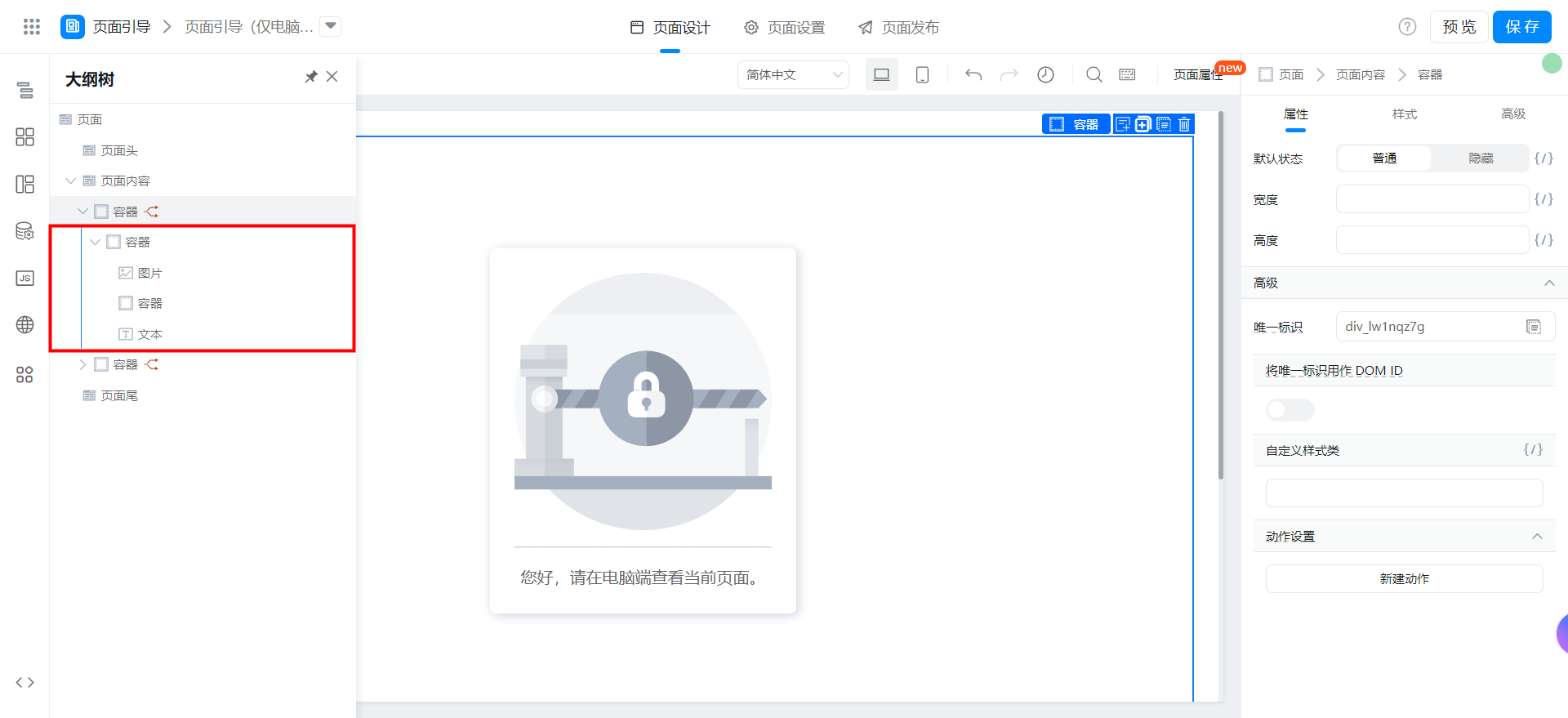
このコンテナには次のスタイルを設定します

:root {
  display: flex;
  flex-direction: column;
  align-items: center;
  justify-content: center;
  padding: 24px;
  min-height: 100vh;
  background-color: #ffffff;
}
バインドされた次のコードをレンダリングしますか?

this.utils.isMobile()
コンテンツコンテナに次のスタイルを設定します
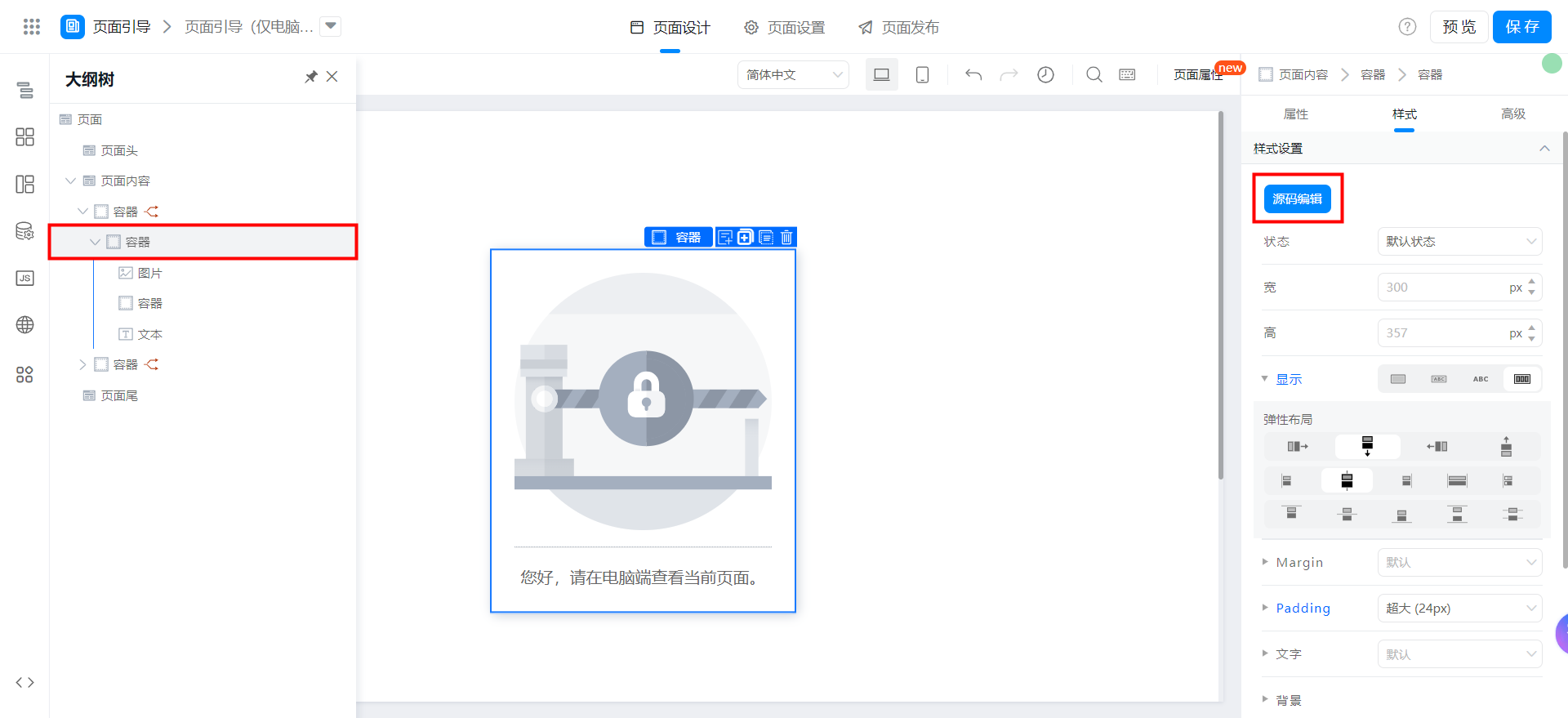
:root {
  display: flex;
  flex-direction: column;
  align-items: center;
  border-radius: 6px;
  padding: 24px;
  box-shadow: rgba(31, 56, 88, 0.2) 2px 2px 10px 0px;
}
デフォルト画像に次の構成を追加します

https://img.alicdn.com/tfs/TB1TyfVebr1gK0jSZR0XXbP8XXa-150-150.svg
分割線コンテナは次のスタイルを設定します

:root {
  width: 100%;
  margin: 16px 0;
  background: #f1f2f3;
  height: 1px;
  overflow: hidden;
}
ヒントテキストには、次のスタイルを設定します
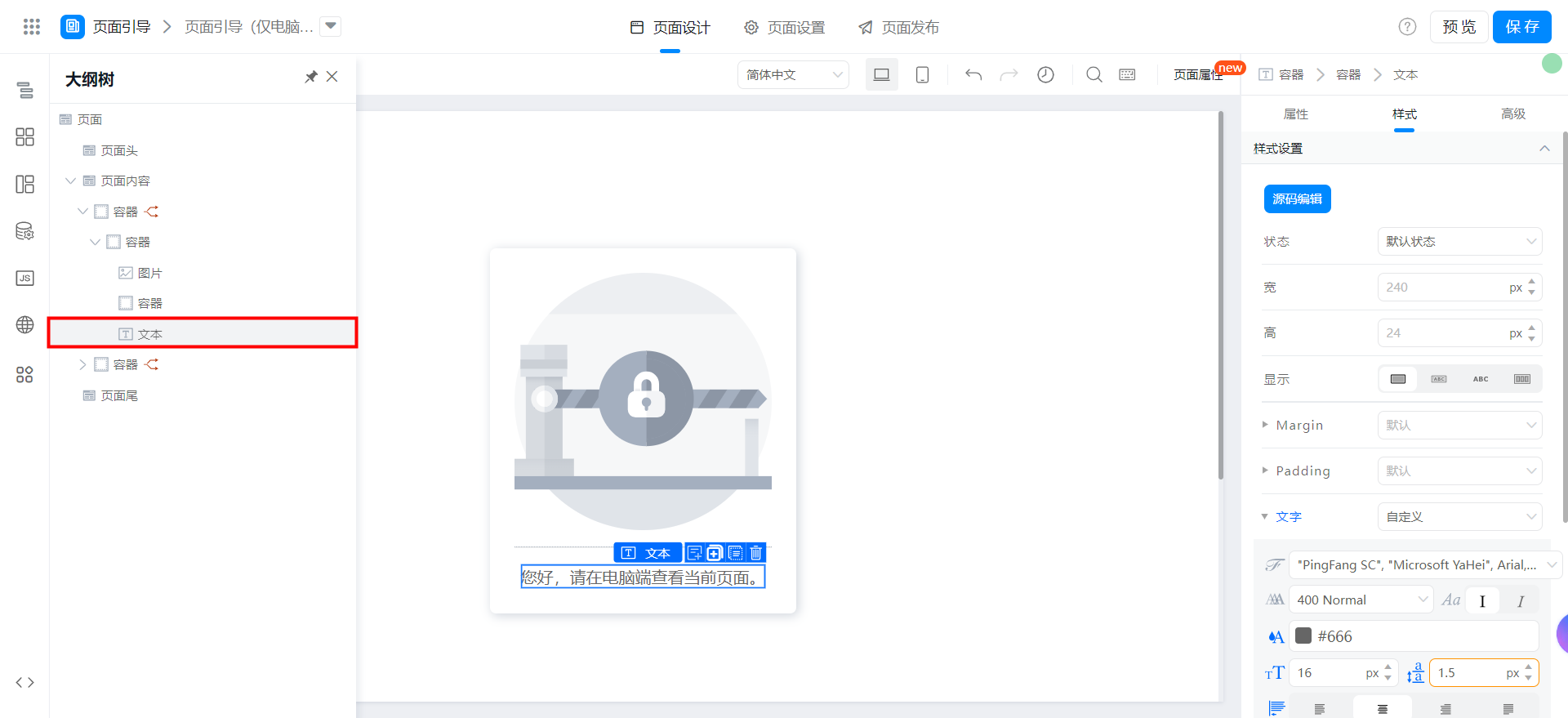
:root {
  font-size: 16px;
  text-align: center;
  line-height: 1.5;
  color: #666;
}
添付:
{"type":"nodeSchema","componentsMap":{},"componentsTree":[{"componentName":"Div","props":{"useFieldIdAsDomId":false,"width":"","customClassName":"","className":"div_lw4e99e1","behavior":"NORMAL","__style__":":root {\n display: flex;\n flex-direction: column;\n align-items: center;\n justify-content: center;\n padding: 24px;\n min-height: 100vh;\n background-color: #ffffff;\n}\n","fieldId":"div_lw1nqz7g","height":"","events":{"ignored":true},"onClick":{"ignored":true},"onMouseEnter":{"ignored":true},"onMouseLeave":{"ignored":true}},"condition":{"type":"JSExpression","value":"this.utils.isMobile()","mock":true},"loopArgs":["",""],"hidden":false,"title":"","isLocked":false,"conditionGroup":"","children":[{"componentName":"Div","props":{"useFieldIdAsDomId":false,"width":"","customClassName":"","className":"div_lw4e99e0","behavior":"NORMAL","__style__":":root {\n display: flex;\n flex-direction: column;\n align-items: center;\n border-radius: 6px;\n padding: 24px;\n box-shadow: rgba(31, 56, 88, 0.2) 2px 2px 10px 0px;\n}\n","fieldId":"div_lw1xxxpd","height":"","events":{"ignored":true},"onClick":{"ignored":true},"onMouseEnter":{"ignored":true},"onMouseLeave":{"ignored":true}},"condition":true,"loopArgs":["",""],"hidden":false,"title":"","isLocked":false,"conditionGroup":"","children":[{"componentName":"Image","props":{"preview":false,"autoHeight":false,"src":"https://img.alicdn.com/tfs/TB1TyfVebr1gK0jSZR0XXbP8XXa-150-150.svg","alt":"Image 404","className":"image_lw4e99dx","fit":"contain","round":"0","width":252,"autoWidth":false,"roundRadius":"0","__style__":":root {\n display: block;\n}\n","height":252,"fieldId":"image_lw1nqz7h","events":{"ignored":true},"onClick":{"ignored":true}},"condition":true,"loopArgs":["",""],"hidden":false,"title":"","isLocked":false,"conditionGroup":""},{"componentName":"Div","props":{"useFieldIdAsDomId":false,"width":"","customClassName":"","className":"div_lw4e99dy","behavior":"NORMAL","__style__":":root {\n width: 100%;\n margin: 16px 0;\n background: #f1f2f3;\n height: 1px;\n overflow: hidden;\n}\n","fieldId":"div_lw1xxxpe","height":"","events":{"ignored":true},"onClick":{"ignored":true},"onMouseEnter":{"ignored":true},"onMouseLeave":{"ignored":true}},"condition":true,"hidden":false,"title":"","isLocked":false,"conditionGroup":"","loopArgs":[null,null]},{"componentName":"Text","props":{"maxLine":0,"showTitle":false,"contentPaddingMobile":"0","className":"text_lw4e99dz","title":{"en_US":"","use":"zh_CN","zh_CN":"","type":"i18n"},"behavior":"NORMAL","content":{"en_US":"Tips content","use":"zh_CN","zh_CN":"您好,请在电脑端查看当前页面。","type":"i18n"},"__style__":":root {\n font-size: 16px;\n text-align: center;\n line-height: 1.5;\n color: #666;\n}\n","fieldId":"text_lw1xxxpf","events":{"ignored":true},"onClick":{"ignored":true}},"condition":true,"hidden":false,"title":"","isLocked":false,"conditionGroup":"","loopArgs":[null,null]}]}]}]}
効果を実現する
モバイル端末のみがアクセス可能な場合

パソコン側のみアクセス可能な場合

オンラインで試遊する
この文書は機械翻訳により生成されています。翻訳により生じた齟齬や相違点は拘束力を持たず、コンプライアンスや執行目的において法的効力はありません。
このドキュメントは役に立ちましたか?