バーコード生成
バーコードの内容は数字またはアルファベットのみをサポートし、中国語または特殊記号はサポートしていません。
使用シーン
この例では、適切な組み合わせでバーコードを生成する方法を紹介します。
機能を実現する
カスタムページの作成

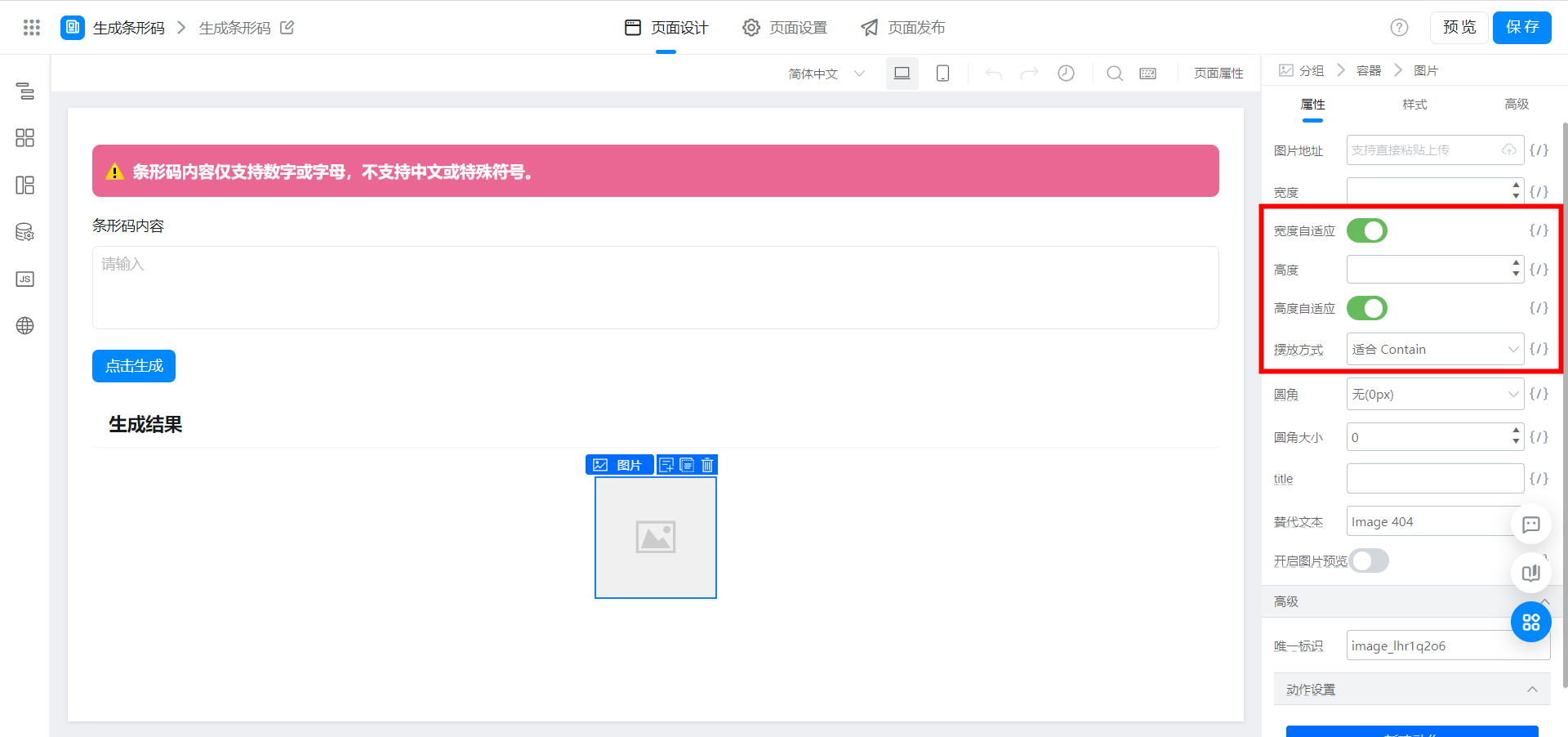
Didmountロードjsbarcode
// 当页面渲染完毕后马上调用下面的函数,这个函数是在当前页面 - 设置 - 生命周期 - 页面加载完成时中被关联的。
export function didMount() {
  console.log(`「页面 JS」:当前页面地址 ${location.href}`);
  // console.log(`「页面 JS」:当前页面 id 参数为 ${this.state.urlParams.id}`);
  // 更多 this 相关 API 请参考:https://www.yuque.com/yida/support/ocmxyv#OCEXd
  // document.title = window.loginUser.userName + ' | 宜搭';
  this.utils.loadScript('https://g.alicdn.com/code/lib/jsbarcode/3.11.5/JsBarcode.all.min.js');
}
2次元コード生成関数をページjsにコピーします
この関数はバーコードの内容(text: string) を受け入れ、生成されたバーコードリンクを返します。
// 生成条形码
export function createBarcode(text = '') {
  try {
    if (!text) {
      this.utils.toast({
        title: '条形码无内容',
        type: 'error'
      });
      return '';
    };
    if (!(/^[0-9a-zA-Z]+$/).test(text)) {
      this.utils.toast({
        title: '条形码内容仅支持数字或字母,不支持中文或特殊符号',
        type: 'error'
      });
      return '';
    };
    if (!document.getElementById('barcodeRootDom')) {
      // 若没有 barcodeRootDom 则创建一个
      const barcodeRoot = document.createElement('img');
      barcodeRoot.setAttribute('id', 'barcodeRootDom');
      barcodeRoot.style.display = 'none';
      window.document.body.appendChild(barcodeRoot);
    };
    document.getElementById('barcodeRootDom').setAttribute('src', ''); // 清空内容
    const barcode = JsBarcode('#barcodeRootDom', text, {
      format: 'CODE128', // 条形码的格式
      width: 2, // 线条宽度
      height: 50, // 条码高度
      lineColor: '#000', // 线条颜色
      displayValue: true, // 是否显示文字
      margin: 2 // 设置条形码周围的空白区域
    });
    const barcodeUrl = document.getElementById('barcodeRootDom').getAttribute('src');
    return barcodeUrl;
  } catch (error) {
    console.error(error);
    this.utils.toast({
      title: '条形码生成失败',
      type: 'error'
    });
  }
}
ボタン結合イベント


効果を実現する
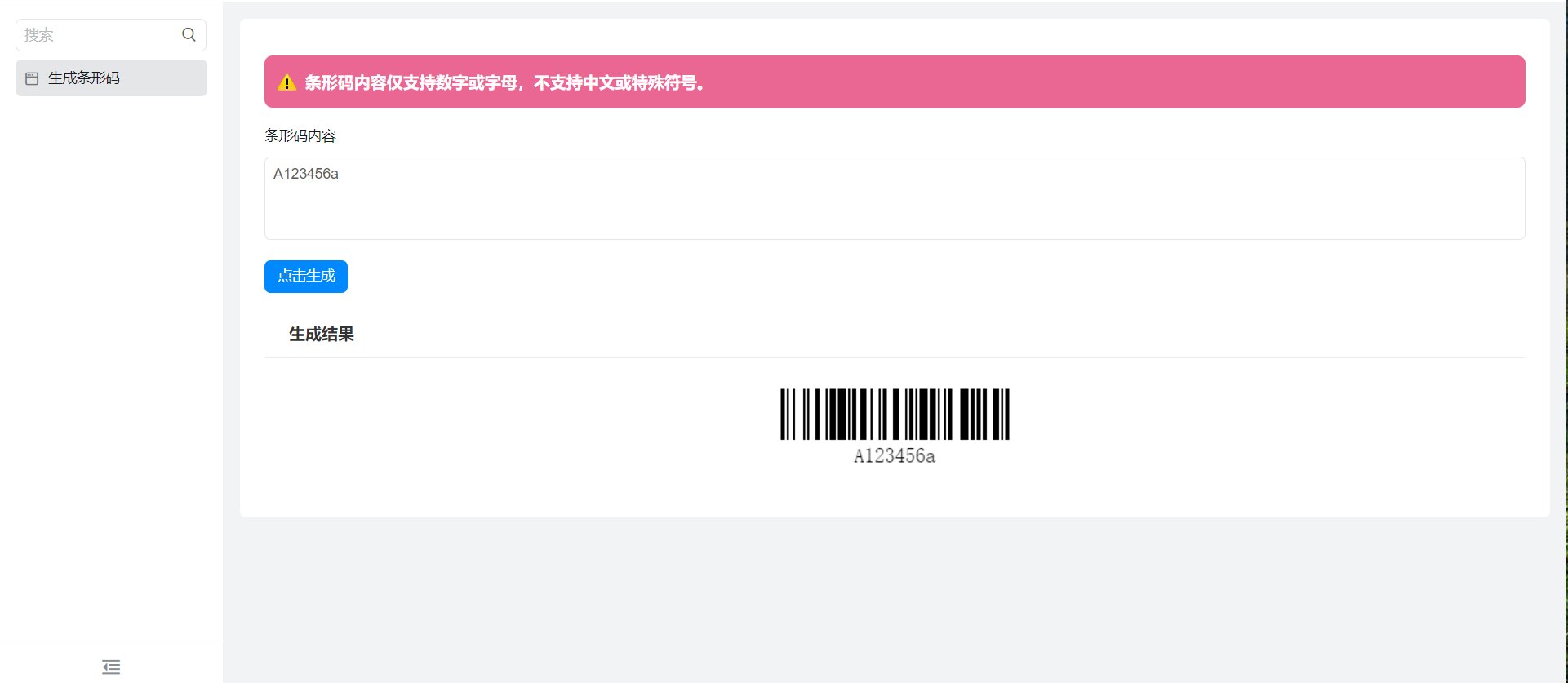
オンラインで試遊する
この文書は機械翻訳により生成されています。翻訳により生じた齟齬や相違点は拘束力を持たず、コンプライアンスや執行目的において法的効力はありません。
このドキュメントは役に立ちましたか?