5. How to publish to the DingTalk workbench or group
Next, we publish the warehouse-through application to the workbench or DingTalk group to achieve efficient business collaboration on the DingTalk workbench or DingTalk group.
- Publish to DingTalk Workbench
- Click publish in the upper-right corner and click Publish.
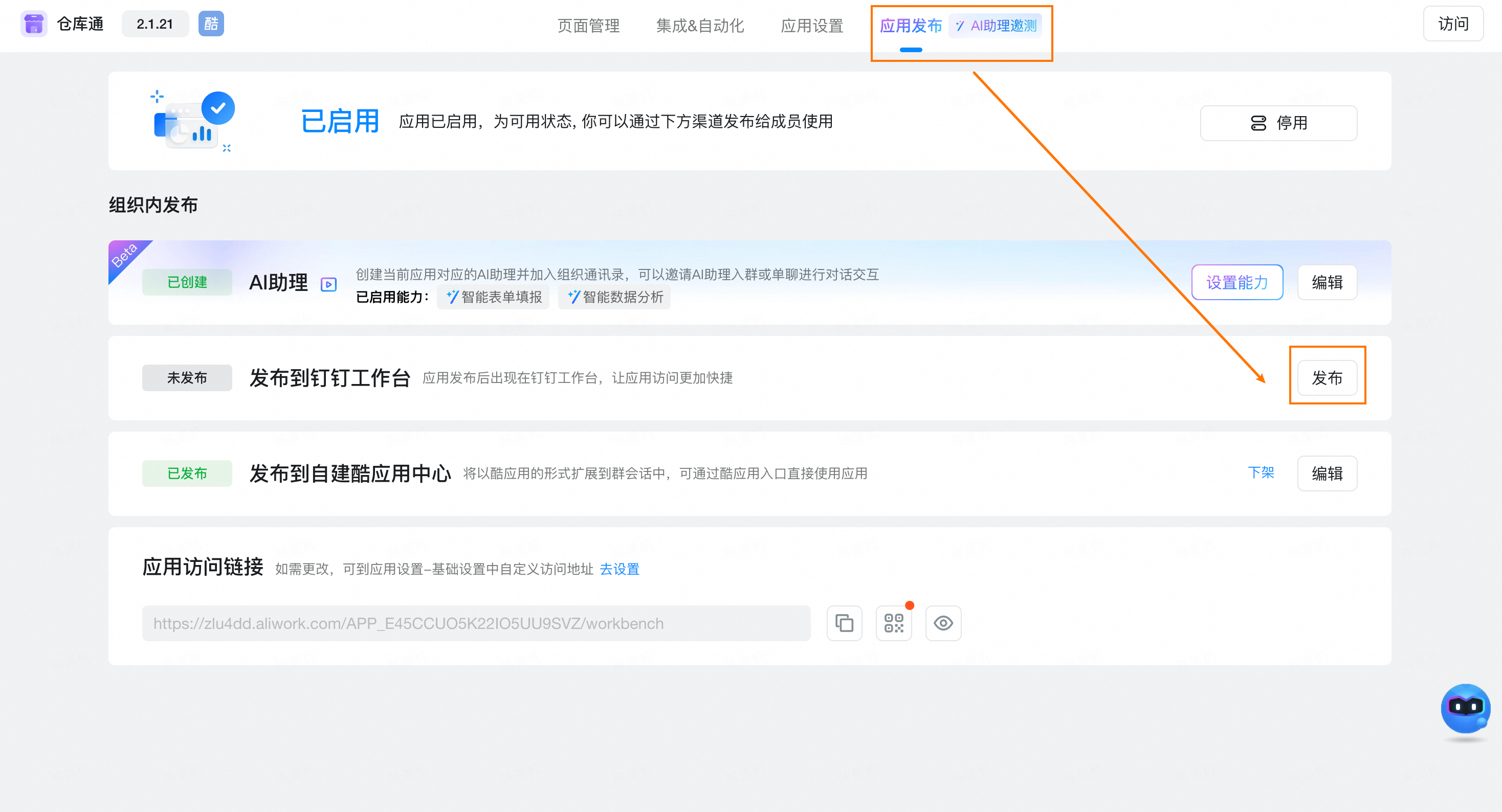
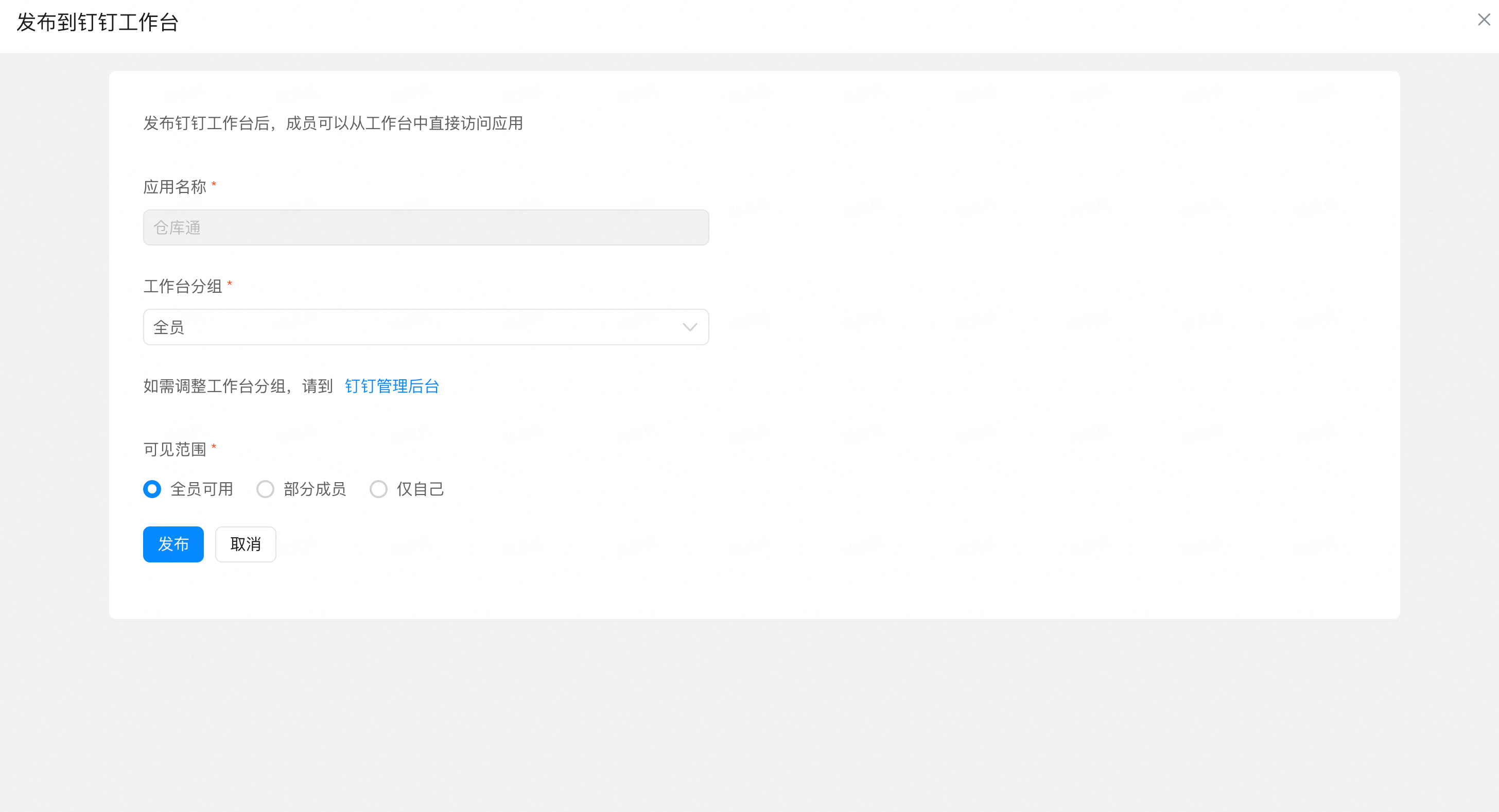
- Set Release settings as required. Generally, see the following to complete the configuration. Click Publish.
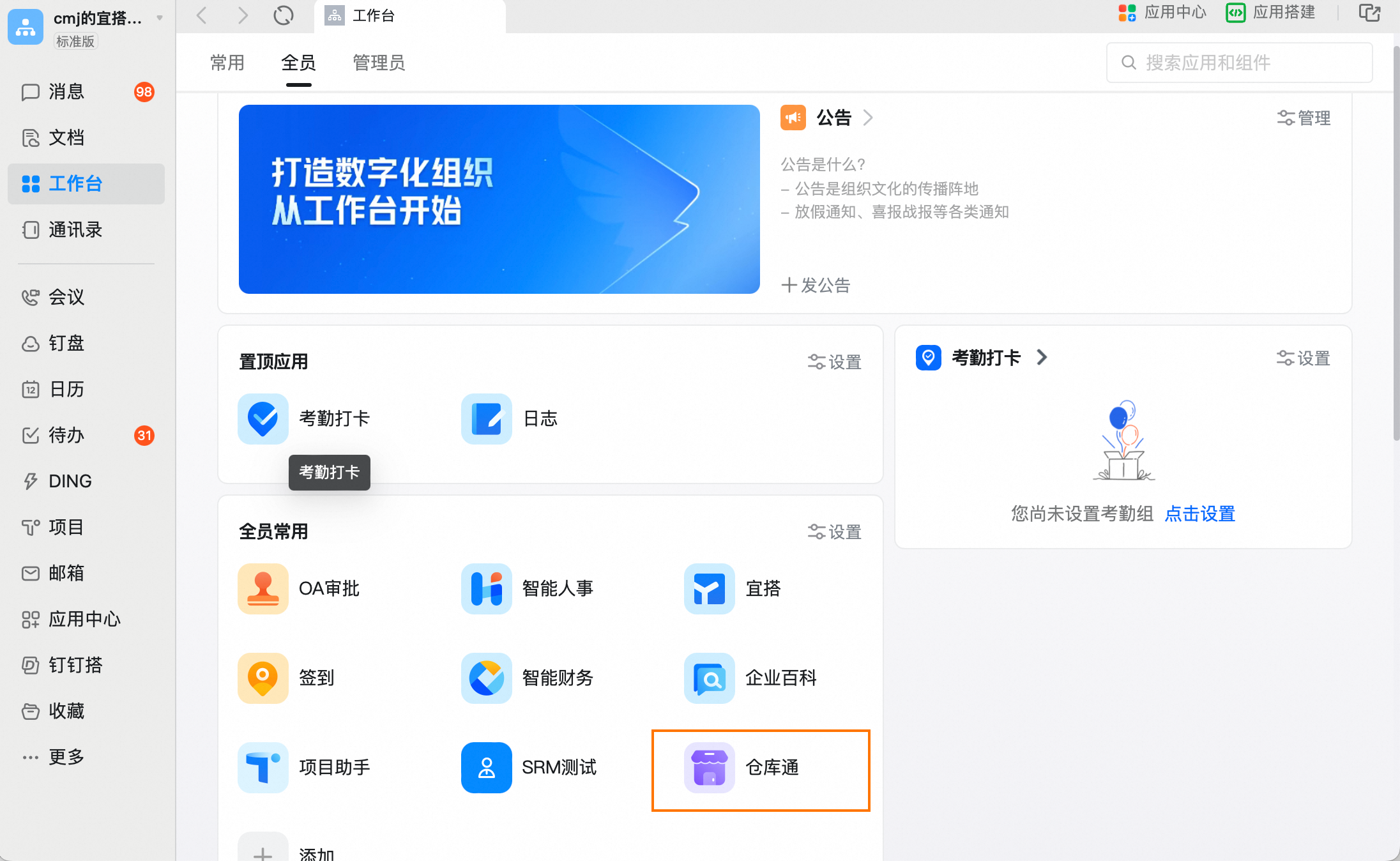
- After the release is successful, you will see the warehouse pass application on the DingTalk workbench.
- Publish to DingTalk Group
- Click Publish to self-built cool app in app release
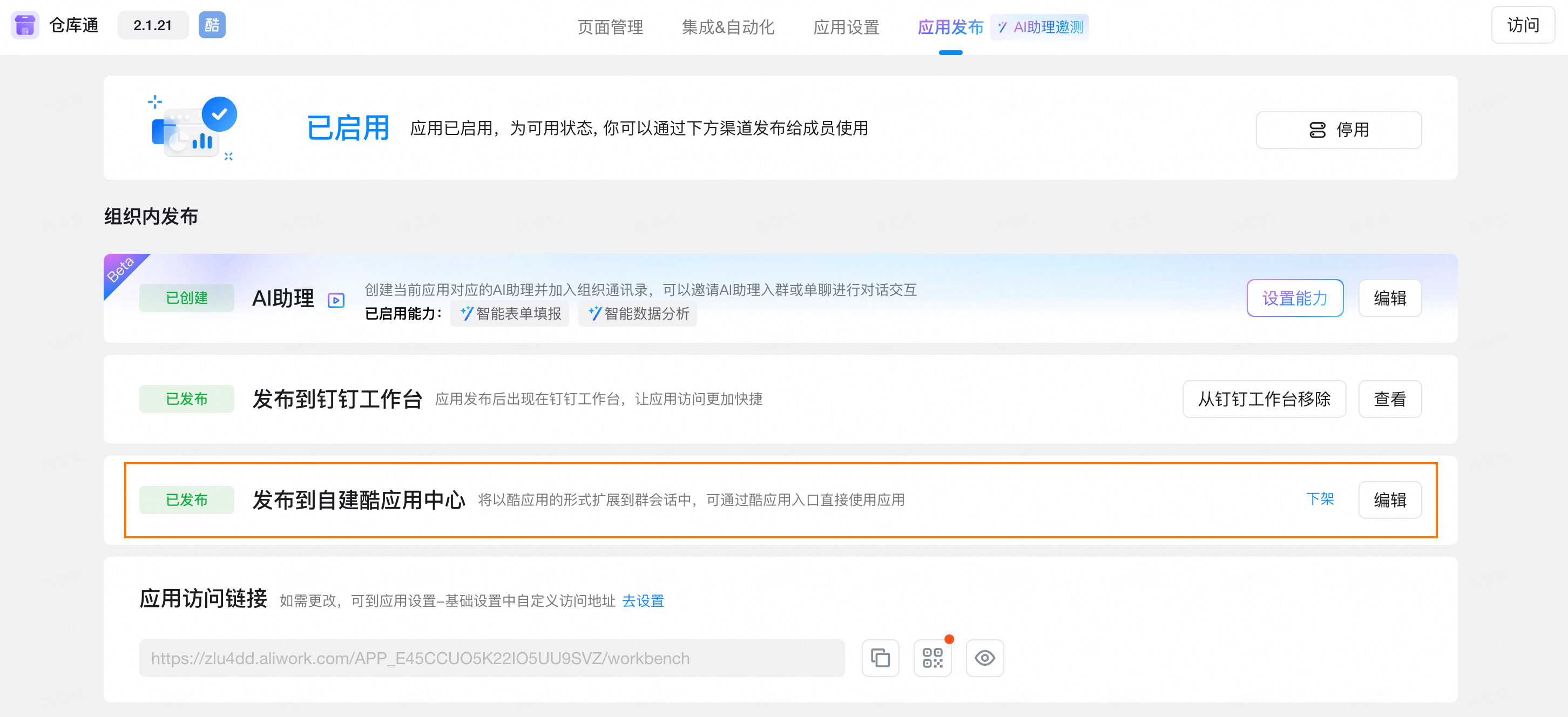
- Click edit to configure the shortcut Portal in group applications, such as quickly initiating purchase orders and quickly viewing inventory.
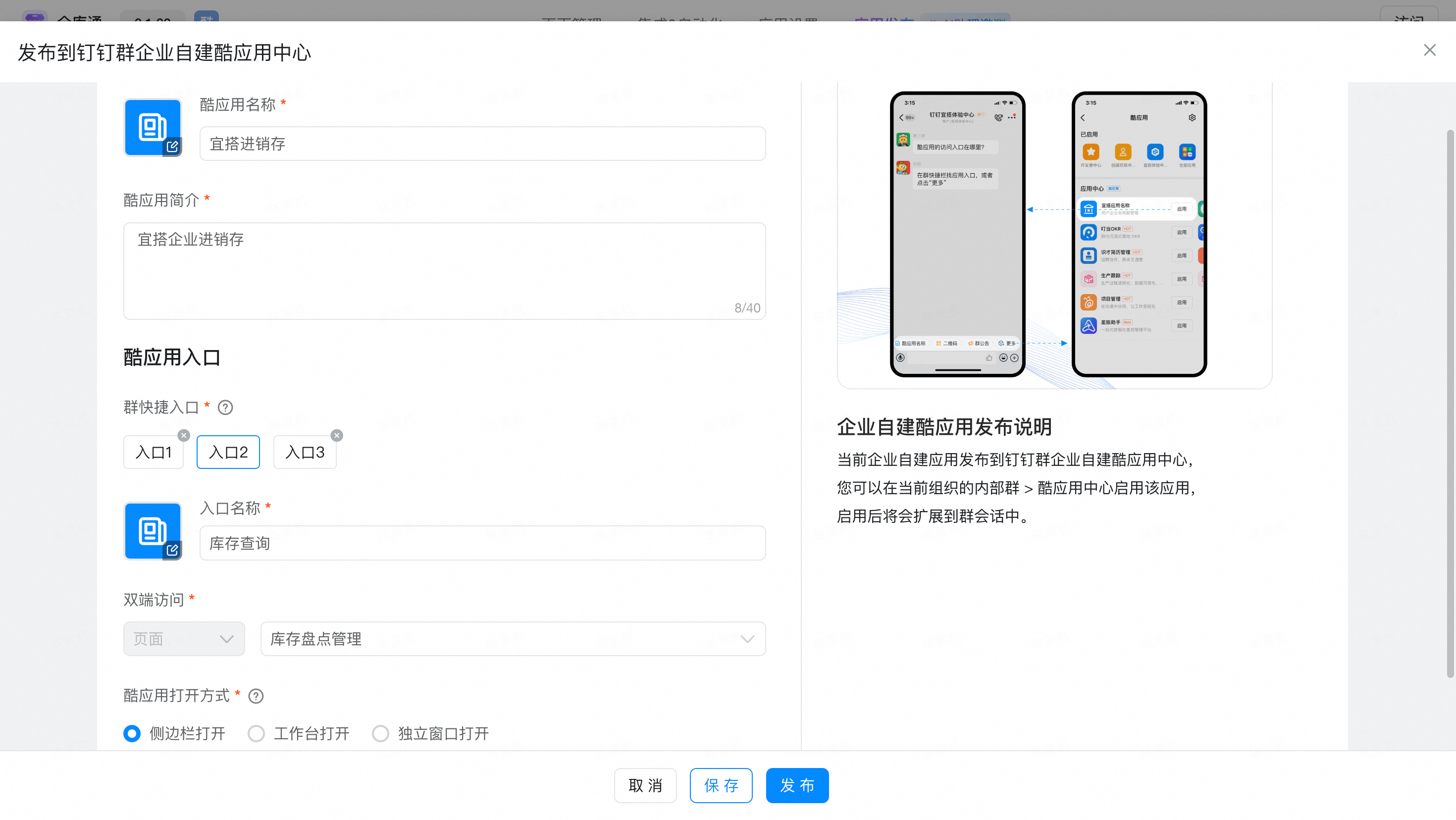
- Find more cool applications under the Enterprise organization group and enable the configured YIDA invoicing application.
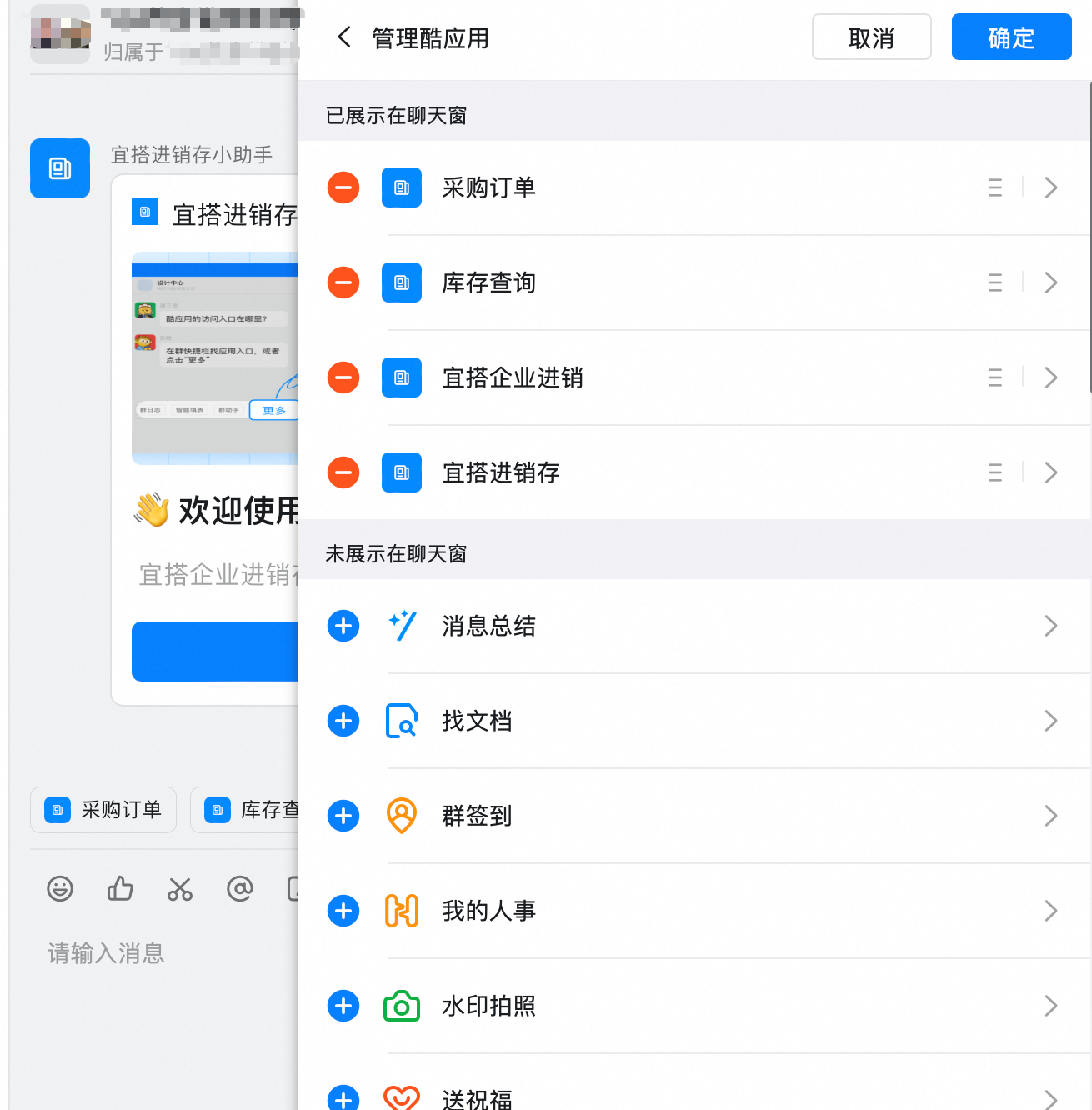
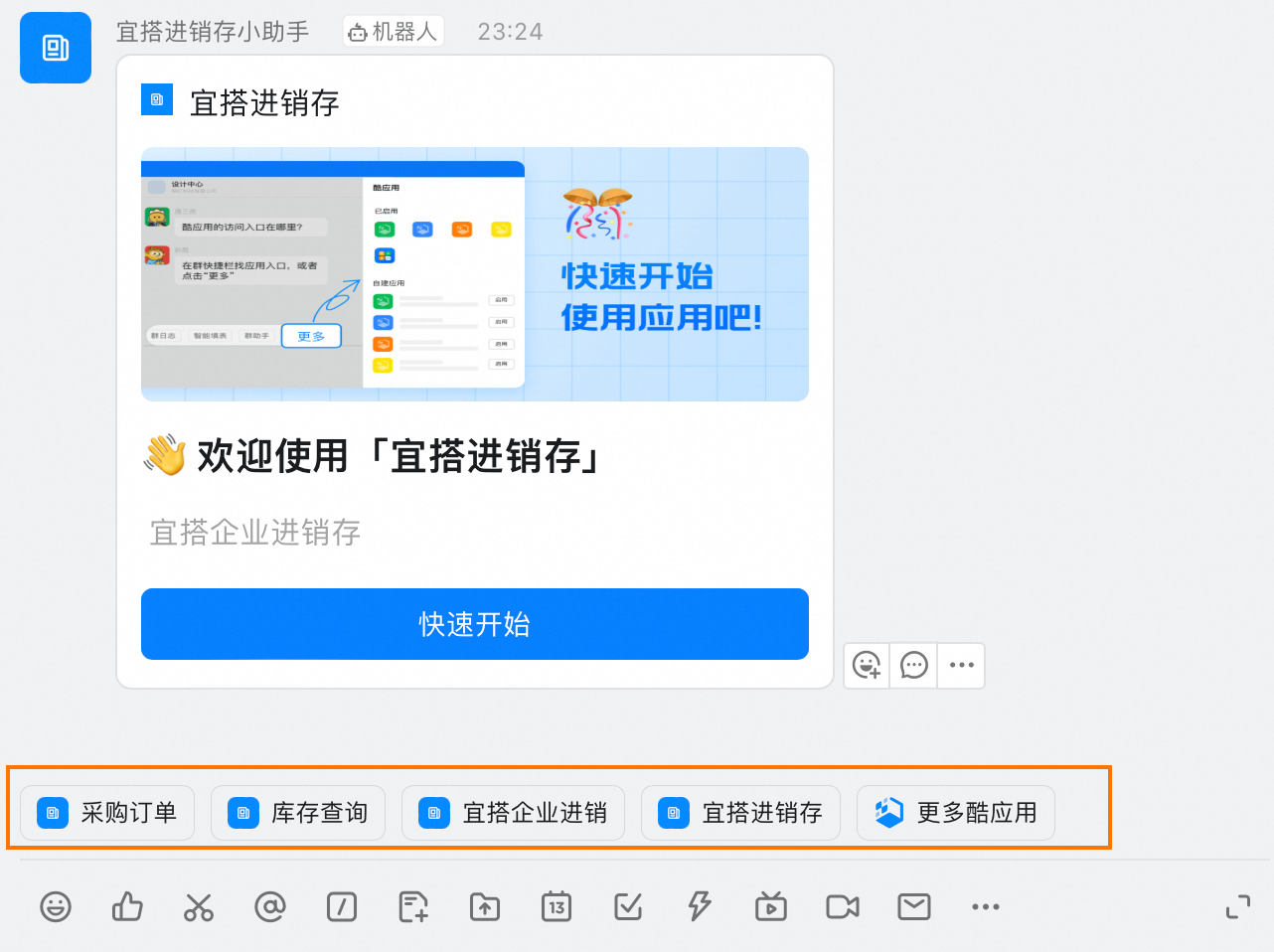
- After the configuration is successful, you can quickly manage the purchase, sale and storage in the DingTalk group, such as quickly initiating warehousing and viewing inventory.
This doc is generated using machine translation. Any discrepancies or differences created in the translation are not binding and have no legal effect for compliance or enforcement purposes.
Is this document helpful?