Custom page data Kanban
1. Usage scenarios
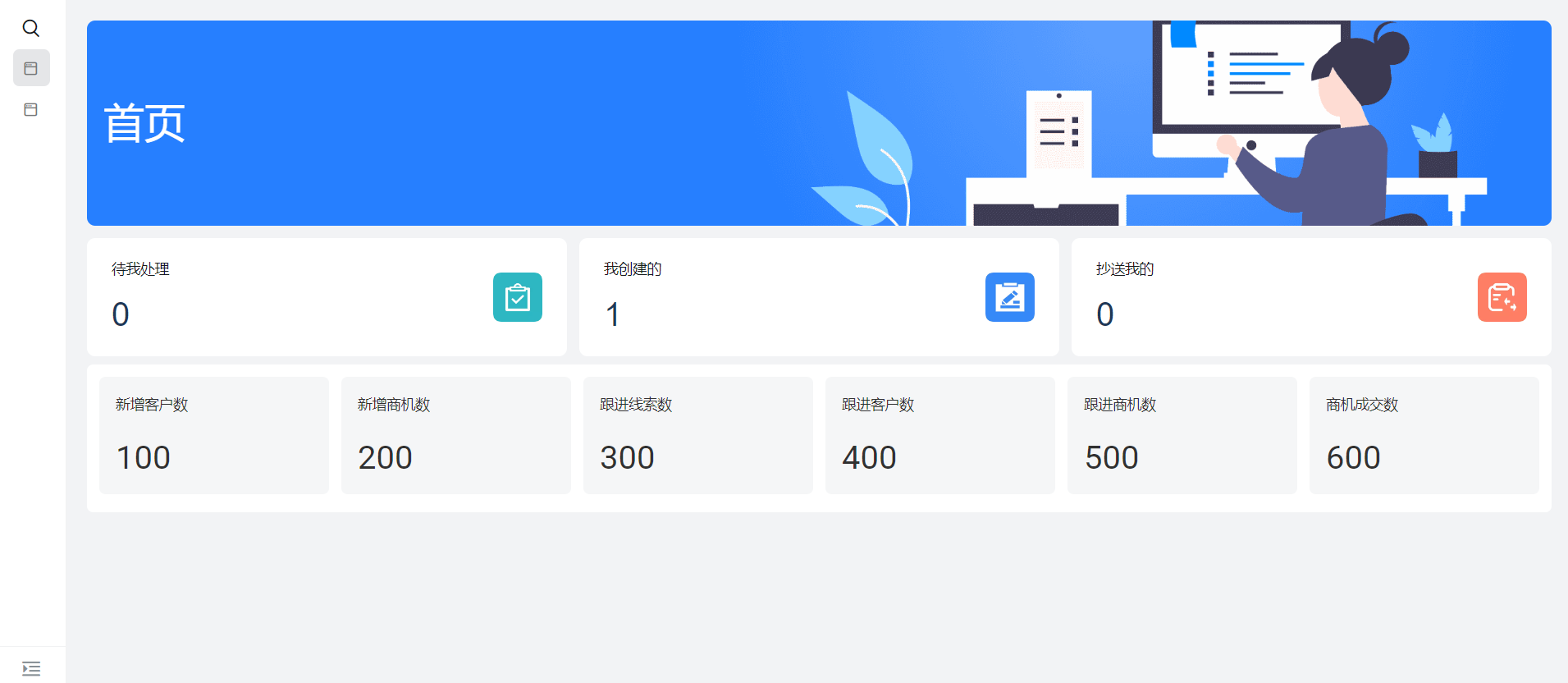
This example is available when we need to display some key data on the homepage.
This case currently passes YIDAiframe component embedded report implementation.
2. Implement functions
2.1 configure custom page display effect
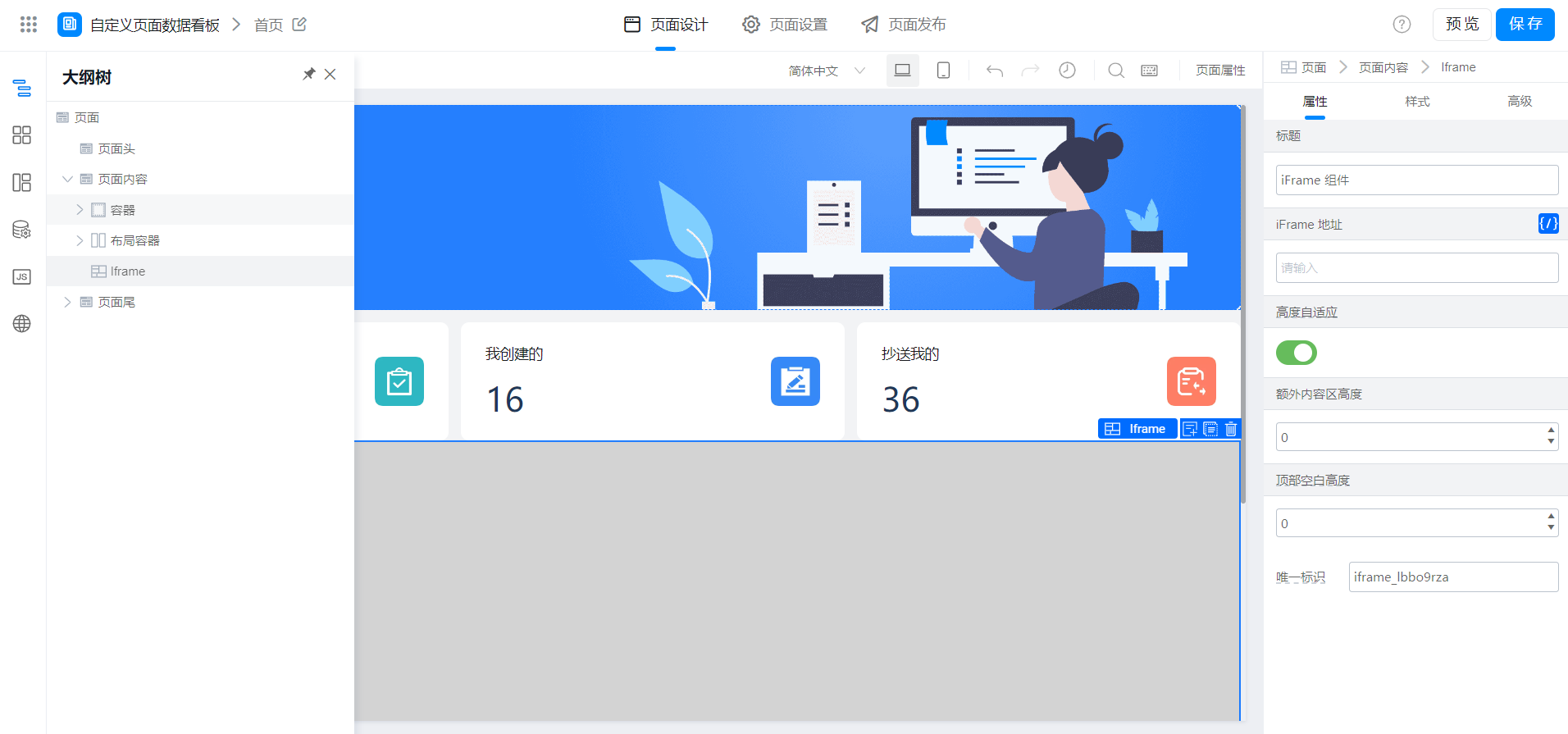
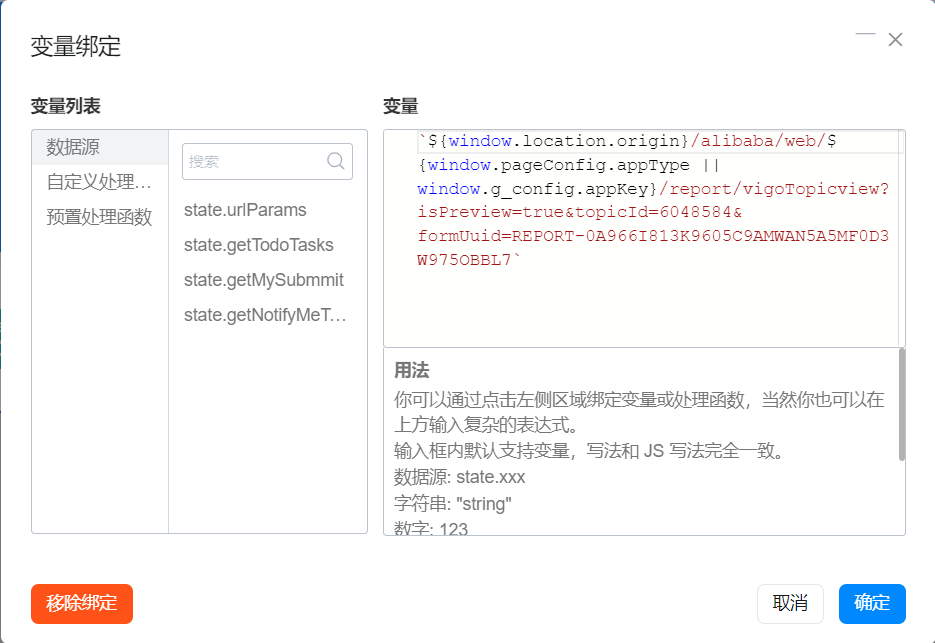
2.2 configure report display effect
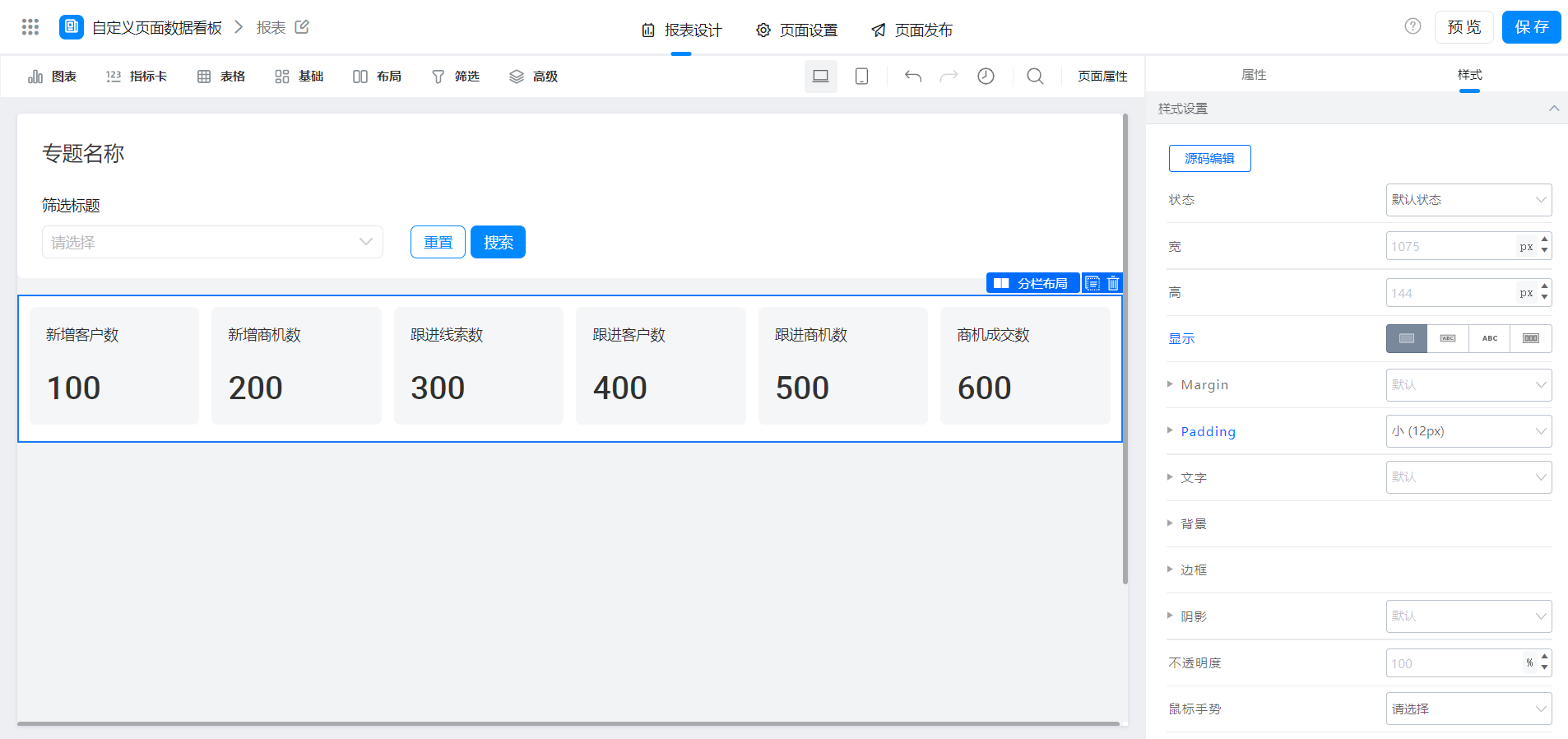
This is mainly the adjustment of the style in the column layout, as shown in the following figure.
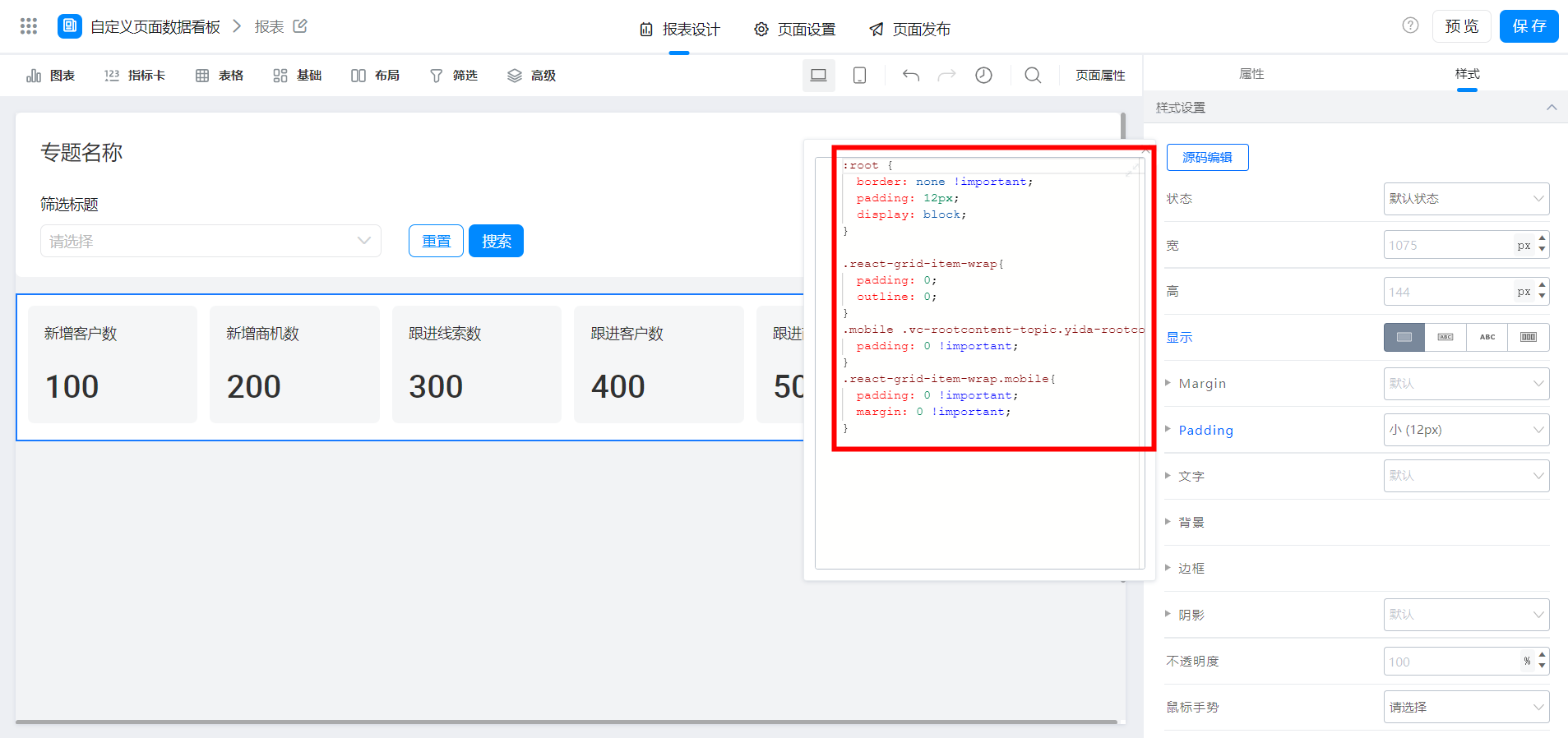
:root {
  border: none !important;
  padding: 12px;
  display: block;
}

.react-grid-item-wrap{
  padding: 0;
  outline: 0;
}

.mobile .vc-rootcontent-topic.yida-rootcontent, .mobile .vc-rootcontent-topic.youshu-rootcontent, .vc-mobile-page .vc-rootcontent-topic.yida-rootcontent, .vc-mobile-page .vc-rootcontent-topic.youshu-rootcontent{
  padding: 0 !important;
}

.react-grid-item-wrap.mobile{
  padding: 0 !important;
  margin: 0 !important;
}
3. Effect demonstration
4. Try it online

This doc is generated using machine translation. Any discrepancies or differences created in the translation are not binding and have no legal effect for compliance or enforcement purposes.
Is this document helpful?