
Custom page batch call interface (front-end method)
This case comes from Feng Peng, a three-party developer 」
In the process of building YIDA applications, you may encounter the following problems.
- YIDA the official data source has certain QPS restrictions. It is easy to limit the flow of direct batch requests. However, in some scenarios, batch requests need to be initiated. How can batch requests be initiated without throttling by the platform?
Prerequisites
This tutorial uses some basic functions of YIDA. You can first learn about the following functions.
This tutorial uses Web development technologies. You can first understand the following technologies.
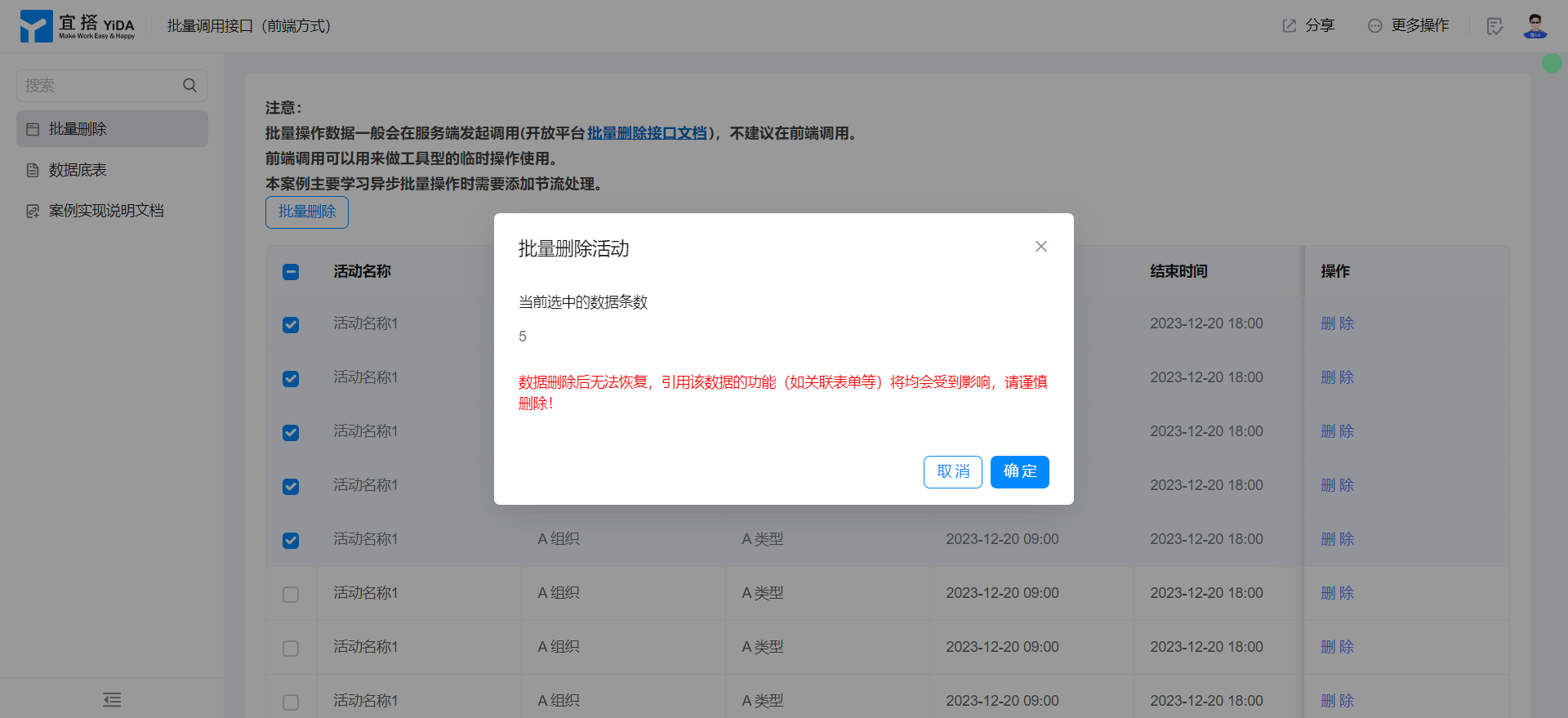
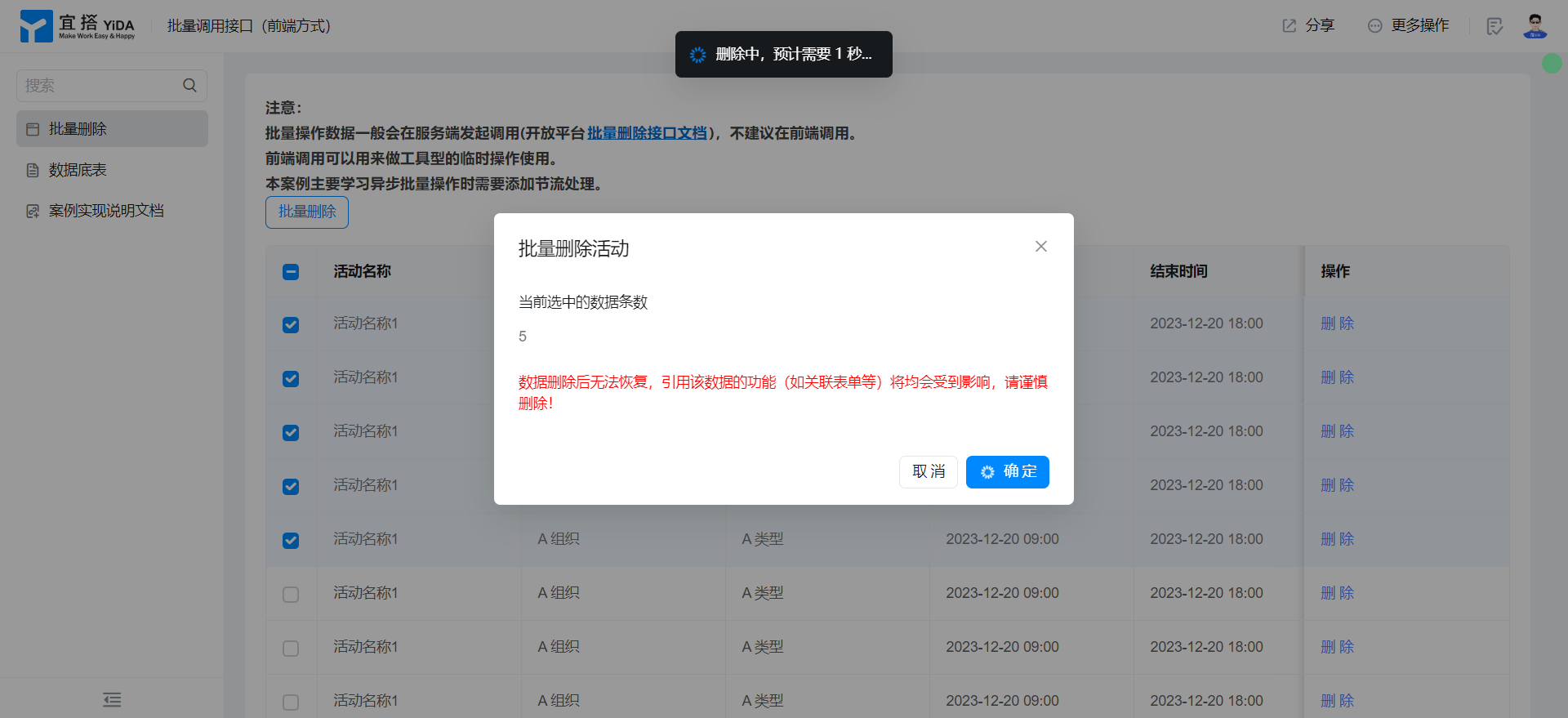
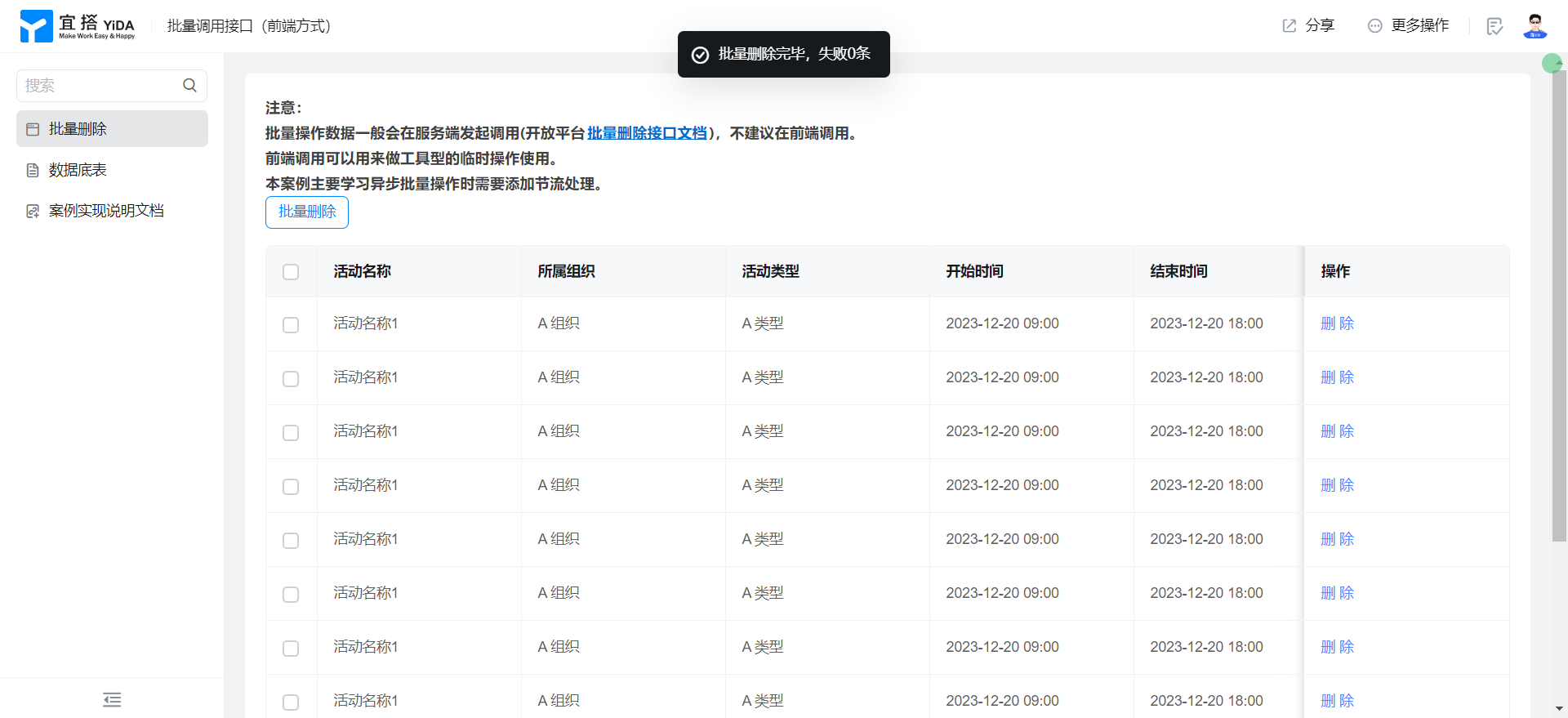
Effect
Implementation steps
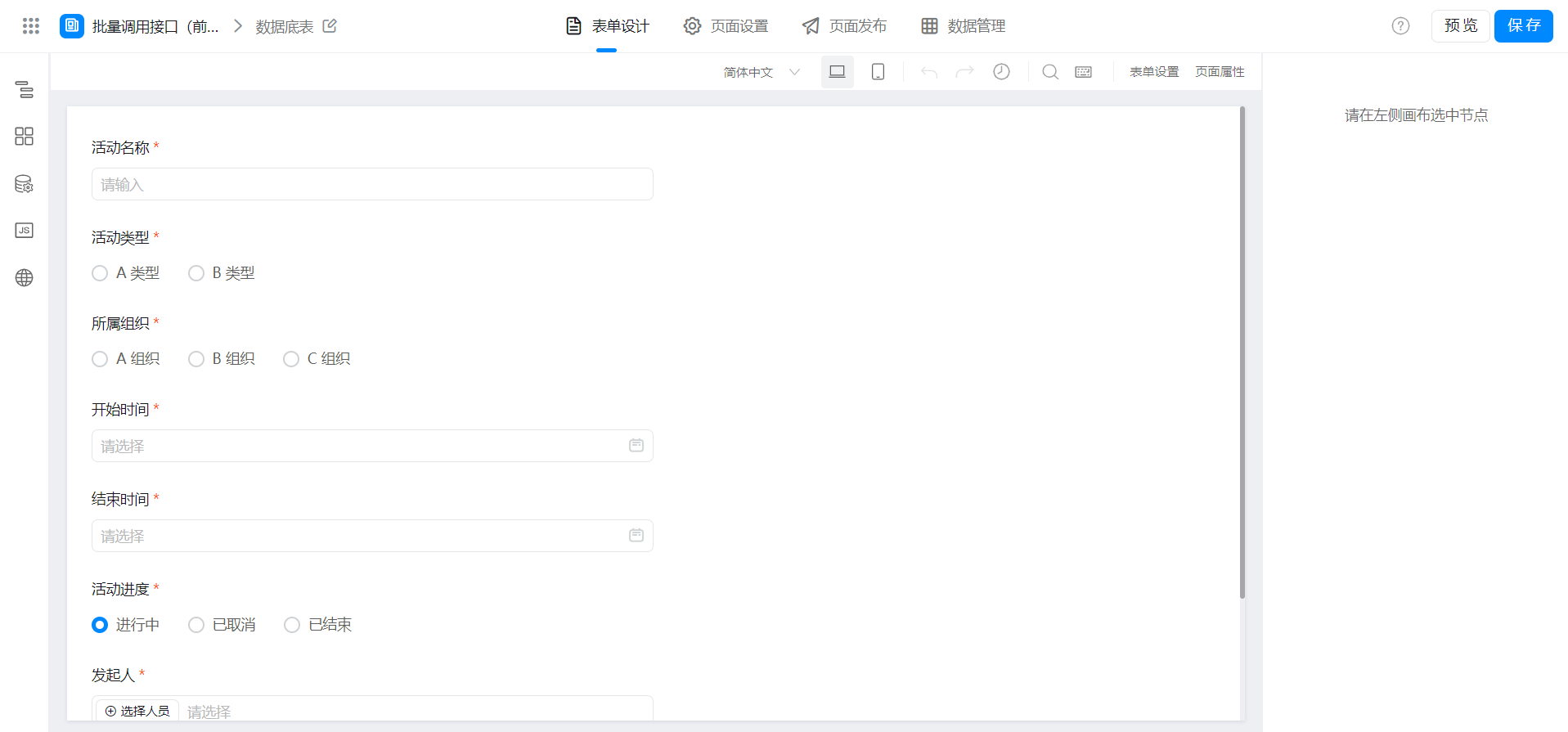
Create a data table
Create a custom page
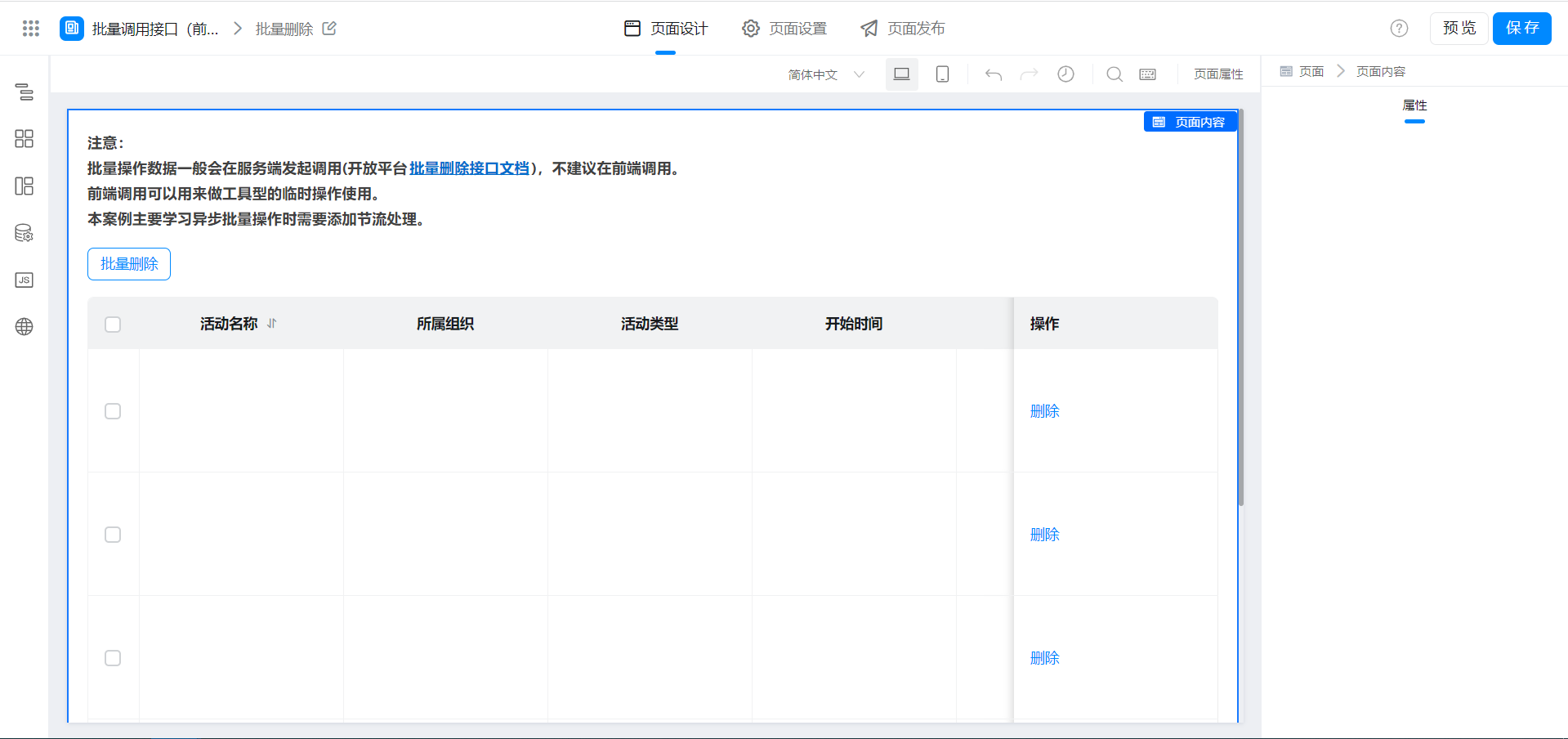
Configure page functions
Get data displayed in a table
Reference:Customize page tables to implement data management page functions
In this example, we upgrade the deletion one by one in the above documents to batch deletion. Other functions remain unchanged.
Configure table row selector
Enable the table row selector and bind the following functions:
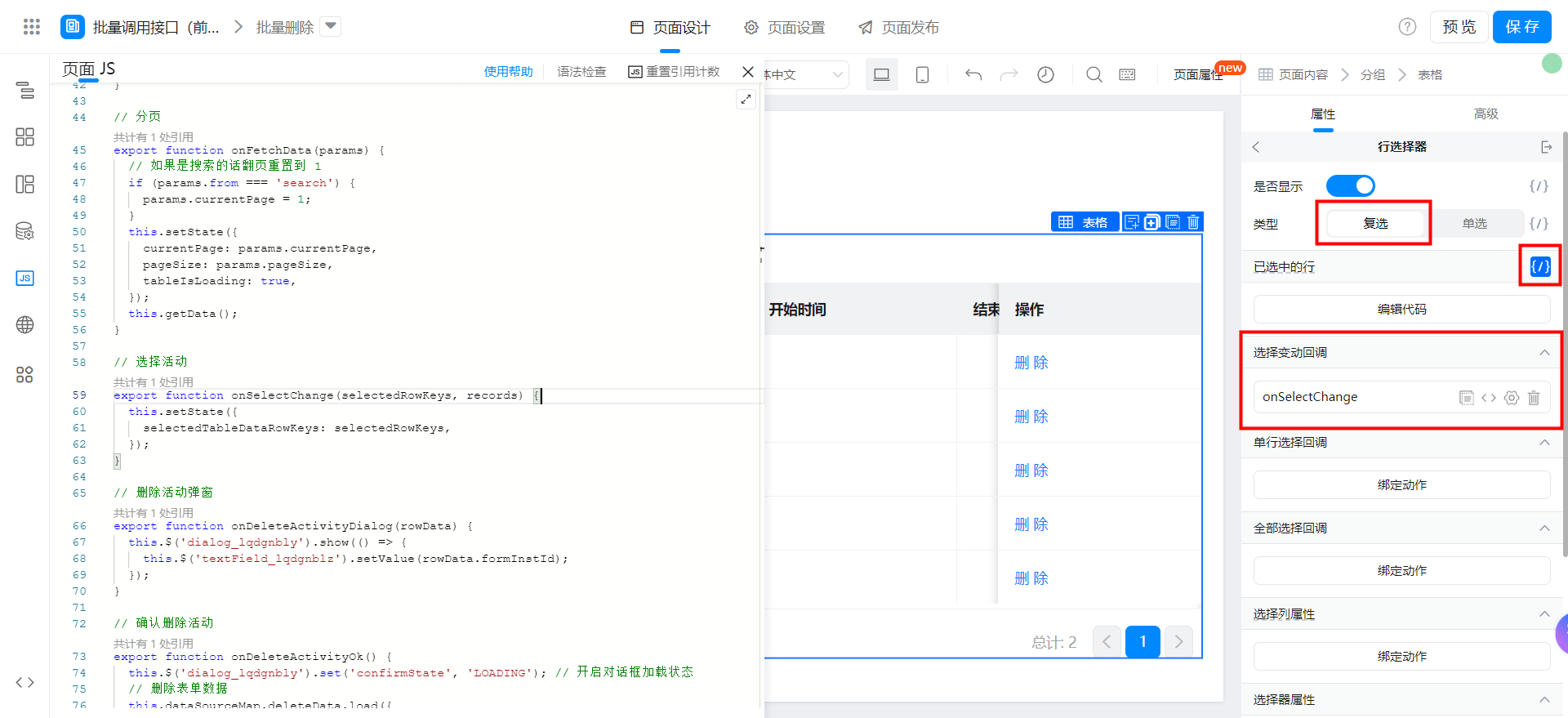

// 选择活动
export function onSelectChange(selectedRowKeys, records) {
  this.setState({
    selectedTableDataRowKeys: selectedRowKeys,
  });
}
Configure batch delete prompt pop-up window
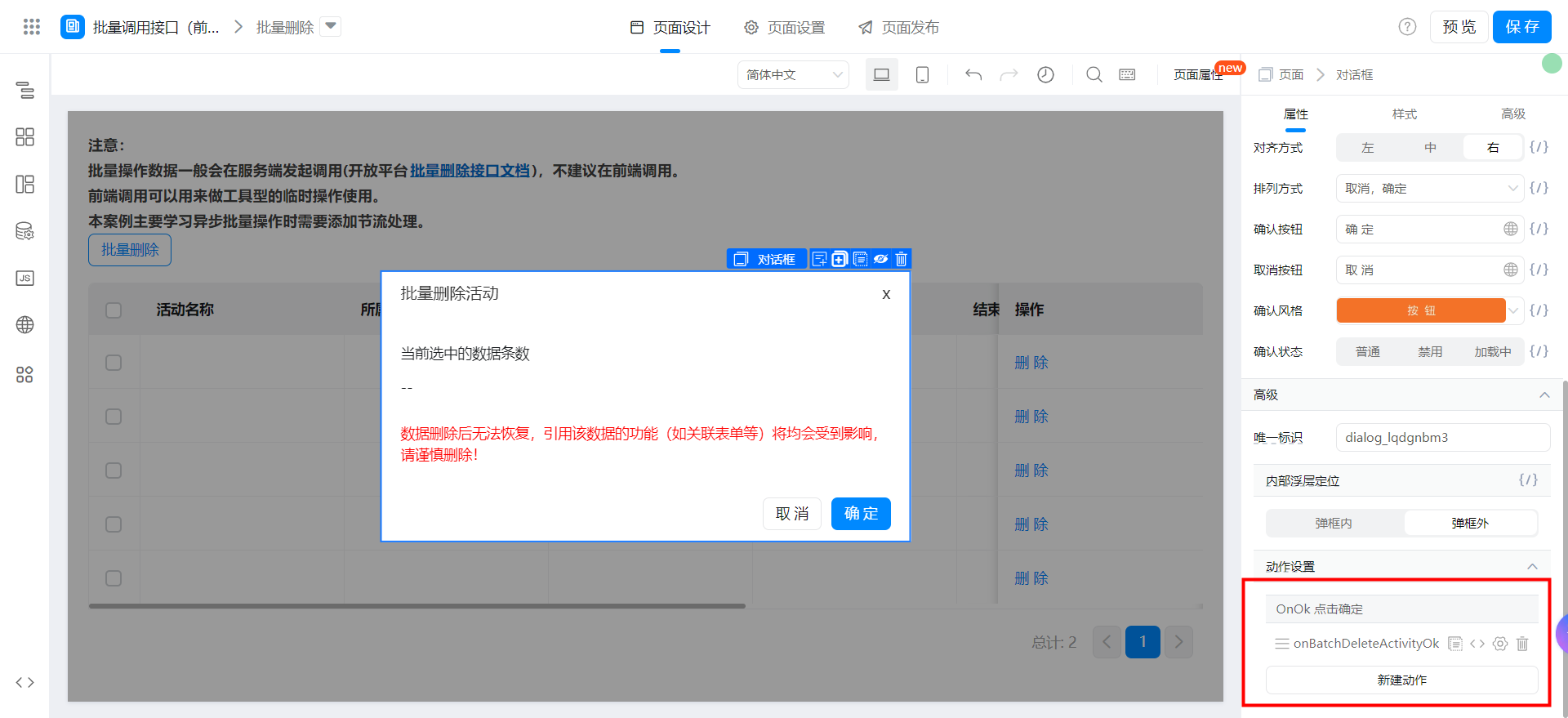
Bind the following functions:
// 确认批量删除活动
export async function onBatchDeleteActivityOk() {
  const { selectedTableDataRowKeys = [] } = this.state;
  this.$('dialog_lqdgnbm3').set('confirmState', 'LOADING'); // 开启对话框加载状态
  const batchDeleteLoading = this.utils.toast({
    title: `删除中,预计需要 ${selectedTableDataRowKeys.length / 5} 秒...`,
    type: 'loading',
  });
  const failedInstId = [];
  // 循环调用删除接口
  for (let i = 0; i < selectedTableDataRowKeys.length; i++) {
    const delay = i === 0 ? 0 : 200;
    await new Promise(((resolve) => {
      // 注意节流,每次请求间隔 200 ms
      setTimeout(async () => {
        try {
          await this.dataSourceMap.deleteData.load({
            formInstId: selectedTableDataRowKeys[i],
          });
        } catch (e) {
          // 把失败的实例 id 收集起来
          failedInstId.push(selectedTableDataRowKeys[i]);
        }
        resolve();
      }, delay);
    }));
  }
  this.$('dialog_lqdgnbm3').set('confirmState', 'NORMAL'); // 关闭对话框加载状态
  this.$('dialog_lqdgnbm3').hide();
  batchDeleteLoading();
  this.utils.toast({
    title: `批量删除完毕,失败${failedInstId.length}条`,
    type: 'success',
  });
  setTimeout(() => {
    this.setState({
      tableIsLoading: true,
      selectedTableDataRowKeys: [],
    });
    this.getData(); // 获取数据
  }, 1000);
}
Configure operations at the top of the table
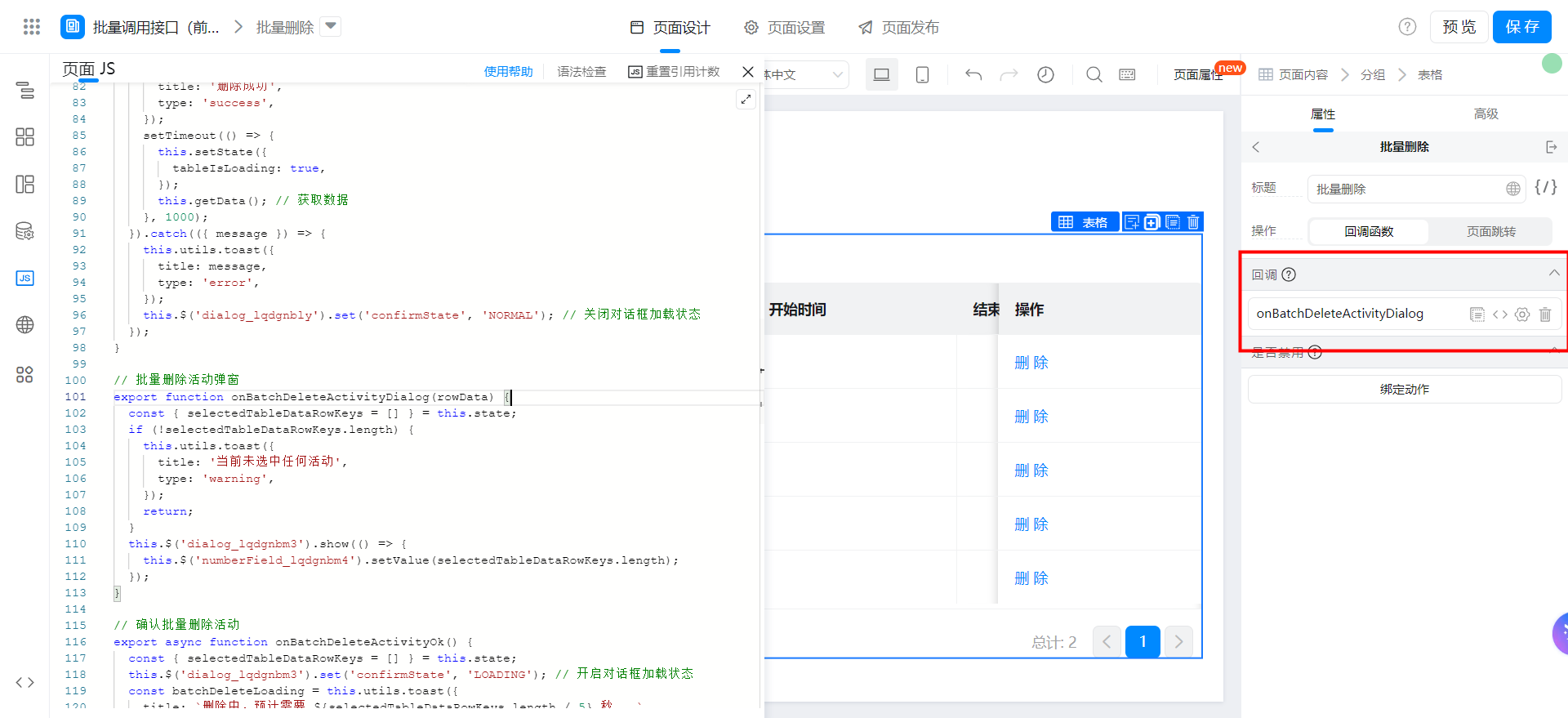
Bind the following functions:
// 批量删除活动弹窗
export function onBatchDeleteActivityDialog(rowData) {
  const { selectedTableDataRowKeys = [] } = this.state;
  if (!selectedTableDataRowKeys.length) {
    this.utils.toast({
      title: '当前未选中任何活动',
      type: 'warning',
    });
    return;
  }
  this.$('dialog_lqdgnbm3').show(() => {
    this.$('numberField_lqdgnbm4').setValue(selectedTableDataRowKeys.length);
  });
}
Video tutorial
Try it online
This doc is generated using machine translation. Any discrepancies or differences created in the translation are not binding and have no legal effect for compliance or enforcement purposes.
Is this document helpful?