
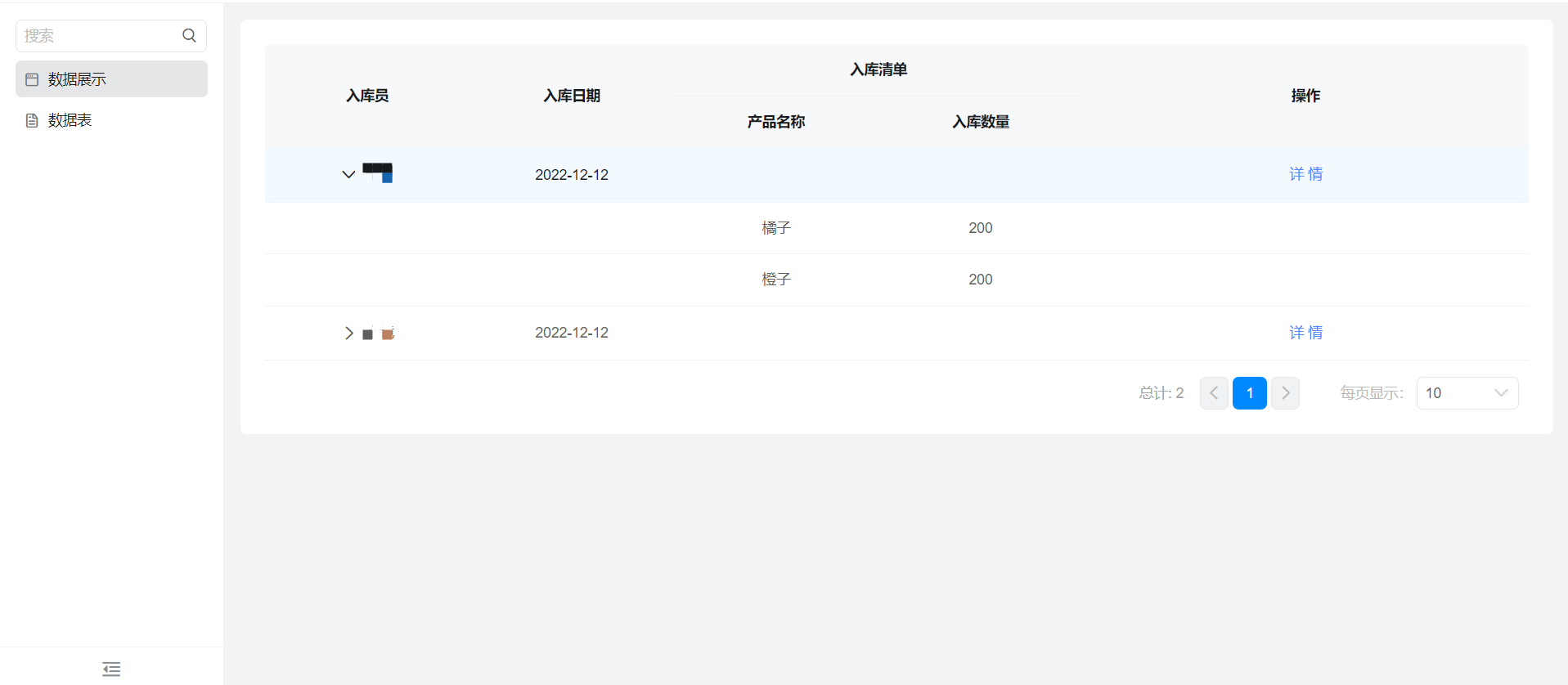
The custom page table displays the main table and sub-table information.
1. Usage scenarios
When the form contains both main table information and sub-table information, we want to display both main table information and sub-table information in the custom page table, which requires special data processing, at this time, we can refer to the following cases.
2. Implement functions
2.1 obtain data and display it in a table
(1) add a remote data source to the data source
Reference documents:Search form instance details by criteria
The interface configuration is as follows:
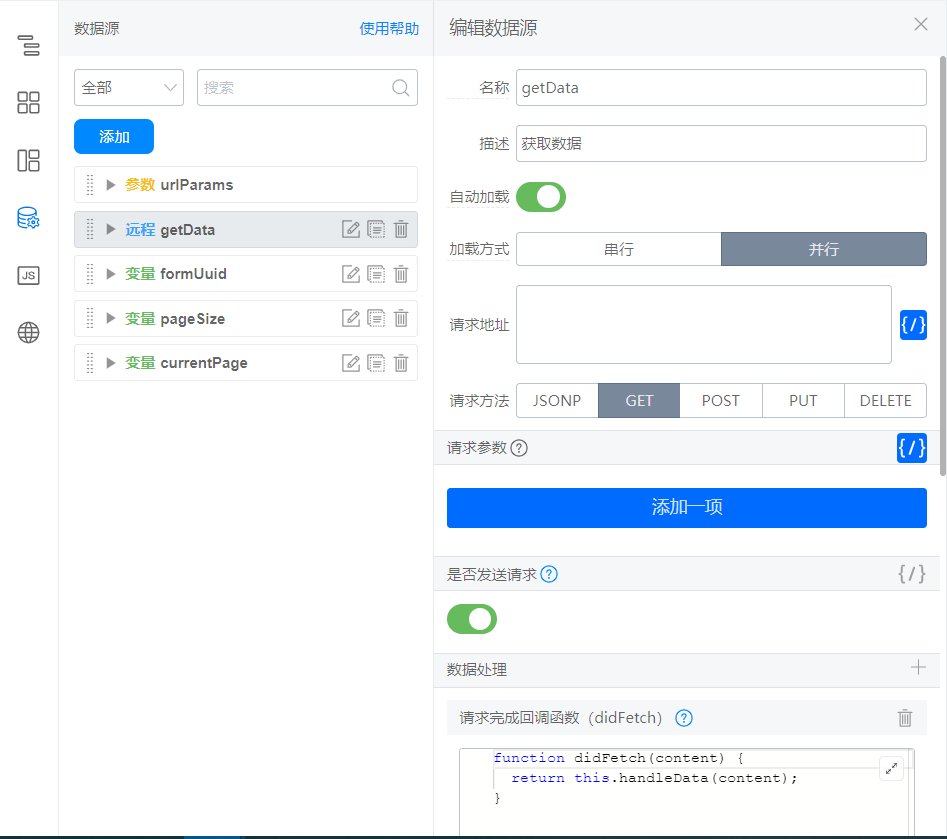
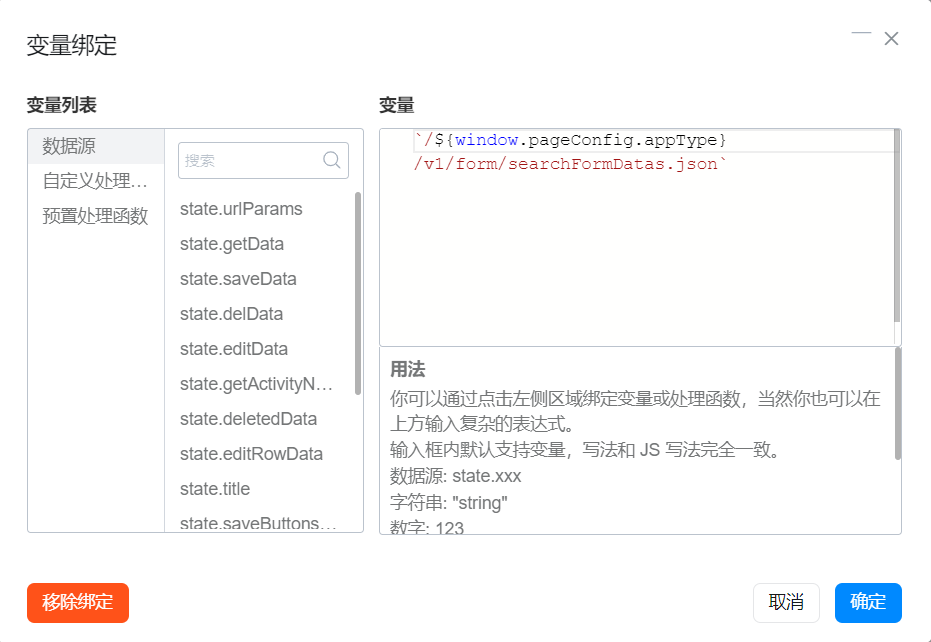
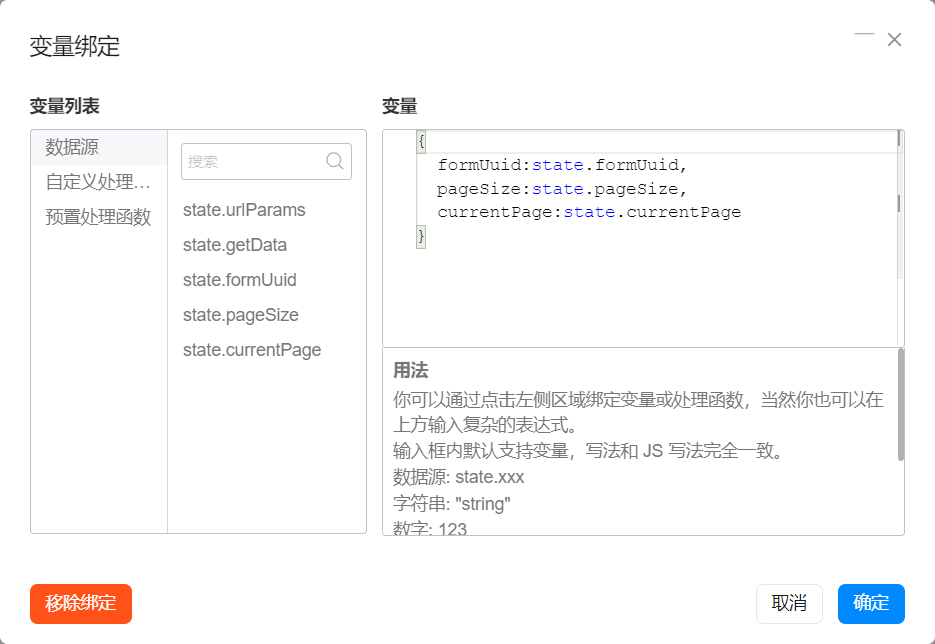
didFetch data processing functions:
// 树形表格数据处理
export function handleData(content) {
  const { currentPage, data, totalCount } = content;
  if (!totalCount) { return content };
  const tableData = data.map(item => {
    const children = item.formData.tableField_lbkho7az.map((_item, index) => {
      return {
        productName: _item.textField_lbkho7b0,
        count: _item.numberField_lbkho7b1,
        isChildren: true,
        formInstId: `${item.formInstId}-${index}`,
      }
    });
    return {
      formInstId: item.formInstId,
      formUuid: item.formUuid,
      title: item.title,
      name: item.formData.employeeField_lbkho7ax,
      date: item.formData.dateField_lbkho7ay,
      children,
      isChildren: false
    }
  });
  return {
    currentPage,
    totalCount,
    data: tableData
  };
}
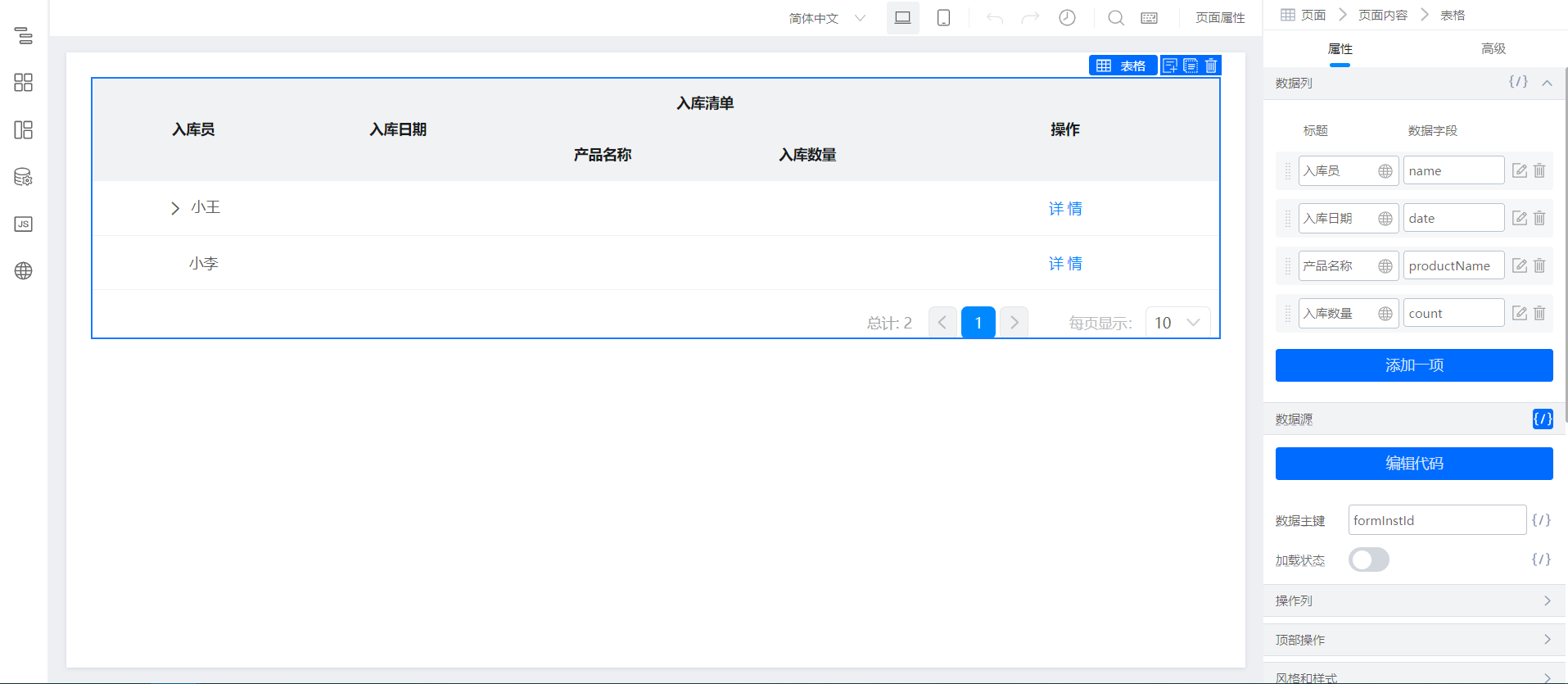
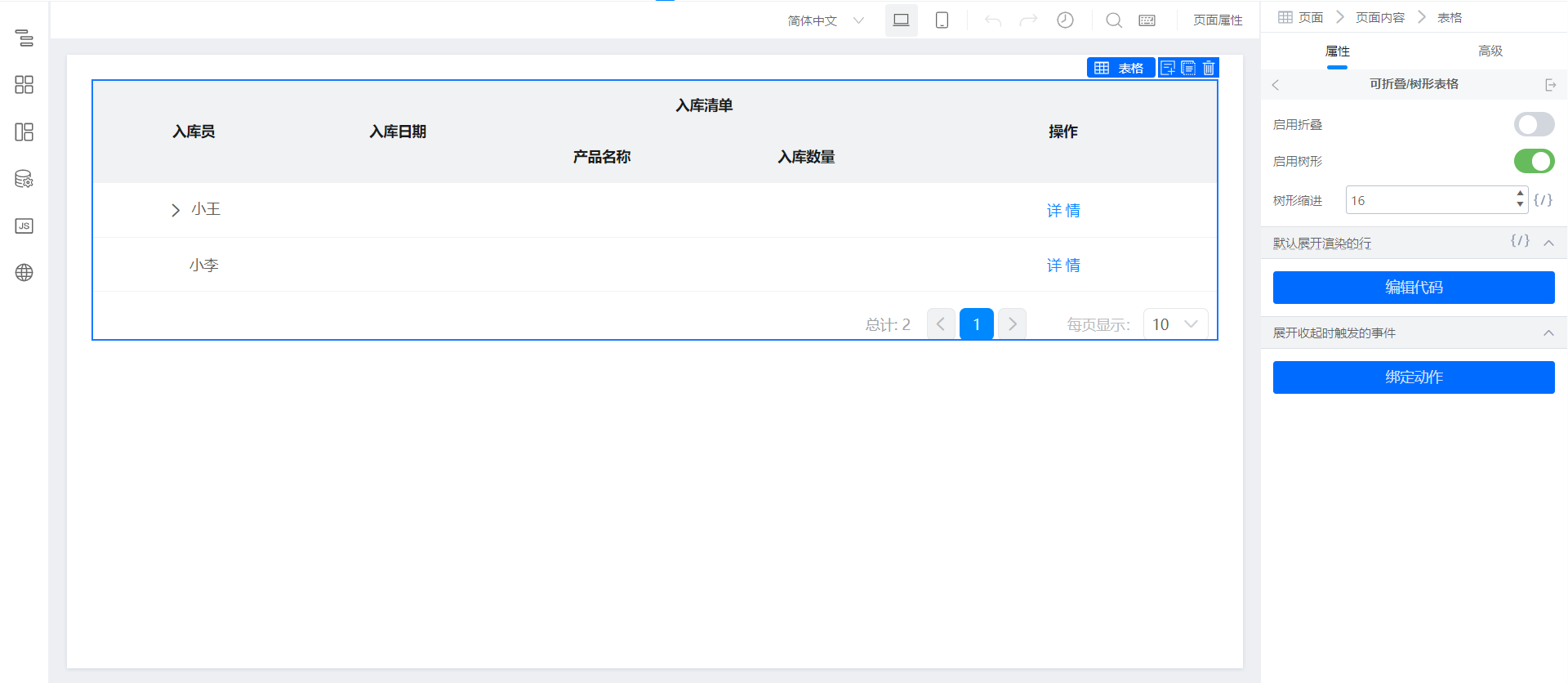
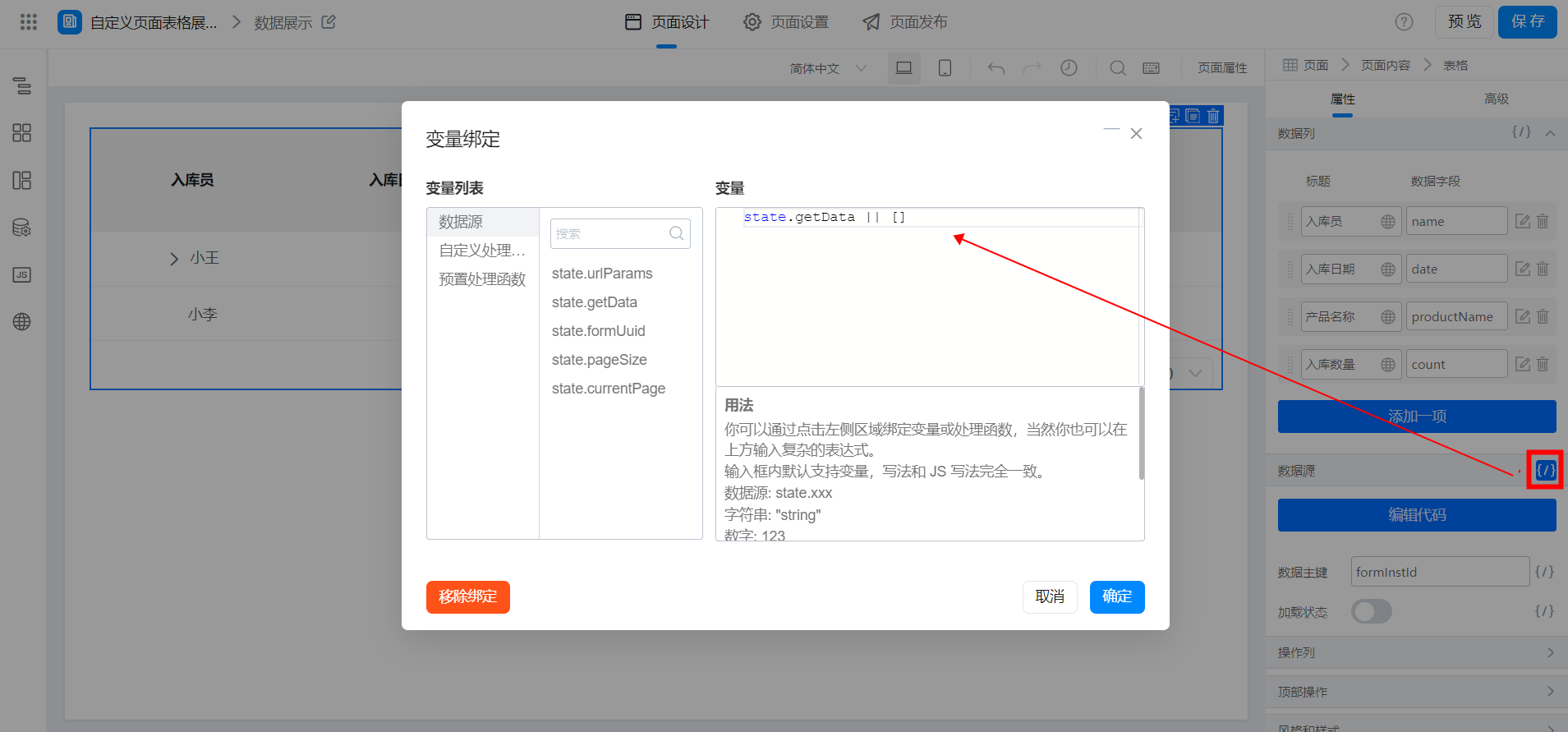
(2) configure custom pages
As shown in the following figure:
2.2 View details on The Jump Details page
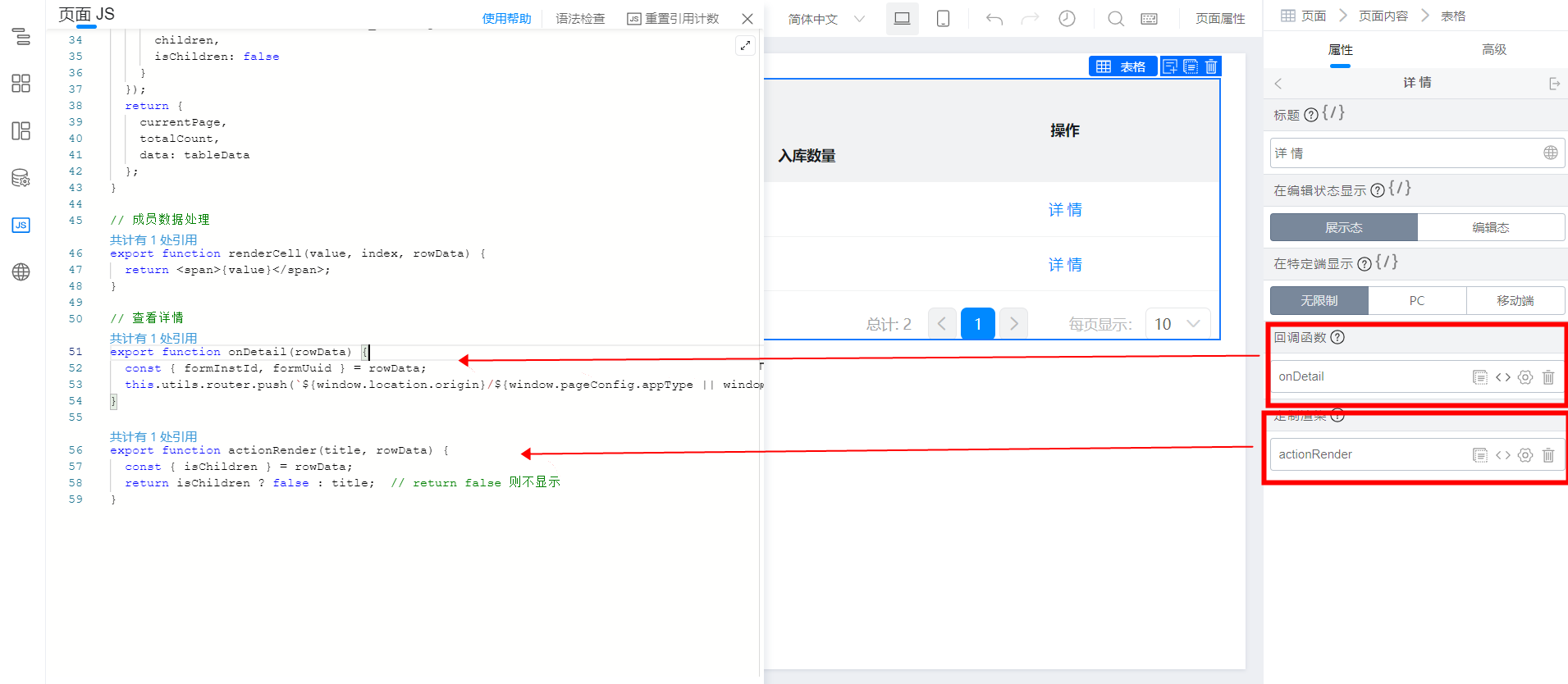
(1) configure detailed operation items in the operation column
3. Achieve results
4. Try it online

This doc is generated using machine translation. Any discrepancies or differences created in the translation are not binding and have no legal effect for compliance or enforcement purposes.
Is this document helpful?