
HTTP connector-obtain and save instance comment records in batches
1. Usage scenarios
This example describes how to use the DingTalk open platform OpenAPI to obtain YIDA instance comment records in batches and store them in a form.
1.1. Connector introduction document
2. Implement functions
2.1. Apply for DingTalk open platform application credentials and interface permissions
If you have applied, you can ignore this step.
2.2. Create an HTTP connector
The connector used in this example:
2.2.1. Create an HTTP connector
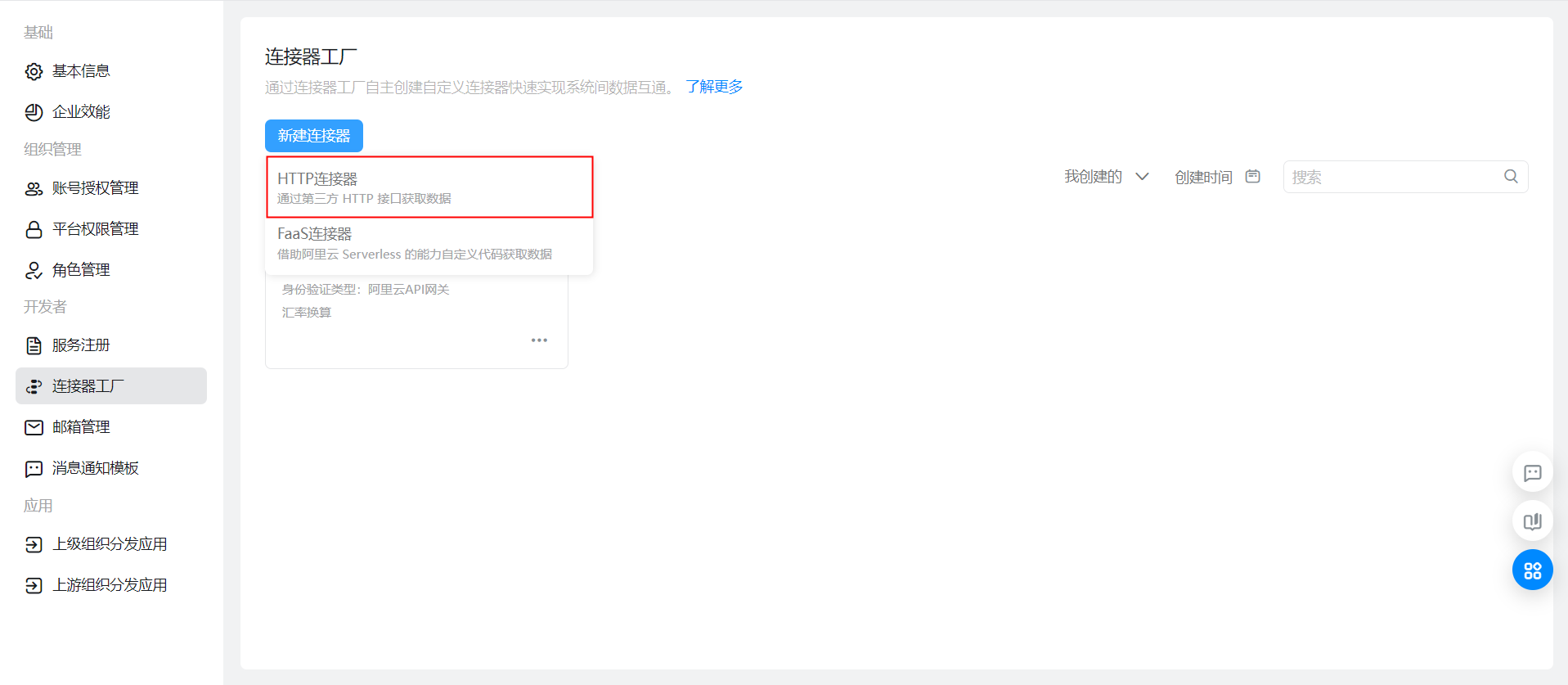
2.2.2. Configure basic connector information and logon methods
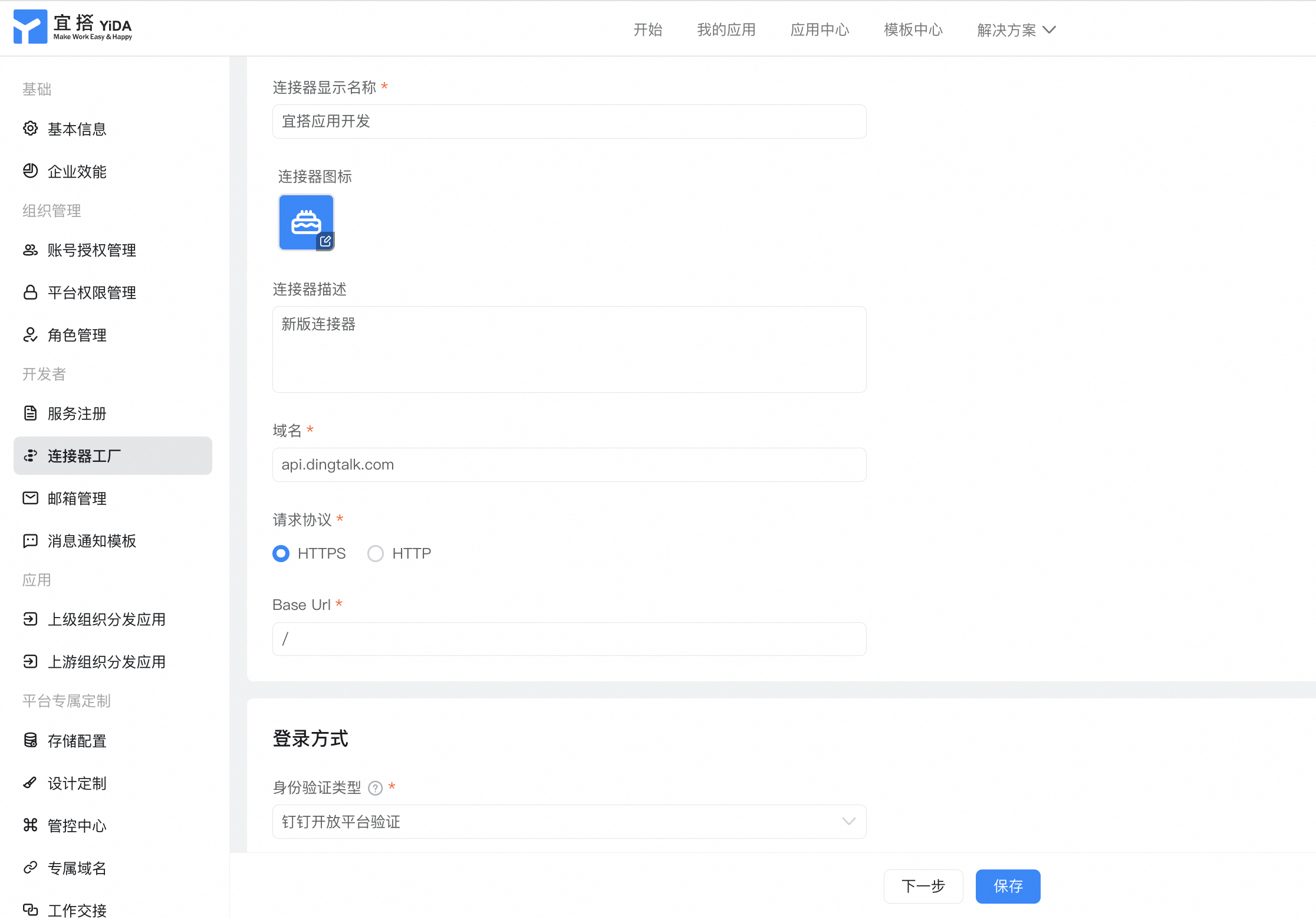
2.2.3. Configure connector execution actions
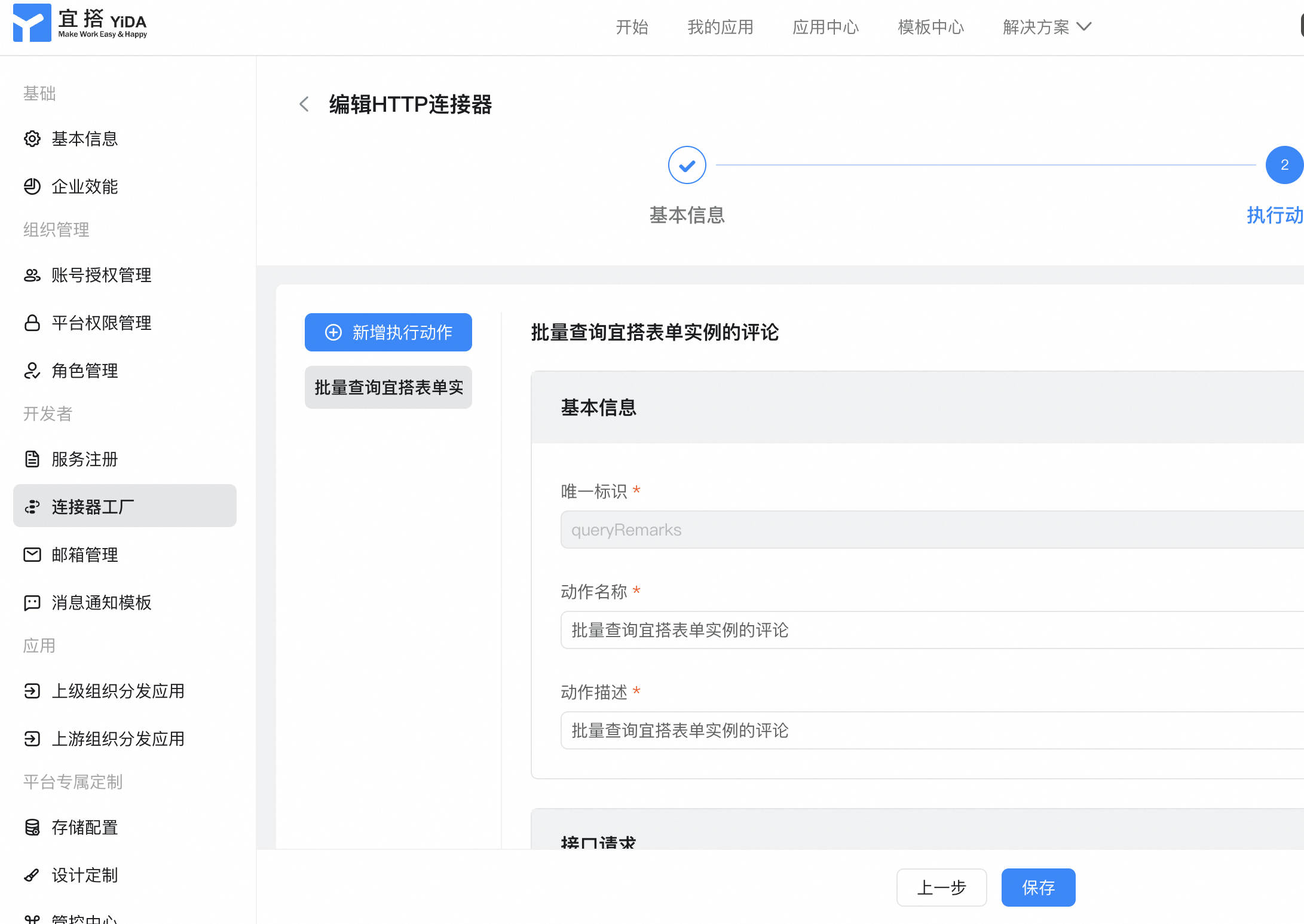
Interface request:

Body parameter:
{
  "formUuid" : "String",
  "appType" : "String",
  "systemToken" : "String",
  "formInstanceIdList" : [ "String" ],
  "userId" : "String"
}
Headers parameters:

Content-Type:application/json
The interface returns:

{
  "formRemarkVoMap": ""
}
2.2.4. Configure authentication templates
If you do not have an account, you must add an account. For more information about the parameters required for the account, see 2.1:
For more information about the authentication template, see:
2.3. On the YIDA configuration page, configure integration automation
2.3.1. Configuration process page
Submit the process page data
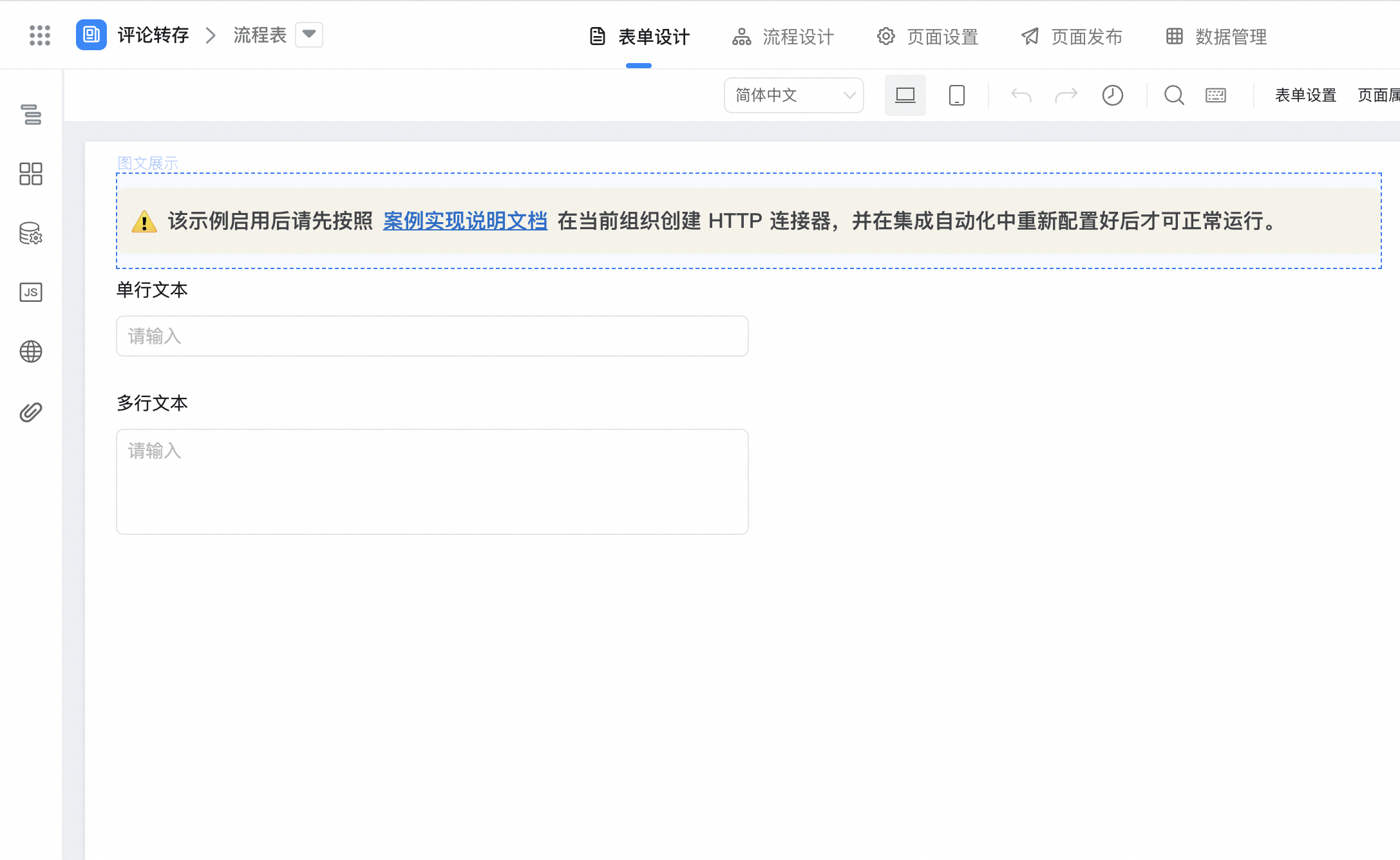
2.3.2. Configuration Table sheet page
Create a comment form-> store Process comment data

2.3.3. Configuration integration automation
2.3.3.1. [Flow chart] comment succeeded-> store comment content

[Flow chart] after the comment is successful-> configure the script node processing field format -> use the connector to obtain comments in batches-> configure the script node to process the comments returned by the connector-> Add data node to store comments to the comment content].

Script Node processing parameter format:

outputs.add("formInstanceIdList","formInstanceIdList",[value1]);
outputs.add("提交人userId","subUserId",value2?JSON.parse(value2)[0]:'');
The connector obtains process comments in batches:

Note the parameters required to configure the connector:
formUuid, appType, systemTokenView path:System Background-> Application Settings-> deployment O & M.

Script Node processing comment content return parameters:

var nowDataResult = result[value1] || [];
var sortResult = nowDataResult.sort(function (now, next) {
  return new Date(now.gmtCreate).getTime() - new Date(next.gmtCreate).getTime();
});
var firstResult = sortResult[sortResult.length - 1];
var imgs = (firstResult.images ? JSON.parse(firstResult.images) : []).map(function (item) {
  return {
    downloadUrl: item.imageUrl,
    previewUrl: item.imageUrl,
    url: item.imageUrl,
    name: item.fileName,
  };
});
var files = (firstResult.files ? JSON.parse(firstResult.files) : []).map(function (item) {
  return {
    downloadUrl: item.downloadUrl,
    previewUrl: item.downloadUrl,
    url: item.downloadUrl,
    name: item.fileName,
  };
});
outputs.add("评论人","creator",[firstResult.creator]);
outputs.add("at人员","atUser",(firstResult.atUserId || '').split(','));
outputs.add("评论时间","gmtCreate",String(new Date(firstResult.gmtCreate.replace('T', ' ').substr(0, 16)).getTime()));
outputs.add("评论内容","text",firstResult.content);
outputs.add("评论图片","imgs",imgs);
outputs.add("评论附件","files",files);
Add data to the comment form:

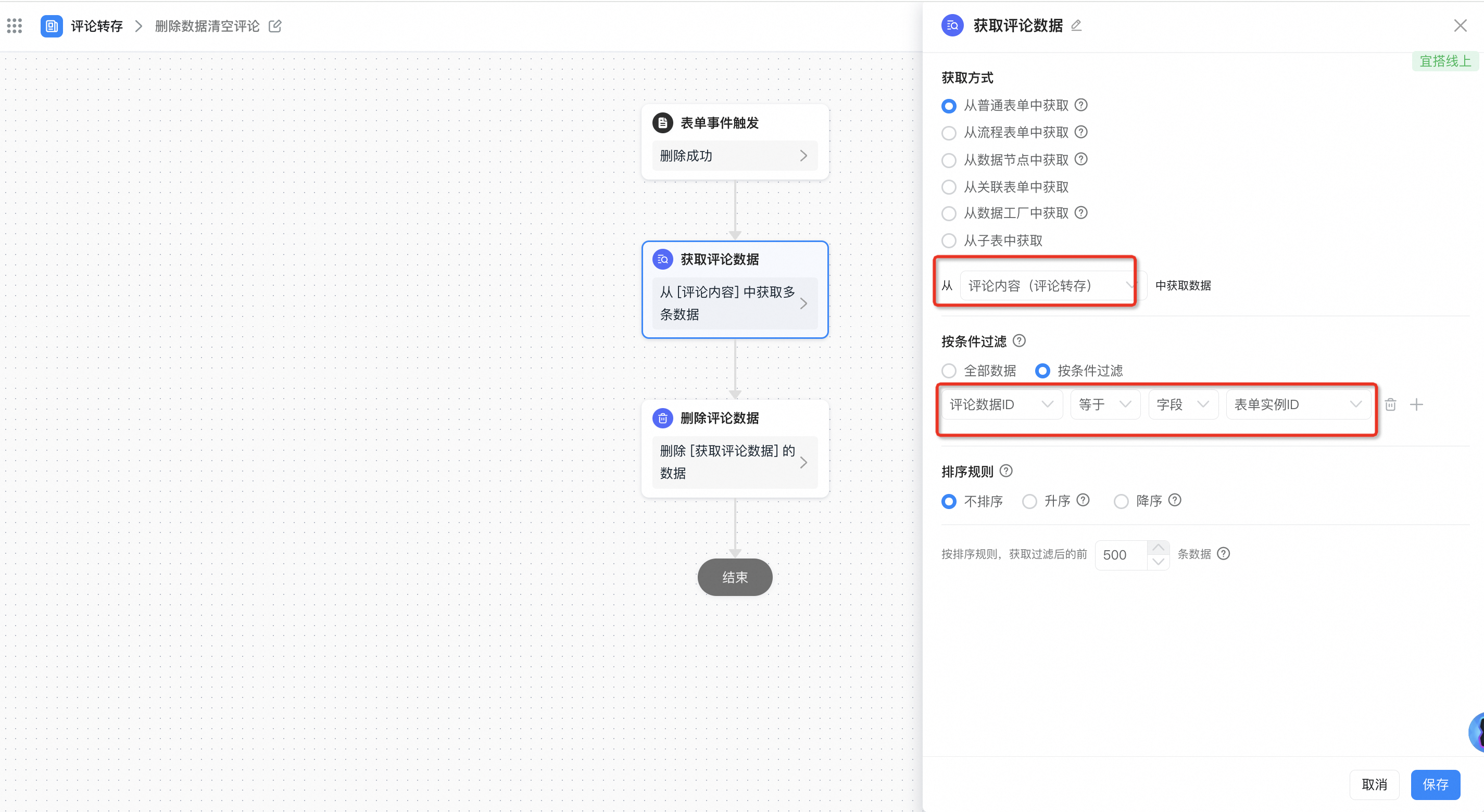
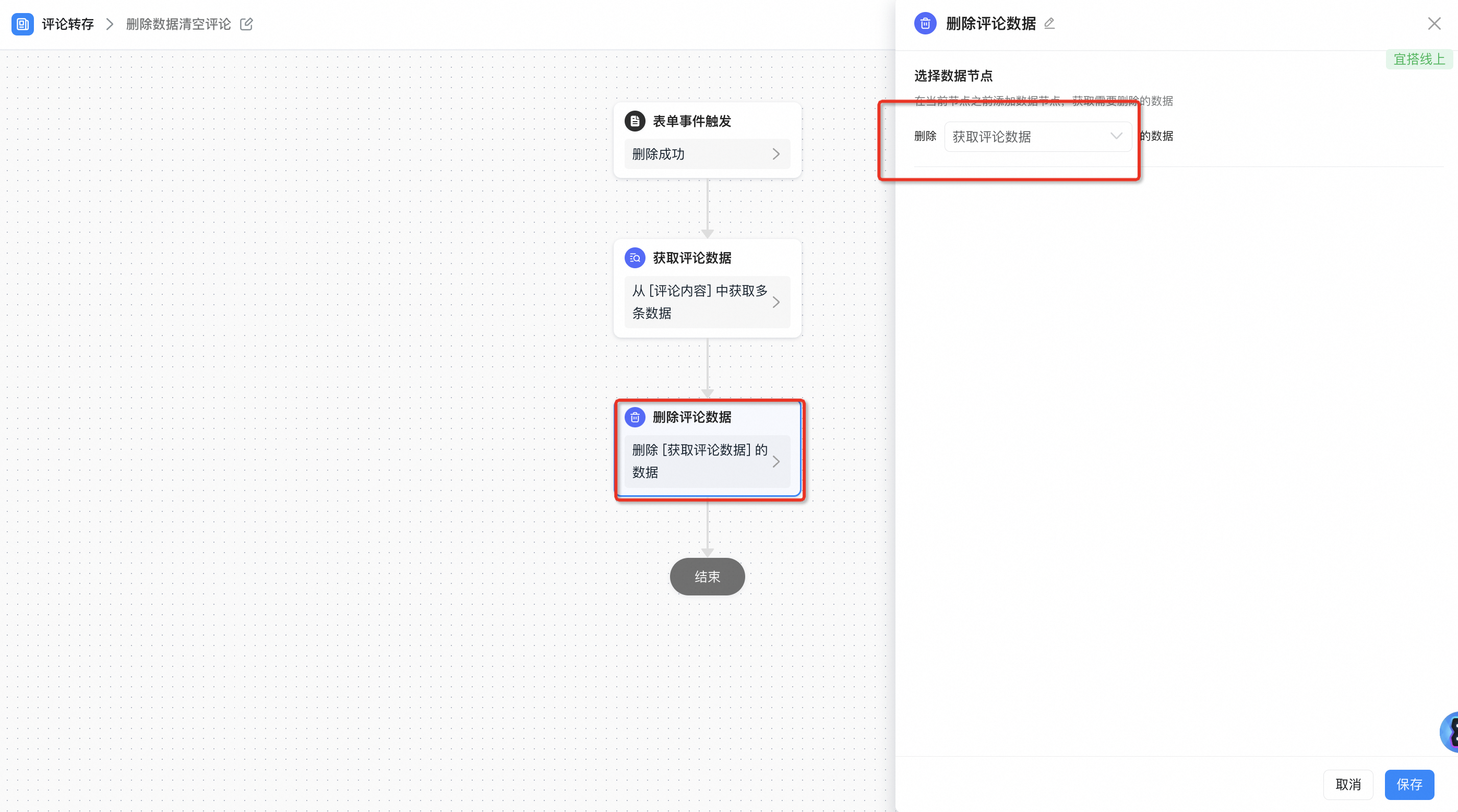
2.3.3.2. [Flow chart] delete comments for details and automatically clean up [comments]]

Comment deleted-> get data node, get [Comment content] data-> delete node, delete historical data.

Get comment data:
Delete comment data:
3. Effect

Comments stored successfully: