
HTTP connector-Exchange rate conversion
1. Usage scenarios
This example describes how to use the YIDA of Alibaba Cloud Service Market in OpenAPI.
2. Implement functions
2.1 Purchase Exchange rate conversion service
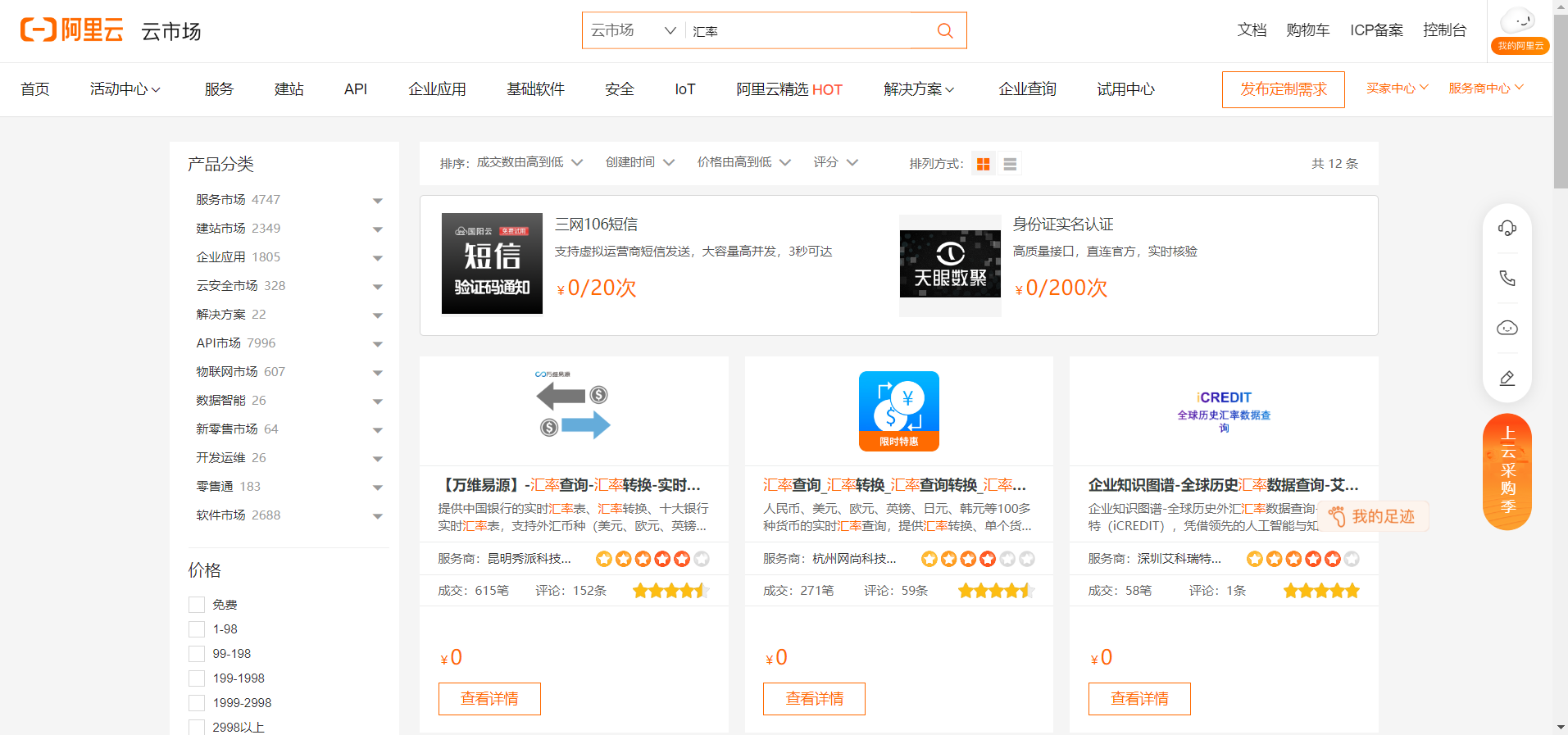
(1)InAlibaba Cloud API marketPurchase [exchange rate API]]
This solution recommend Alibaba Cloud market API. You can select a public network interface service that has exchange rate computing capabilities and meets any of the six identity authentication methods of YIDA connectors.
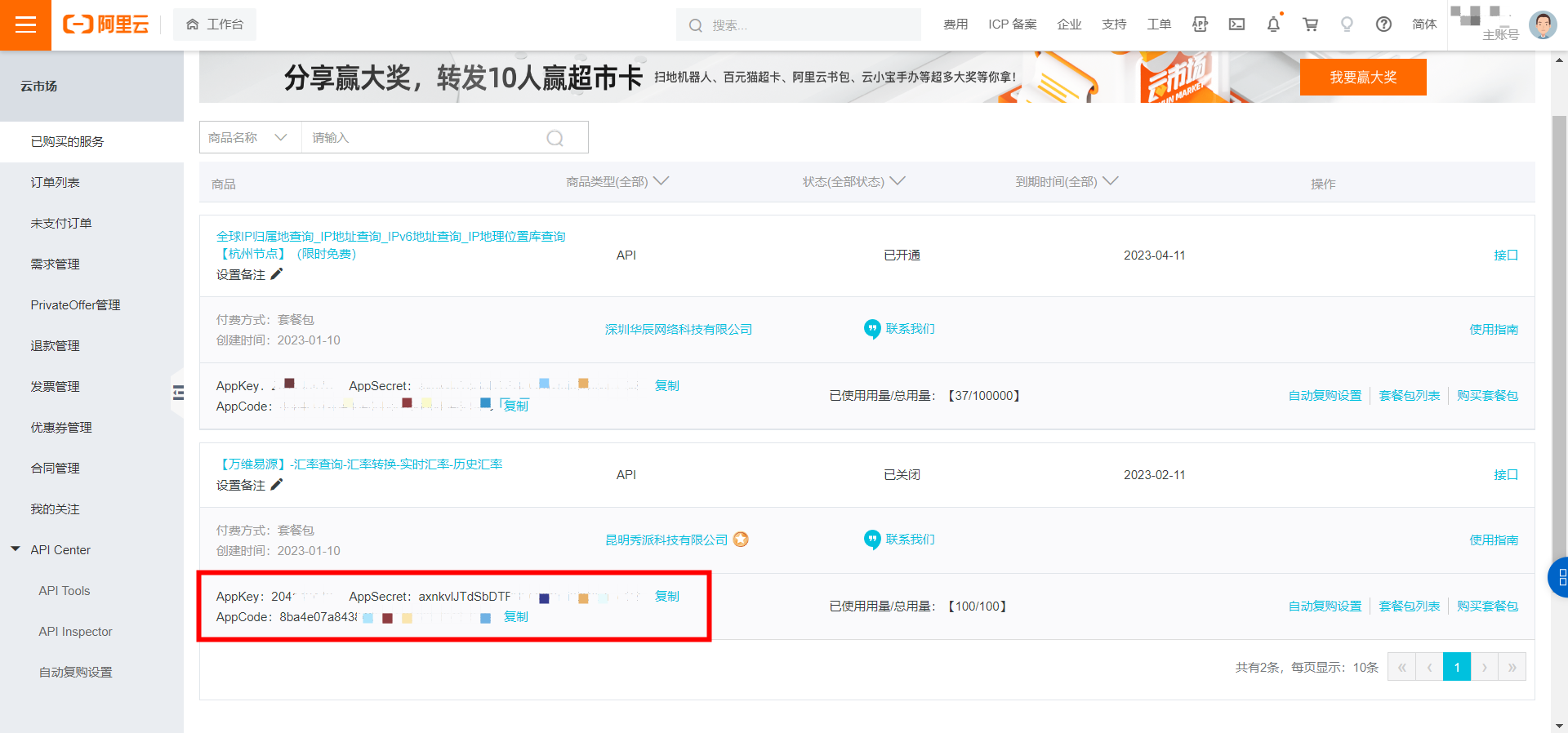
(2) enterWorkbench, view your own AppCode
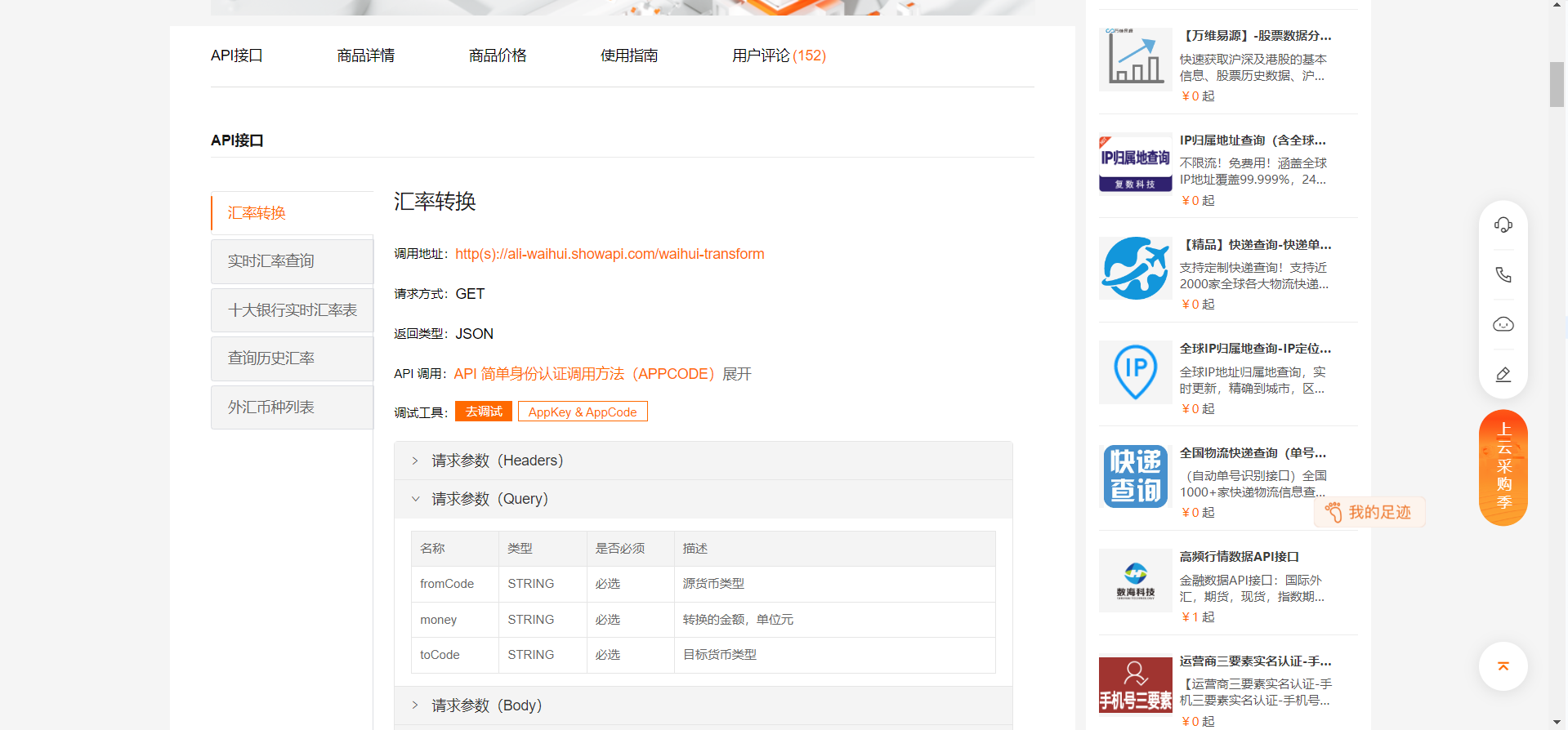
(3) view the API documentation and prepare to create an HTTP connector

2.2 Create an HTTP connector
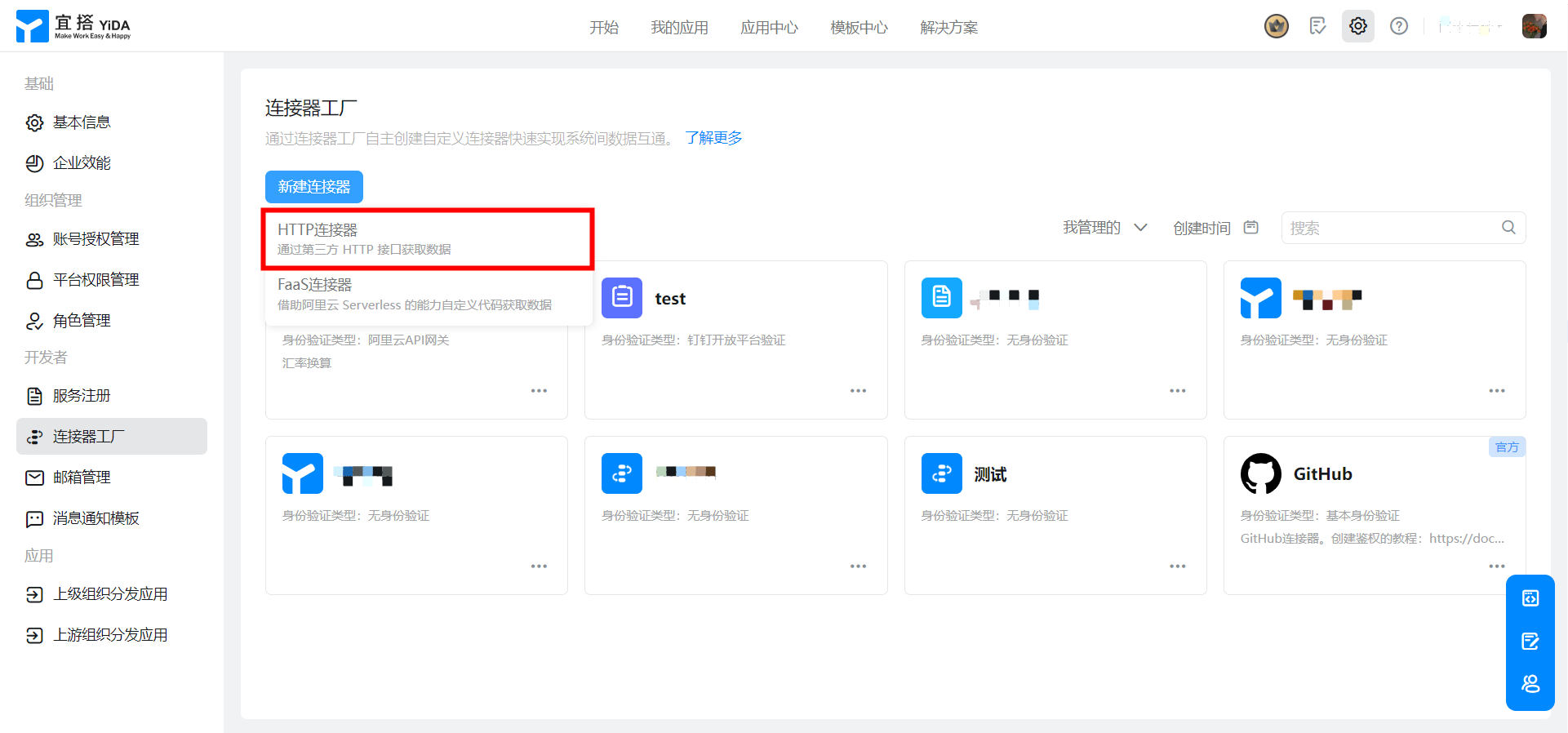
(1)Create an HTTP connector
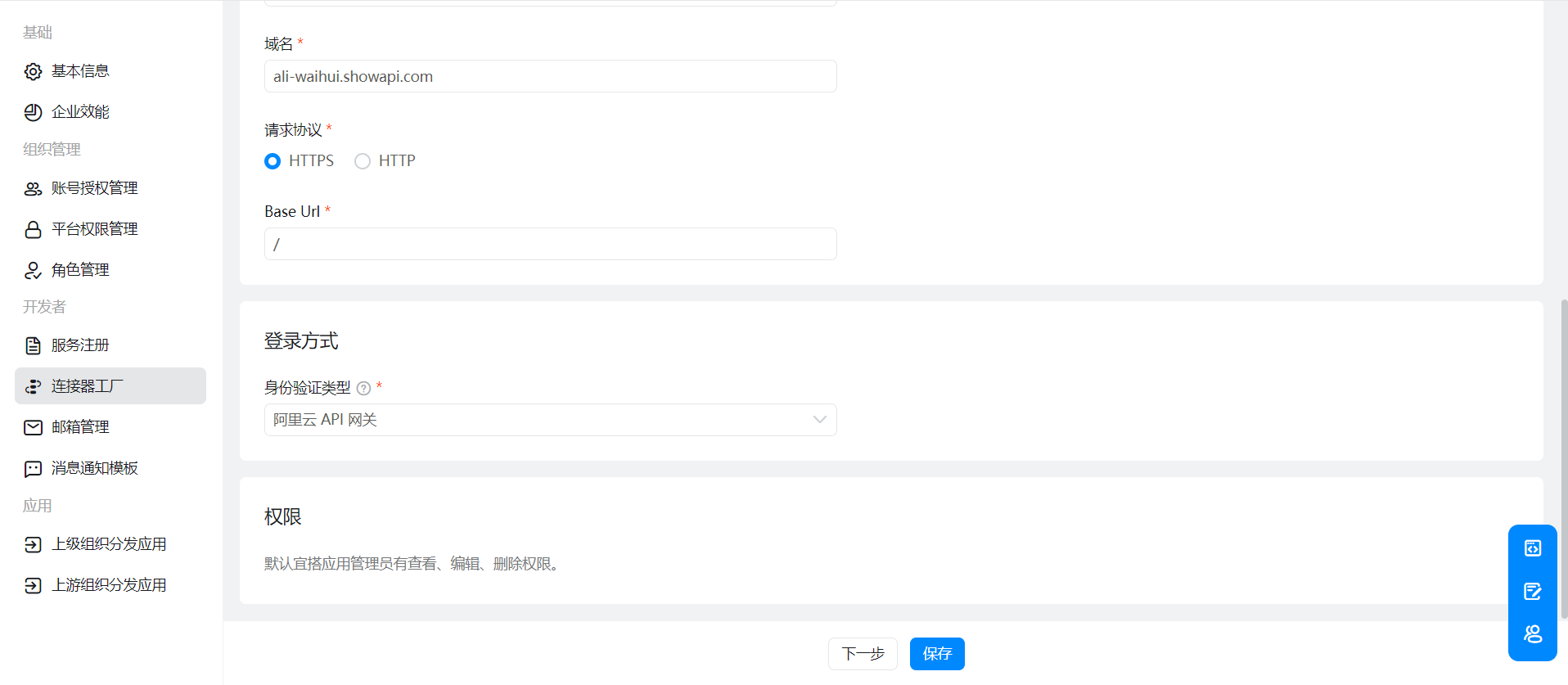
(2)Configure connector Basic information

(3)Configure connector execution actions
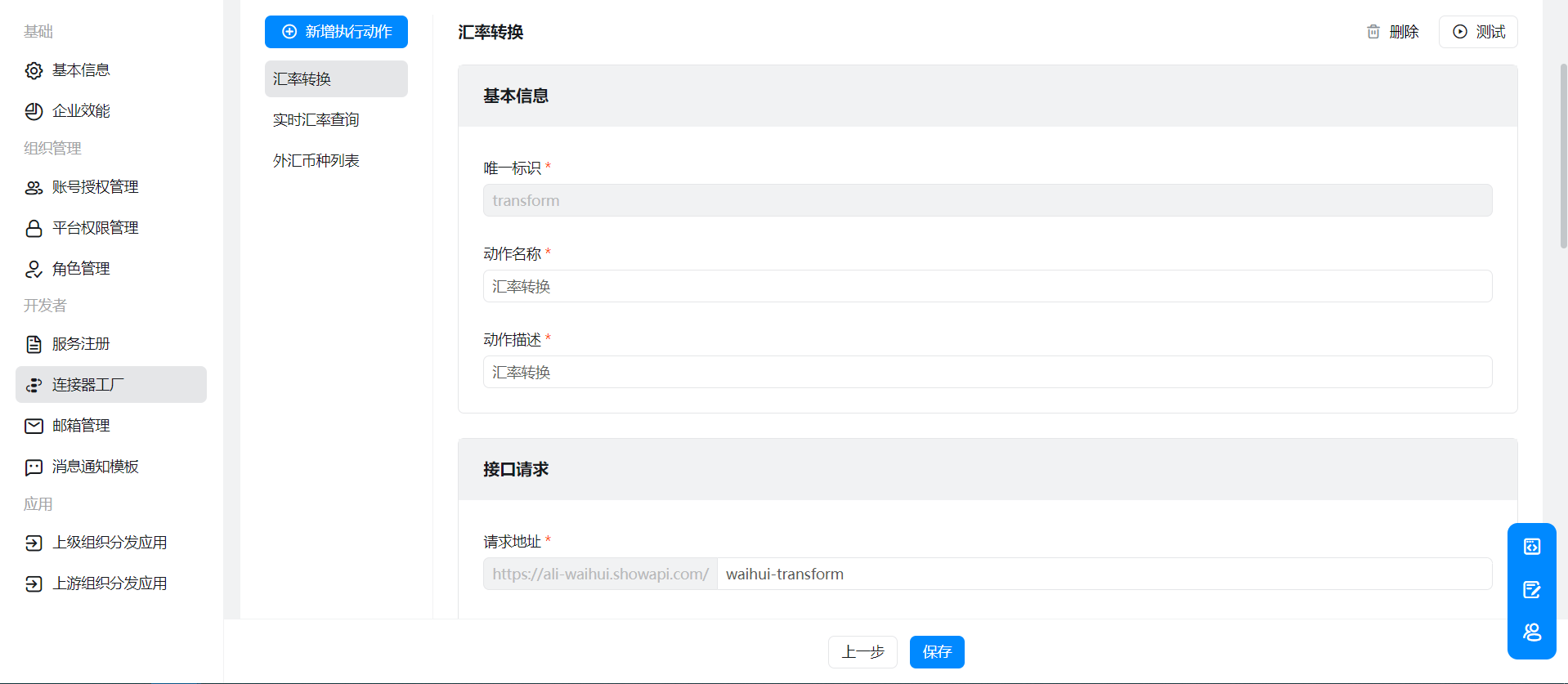
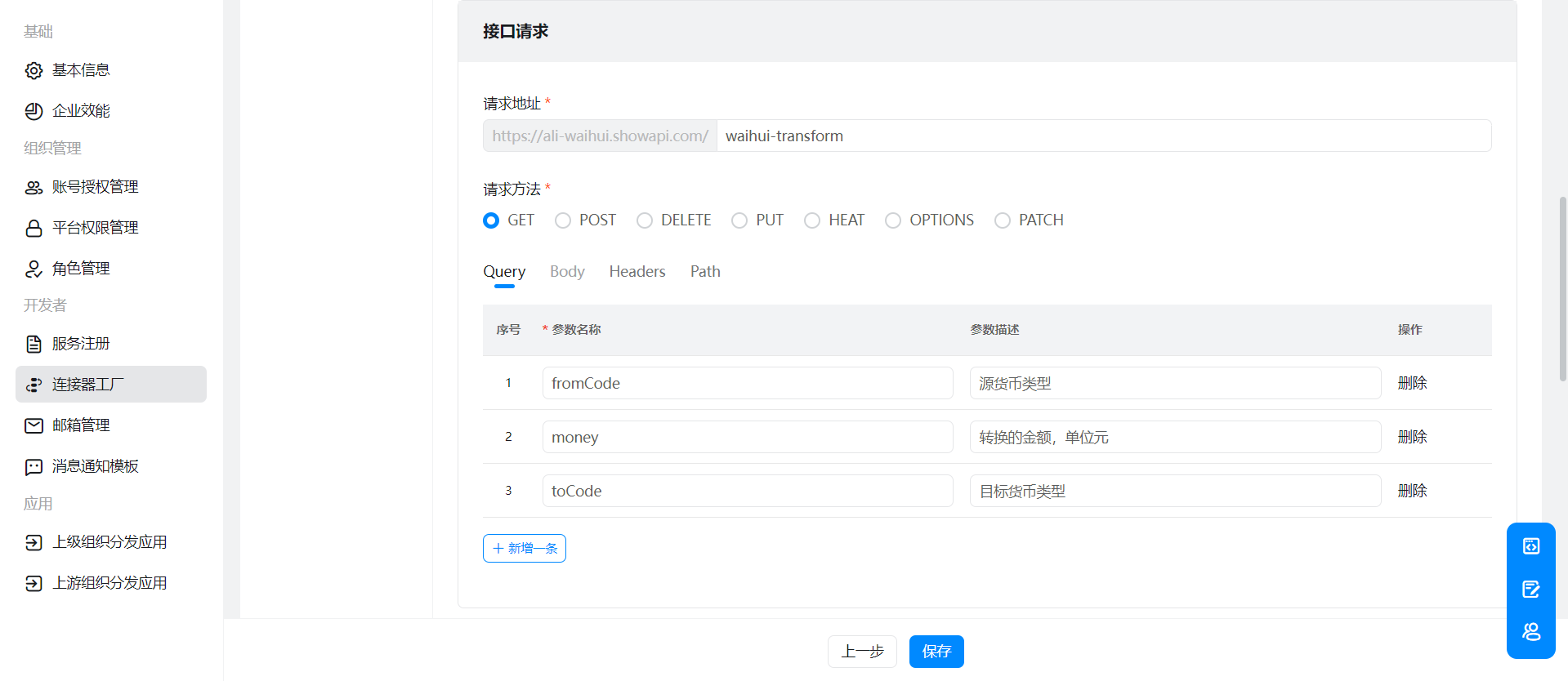
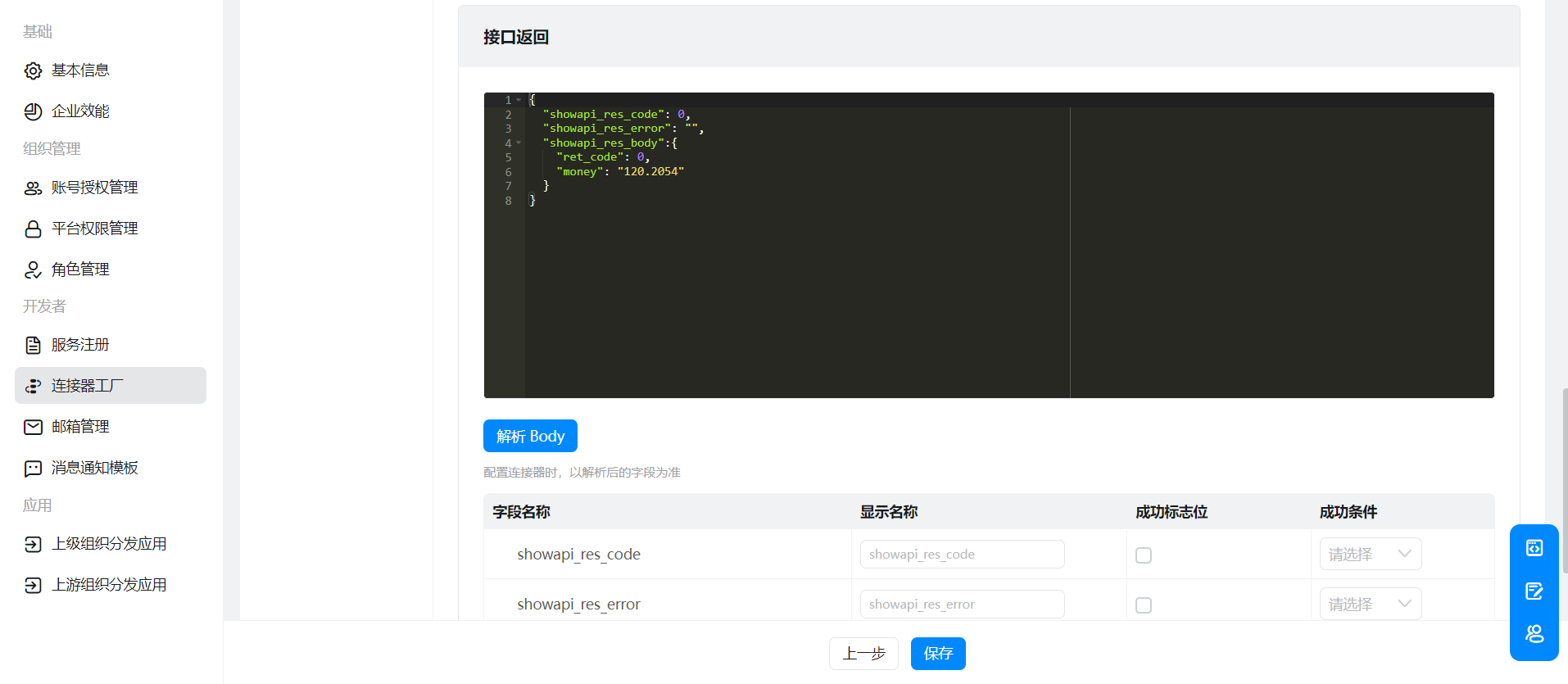
Please configure it according to the API documentation you purchased.
(3) Create an authentication Template
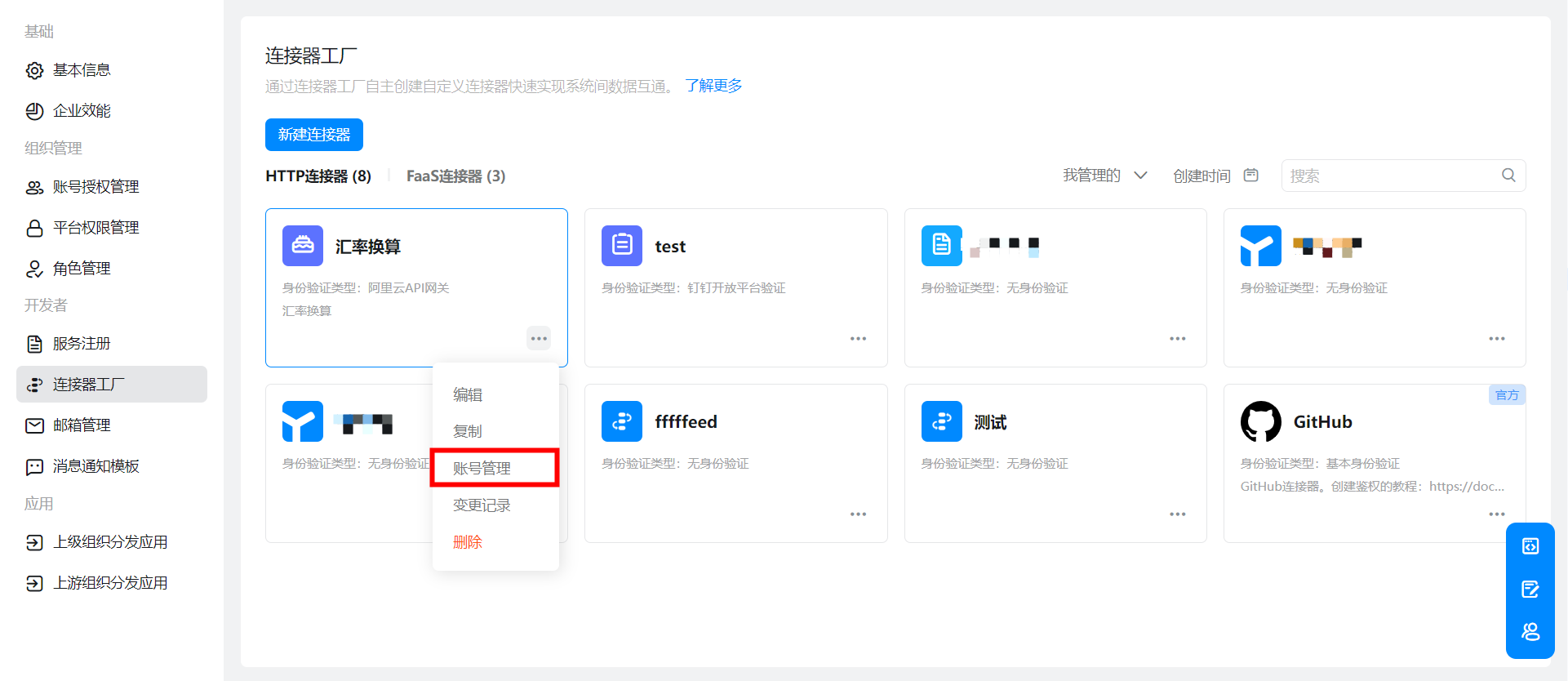

AppCode can be viewed in directory 2.1-(2).
2.3On the YIDA page, configure data sources and use data sources
(1)Select the connector you just created in the data source
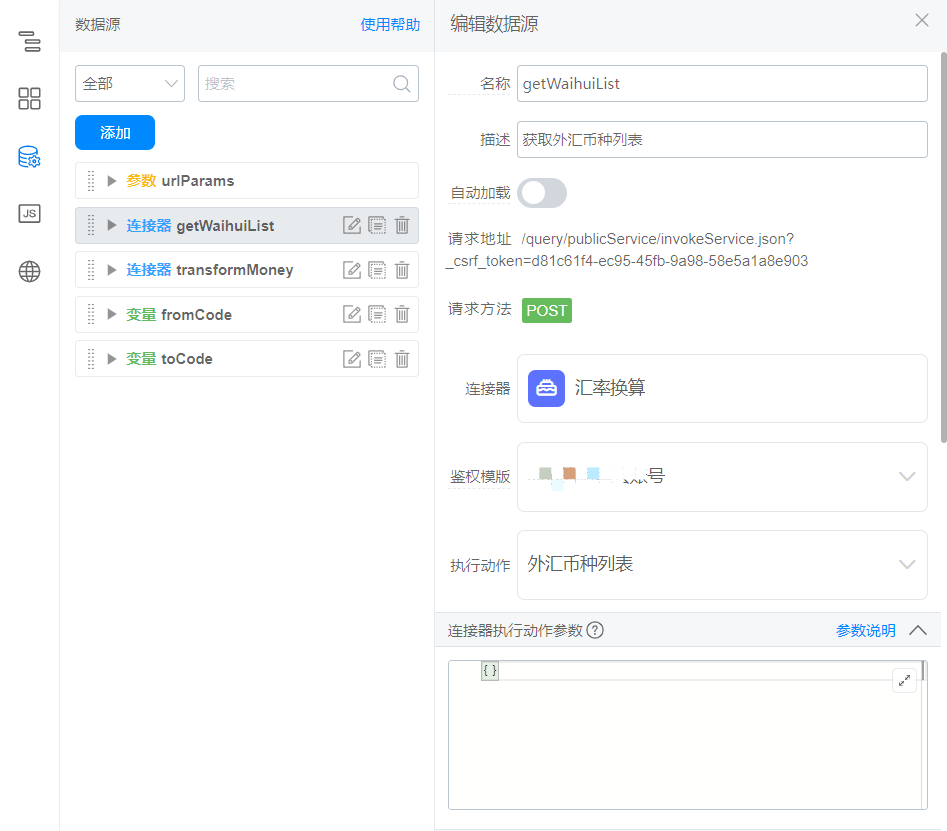
(2)The frontend directly calls the data source.

3. Achieve results
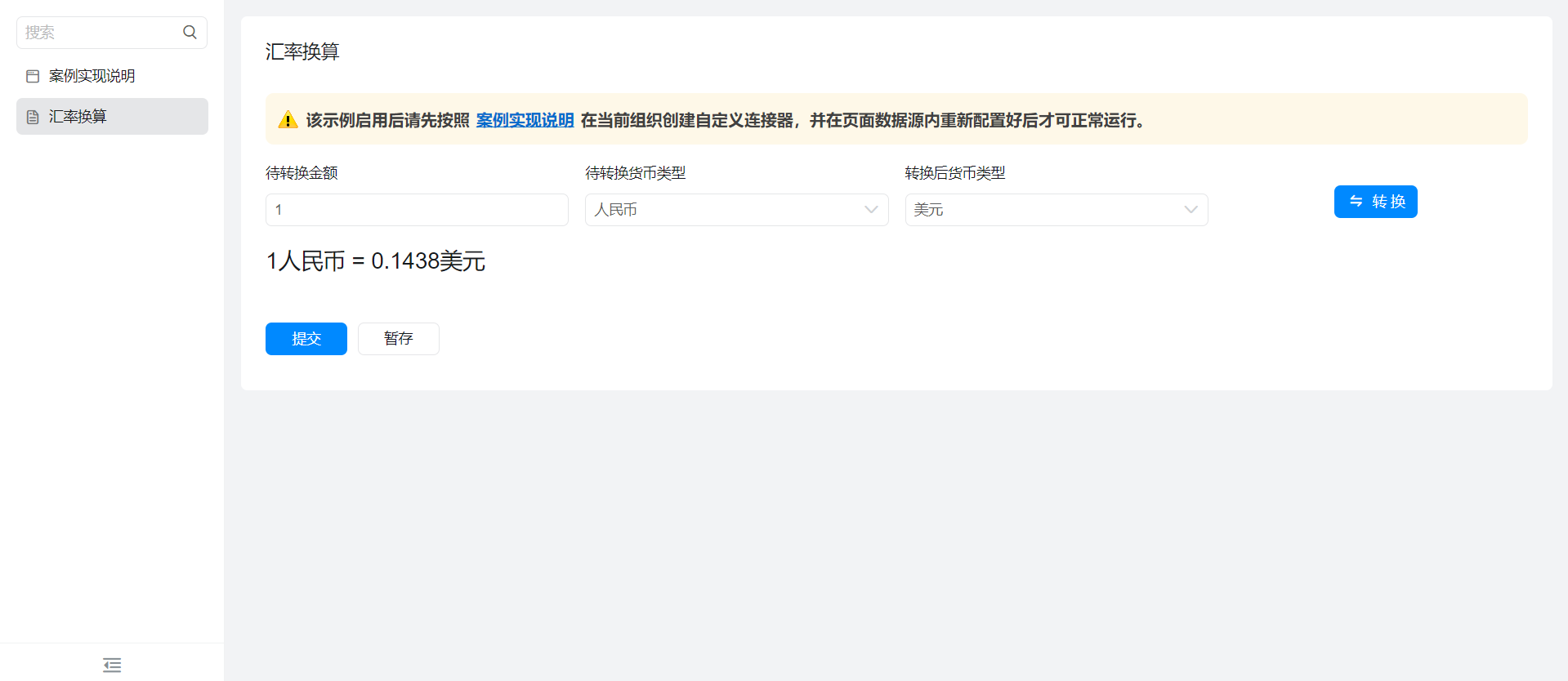
4. Try it online

This doc is generated using machine translation. Any discrepancies or differences created in the translation are not binding and have no legal effect for compliance or enforcement purposes.
Is this document helpful?