Address information assistant
1. Usage scenarios
This example describes how to configure an address information assistant in YIDA to facilitate quick resolution of address information.
2. Implement functions
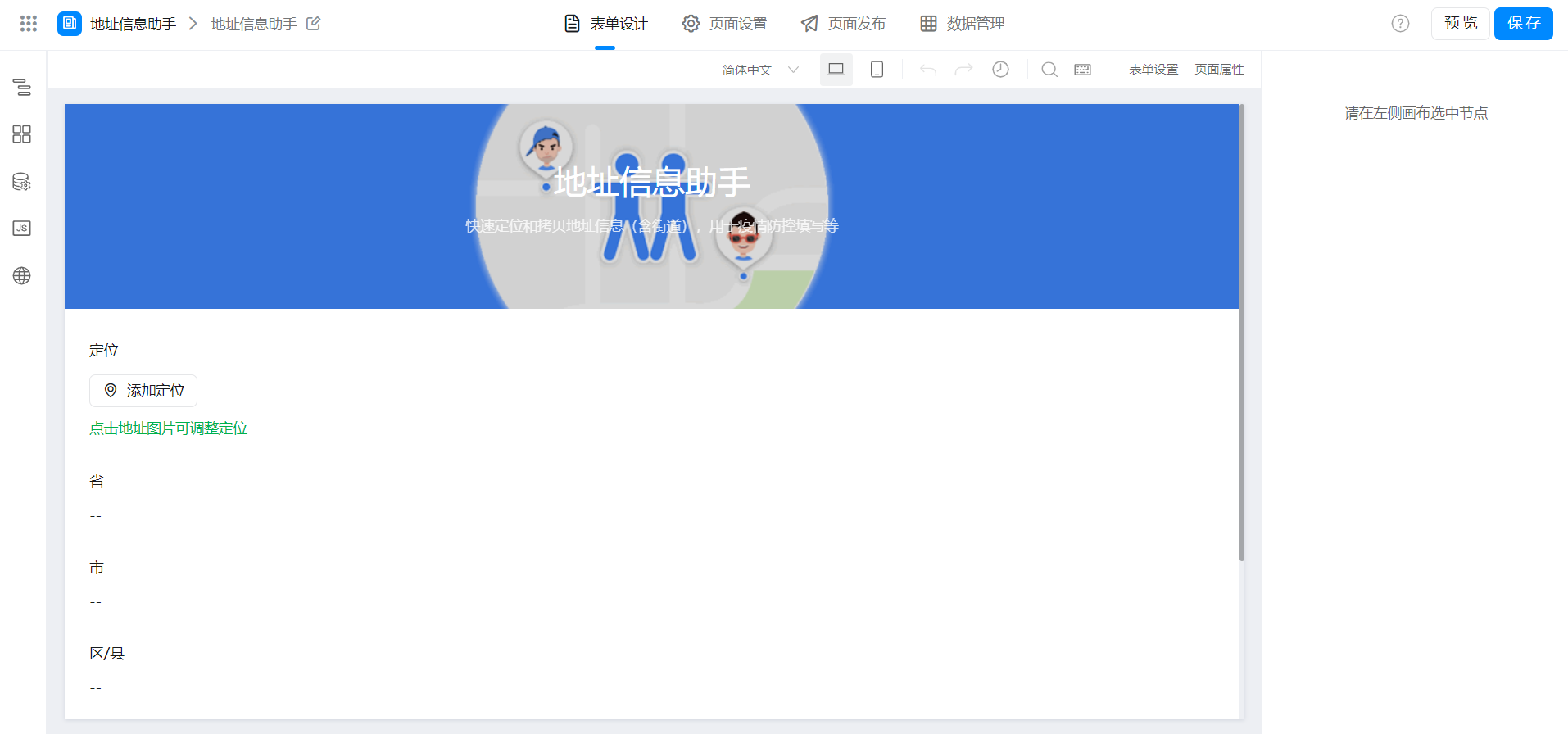
2.1 Create a page
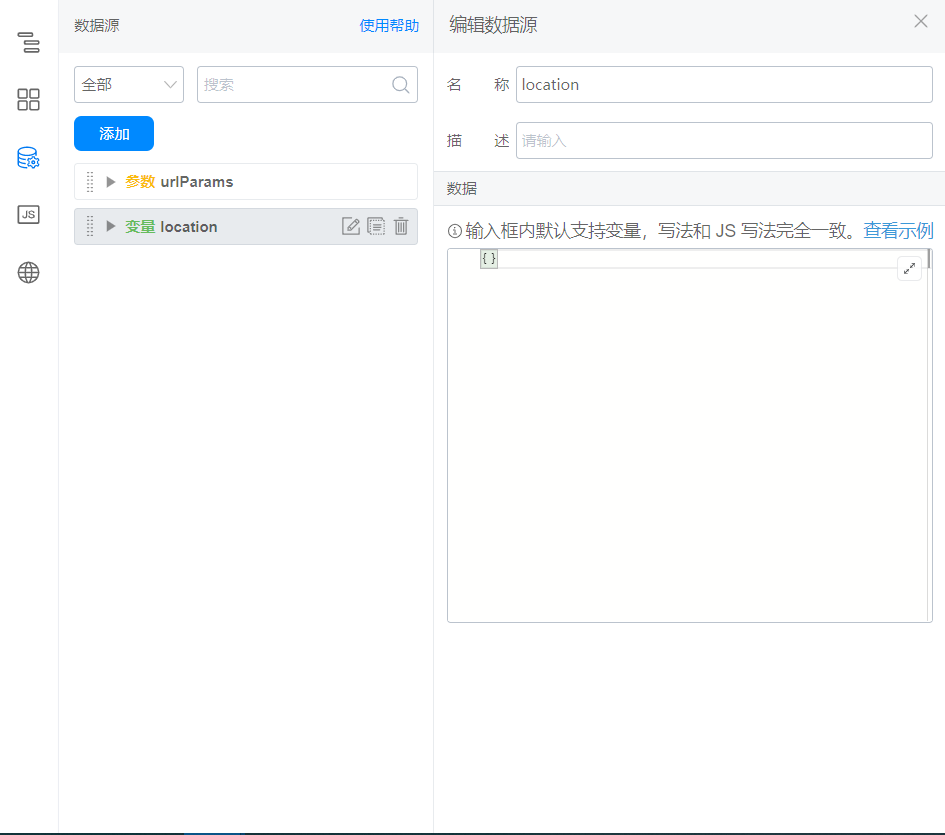
2.2 configuration variables
2.3 locate component binding events
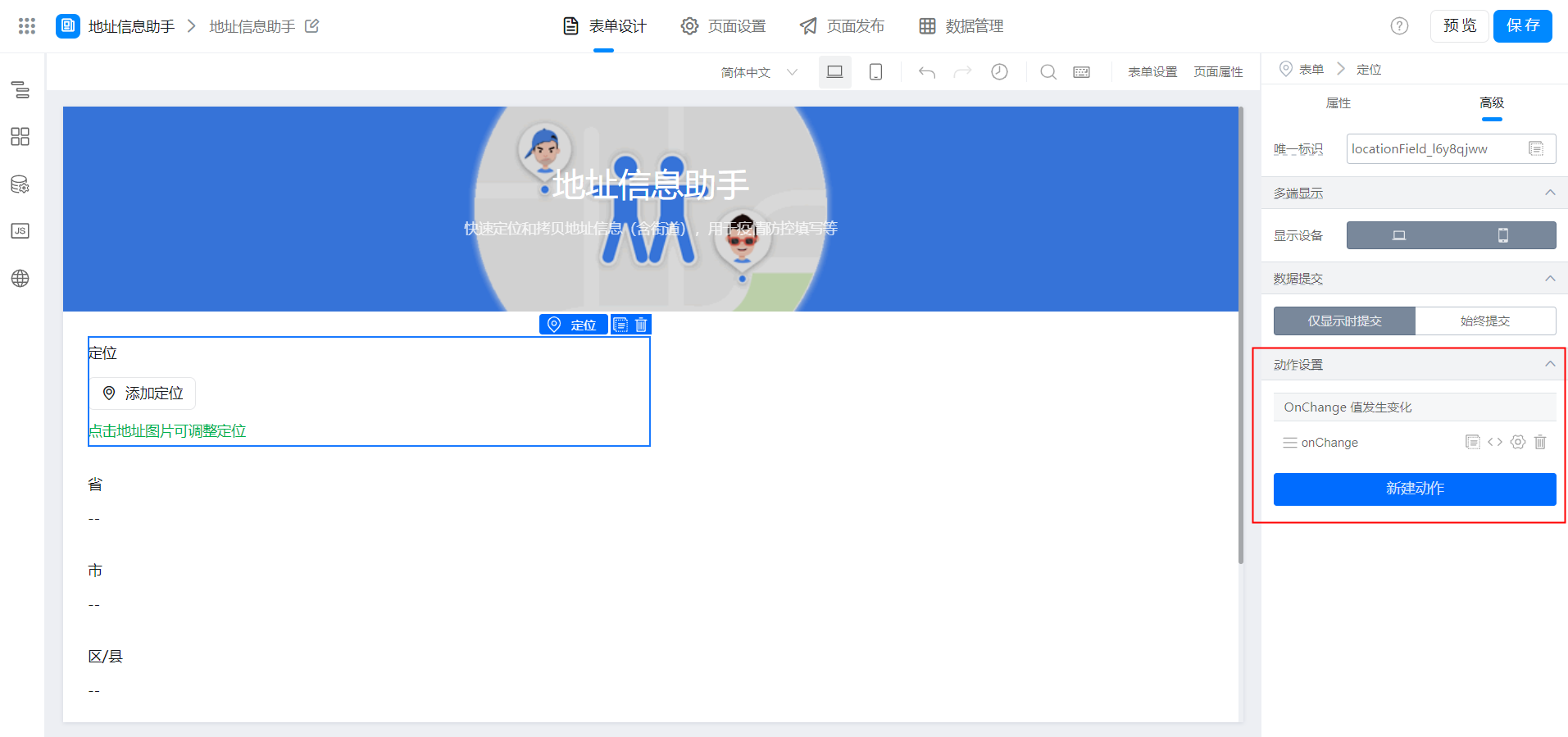
export function onChange({ value }) {
  this.setState({
    location: value
  });
}
2.4 configure default values for single-line text
(1) province
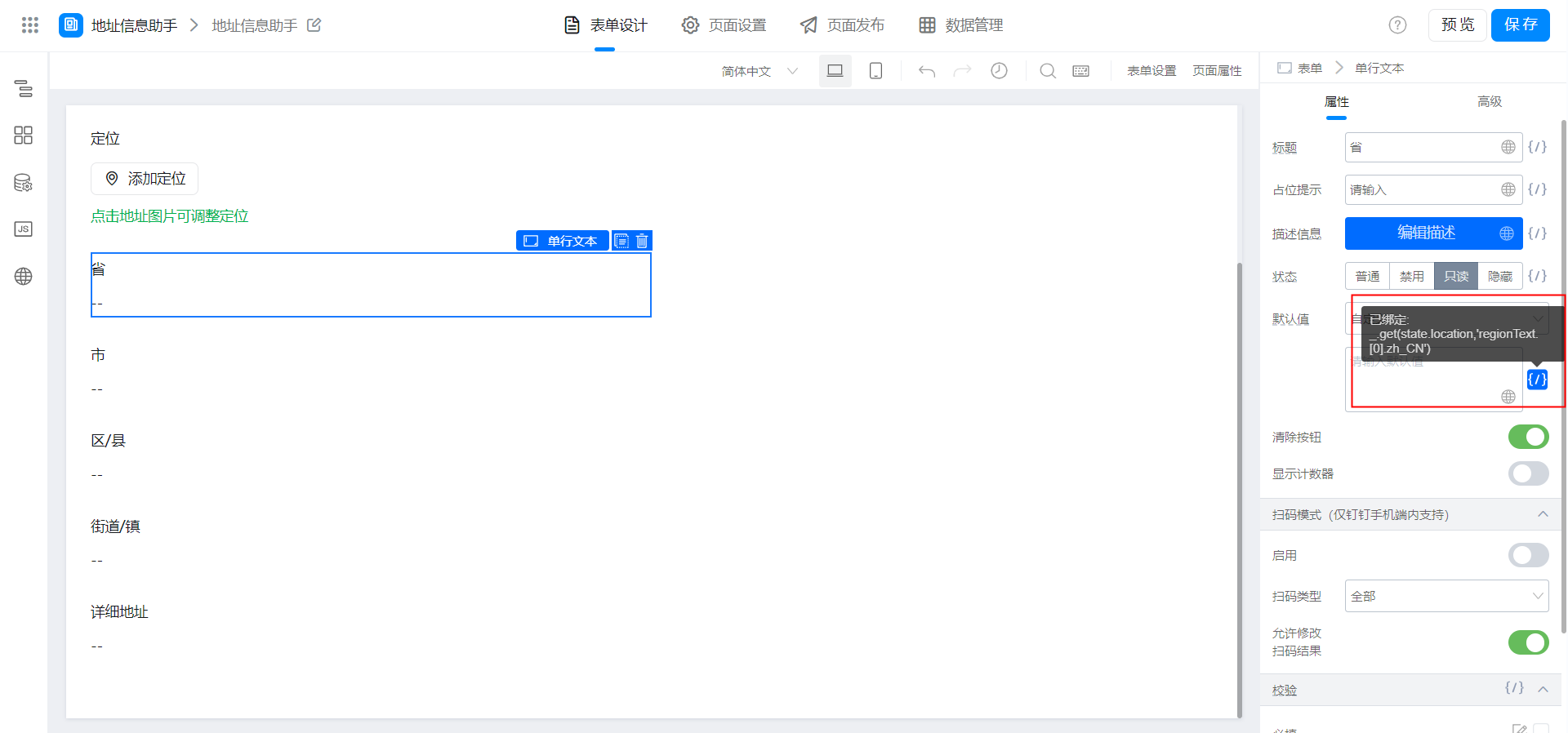
_.get(state.location,'regionText.[0].zh_CN')
(2) City

_.get(state.location,'regionText.[1].zh_CN')
(3) district/county
_.get(state.location,'regionText.[2].zh_CN')
(4) Street/Town
_.get(state.location,'regionText.[3].zh_CN')
(5) detailed address
_.get(state.location,'region')
2.5 custom rendering of single-line text configuration
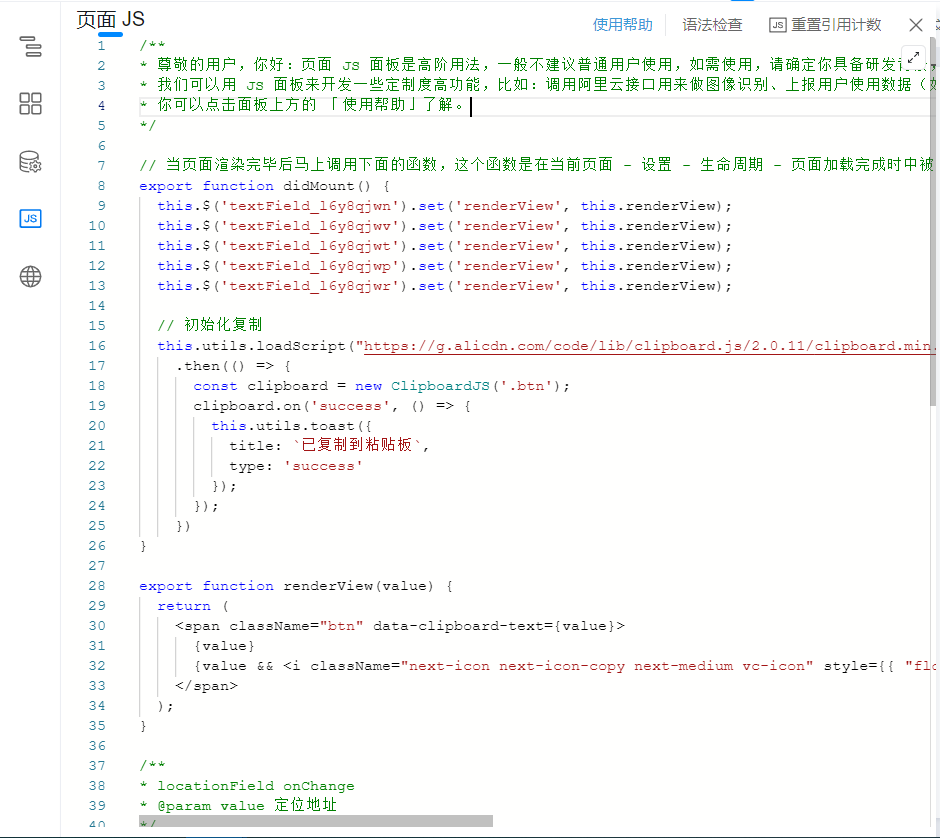
Modify the unique identifier in the code according to the actual situation.
export function didMount() {
  this.$('textField_l6y8qjwn').set('renderView', this.renderView); // 省
  this.$('textField_l6y8qjwv').set('renderView', this.renderView); // 市
  this.$('textField_l6y8qjwt').set('renderView', this.renderView); // 区 / 县
  this.$('textField_l6y8qjwp').set('renderView', this.renderView); // 街道 / 镇
  this.$('textField_l6y8qjwr').set('renderView', this.renderView); // 详细地址

  // 初始化复制
  this.utils.loadScript("https://g.alicdn.com/code/lib/clipboard.js/2.0.11/clipboard.min.js")
    .then(() => {
      const clipboard = new ClipboardJS('.btn');
      clipboard.on('success', () => {
        this.utils.toast({
          title: `已复制到粘贴板`,
          type: 'success'
        });
      });
    })
}

export function renderView(value) {
  return (
    <span className="btn" data-clipboard-text={value}>
      {value}
      {value && <i className="next-icon next-icon-copy next-medium vc-icon" style={{ "float": "right", "fontSize": "10px", "padding": "4px", "verticalAlign": "top", "cursor": "pointer" }}></i>}
    </span>
  );
}
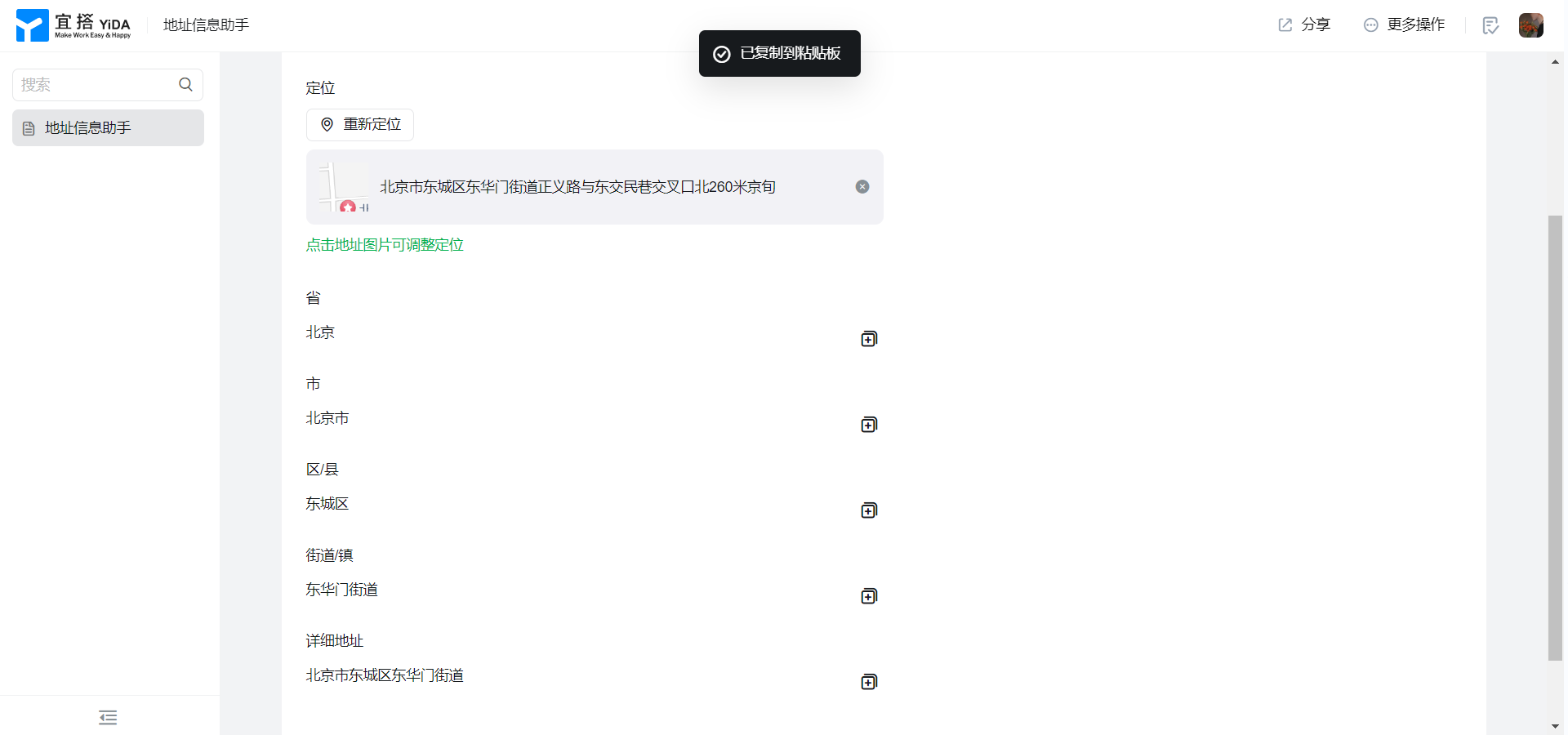
3. Achieve results
4. Try it online

This doc is generated using machine translation. Any discrepancies or differences created in the translation are not binding and have no legal effect for compliance or enforcement purposes.
Is this document helpful?