
Mobile/in-terminal debugging
Usage scenarios
This example describes how to use tools to debug mobile/internal debugging in YIDA.
Implement functions
Add debugging code to page didMount
Note that the code is deleted after debugging is complete.
// 调试代码开始
// 打开需要调试页面的动作面板,在最上方直接输入下面代码。访问进行调试。注意调试完成后删除该代码。
this.utils.loadScript('https://g.alicdn.com/code/lib/vConsole/3.11.2/vconsole.min.js').then(res => {
  window.vConsole = new window.VConsole();
  console.log('success');
}).catch(error => {
  this.utils.toast({
    title: '端内调试开启错误',
    type: 'error'
  });
});
// 调试代码结束

Effect
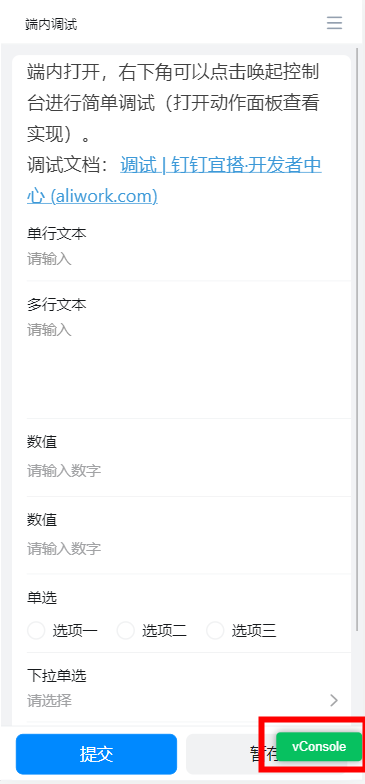
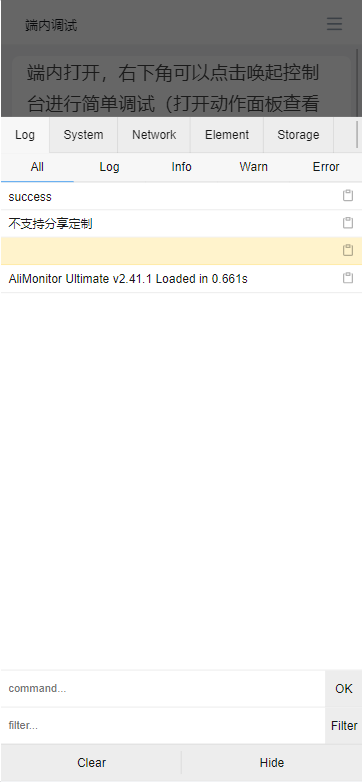
Try it online
This doc is generated using machine translation. Any discrepancies or differences created in the translation are not binding and have no legal effect for compliance or enforcement purposes.
Is this document helpful?