
Configure linkage between filters in reports
1. Usage scenarios
Take the address as an example.
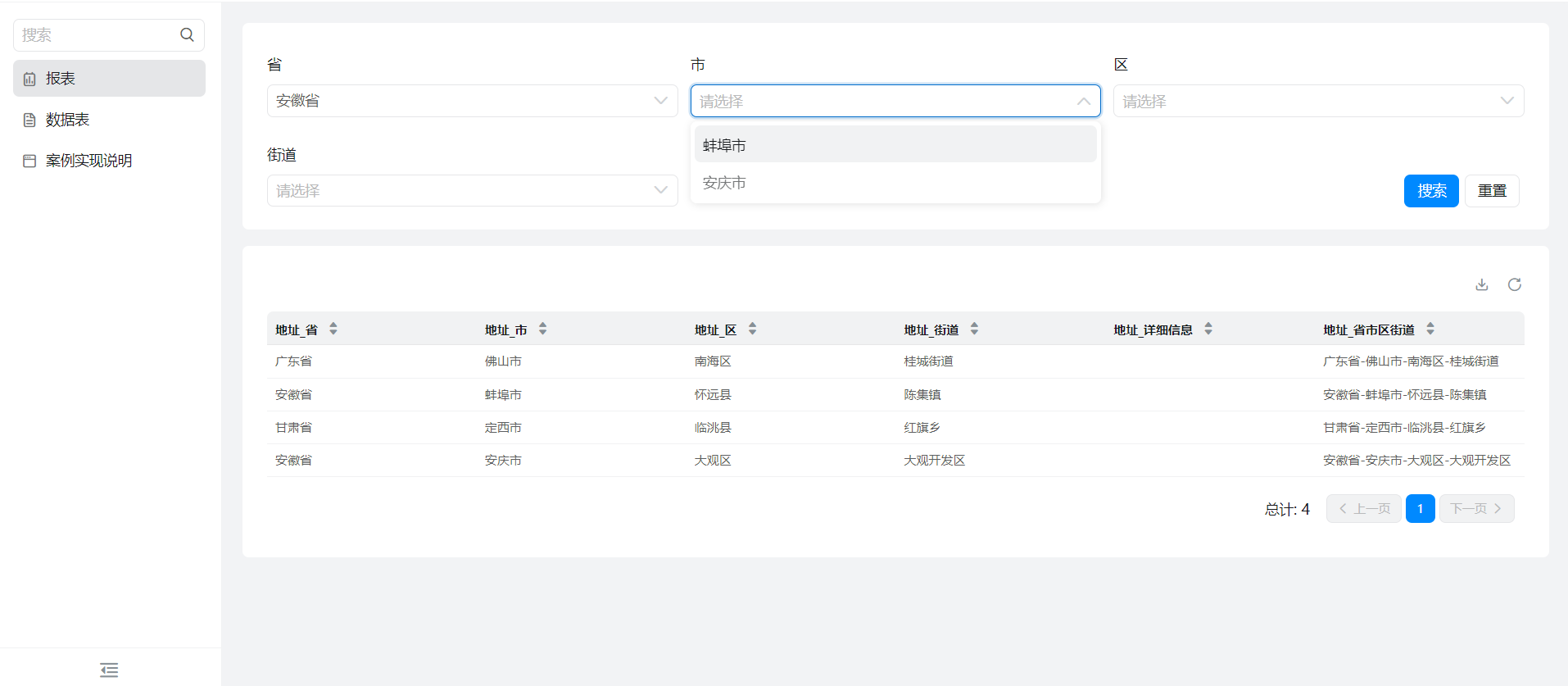
After selecting [province], you want to correspond to the [city] name under [province], select [City], and then want to correspond to the [district] under [City], and so on.
2. Implement functions
2.1 Configuration report
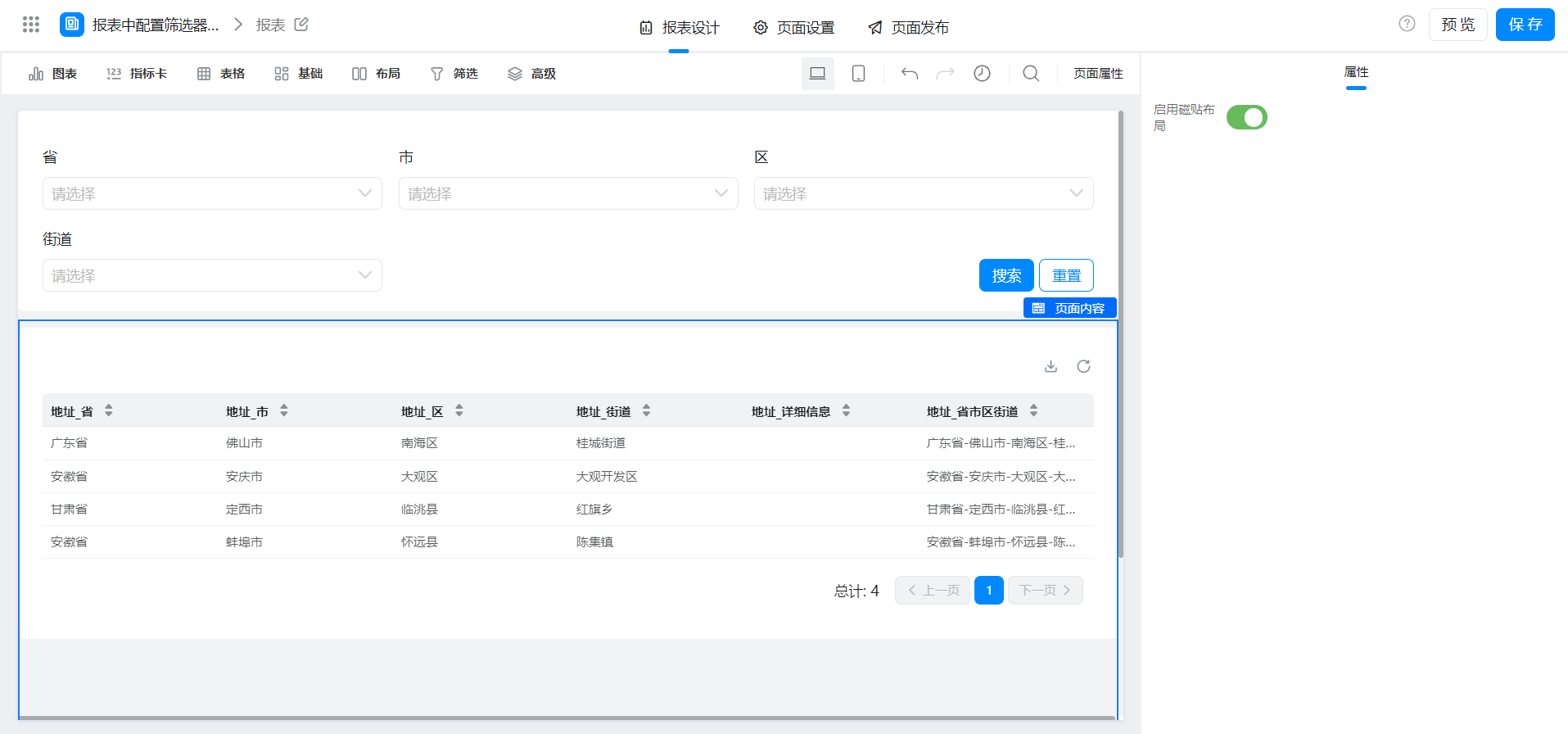
2.2 configure filter linkage
Configure the save filter first:

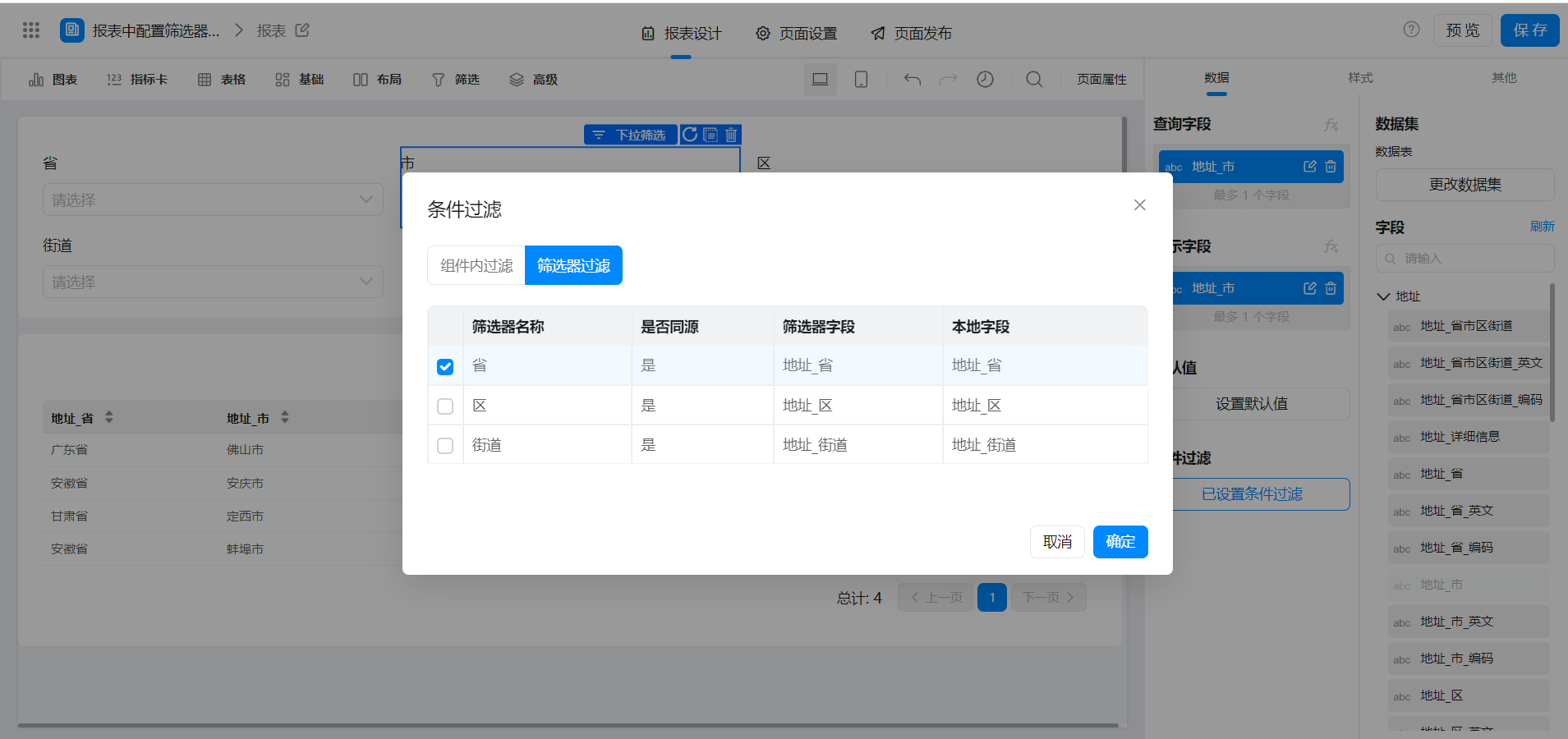
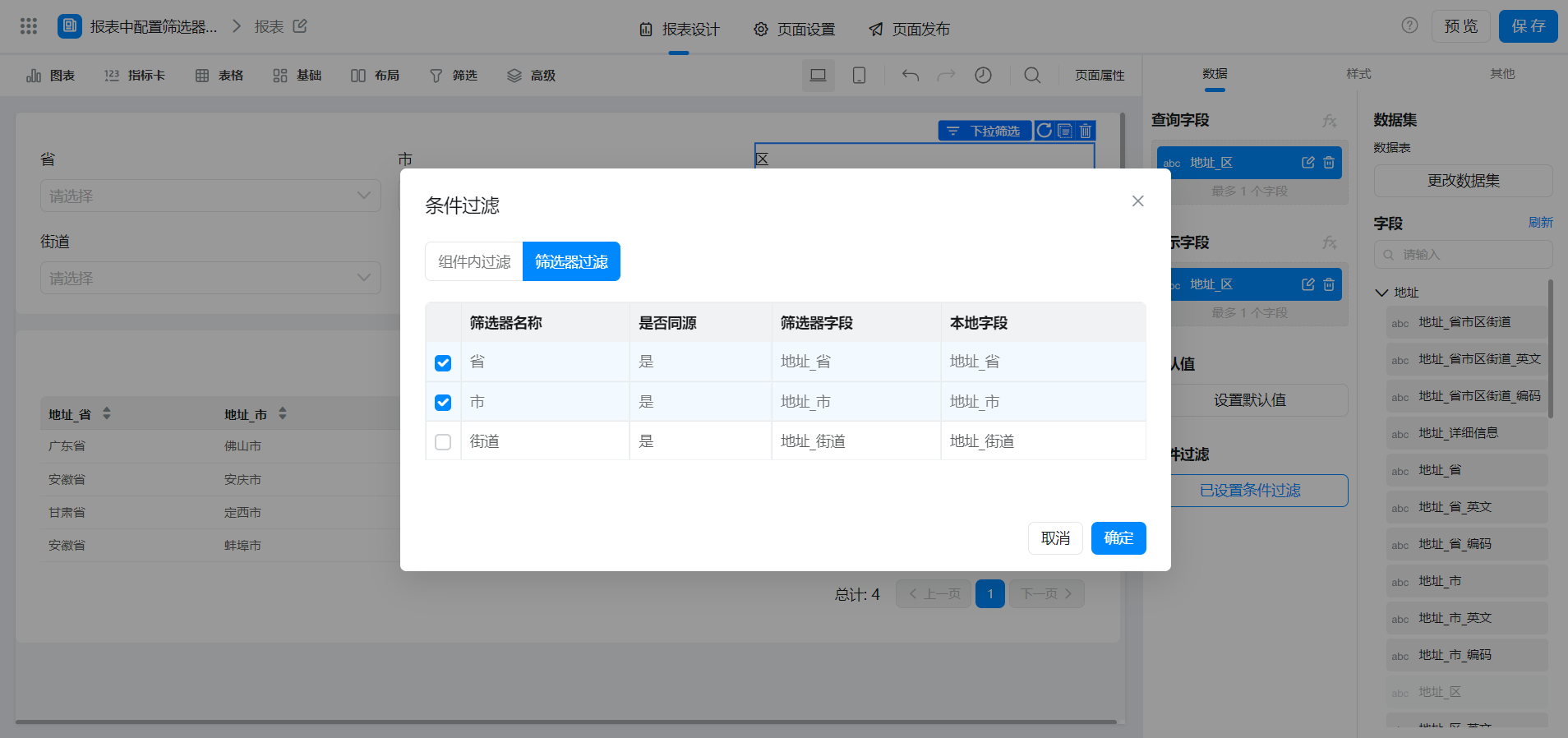
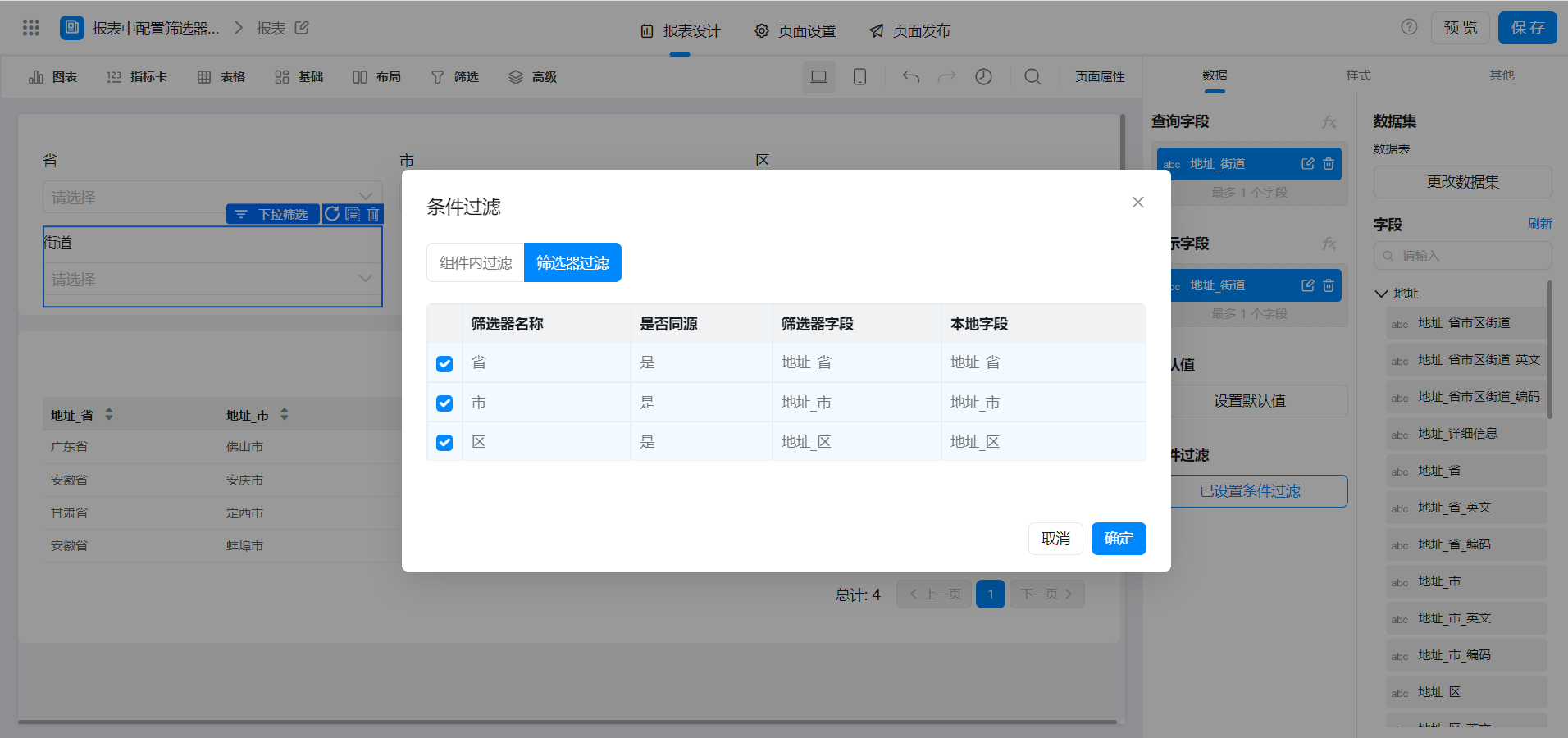
Then configure [City], [district], and [Street] in turn].
[City]]:
[Zone]]:
[Street]]:
3. Achieve results
4. Try it online

This doc is generated using machine translation. Any discrepancies or differences created in the translation are not binding and have no legal effect for compliance or enforcement purposes.
Is this document helpful?