
The format of the members displayed in the report table is consistent.
1. Usage scenarios
When configuring a member component on the form page, since the Member display name of the member component appears in the format of ["name"], we can configure the member format in the same way through the configuration formula.

Usage scenarios
2. Procedure
2.1 Step 1: Add fields to table columns
Add the member display name field to the table column for display in the table. (The operation is shown in Figure 2.1-1)
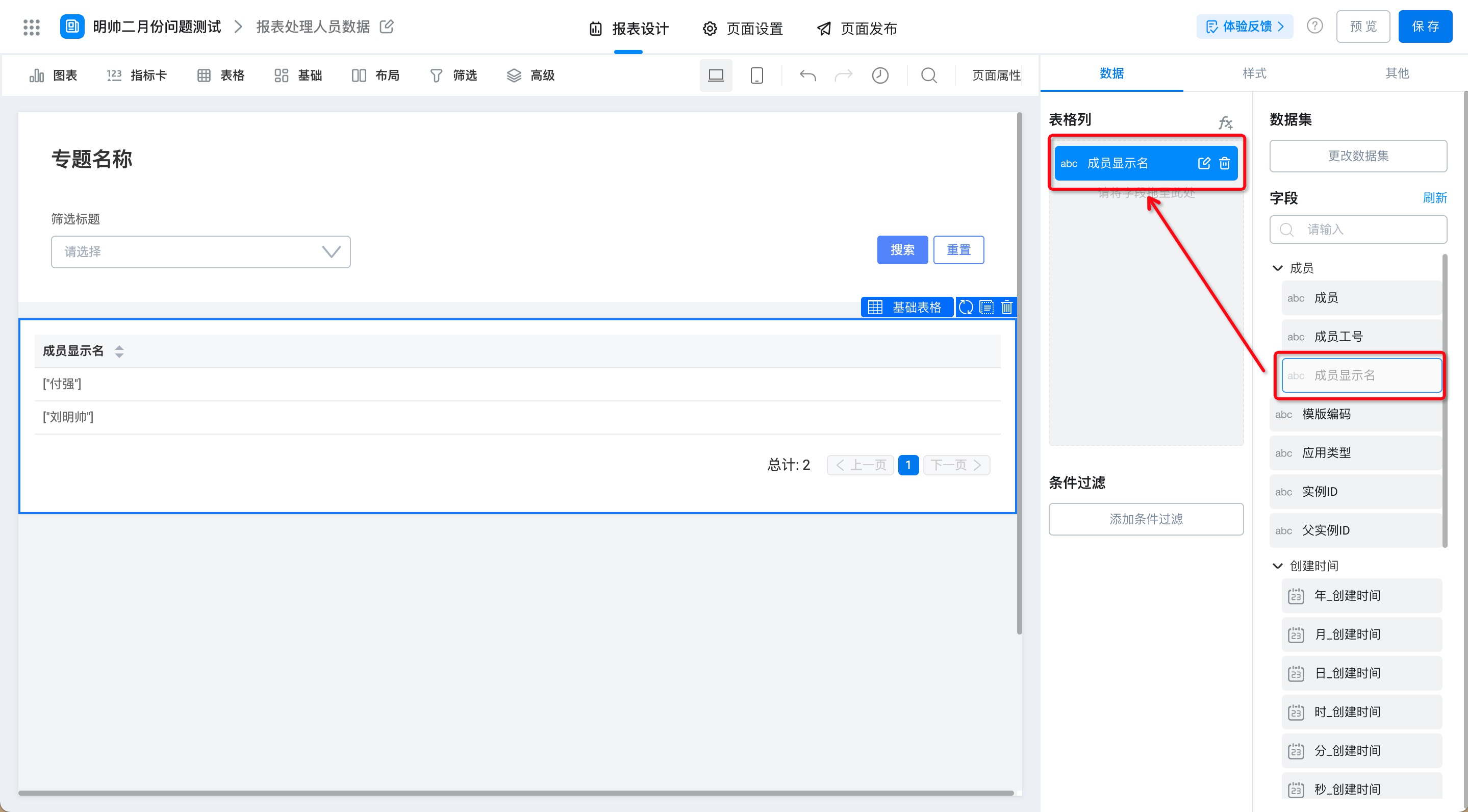
Figure 2.1-1 add table column data
2.2 Step 2: process the member display name segment by formula
Because the data format displayed in the current table is ["so-and-so"], it needs to be processed by formula. (The operation is shown in Figure 2.2-1)
Further reading:Click getMID() formulaAndLEN() formulaInstructions for use.
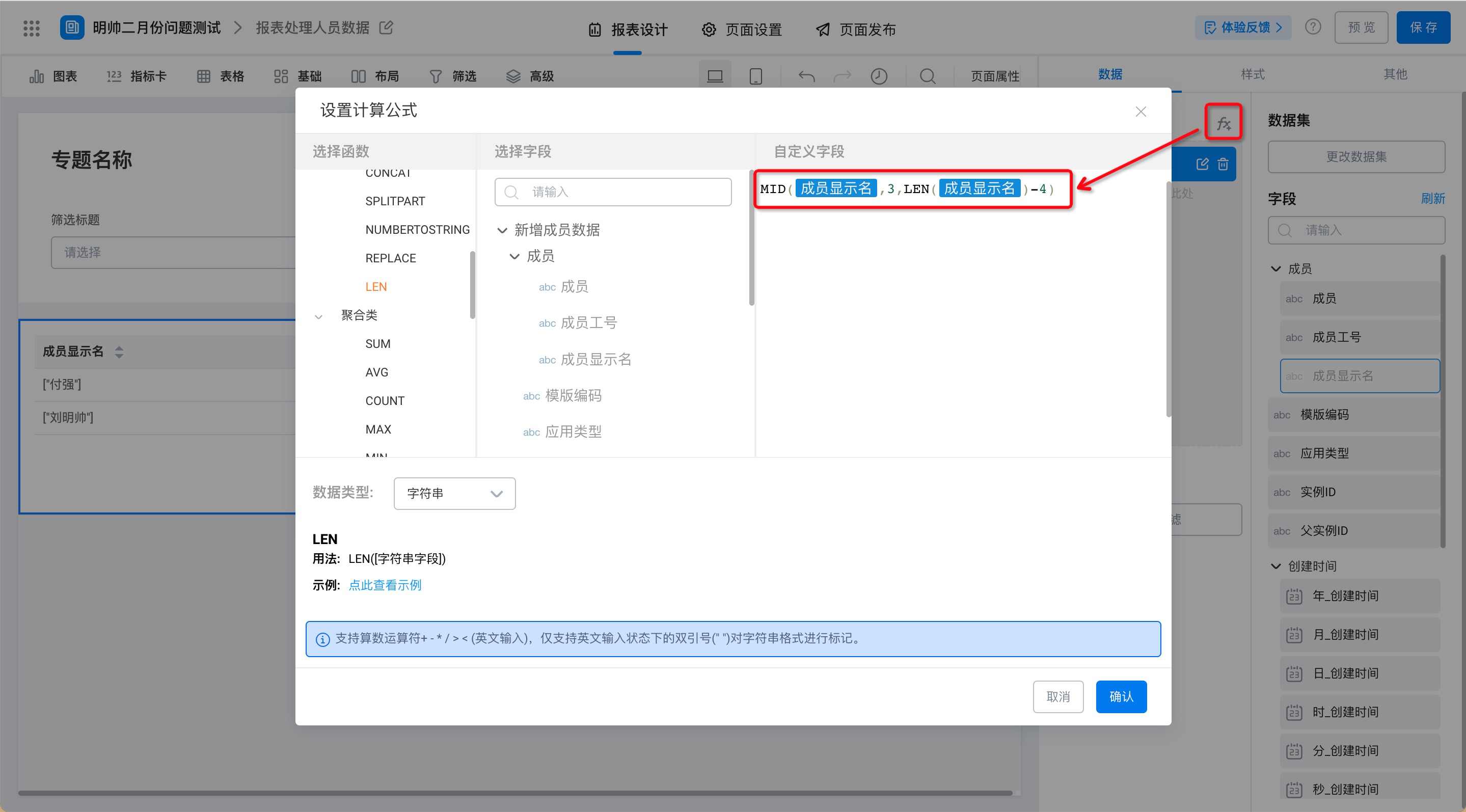
Figure 2.2-1 processing table field data by formula
2.3 Effect display
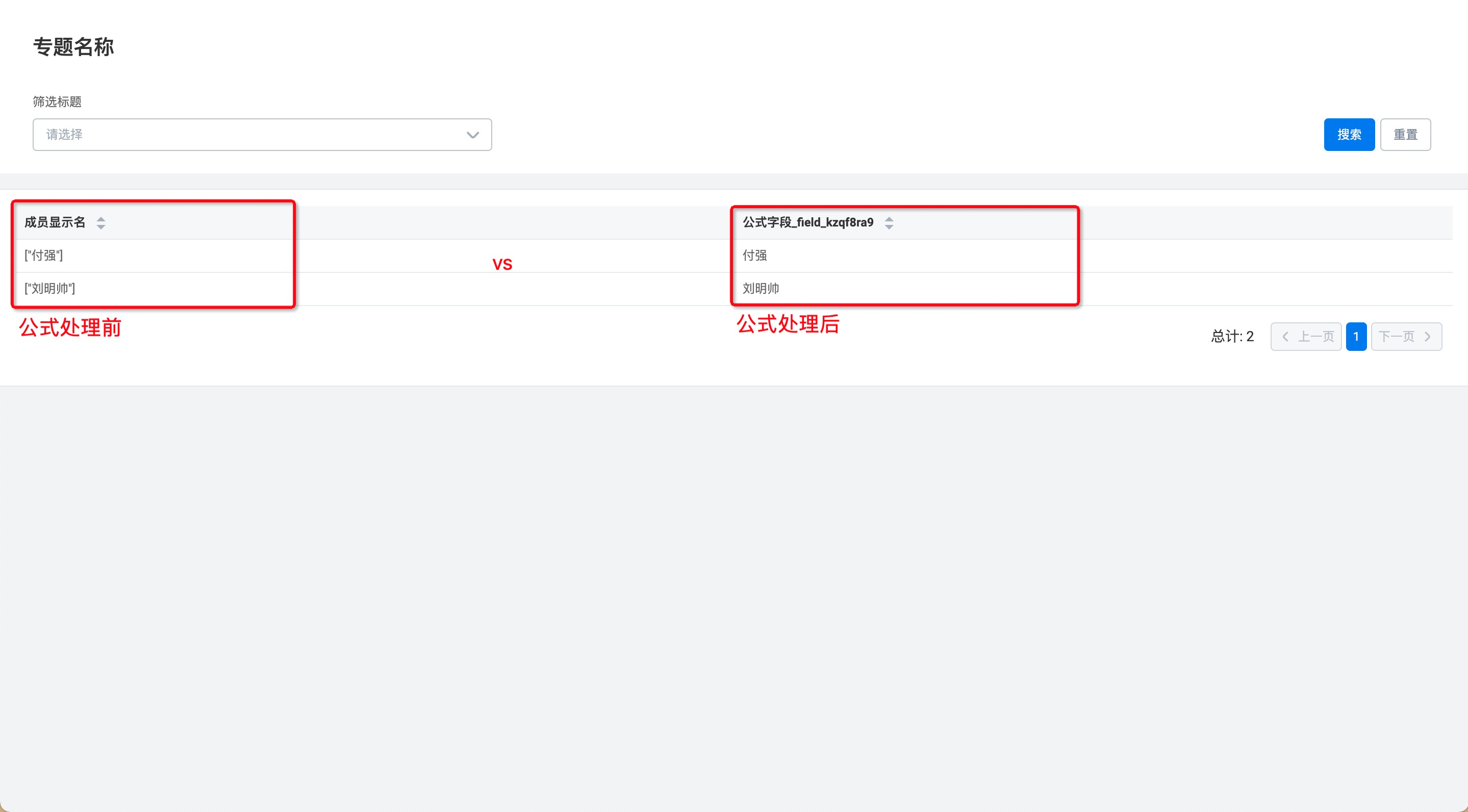
Effect display
This doc is generated using machine translation. Any discrepancies or differences created in the translation are not binding and have no legal effect for compliance or enforcement purposes.
Is this document helpful?