
Calculate percentage by formula
1. Usage scenarios
In this example, let's learn how to calculate the percentage based on the corresponding input result through the YIDA formula.
2. Implement functions
2.1 Configuration Table page
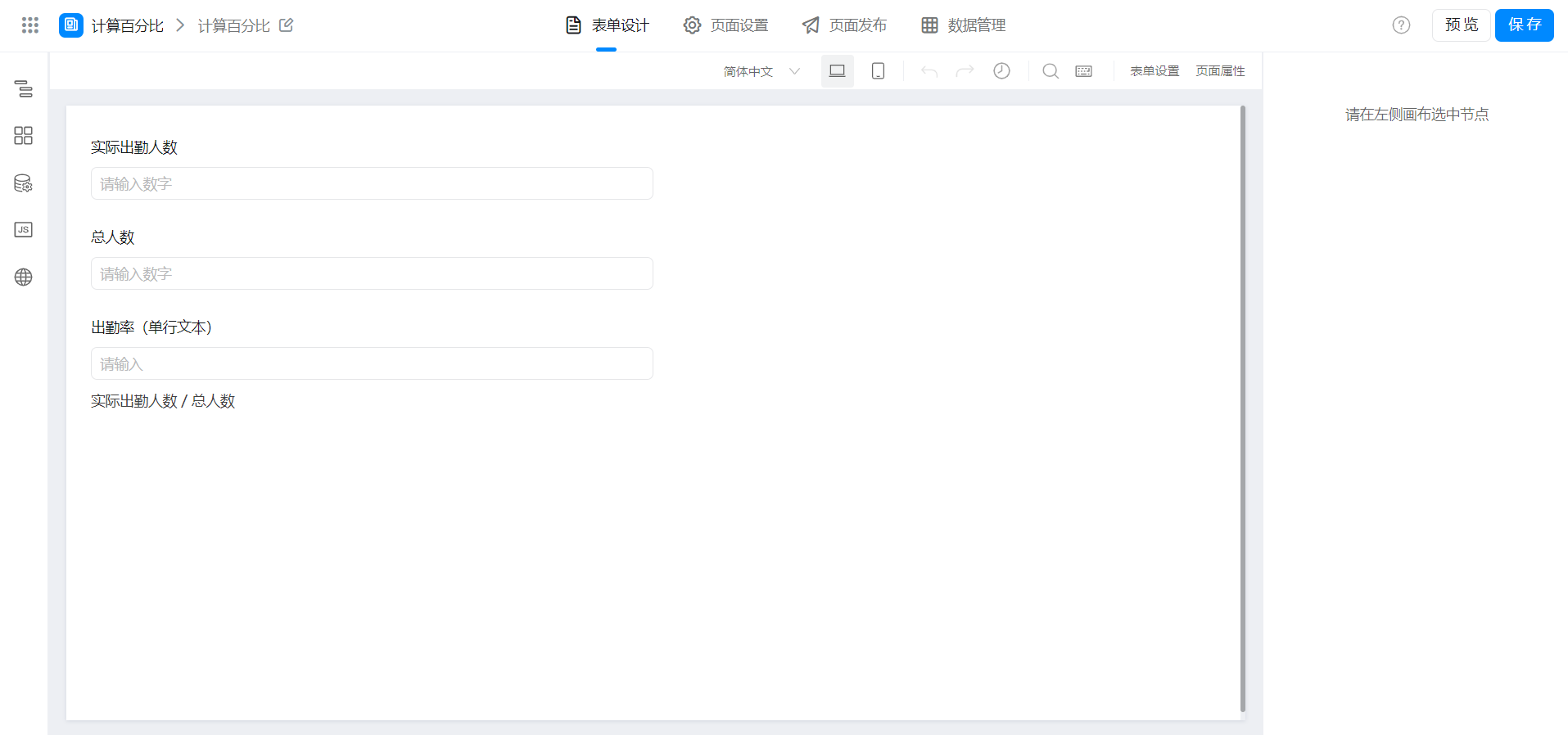
2.2 configuration field Formula
Modify the fields as needed.
Attendance rate =Actual attendance/total number.
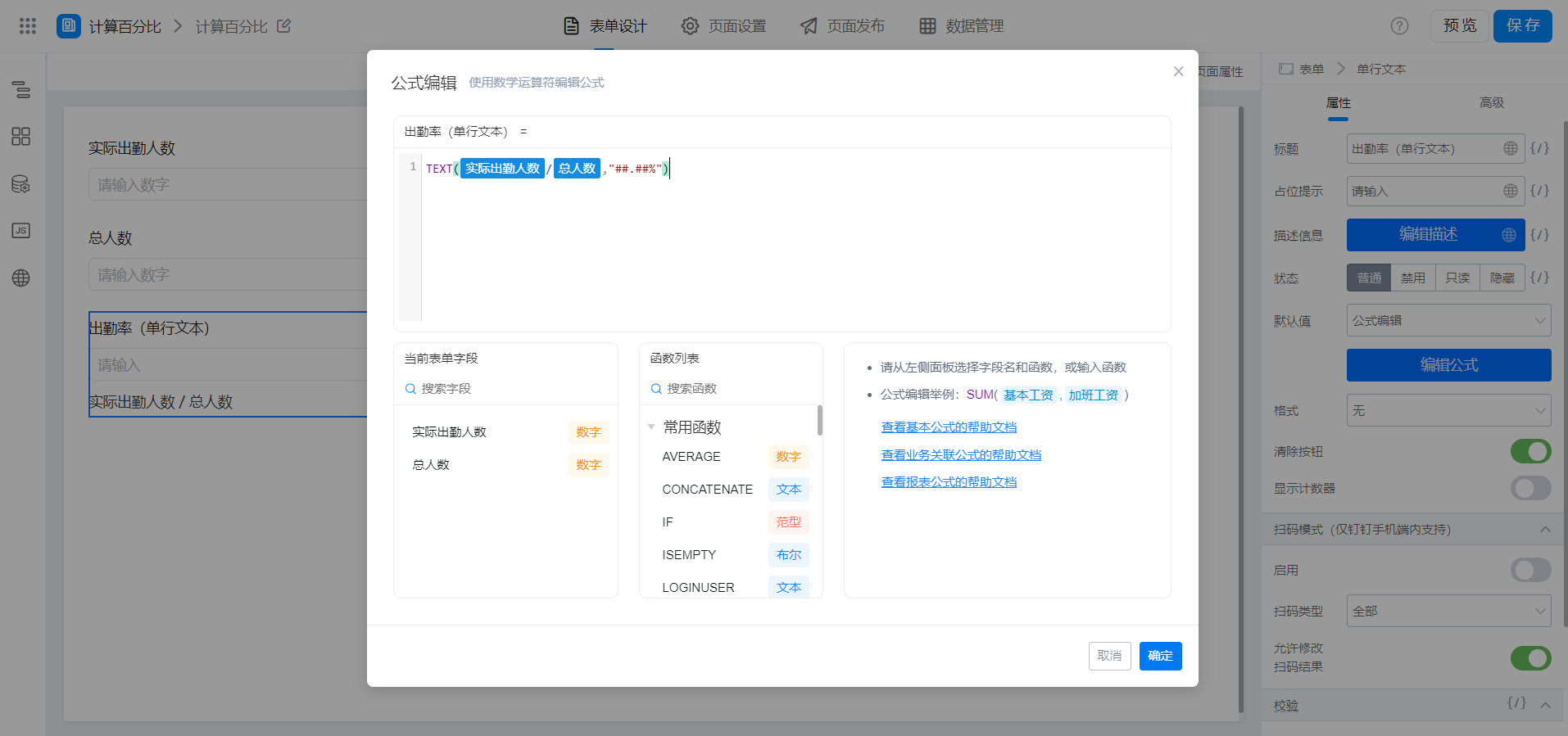
{"text":"TEXT(实际出勤人数/总人数,\"##.##%\")","marks":[{"from":{"line":0,"ch":5,"sticky":null},"to":{"line":0,"ch":13,"sticky":null},"value":"numberField_ksi9hif0","invalid":false},{"from":{"line":0,"ch":14,"sticky":null},"to":{"line":0,"ch":19,"sticky":null},"value":"numberField_ksi9hif1","invalid":false}],"isCmData":true}
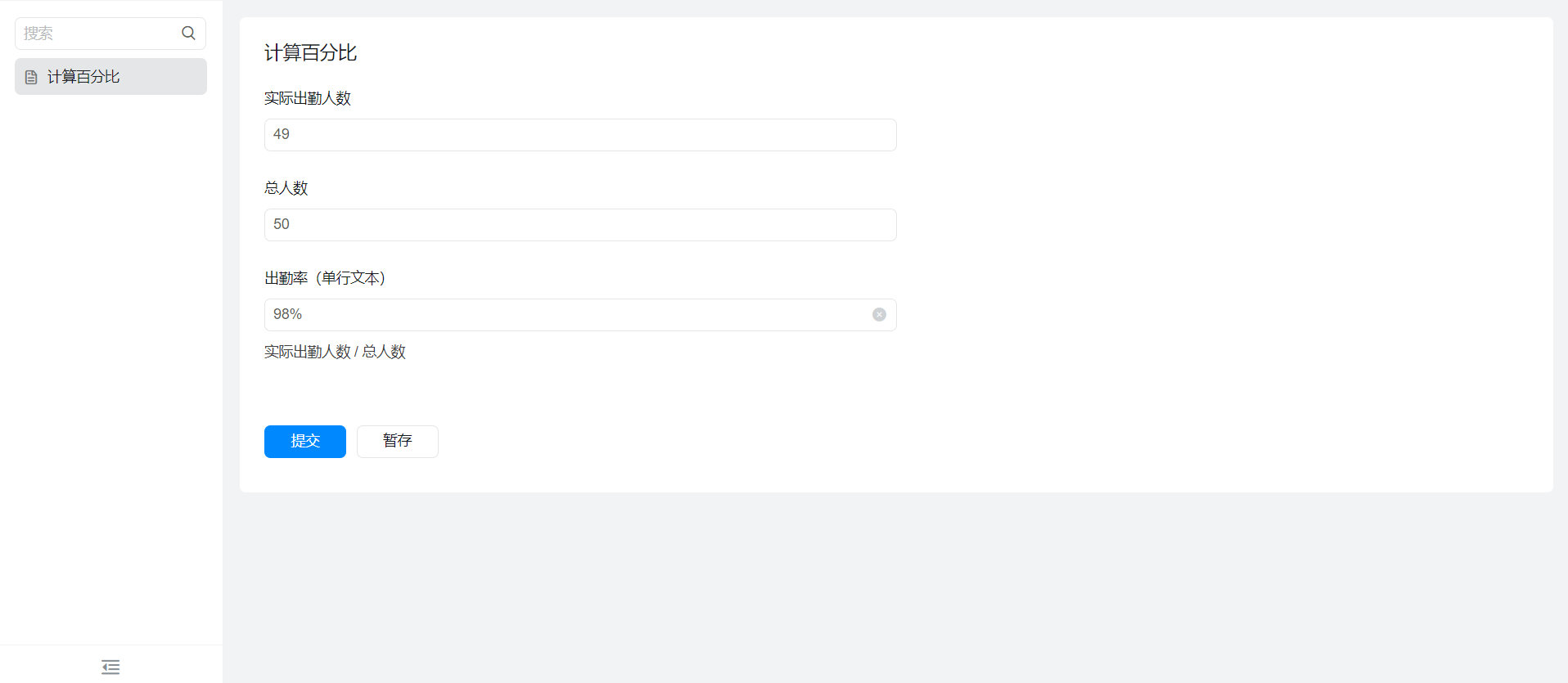
3. Achieve results
4. Try it online

This doc is generated using machine translation. Any discrepancies or differences created in the translation are not binding and have no legal effect for compliance or enforcement purposes.
Is this document helpful?