Set the form to not allow duplicate values.
In the process of building YIDA applications, you may encounter the following problems.
- In the CRM system, customer information can only be entered once, and duplicate customer information is not allowed.
- In the lottery system, the sign-in person is only allowed once, and repeated sign-in is not allowed.
- In the daily newspaper (weekly) system, the author is only allowed to submit once a day (weekly) and not allowed to submit repeatedly.
Prerequisites
This tutorial uses the form formula of YIDA. You can first understand the followingForm formula.
Effect
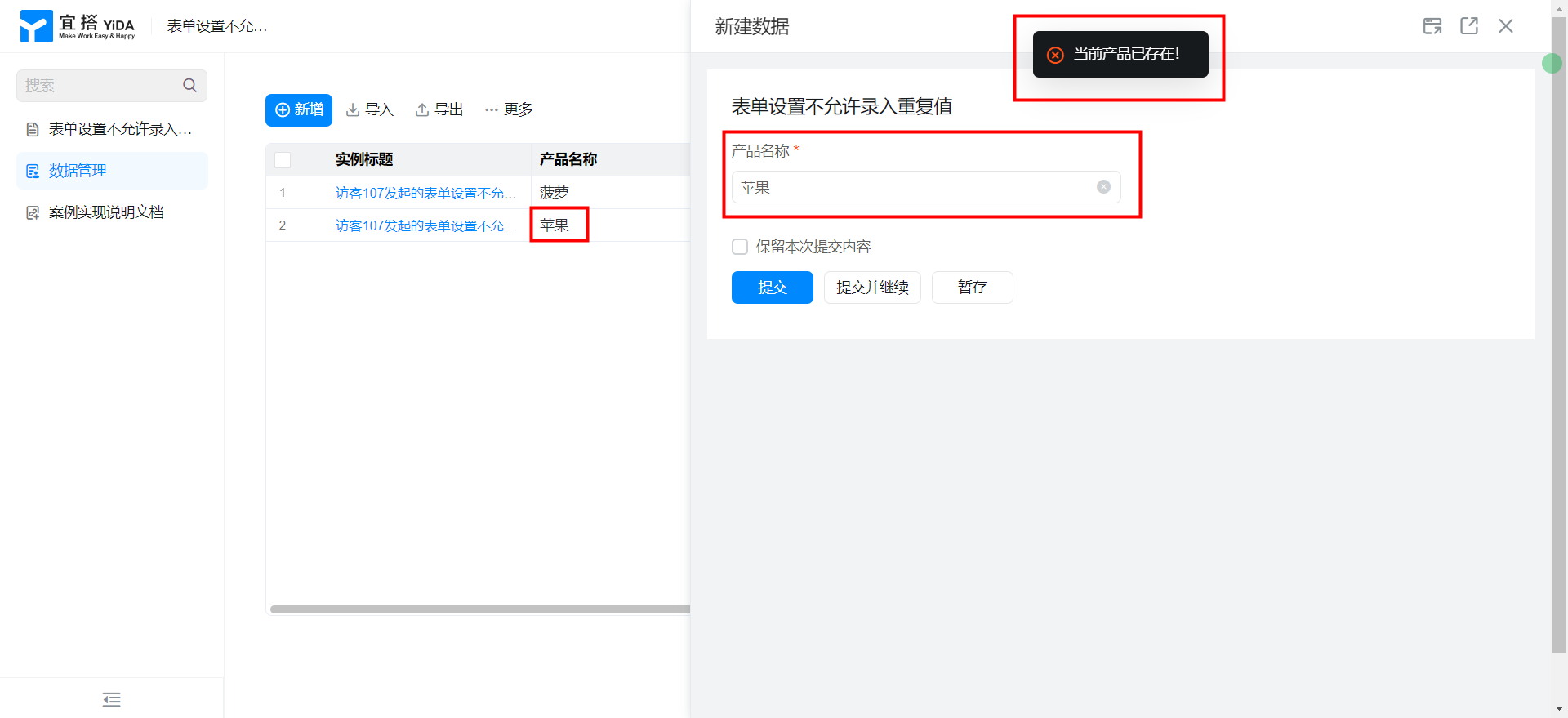
Implementation steps
Create a common form page
Create a common form page. For more information, seeCommon form.

Drag the following components into the canvas area.
- Single line text: name the product name
Add Form verification
Add to form settings in the top ribbonForm verification.
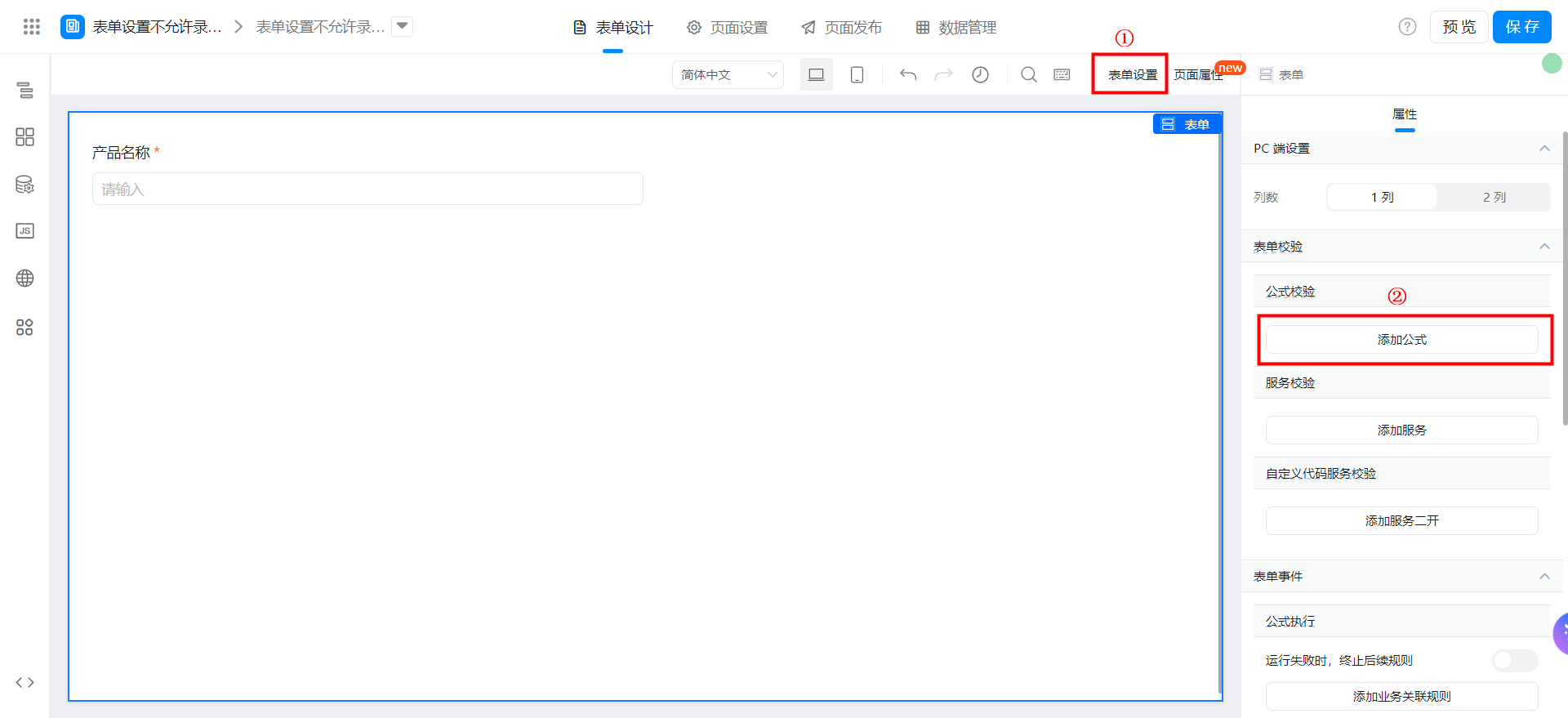
You can search for the formula.
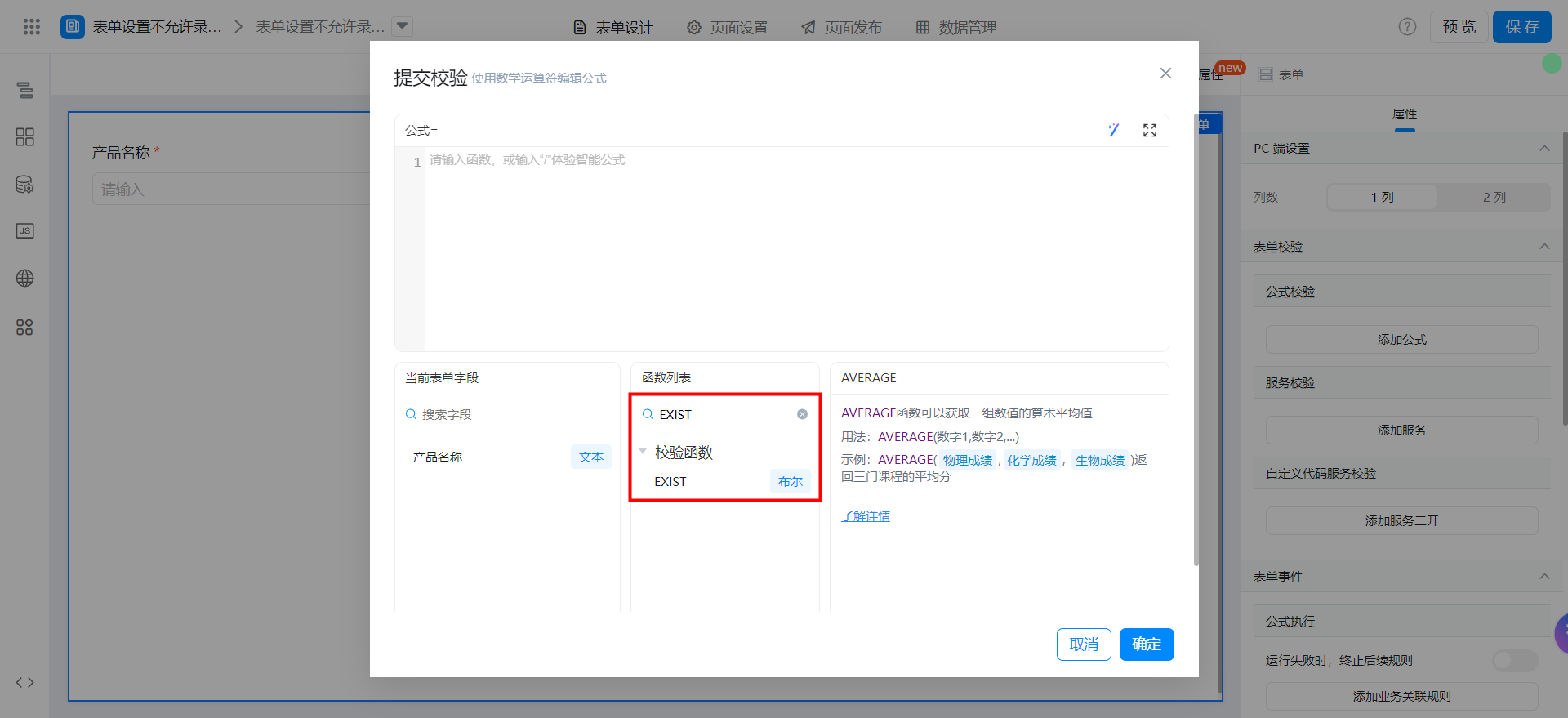

Set block submission and set prompt information:
Save page

Video tutorial
Try it online
This doc is generated using machine translation. Any discrepancies or differences created in the translation are not binding and have no legal effect for compliance or enforcement purposes.
Is this document helpful?