
Drop-down multiple-select fill sub-table in the form

This case is from Jing, a three-party developer 」
1. Usage scenarios
This example describes how to fill multiple drop-down values into subtables on the YIDA form page.
2. Implement functions
2.1 Create form page

2.3 copy the following code to Page JS
Note that the following unique identifier is modified.
export function onChange({ value, actionType, item }) {
  if (value && value.length) {
    const tableData = item.map(item => {
      return {
        textField_lc498eju: item.text,
        textField_lc498ejv: item.value
      }
    });
    this.$('tableField_lc498ejt').setValue(tableData);
  } else {
    this.$('tableField_lc498ejt').reset();
  };
}
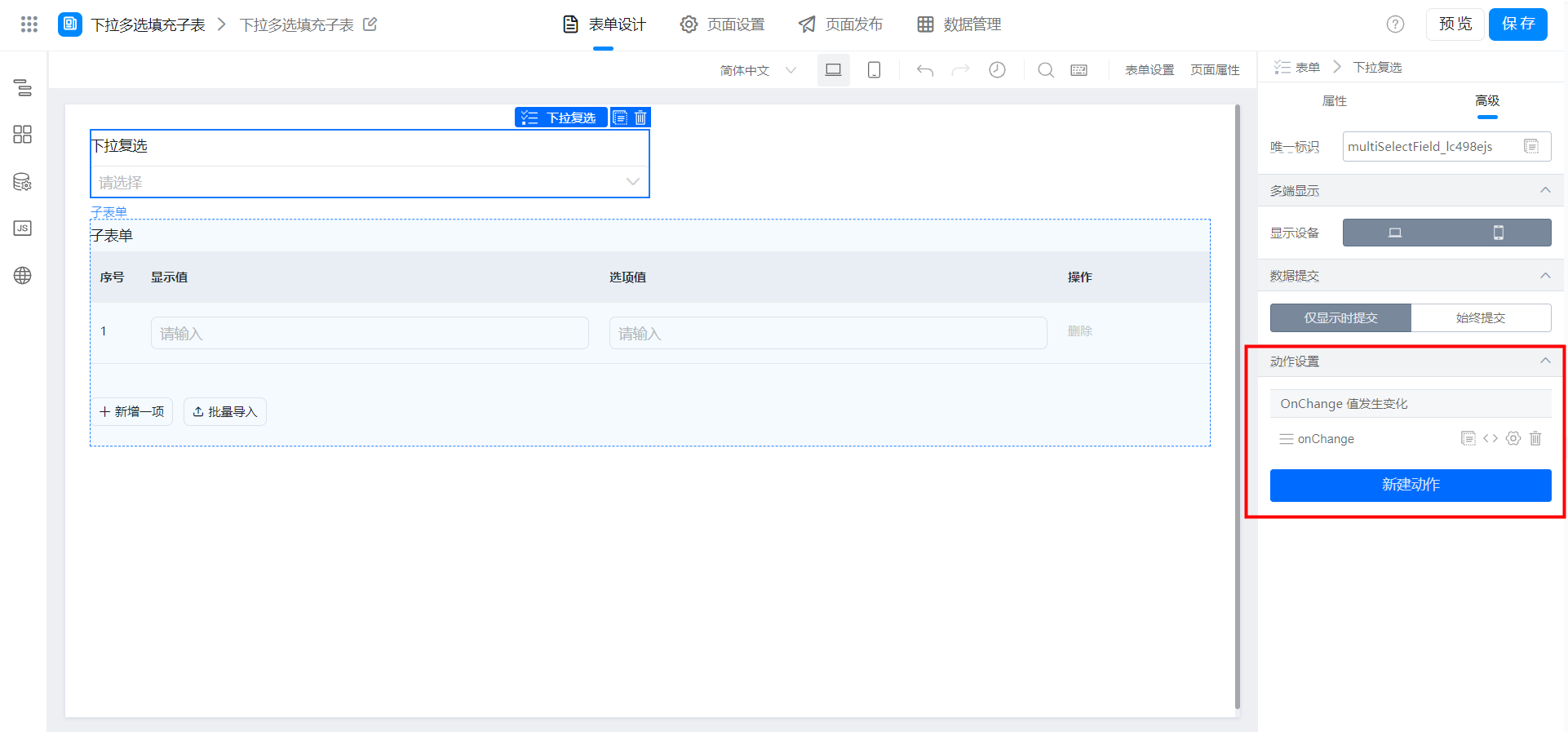
2.4 component binding events
3. Achieve results

4. Try it online

This doc is generated using machine translation. Any discrepancies or differences created in the translation are not binding and have no legal effect for compliance or enforcement purposes.
Is this document helpful?