
The image in the form/custom page is cropped and uploaded.

This case comes from Feng Peng, a three-party developer 」
1. Usage scenarios
For more information, see this example.
2. Implement functions
The following operations are the same except that the dialog box needs to be copied from the custom page to the form page.
2.1 introduce three-party JS resources and CSS resources

this.utils.loadStyleSheet('https://g.alicdn.com/yida-platform/react-cropper/1.0.0/css/react-cropper.css');
this.utils.loadScript('https://g.alicdn.com/yida-platform/react-cropper/1.0.0/js/react-cropper.js');
2.2 configuration form/custom page
Note that automatic upload is disabled.

2.3 Variables used for configuration

2.4 dialog box for configuring cropping

The code in the JSX component is as follows:
function render() {
  return(
    <window.ReactCropper
      ref={this.saveCropperrRef.bind(this)}
      src={this.state.src}
      style={{ height: 300, width: 400 }}
    />
  );
}
Dialog box event binding:

The OnOk event code is as follows:
Modify the unique identifier of the image upload component in line 4 and the unique identifier of the dialog box component in line 14.
export function onOk() {
  const data = this.state.cropperRef.cropper.getCroppedCanvas().toDataURL();
  const file = dataURL2Blob2File(data, this.state.file);
  let uploaderRef = this.utils.isMobile() ? this.$('imageField_l9ozo0n1').uploaderRef.uploaderRef : this.$('imageField_l9ozo0n1').uploaderRef;
  console.log('file', file);
  if (uploaderRef.state.value) {
    uploaderRef.state.value.forEach(_file => {
      if (_file && _file.uid === file.uid) {
        _file.size = file.size;
      }
    });
  }
  uploaderRef.uploaderRef.startUpload([file]);
  this.$('dialog_kqby9wqe').hide();
}
2.5 copy the following code to Page JS
Note that the dialog box component with 18 rows is uniquely identified.
export function onSuccess(file, value) {
  this.utils.toast({
    title: '上传成功'
  });
}

/**
* imageField onSelect
*/
export function onSelect(files) {
  console.log('onSelect');
  const reader = new FileReader();
  reader.onload = () => {
    this.setState({
      src: reader.result,
      file: files[0],
    });
    this.$('dialog_kqby9wqe').show();
  };
  reader.readAsDataURL(files[0].originFileObj);
}

/**
 * 图片剪切开始
 */
export function saveCropperrRef(ref) {
  this.setState({
    cropperRef: ref,
  });
}

function dataURL2Blob2File(dataURL, file) {
  const arr = dataURL.split(","),
    mime = arr[0].match(/:(.*?);/)[1],
    bstr = atob(arr[1]),
    u8arr = new Uint8Array(bstr.length);
  let n = bstr.length;
  while (n--) {
    u8arr[n] = bstr.charCodeAt(n);
  }
  const blob = new Blob([u8arr], { type: mime });
  // Blob to File
  // set lastModifiedDate and name
  blob.lastModifiedDate = new Date();
  blob.name = file.name;
  blob.uid = file.uid;
  return blob;
}
2.6 image Upload component action binding

3. Achieve results
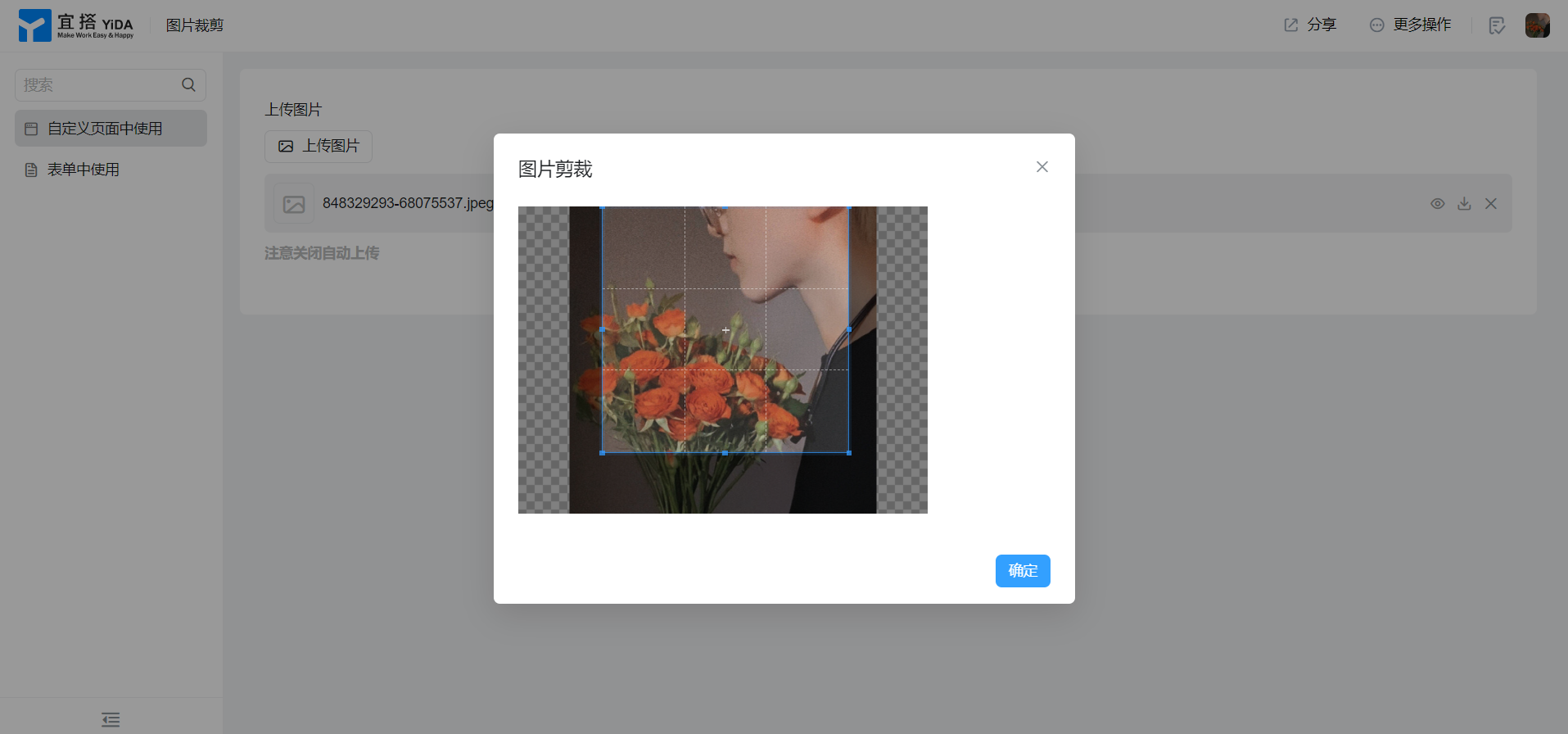
4. Try it online

This doc is generated using machine translation. Any discrepancies or differences created in the translation are not binding and have no legal effect for compliance or enforcement purposes.
Is this document helpful?