
In-form/custom page URL parameter backfill
In the process of building YIDA applications, you may encounter the following problems.
- YIDA how to communicate between pages, for example, I want to bring some field parameters in page A to page B for use
Prerequisites
This tutorial uses some basic functions of YIDA. You can first learn about the following functions.
Effect

After clicking.

Implementation steps
Create a common form page
Create a common form page. For more information, seeCommon form.

Drag the following components into the canvas area.
- Single line text: name the product name
- Multi-line text: Named Product Introduction
Bind URL parameters
The URL parameter key corresponding to the specified product name isproductName.


state.urlParams.productName
The URL parameter key corresponding to the contract product introduction isproductDescription.


state.urlParams.productDescription
Save page

Create a custom page

Drag the following components into the canvas area.
- Single line text: name the product name
- Multi-line text: Named Product Introduction
- Container
- Button: name it to jump to the data table with the above parameters
Configure button click jump
Bind the following events.

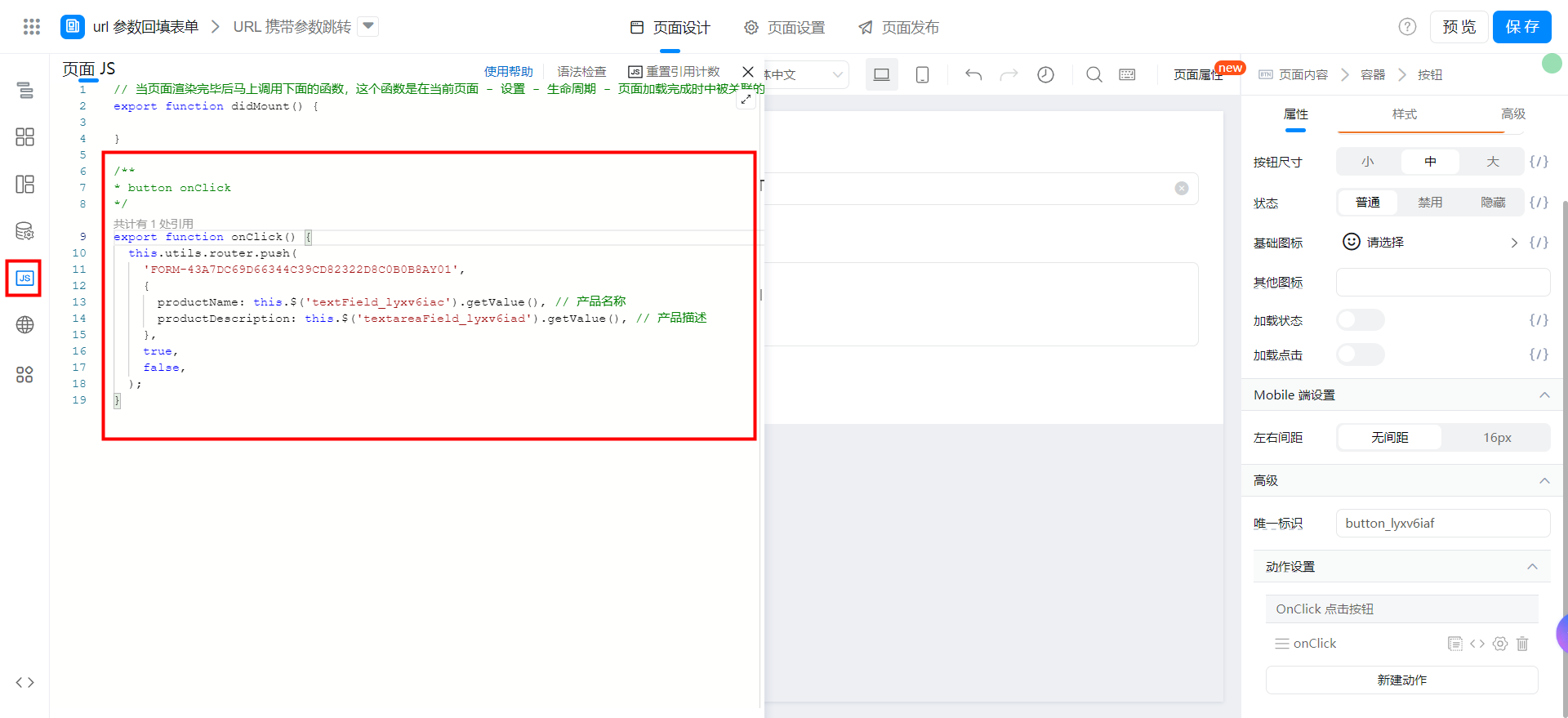
export function onClick() {
  this.utils.router.push(
    'FORM-43A7DC69D66344C39CD82322D8C0B0B8AY01',
    {
      productName: this.$('textField_lyxv6iac').getValue(), // 产品名称
      productDescription: this.$('textareaField_lyxv6iad').getValue(), // 产品描述
    },
    true,
    false,
  );
}
this.utils.router.pushAPI parameters.

Video tutorial
Try it online
This doc is generated using machine translation. Any discrepancies or differences created in the translation are not binding and have no legal effect for compliance or enforcement purposes.
Is this document helpful?