
Dynamically assign status to components
1. What is the dynamic assignment status to a component
In general, on the form editing page, we can directly set the component status to hidden, read-only, disabled, etc, however, if we want to manually control the status of the component on the fill-in page of form/flow chart, we can use JS.
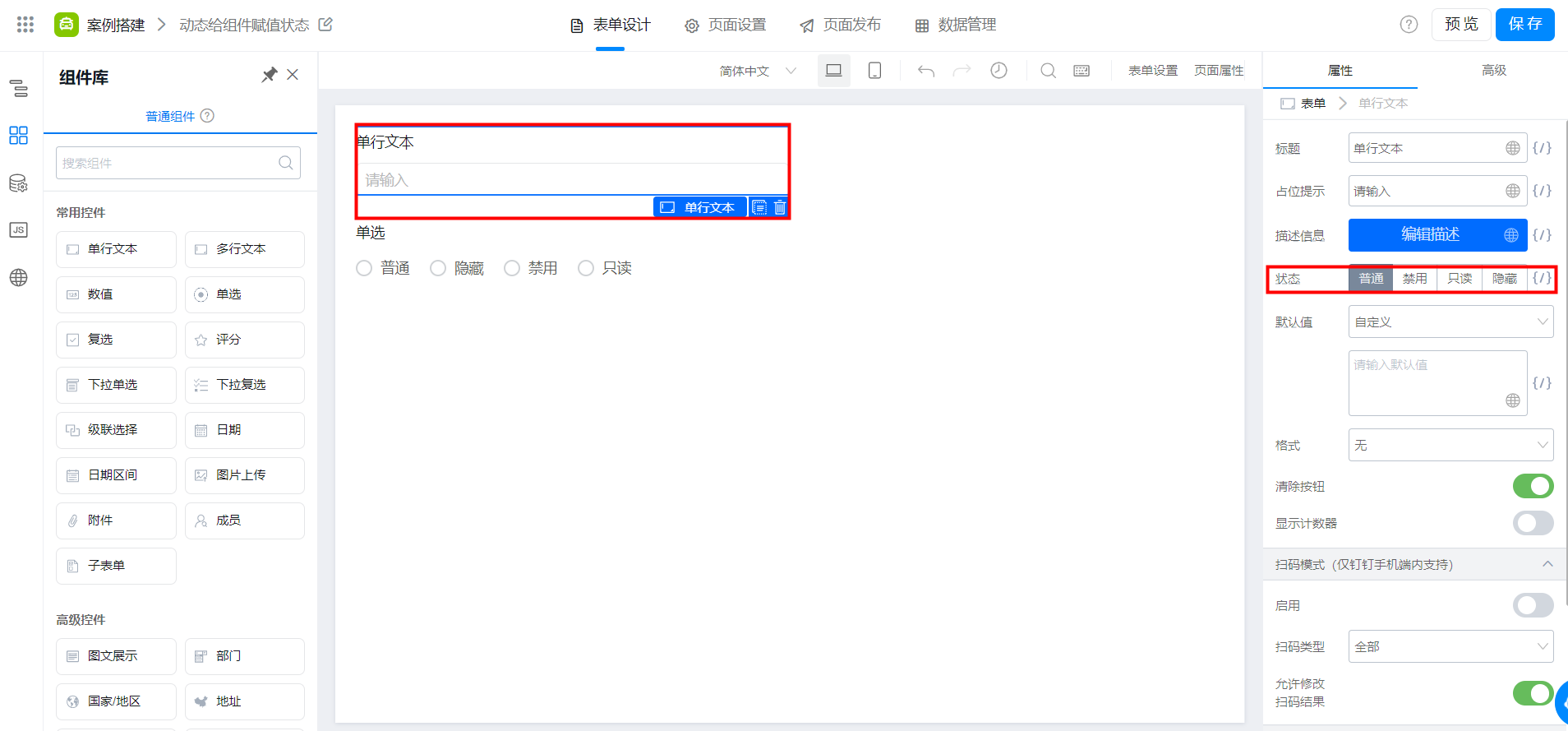
Form editing page
2. Procedure
2.1 On the edit page, we can use a single-line text box and a single-line text box, and set the options of the single-line text box.
As shown in the following figure:
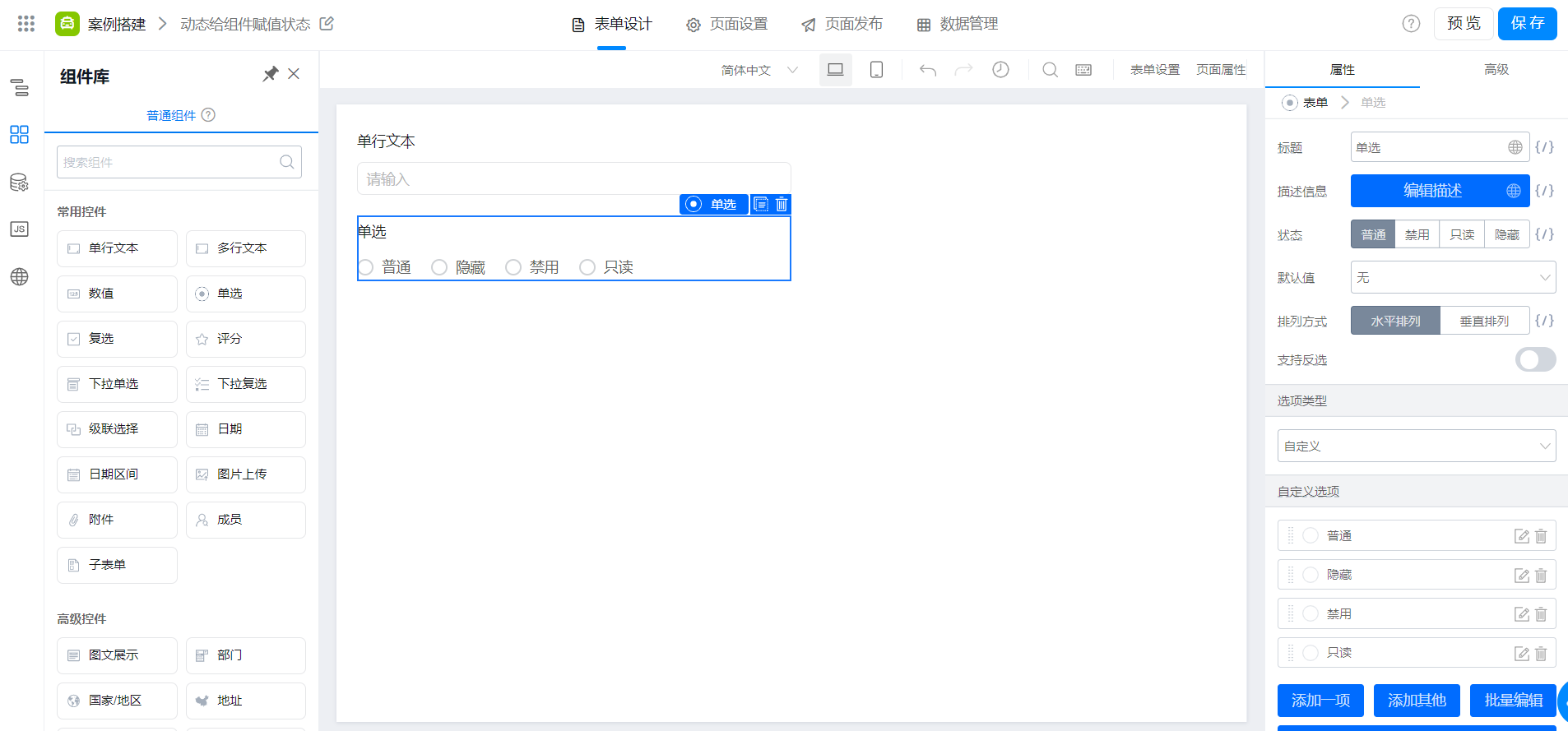
Set the option value of a single label
2.2 click single-click, advanced> Create action, click OK, the JS panel will appear
As shown in the following figure:
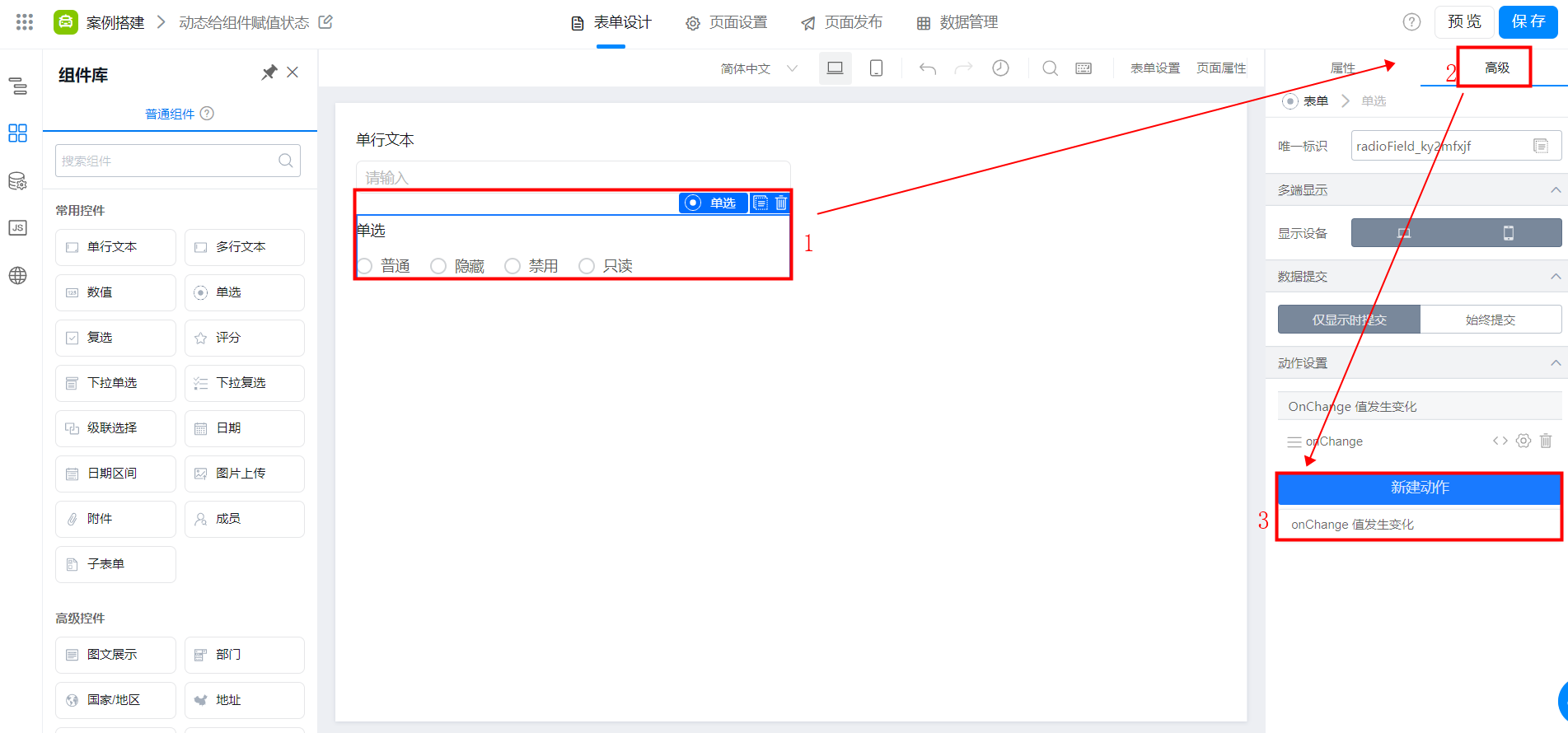
Create action
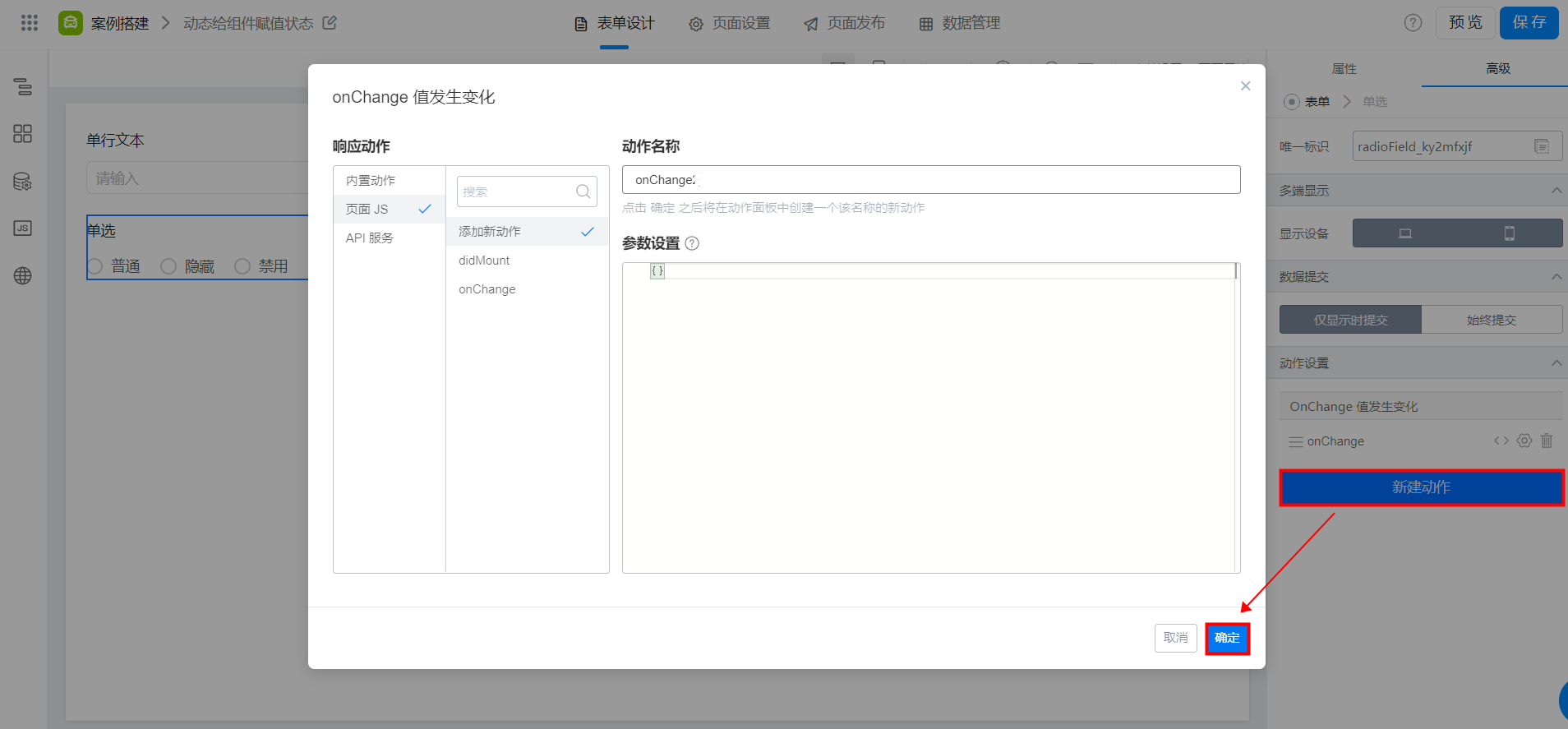
onChange value changes
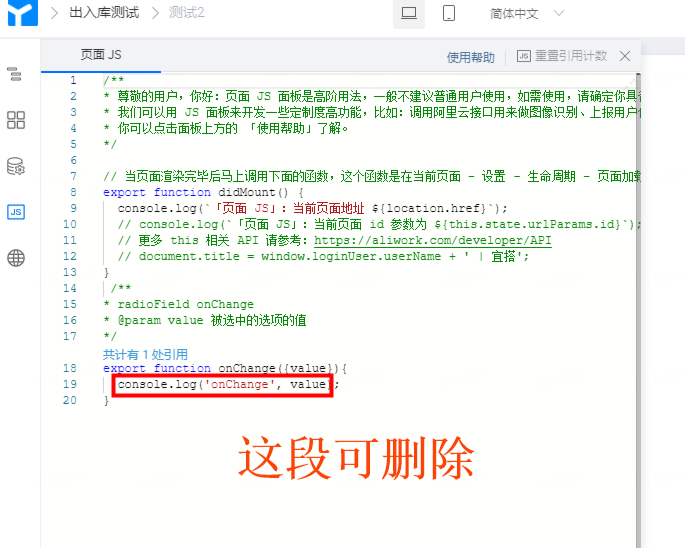
JS panel
2.3 then we can copy the following code directly and click save
const a = this.$('单选框唯一标识').getValue();
  if (a == "普通"){
    this.$('被赋值组件的唯一标识').setBehavior('NORMAL')
  }else if(a == "禁用"){
    this.$('被赋值组件的唯一标识').setBehavior('DISABLED')
  }else if(a == "只读"){
    this.$('被赋值组件的唯一标识').setBehavior('READONLY')
  }else {
    this.$('被赋值组件的唯一标识').setBehavior('HIDDEN')
  }
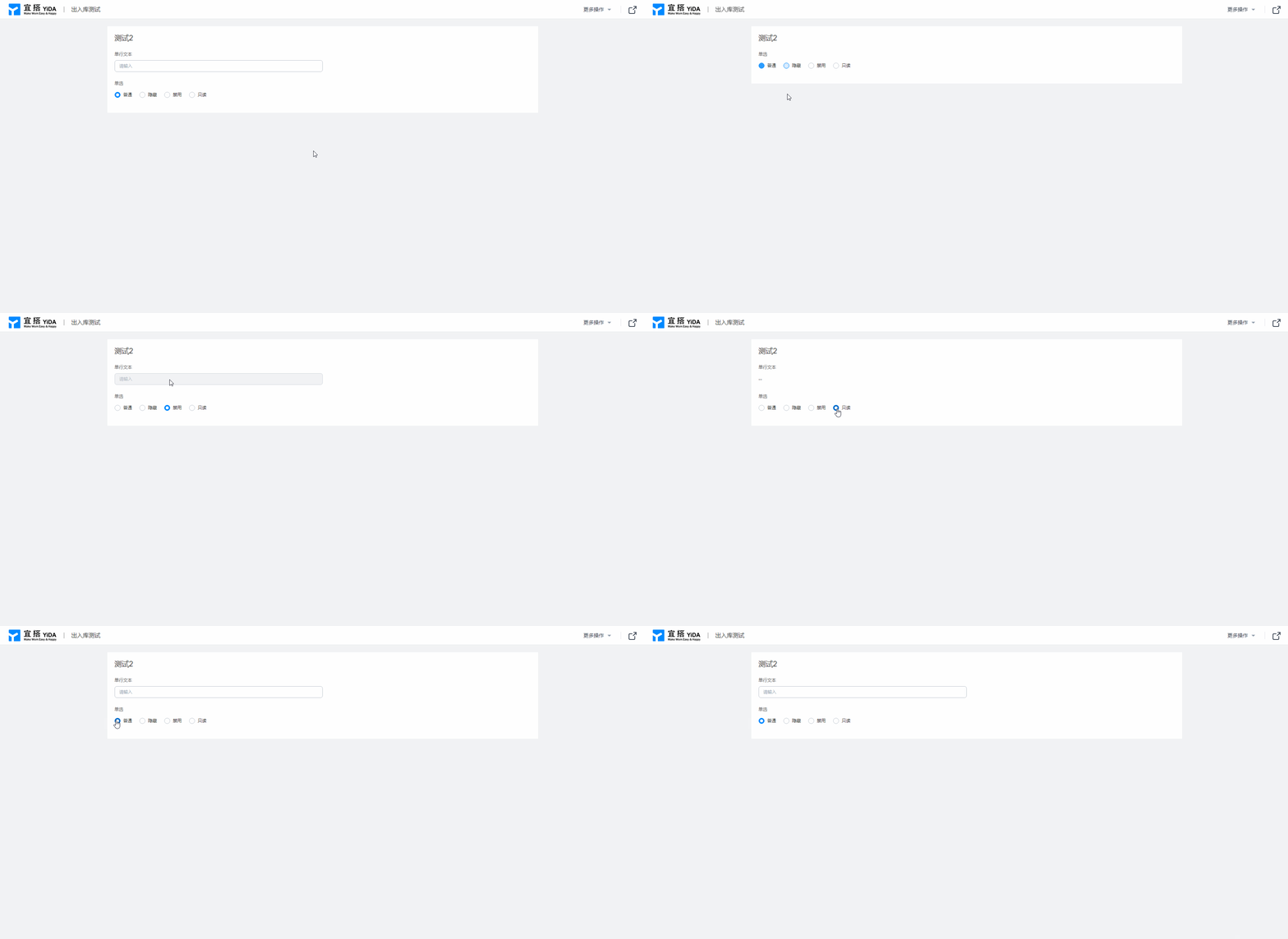
2.4 Final effect
3. FAQ
3.1 Why does the status of the flow chart assignment component not take effect?
Flow chart if the component status is configured on the process design page, JS dynamic assignment component status settings will not perform.
-------------------- Get the latest information YIDA, welcome to follow US--------------------

This doc is generated using machine translation. Any discrepancies or differences created in the translation are not binding and have no legal effect for compliance or enforcement purposes.
Is this document helpful?