
Form neutron table sending process

This case comes from Feng Peng, a three-party developer 」
1. Usage scenarios
In this example, we will learn how to start the sub-process based on the sub-form content after the form is submitted in YIDA.
2. Implement functions
2.1 Process page configuration

2.2 form page configuration

Edit the uuid field formula:

2.3 function configuration
(1) variable configuration
The default value is modified as needed.


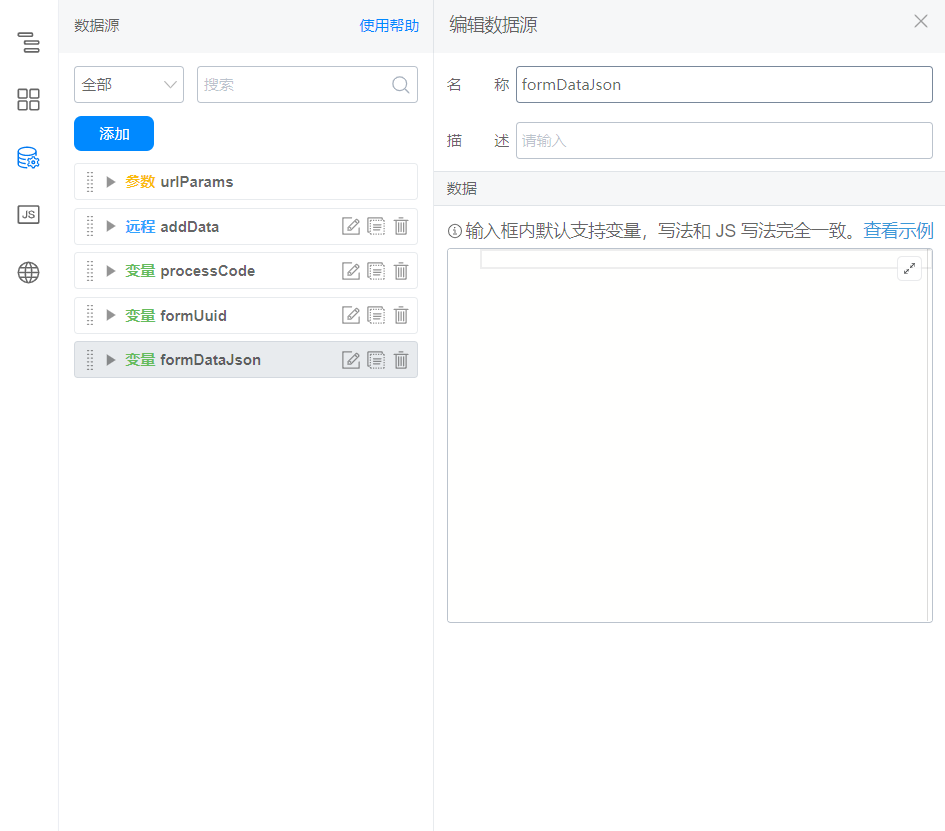
(2) Data source configuration
Reference documents:Process initiation
The interface configuration is as follows:

Data source address:

Data source parameters:

(3) bind the following functions to page beforeSubmit

export async function beforeSubmit({ formDataMap }) {
  if (!this.utils.isSubmissionPage()) {
    return Promise.resolve(true);
  }
  const arr = this.$('tableField_l9y2sfwe').getValue();
  const uuid = this.$('textField_la98d80q').getValue();
  const warehouseName = this.$('selectField_l9y2sfwc').getValue();
  let data = [];
  let errors = [];
  const count = arr.length;
  const dialog = this.utils.dialog({
    method: 'alert',
    title: '处理中,请不要关闭浏览器',
    content: `预计需要 ${count / 5} 秒`,
    footer: false,
  });

  // 循环调用发起流程接口,注意节流
  for (let i = 0; i < arr.length; i++) {
    const delay = i === 0 ? 0 : 200;
    await new Promise((resolve => {
      setTimeout(async () => {
        const empArr = arr[i].employeeField_l9y2sfwk.map((item) => {
          return item.value;
        });
        const imgArr = arr[i].imageField_l9y2sfwm.map((items) => {
          return {
            downloadUrl: items.downloadURL,
            name: items.name,
            previewUrl: items.url,
            url: items.downloadURL,
          };
        });
        this.setState({
          formDataJson: JSON.stringify({
            textField_la98qwt1: uuid,
            selectField_l9yc8jpd: warehouseName,
            employeeField_l9yc8jpe: window.loginUser.userId,
            numberField_l9yc8jpc: arr[i].numberField_l9ybnzr5,
            employeeField_l9y2tffz: empArr,
            textField_l9y2tffv: arr[i].textField_l9y2sfwg,
            selectField_l9y2tffx: arr[i].selectField_l9y2sfwi,
            dateField_l9y2tfg1: arr[i].dateField_l9y2sfwn,
            imageField_l9y2tfg3: imgArr
          })
        });
        try {
          const res = await this.dataSourceMap.addData.load();
          data.push(res);
        } catch (e) {
          errors.push(e.message);
        }
        resolve();
      }, delay);
    }));
  }
  dialog.hide();
  let content = '处理成功';
  if (errors.length > 0) {
    content = (
      <div>
        {errors.map((error) => {
          return <p>{error}</p>
        })}
      </div>
    );
  }
  this.utils.dialog({
    method: 'alert',
    title: `处理完成,共发起 ${data.length} 条,失败 ${errors.length} 条`,
    content,
    onOk: () => { },
    onCancel: () => { },
  });
  return Promise.resolve(true);
}
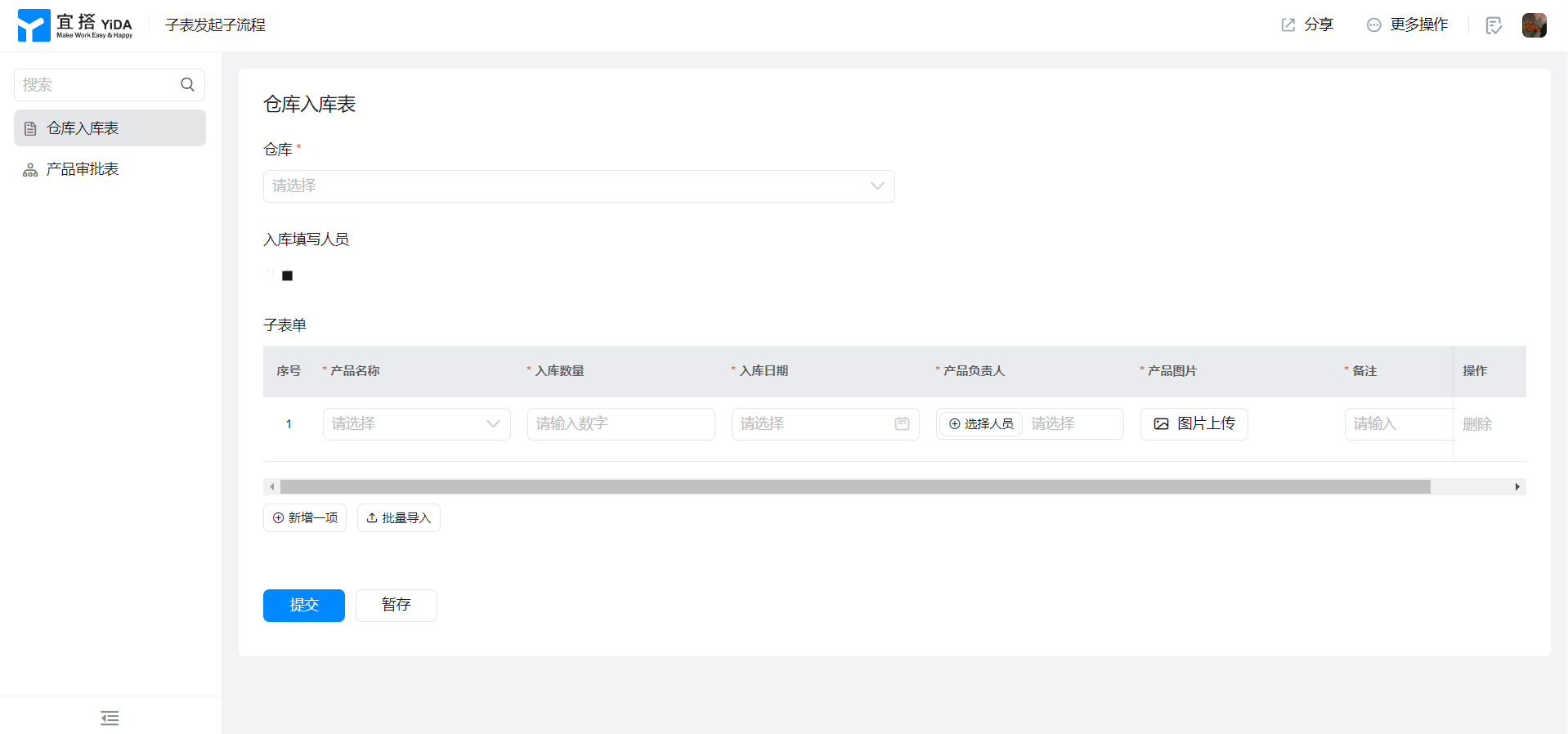
3. Achieve results
4. Try it online

This doc is generated using machine translation. Any discrepancies or differences created in the translation are not binding and have no legal effect for compliance or enforcement purposes.
Is this document helpful?