
Multi-select fill sub-table in associated form

This case is from Peng, a three-party developer 」
1. Usage scenarios
This example describes how to implement multi-select padding subtables for associated forms on the YIDA forms page.
2. Implement functions
2.1. Create payment order page
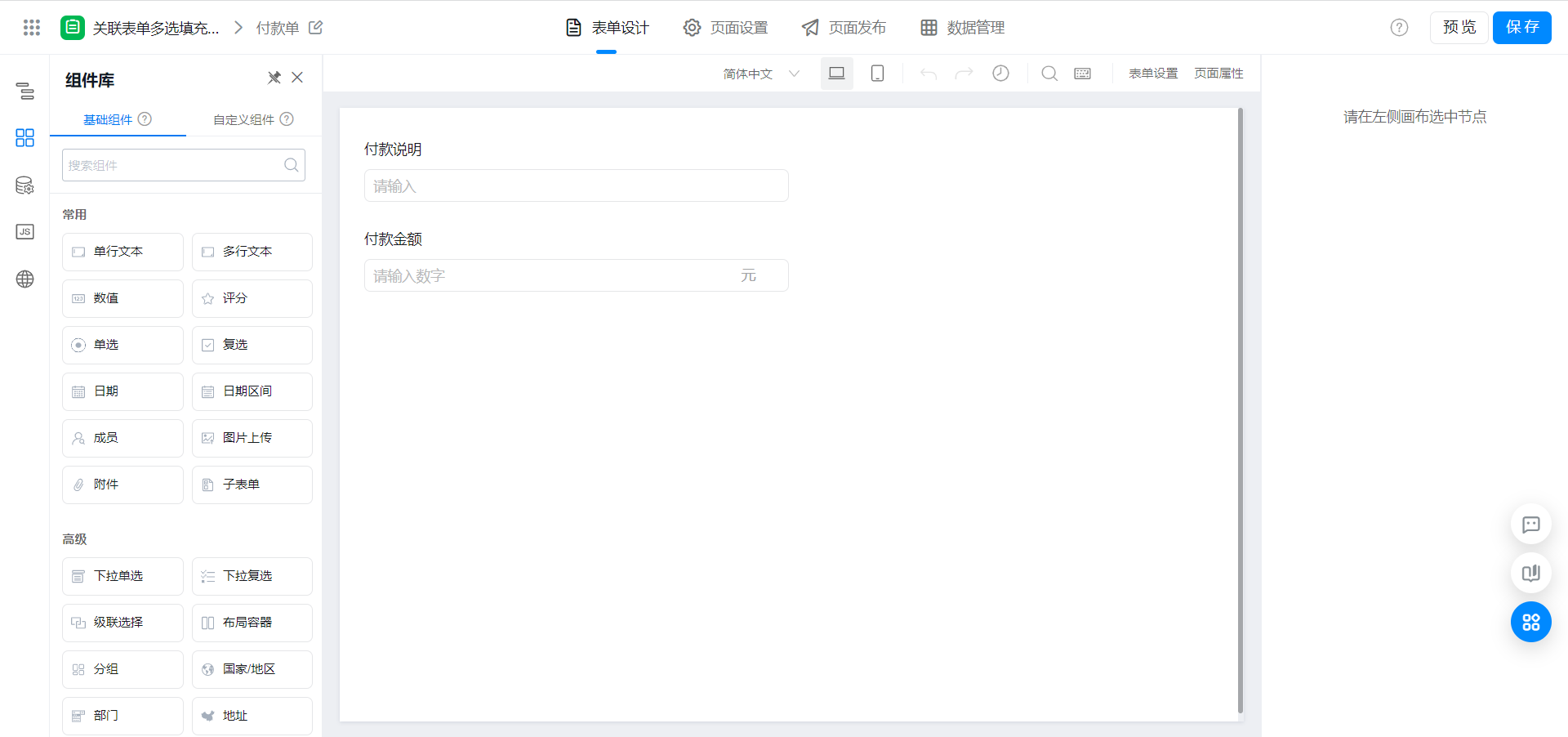
2.2. Create form page
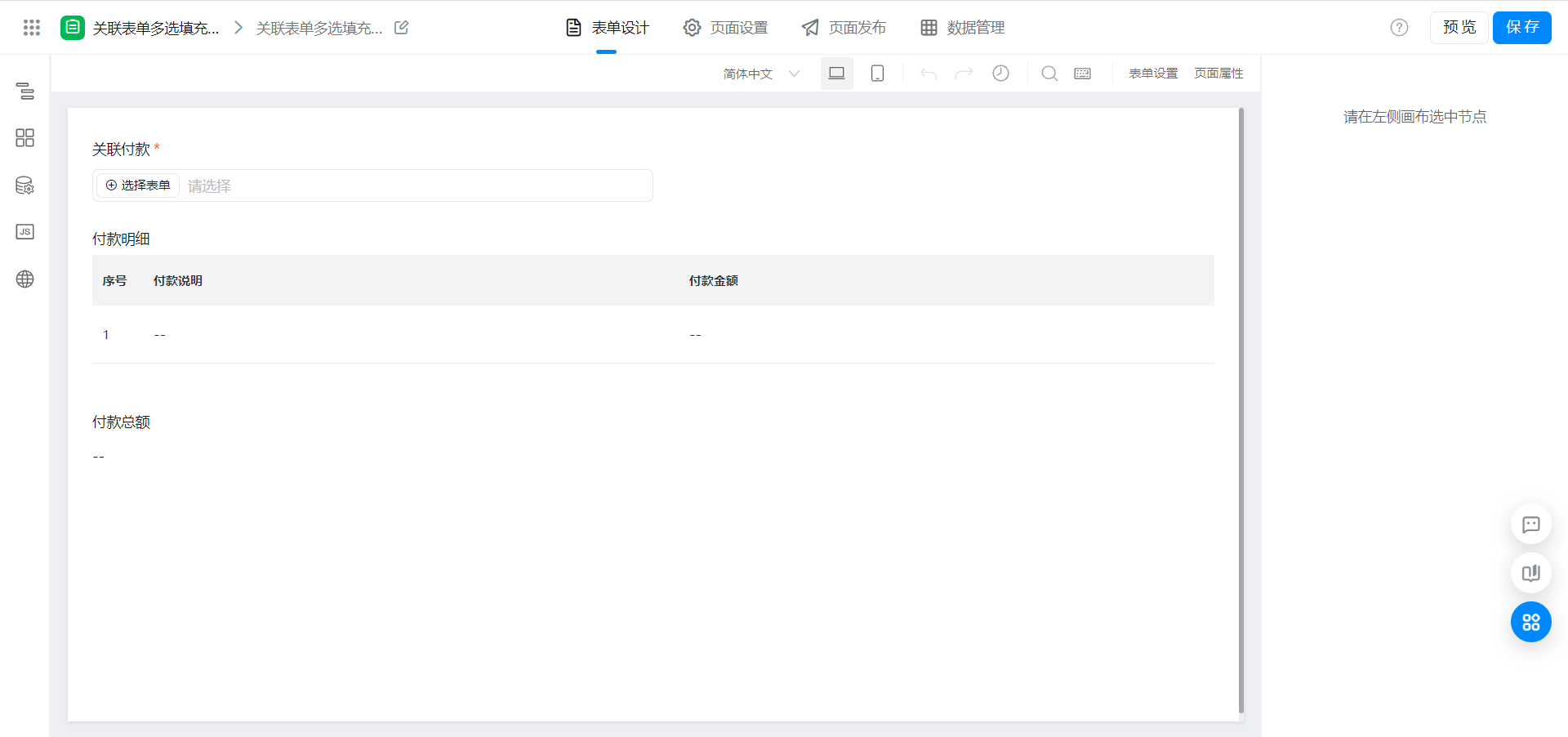
2.3. Configure associated form components
Note that the multi-select mode of the associated form is enabled.
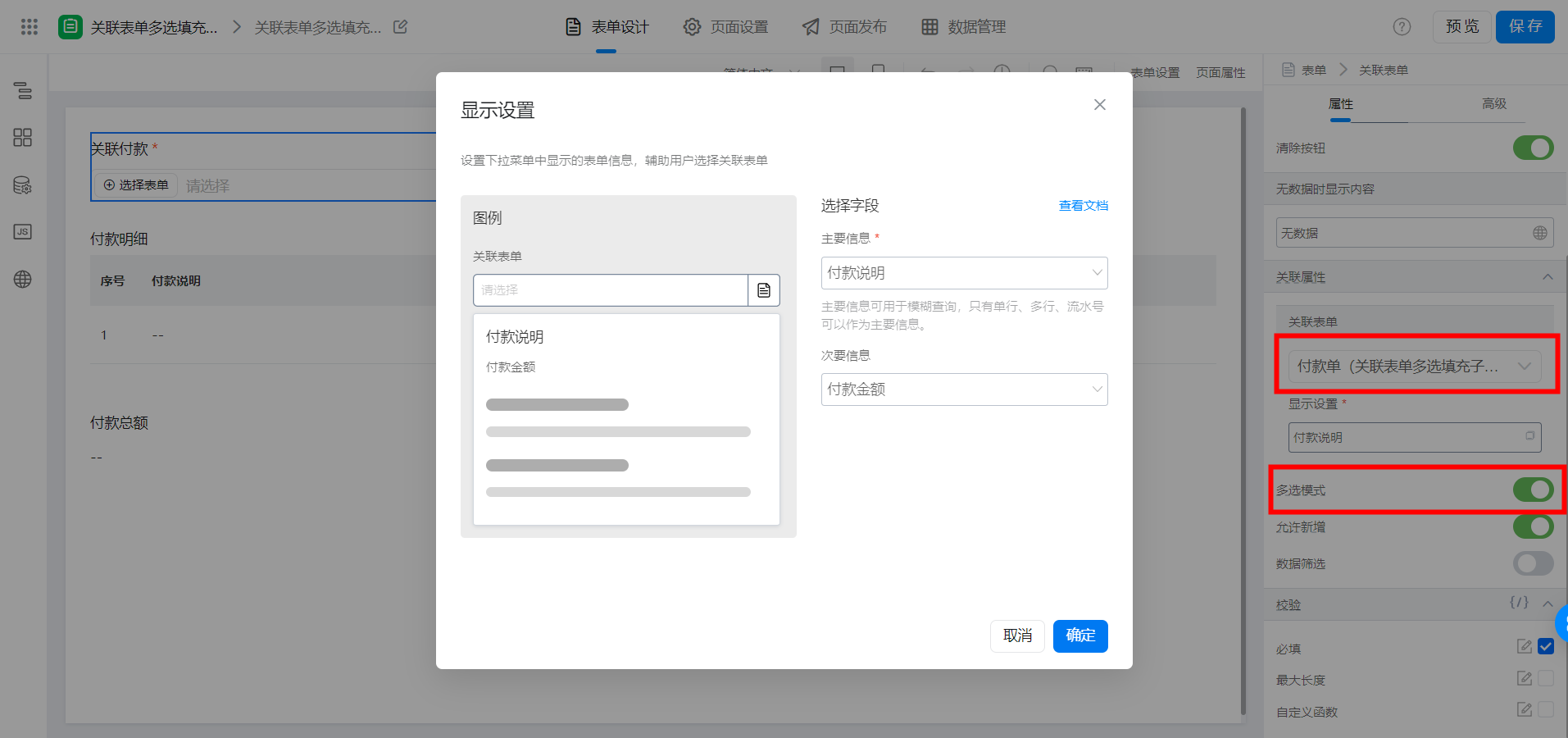
2.4. Function configuration
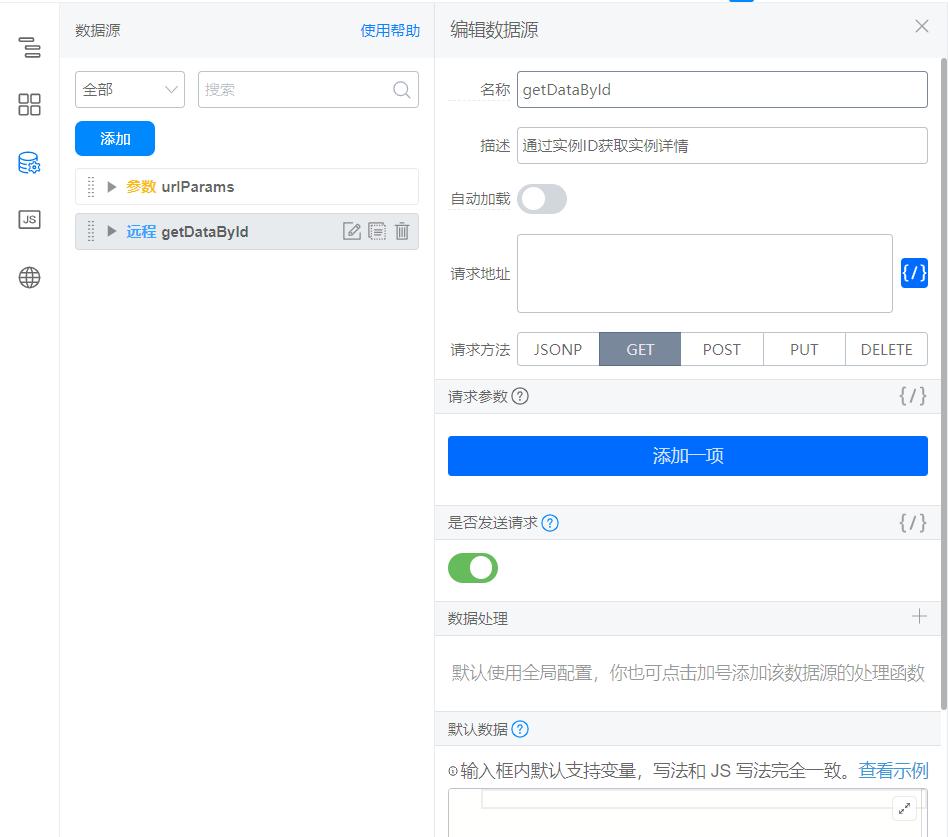
2.4.1. Configure a data source
Reference documents:Query Form instance details based on form instance ID
`/${window.pageConfig.appType || window.g_config.appKey}/v1/form/getFormDataById.json`
The interface configuration is as follows:
2.4.2. Associate form components with the following events
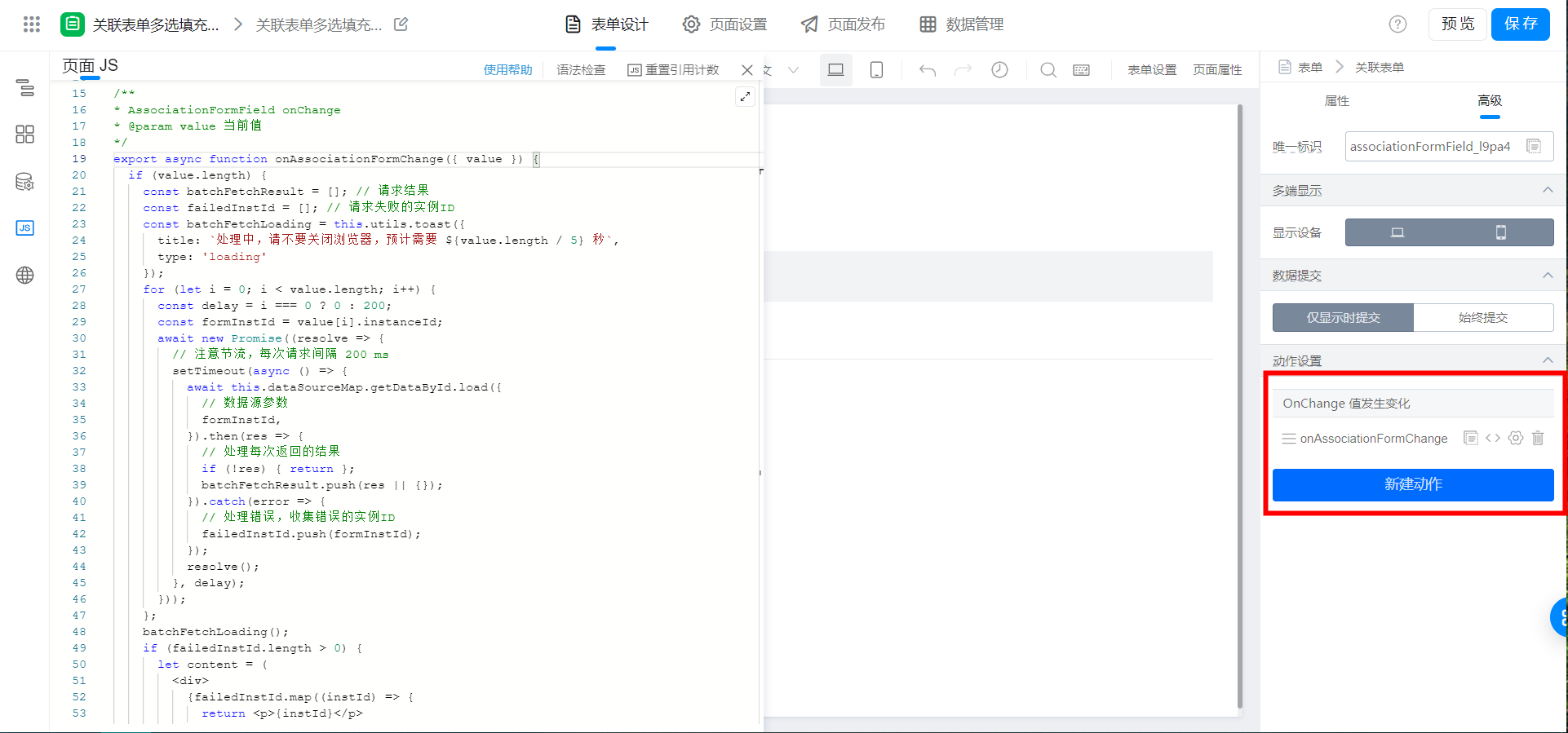
export async function onAssociationFormChange({ value }) {
  if (value.length) {
    const batchFetchResult = []; // 请求结果
    const failedInstId = []; // 请求失败的实例ID
    const batchFetchLoading = this.utils.toast({
      title: `处理中,请不要关闭浏览器,预计需要 ${value.length / 5} 秒`,
      type: 'loading'
    });
    for (let i = 0; i < value.length; i++) {
      const delay = i === 0 ? 0 : 200;
      const formInstId = value[i].instanceId;
      await new Promise((resolve => {
        // 注意节流,每次请求间隔 200 ms
        setTimeout(async () => {
          await this.dataSourceMap.getDataById.load({
            // 数据源参数
            formInstId,
          }).then(res => {
            // 处理每次返回的结果
            if (!res) { return };
            batchFetchResult.push(res || {});
          }).catch(error => {
            // 处理错误,收集错误的实例ID
            failedInstId.push(formInstId);
          });
          resolve();
        }, delay);
      }));
    };
    batchFetchLoading();
    if (failedInstId.length > 0) {
      let content = (
        <div>
          {failedInstId.map((instId) => {
            return <p>{instId}</p>
          })}
        </div>
      );
      this.utils.dialog({
        method: 'alert',
        title: `处理完成,失败 ${failedInstId.length} 条`,
        content,
        onOk: () => { },
        onCancel: () => { },
      });
    };
    // 上述代码均不需要修改
    // 下述代码按照实际情况修改字段映射即可
    const tableData = batchFetchResult.map(item => {
      const { formData = {} } = item;
      return {
        textField_l9pa49io: formData.textField_l9p9znox || '', // 付款说明
        numberField_l9pa49ip: formData.numberField_l9p9znoy || 0 // 付款金额
      }
    });
    this.$('tableField_l9pa49in').setValue(tableData);
  } else {
    // 初始化子表单
    this.$('tableField_l9pa49in').setValue([]);
  };
}
2.4.3. Bind the following events to the subform component
Modify the unique identifier according to the actual situation. If you do not need this function, you can ignore this step.
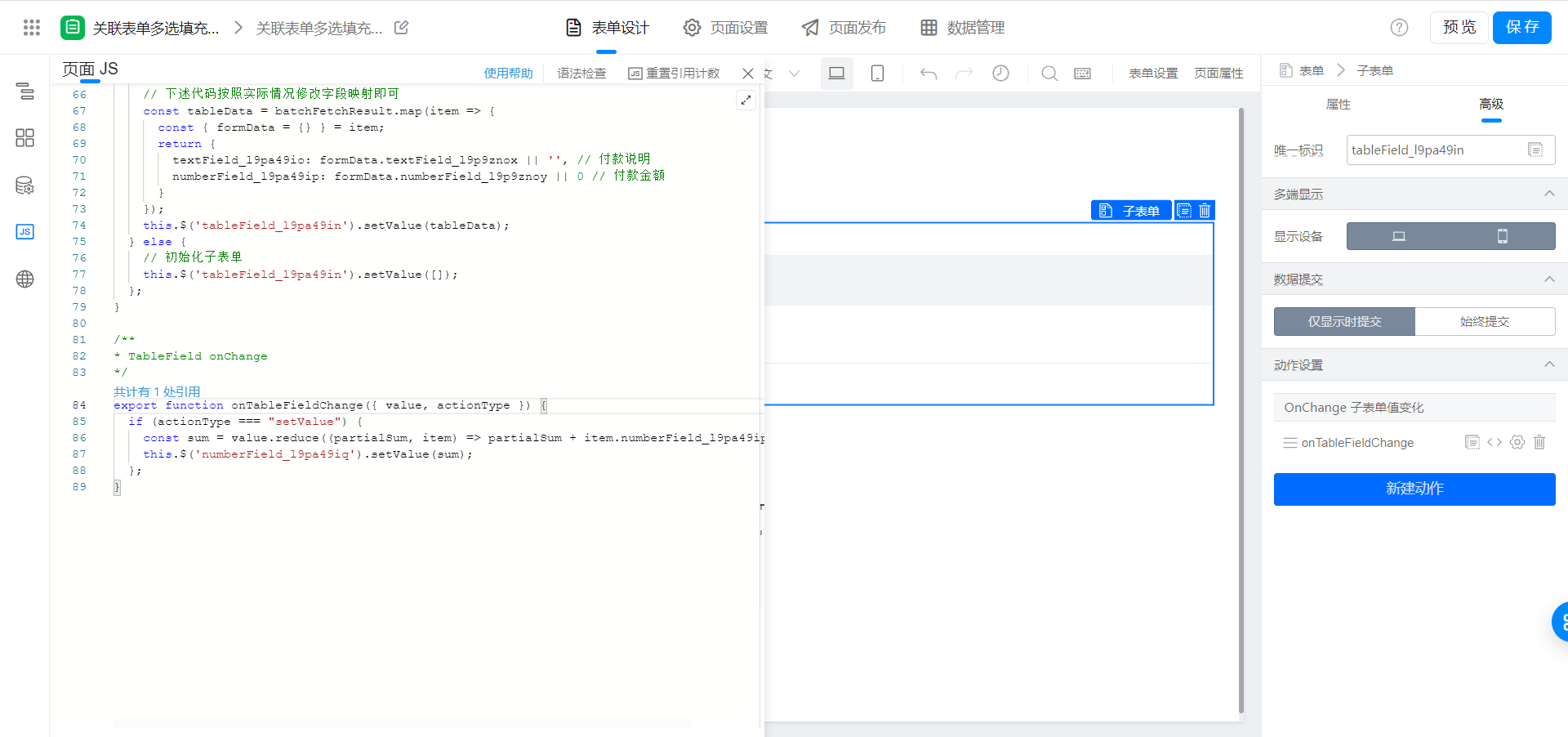
export function onTableFieldChange({ value, actionType }) {
  if (actionType === "setValue") {
    const sum = value.reduce((partialSum, item) => partialSum + item.numberField_l9pa49ip, 0);
    this.$('numberField_l9pa49iq').setValue(sum);
  };
}
3. Effect
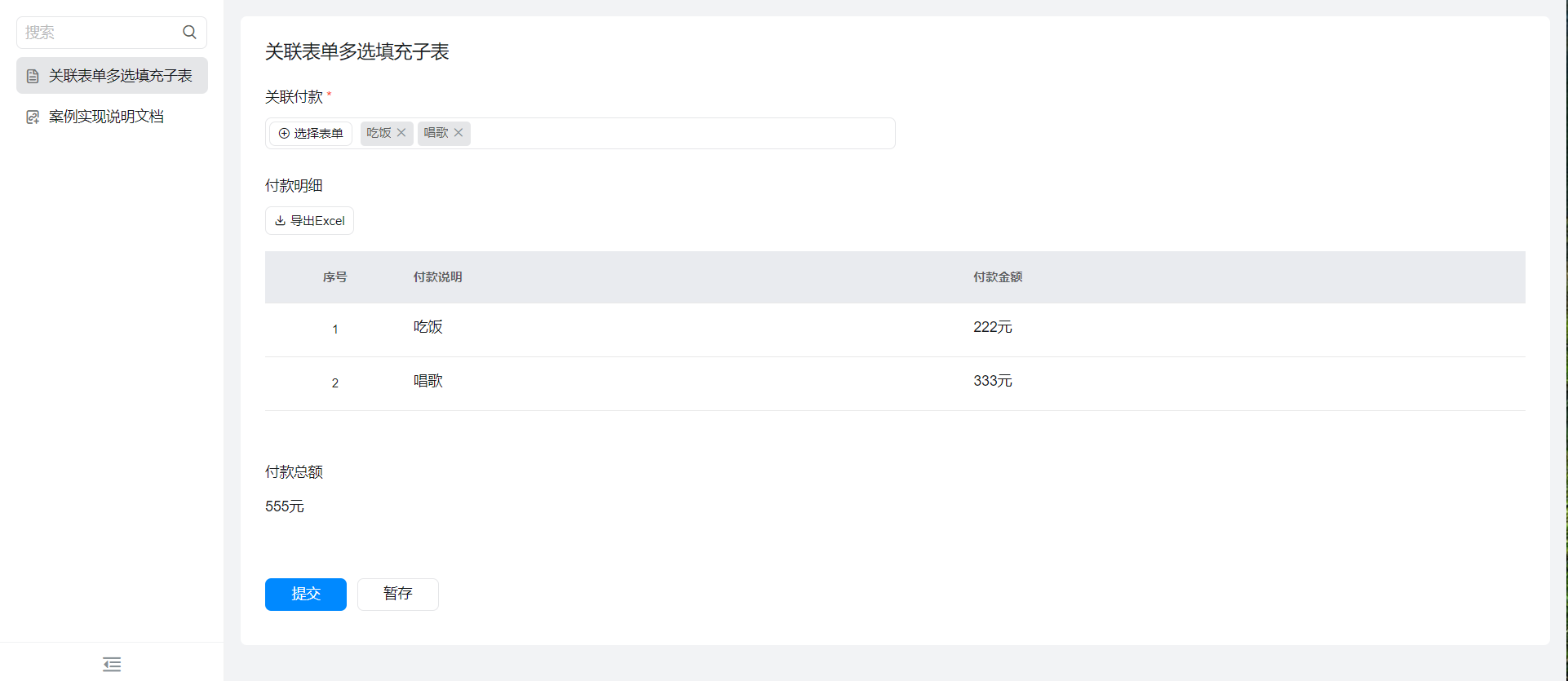
4. Try it online

5. Upgrade the associated form function
This doc is generated using machine translation. Any discrepancies or differences created in the translation are not binding and have no legal effect for compliance or enforcement purposes.
Is this document helpful?