カスタムページ送信プロセスフォームデータ
1. 使用シーン
この例は、プロセスの送信機能をカスタムページに統合する必要がある場合に使用できます。
2. 機能を実現する
2.1. フローページの作成
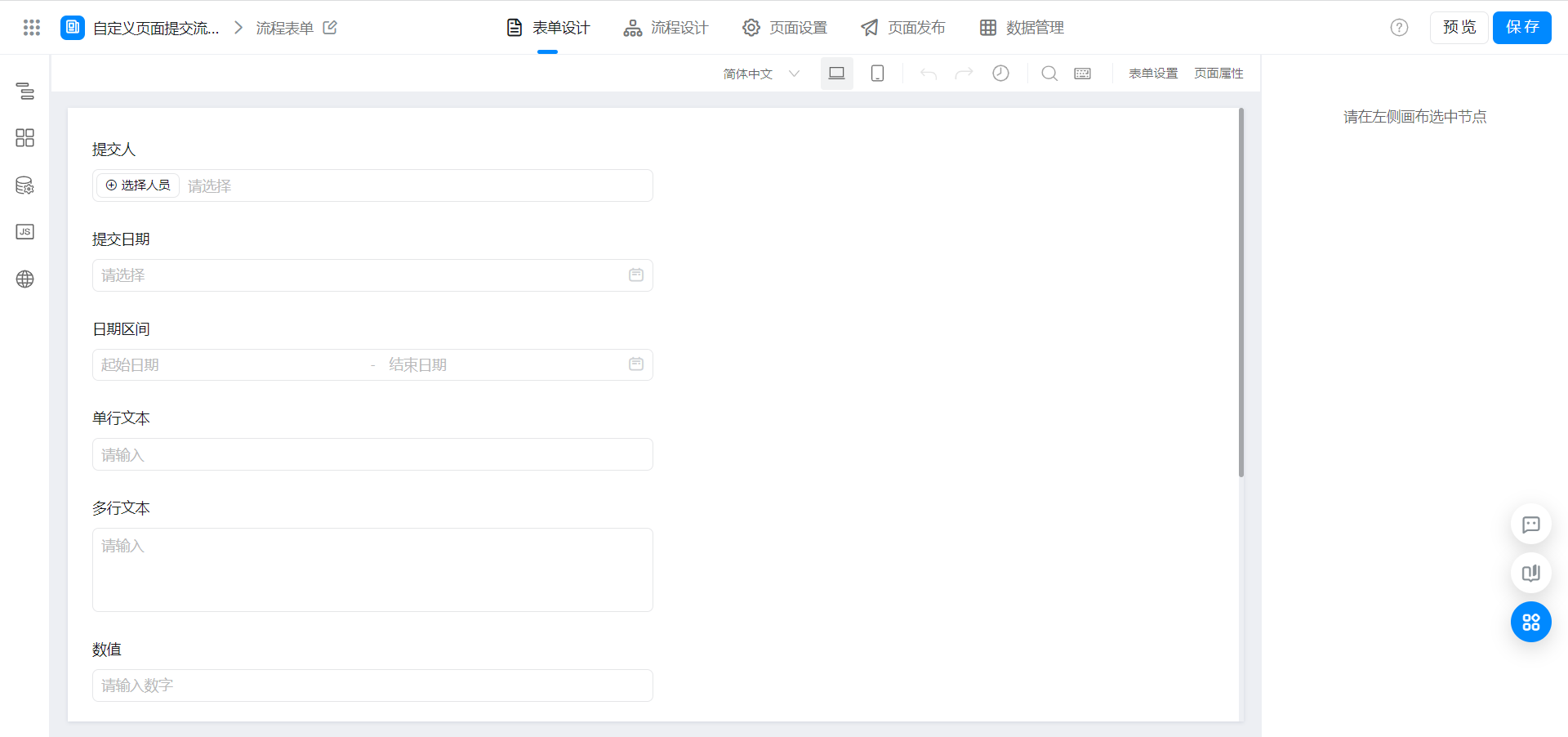
2.2. カスタムページの作成
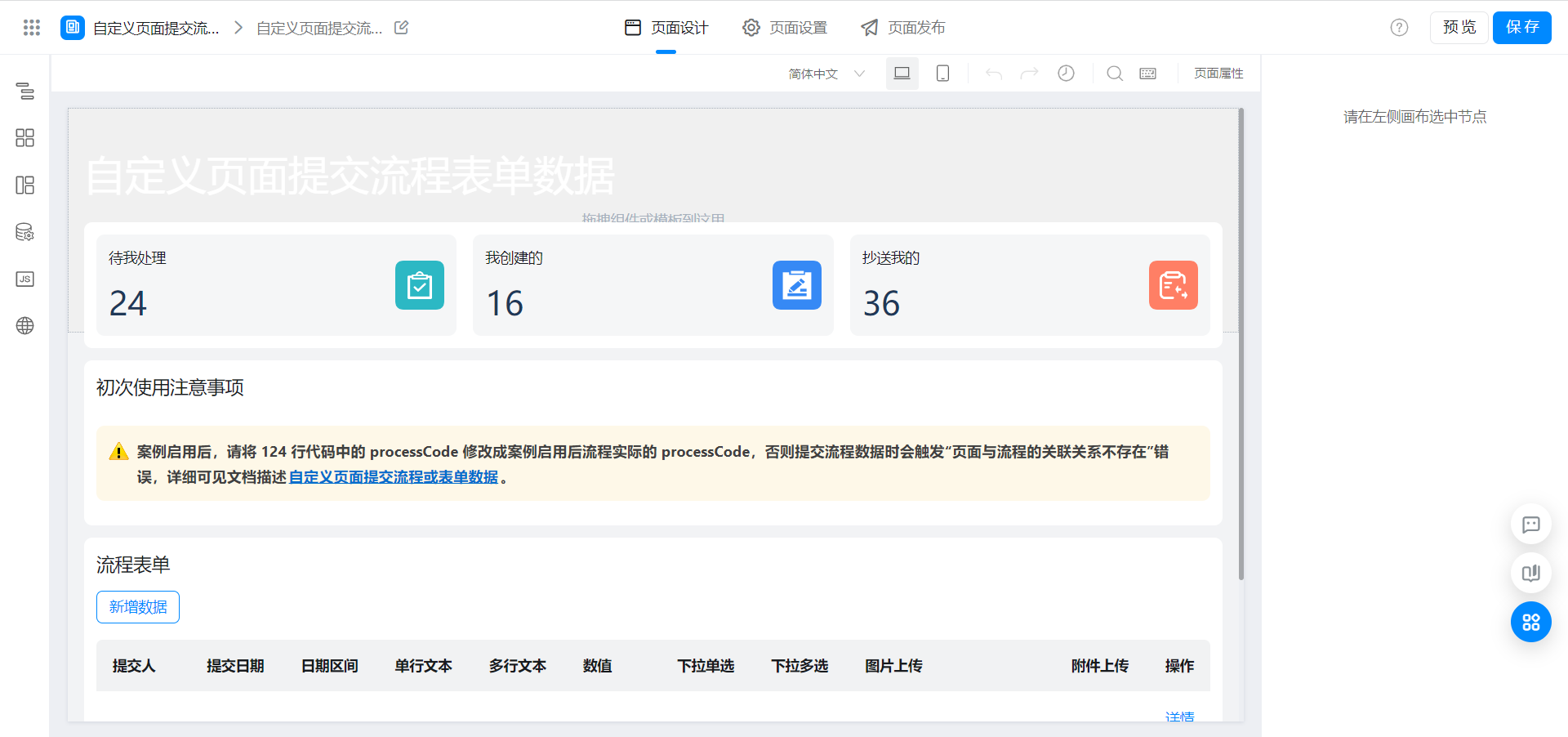
2.3. カスタムページの表示とプロセスデータの送信
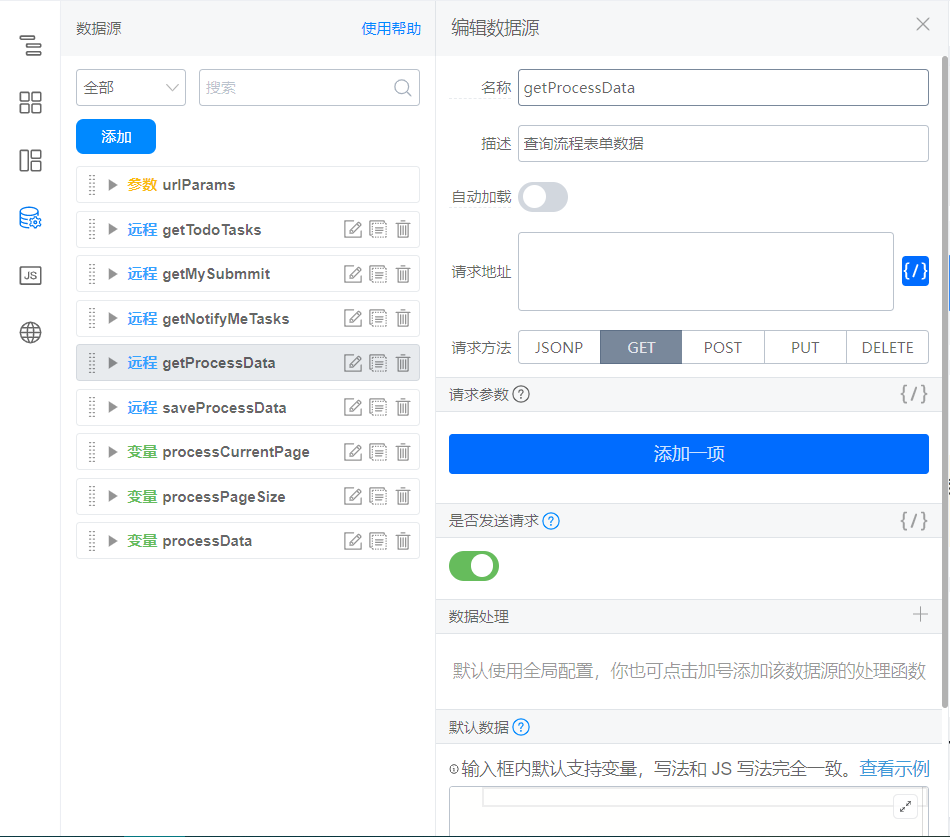
2.3.1. 照会データソースの作成
データソースのドキュメント:検索条件によるインスタンス詳細リストの取得
データソース要求アドレス:
`/${window.pageConfig.appType || window.g_config.appKey}/v1/process/getInstances.json`
データソース構成のスクリーンショット:
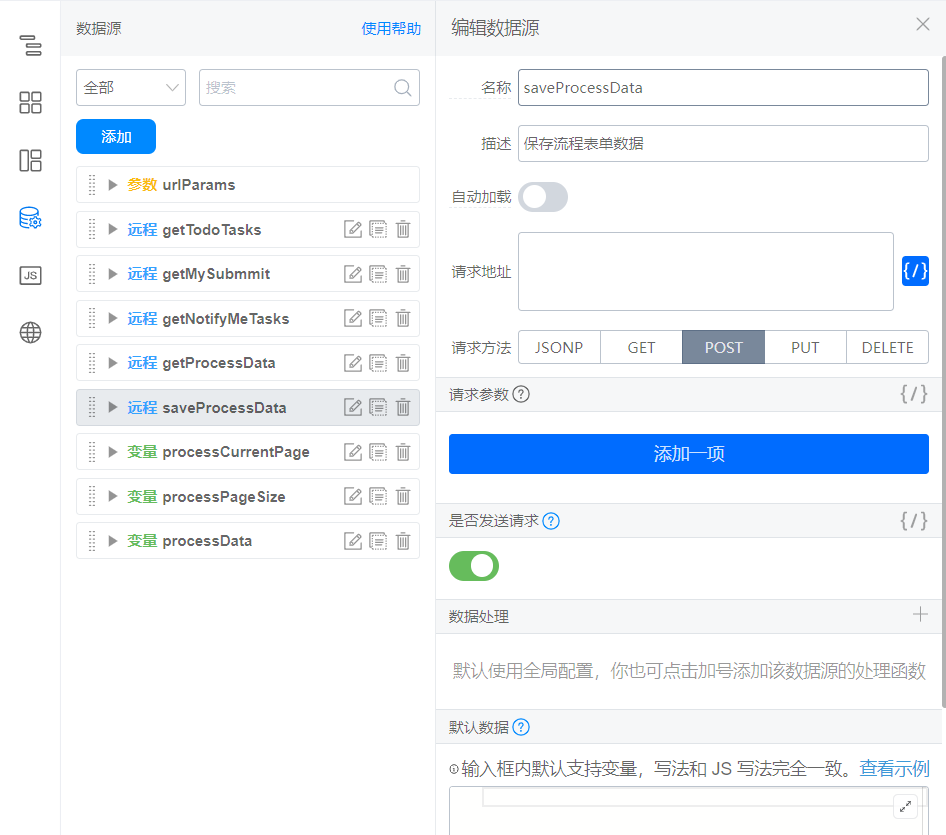
2.3.2. 新規データソースの作成
データソースのドキュメント:プロセス開始
データソース要求アドレス:
`/${window.pageConfig.appType || window.g_config.appKey}/v1/process/startInstance.json`
データソース構成のスクリーンショット:
2.3.3. 変数の作成
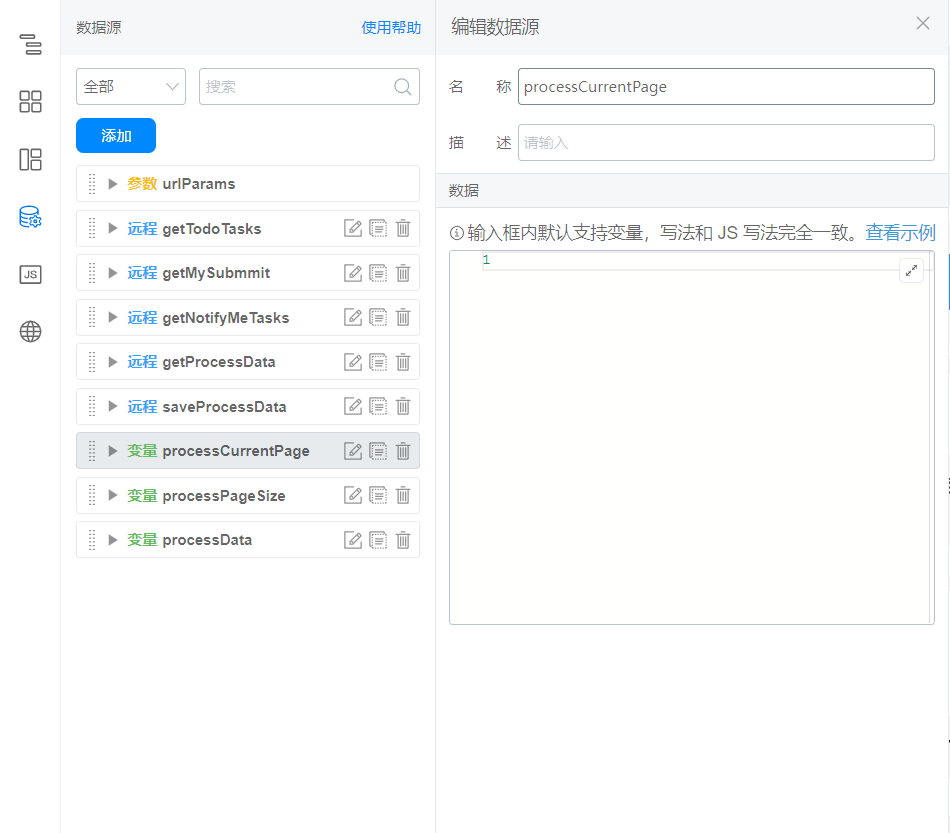
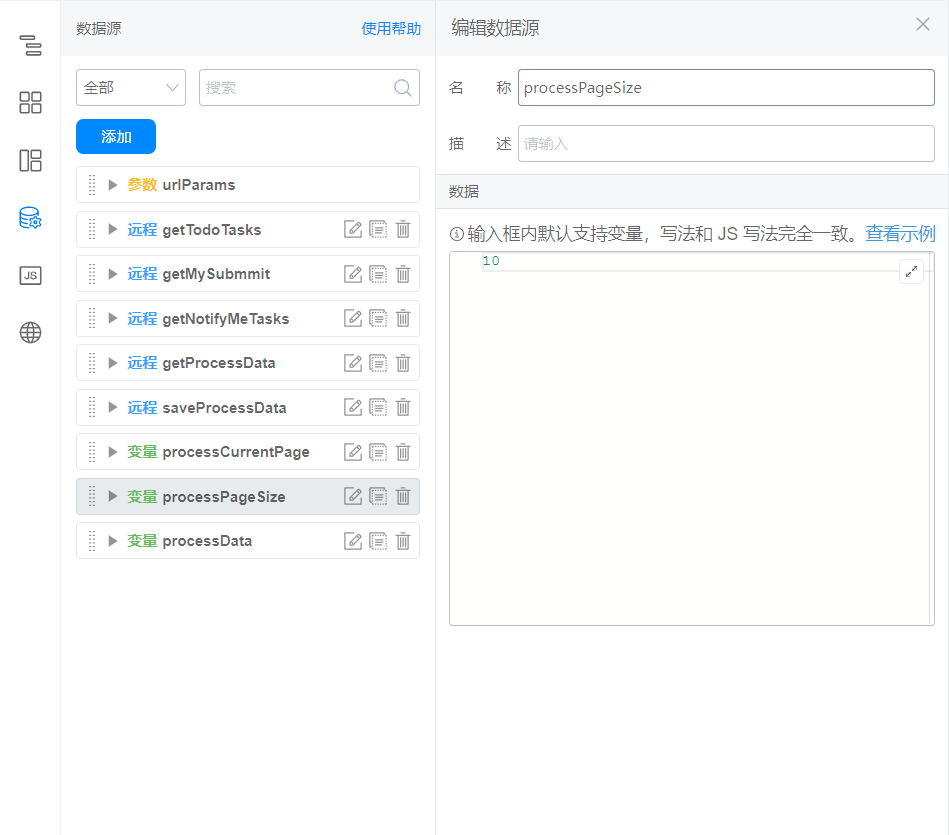
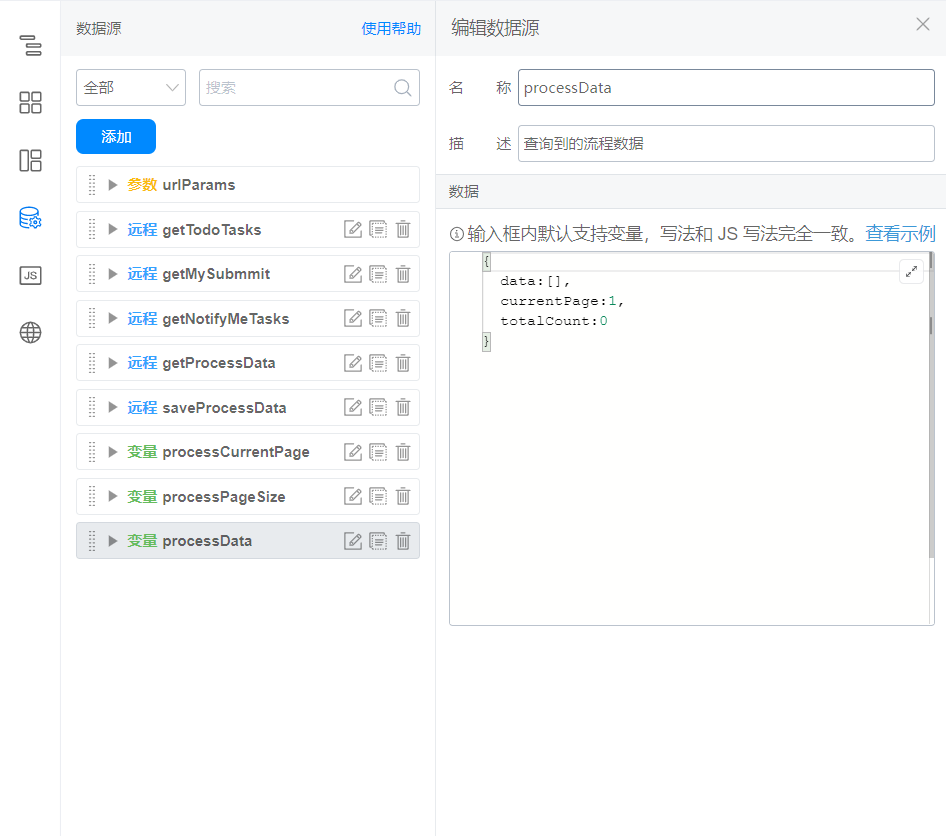
2.3.4. 次のコードをページjsにコピーします
コード内のformuuid、processcode、フィールドは一意に識別されています。状況に応じて変更してください。
// 查询流程表单数据
export function getProcessData() {
  const { processCurrentPage, processPageSize } = this.state;
  this.dataSourceMap.getProcessData.load({
    formUuid: 'FORM-4IA668918I1BHCW565RO14Z4B24O2DEYJN9ILH',
    pageSize: processPageSize,
    currentPage: processCurrentPage
  }).then(res => {
    const { totalCount, data = [], currentPage } = res;
    const processResult = data.map(item => {
      const { processInstanceId, data } = item;
      return {
        processInstanceId,
        subUser: data.employeeField_li9pf6js,
        subTime: data.dateField_li9pf6jt,
        currentTime: data.cascadeDateField_li9z62b9 ? { start: Number(data.cascadeDateField_li9z62b9[0]), end: Number(data.cascadeDateField_li9z62b9[1]) } : '',
        text: data.textField_li9pf6jz,
        textarea: data.textareaField_li9pf6jy,
        number: data.numberField_li9pmkzy,
        select: data.selectField_li9pf6k0,
        multiSelect: data.multiSelectField_li9pf6k1,
        image: data.imageField_li9pf6jw ? JSON.parse(data.imageField_li9pf6jw) : '',
        attachment: data.attachmentField_li9pf6jx ? JSON.parse(data.attachmentField_li9pf6jx) : ''
      }
    });
    this.setState({
      processData: {
        data: processResult,
        currentPage,
        totalCount
      }
    });
  }).catch(error => {
    this.utils.toast({
      title: error.message,
      type: 'error'
    });
  });
}

// 流程表单详情
export function onProcessDetail(rowData) {
  const { processInstanceId } = rowData;
  this.utils.router.push(`/${window.pageConfig.appType || window.g_config.appKey}/processDetail?procInsId=${processInstanceId}`, {}, true, true);
}

// 流程表单分页
export function onFetchProcessData(params) {
  // 如果是搜索的话翻页重置到 1
  if (params.from === 'search') {
    params.currentPage = 1;
  };

  this.setState({
    processPageSize: params.pageSize,
    processCurrentPage: params.currentPage
  });

  this.getProcessData();
}

// 流程表单新增
export function onAddProcessData() {
  this.$('dialog_li9w0b7t').show(() => {
    this.$('employeeField_li9pf6js').reset();
    this.$('dateField_li9pf6jt').reset();
    this.$('cascadeDateField_li9z62b9').reset();
    this.$('textField_li9pf6jz').reset();
    this.$('textareaField_li9pf6jy').reset();
    this.$('numberField_li9pmkzy').reset();
    this.$('selectField_li9pf6k0').reset();
    this.$('multiSelectField_li9pf6k1').reset();
    this.$('imageField_li9pf6jw').reset();
    this.$('attachmentField_li9pf6jx').reset();
  });
}

// 流程表单确定新增
export function onAddProcessDataOk() {
  const fieldList = [
    'cascadeDateField_li9z62b9',
    'textField_li9pf6jz',
    'textareaField_li9pf6jy'
  ];

  // 调用表单校验函数
  this.fieldsValidate(fieldList).then(errorList => {
    setTimeout(() => {
      if (errorList.length > 0) {
        // 表单校验未通过,可做一些数据错误提示
        console.log(errorList);
        return;
      };

      // 表单校验通过,你的后续业务逻辑由此往下写
      const subUser = this.$('employeeField_li9pf6js').getValue();
      const subTime = this.$('dateField_li9pf6jt').getValue();
      const currentTime = this.$('cascadeDateField_li9z62b9').getValue();
      const text = this.$('textField_li9pf6jz').getValue();
      const textarea = this.$('textareaField_li9pf6jy').getValue();
      const number = this.$('numberField_li9pmkzy').getValue();
      const select = this.$('selectField_li9pf6k0').getValue();
      const multiSelect = this.$('multiSelectField_li9pf6k1').getValue();
      const image = this.$('imageField_li9pf6jw').getValue();
      const attachment = this.$('attachmentField_li9pf6jx').getValue();
      this.$('dialog_li9w0b7t').set('confirmState', 'LOADING');
      this.dataSourceMap.saveProcessData.load({
        formUuid: 'FORM-HT866U91QP8B68V8BNFG043NCLFG2NO3Y9BILJ7',
        processCode: 'TPROC--N4A66IB1JN8BNOK58AHKP4H1C3W42DW3Y9BILH',
        formDataJson: JSON.stringify({
          employeeField_li9pf6js: subUser || [loginUser.userId],
          dateField_li9pf6jt: subTime || Date.now(),
          cascadeDateField_li9z62b9: currentTime ? [currentTime.start, currentTime.end] : [],
          textField_li9pf6jz: text,
          textareaField_li9pf6jy: textarea,
          numberField_li9pmkzy: number,
          selectField_li9pf6k0: select,
          multiSelectField_li9pf6k1: multiSelect,
          imageField_li9pf6jw: (image || []).map(item => {
            return {
              downloadUrl: item.downloadURL,
              previewUrl: item.downloadURL,
              url: item.url,
              name: item.name
            }
          }),
          attachmentField_li9pf6jx: (attachment || []).map(item => {
            return {
              downloadUrl: item.downloadURL,
              previewUrl: item.downloadURL,
              url: item.url,
              name: item.name,
              ext: item.type
            }
          })
        })
      }).then(res => {
        this.$('dialog_li9w0b7t').set('confirmState', 'NORMAL');
        this.$('dialog_li9w0b7t').hide();
        this.utils.toast({
          title: '创建成功',
          type: 'success'
        });
        setTimeout(() => {
          this.getProcessData();
        }, 1000);
      }).catch(error => {
        this.$('dialog_li9w0b7t').set('confirmState', 'NORMAL');
        this.utils.toast({
          title: error.message,
          type: 'error'
        });
      });
    });
  }, 0);
}

// fieldList:Array,需要校验组件的唯一标识集合
export async function fieldsValidate(fieldList = []) {
  const result = [];
  for (let i = 0; i < fieldList.length; i++) {
    await this.$(fieldList[i]).validate((errors, values) => {
      if (!errors) { return };
      result.push({
        fieldId: fieldList[i], // 组件标识
        errors: this.utils.isMobile() ? errors.errors[fieldList[i]].errors : errors[fieldList[i]].errors // 校验错误信息
      });
    });
  };
  return result;
}
2.3.5. Didmountで呼び出されます
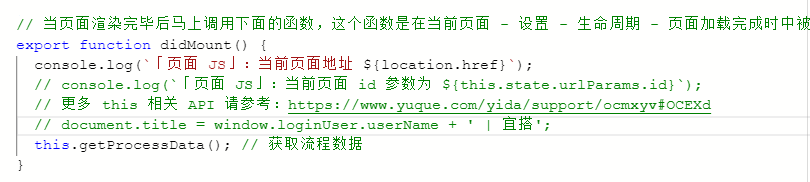
// 当页面渲染完毕后马上调用下面的函数,这个函数是在当前页面 - 设置 - 生命周期 - 页面加载完成时中被关联的。
export function didMount() {
  console.log(`「页面 JS」:当前页面地址 ${location.href}`);
  // console.log(`「页面 JS」:当前页面 id 参数为 ${this.state.urlParams.id}`);
  // 更多 this 相关 API 请参考:https://www.yuque.com/yida/support/ocmxyv#OCEXd
  // document.title = window.loginUser.userName + ' | 宜搭';
  this.getProcessData(); // 获取流程数据
}
2.3.6. 表表示データの設定
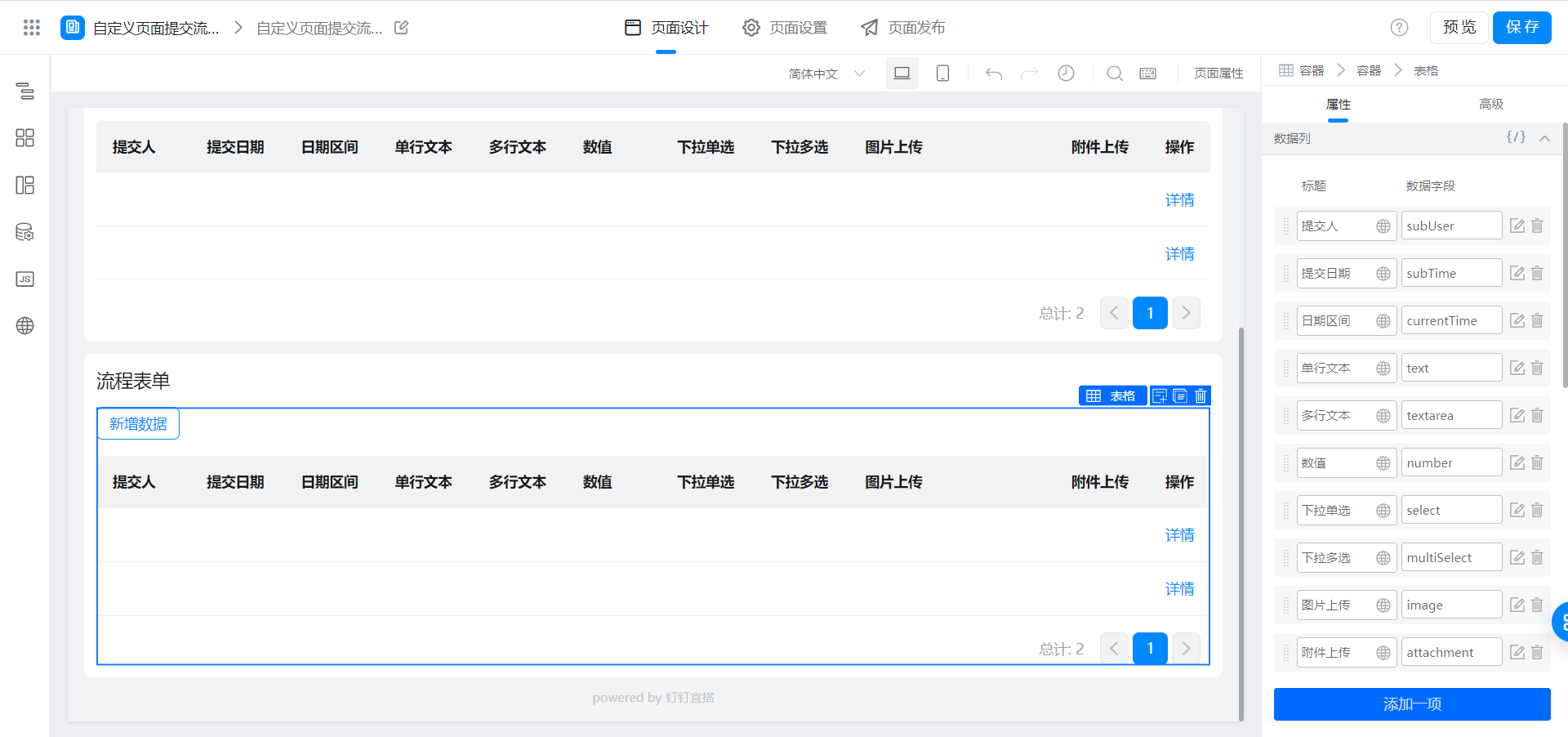
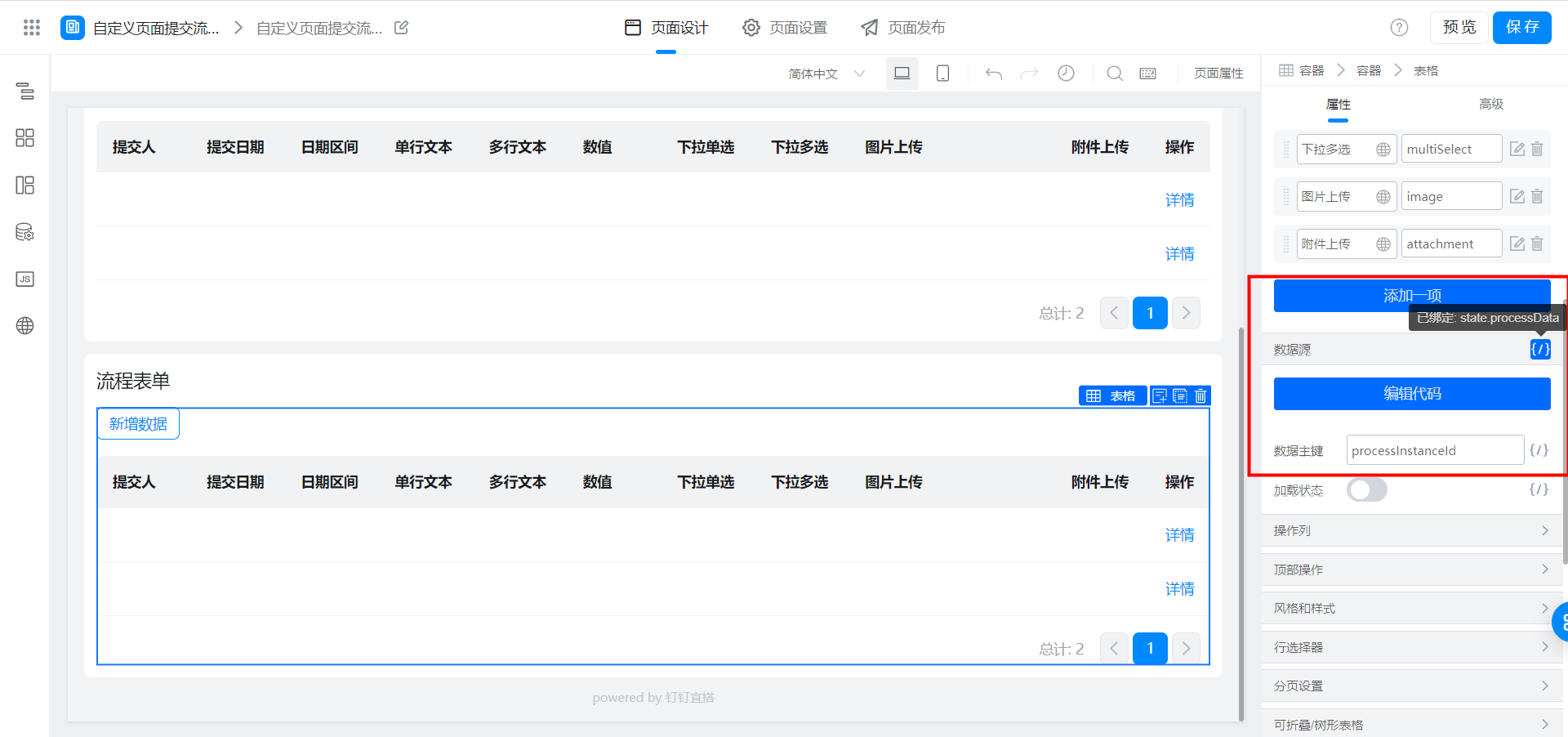
表画像アップロードフィールドの表示フォーマット:
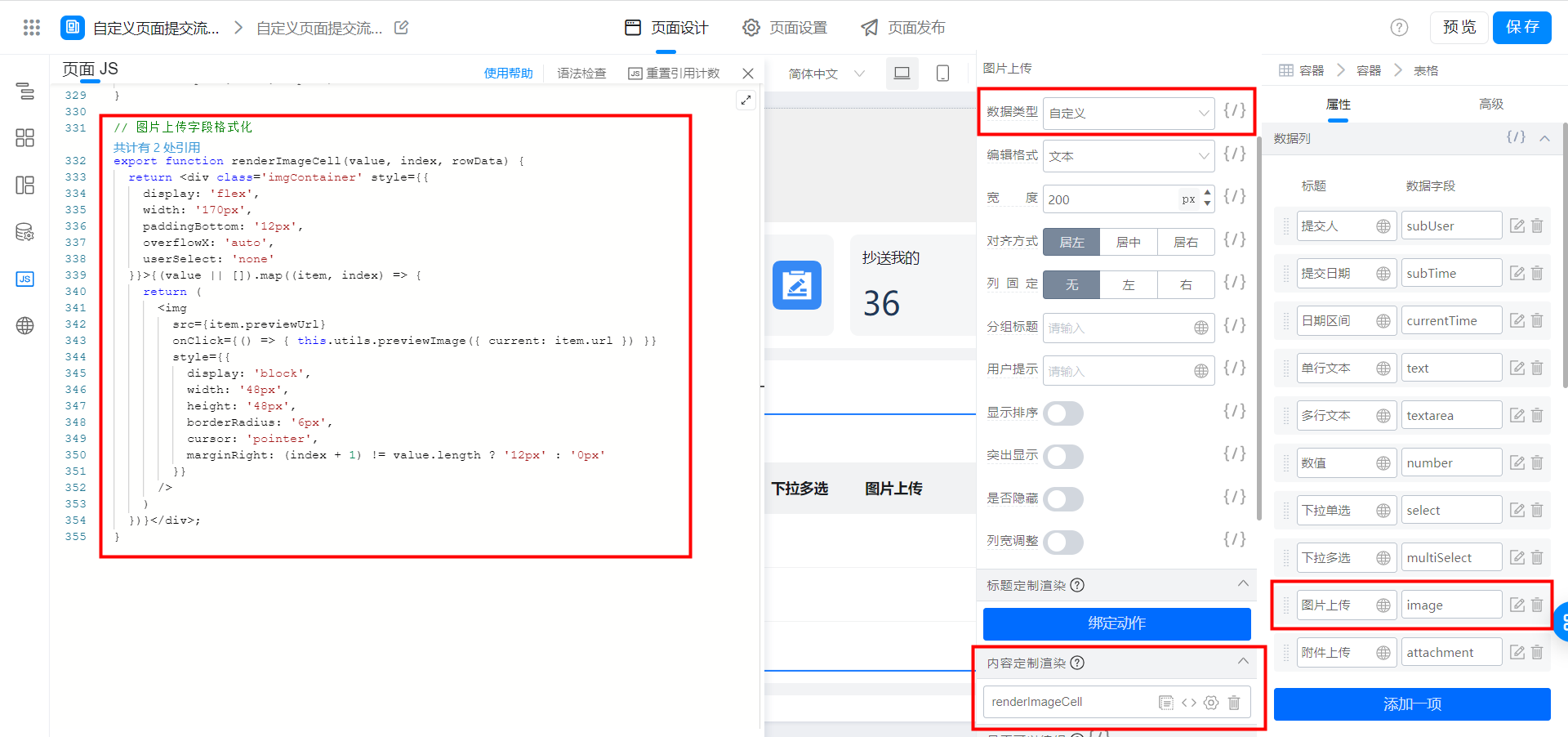
// 图片上传字段格式化
export function renderImageCell(value, index, rowData) {
  return <div class='imgContainer' style={{
    display: 'flex',
    width: '170px',
    paddingBottom: '12px',
    overflowX: 'auto',
    userSelect: 'none'
  }}>{(value || []).map((item, index) => {
    return (
      <img
        src={item.previewUrl}
        onClick={() => { this.utils.previewImage({ current: item.url }) }}
        style={{
          display: 'block',
          width: '48px',
          height: '48px',
          borderRadius: '6px',
          cursor: 'pointer',
          marginRight: (index + 1) != value.length ? '12px' : '0px'
        }}
      />
    )
  })}</div>;
}
フォームメンバーフィールドの表示フォーマット:
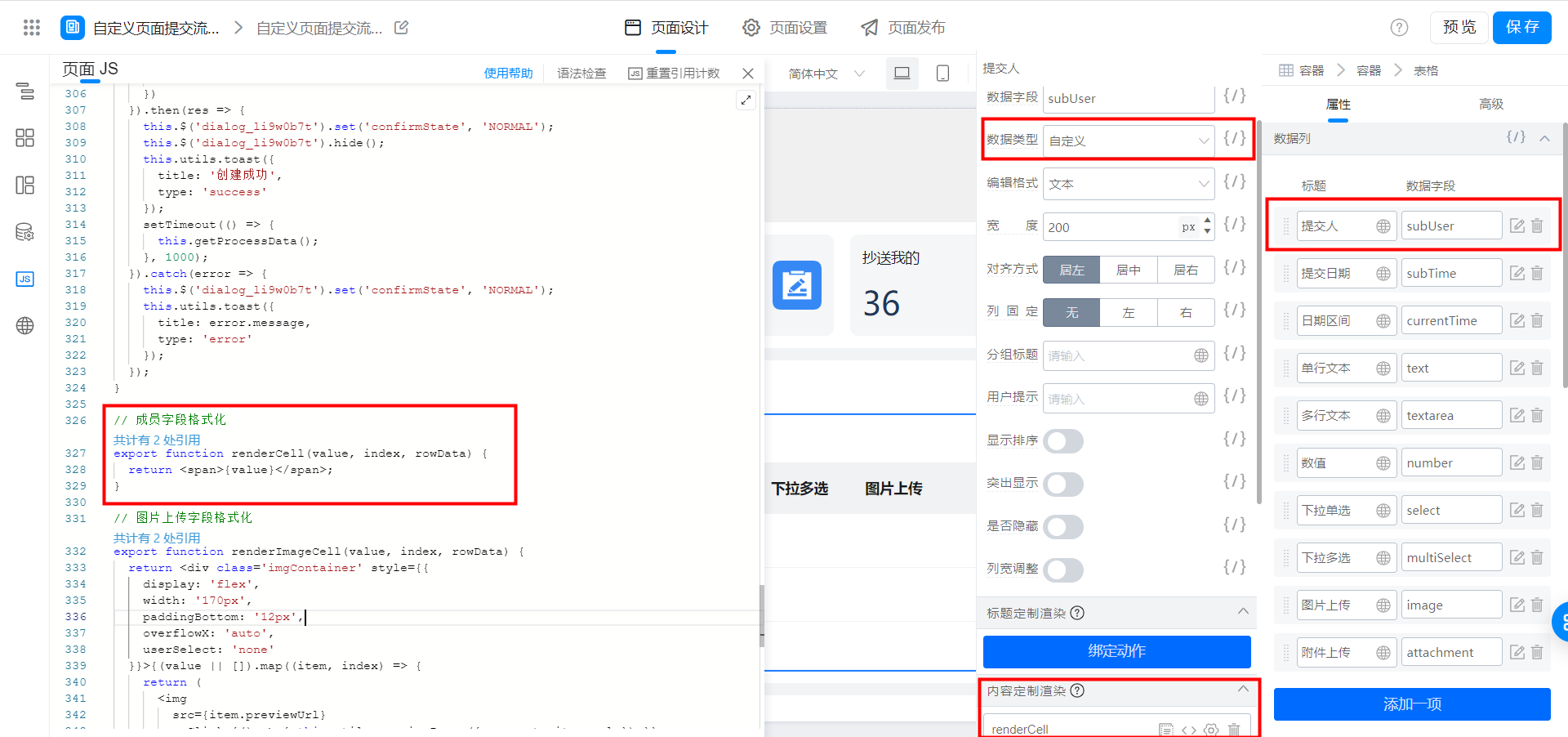
// 成员字段格式化
export function renderCell(value, index, rowData) {
  return <span>{value}</span>;
}
2.3.7. テーブルのページングの設定
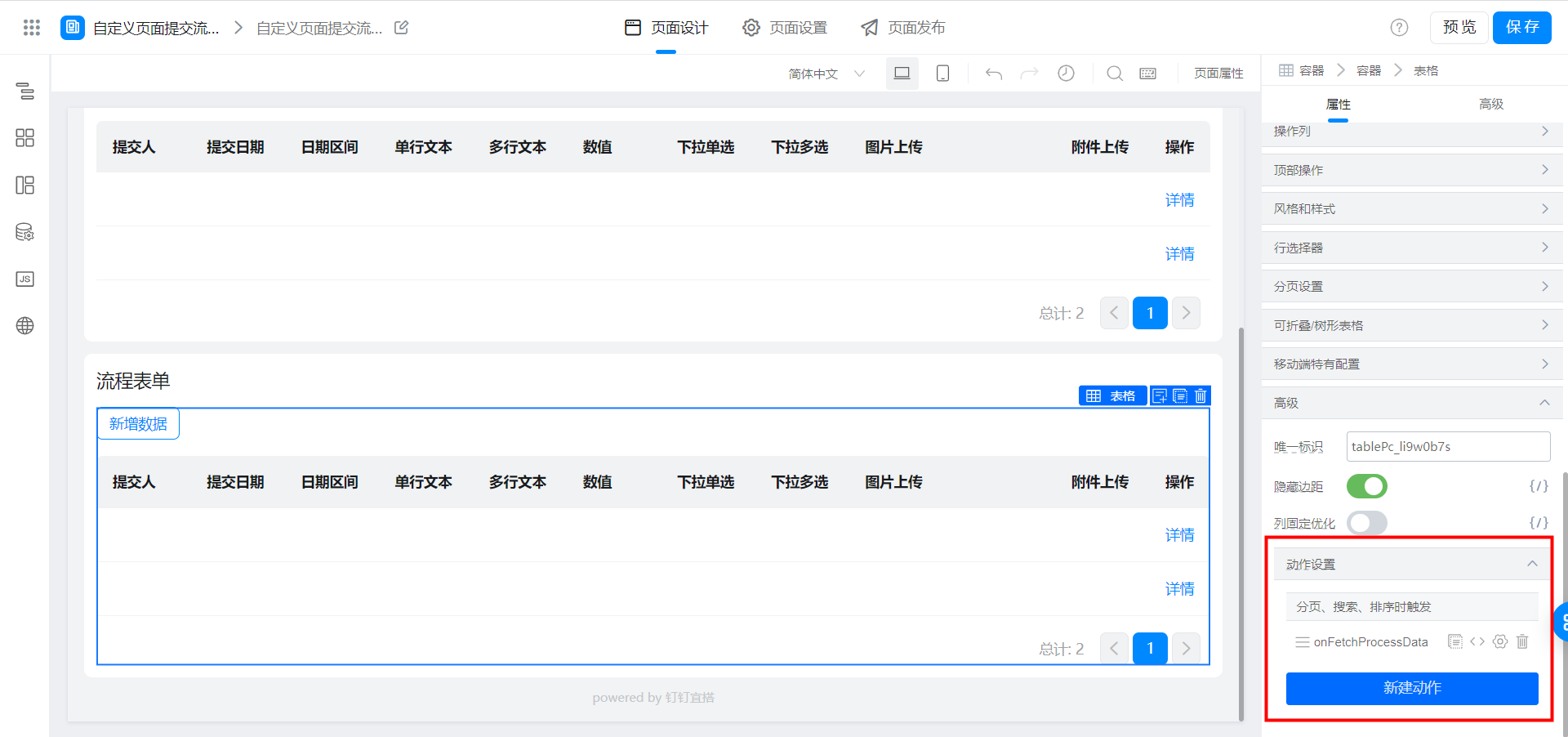
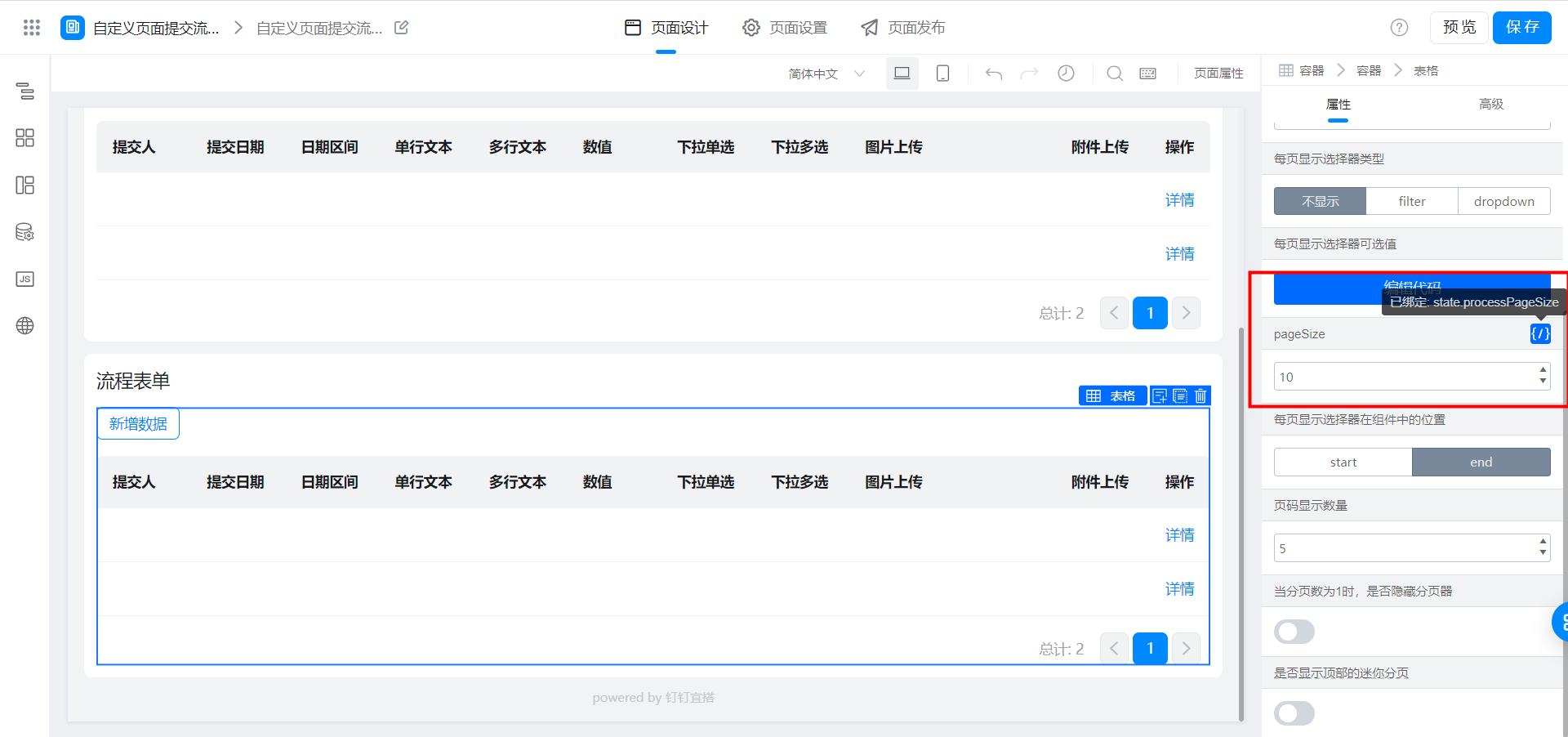
2.3.8. テーブルトップアクションの設定
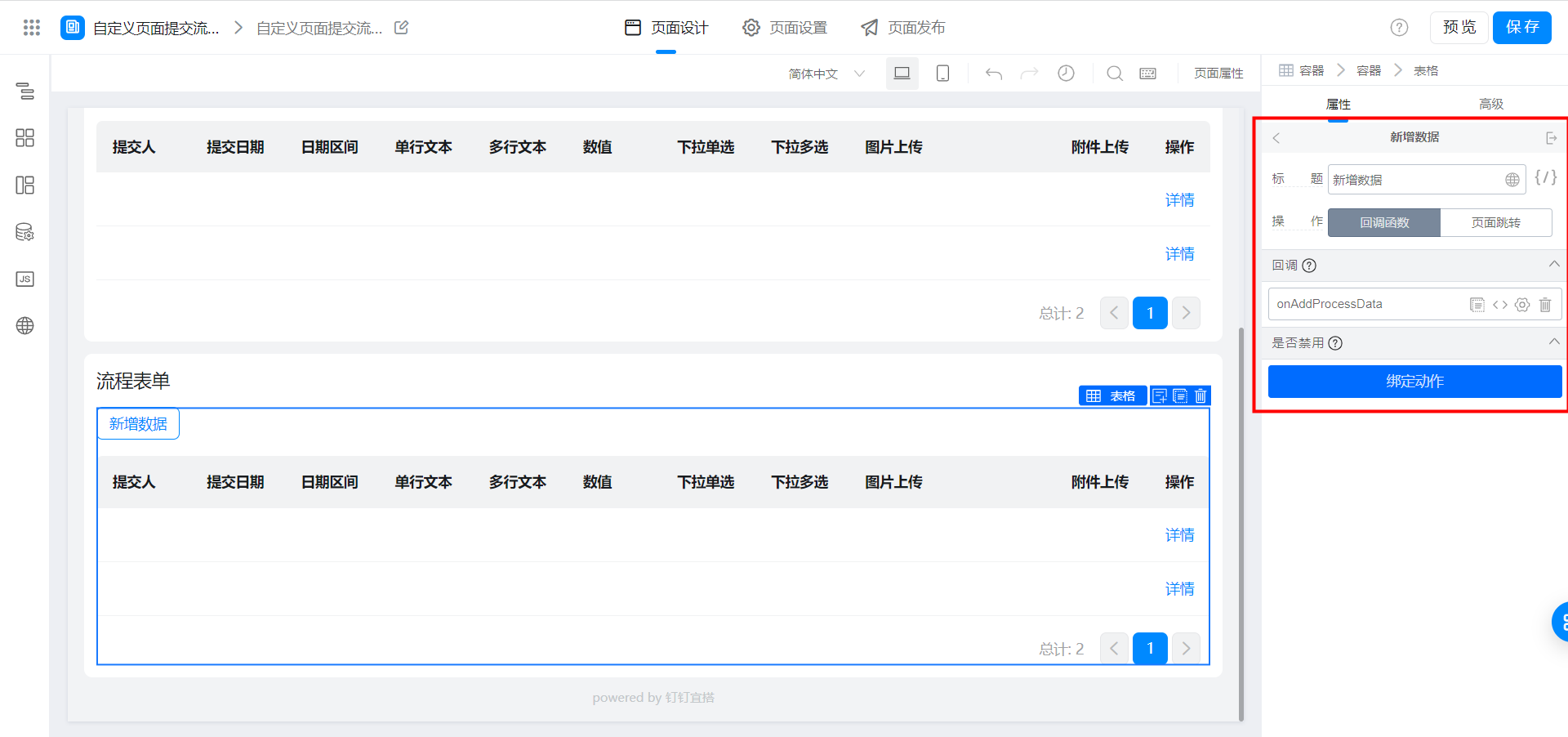
2.3.9. テーブル詳細操作列の設定
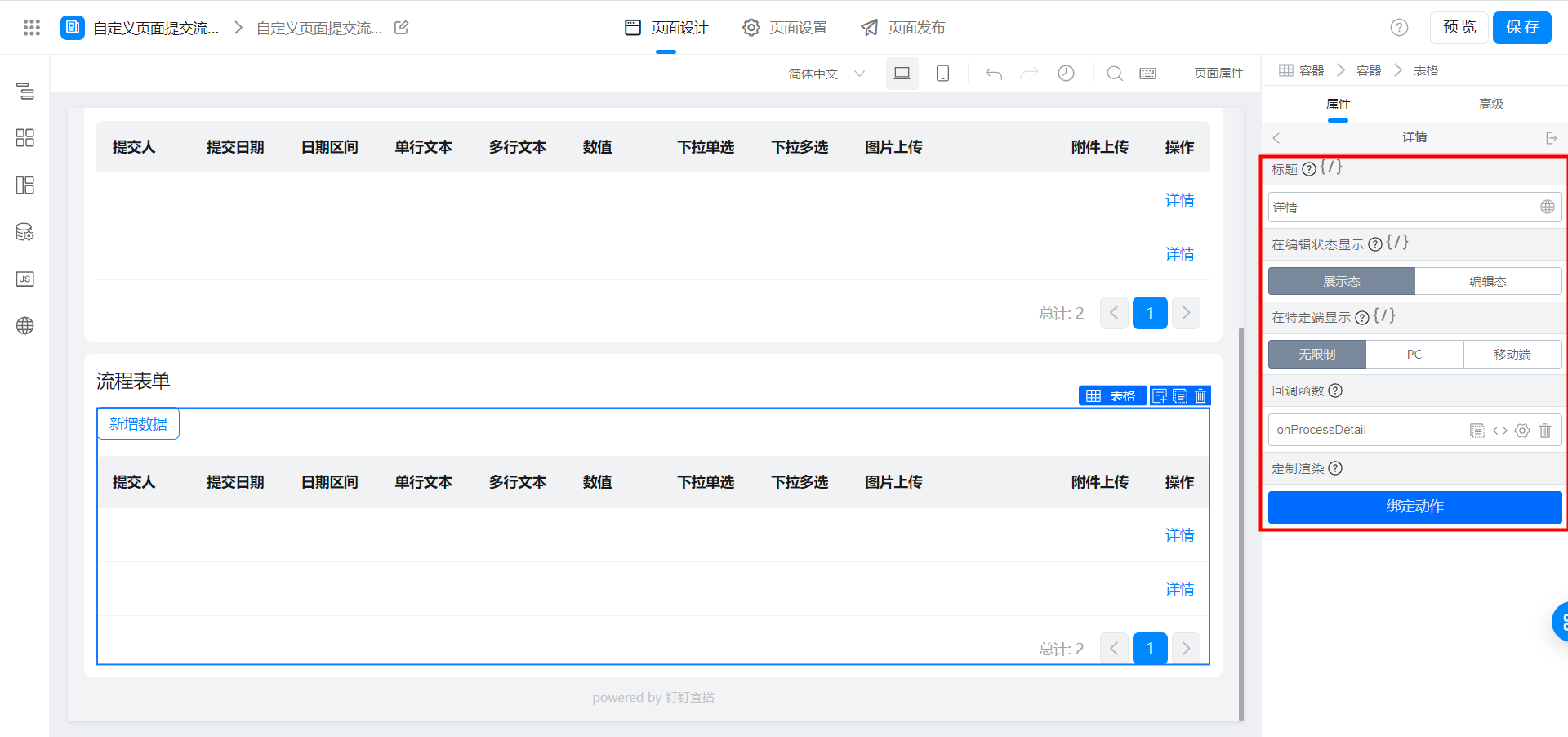
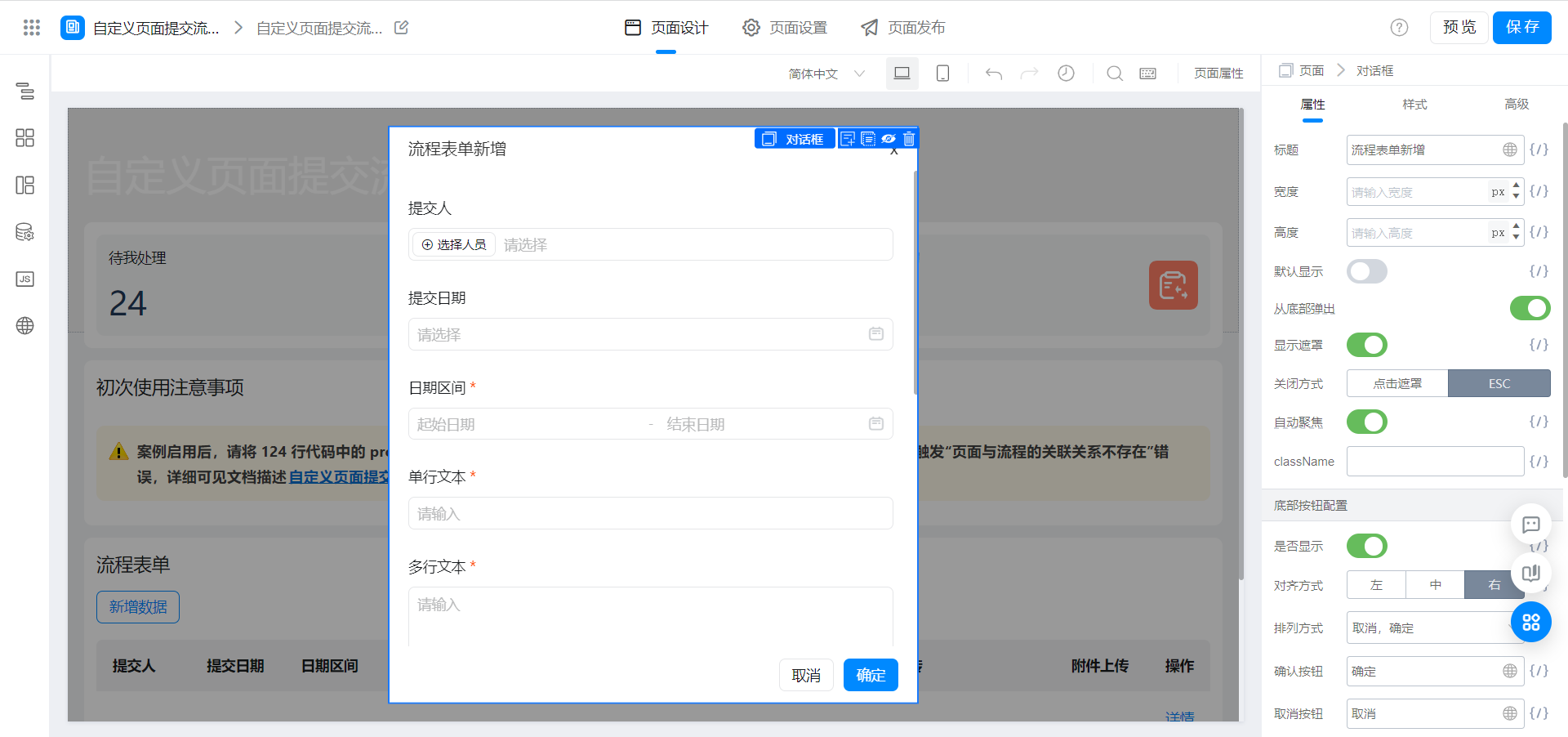
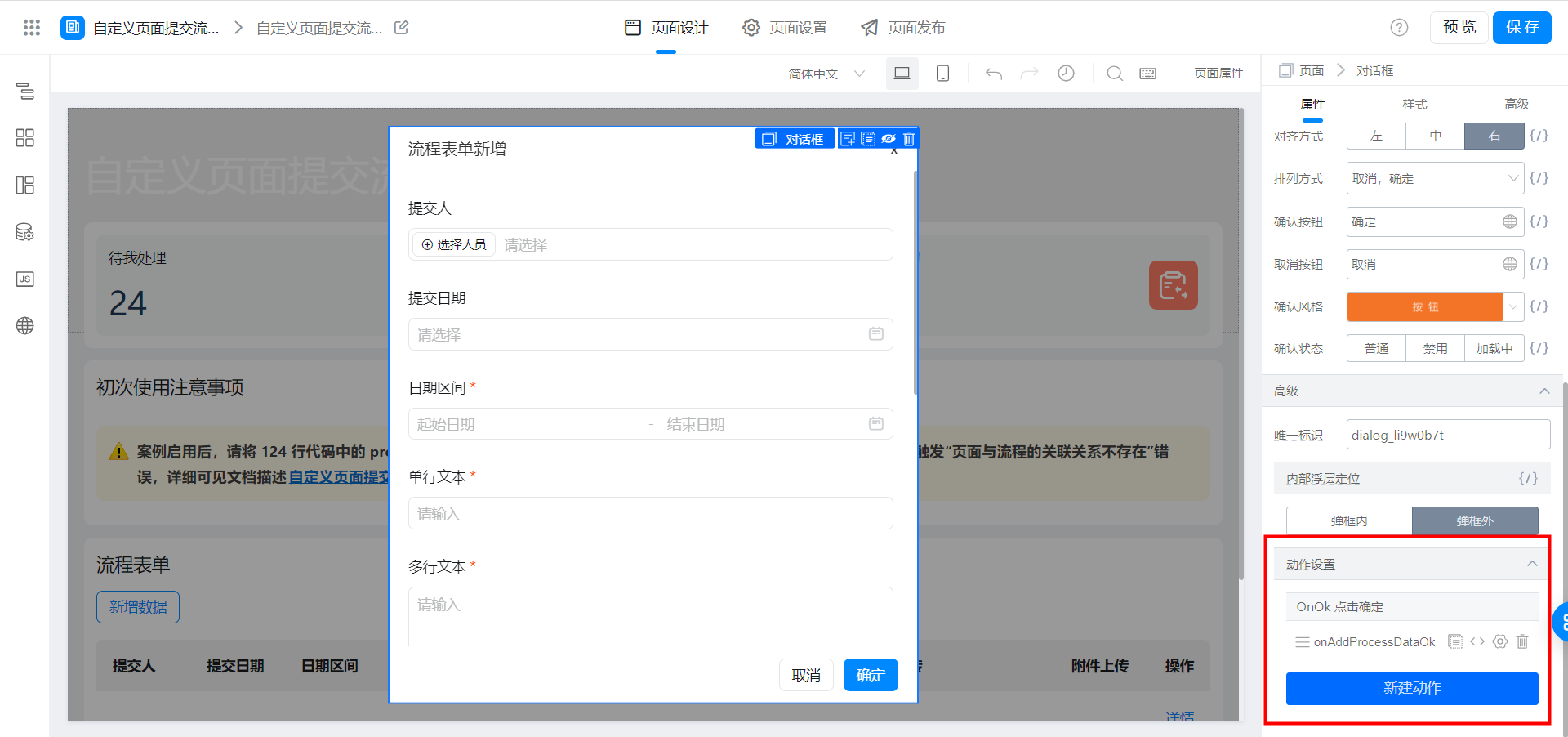
2.3.10. 新規プロセスデータ弾倉の設定
ポップアップ内のフィールドをカスタム検証する必要がある場合は、次を参照してくださいカスタムページフォームが検証をトリガーします
3. 効果を実現する
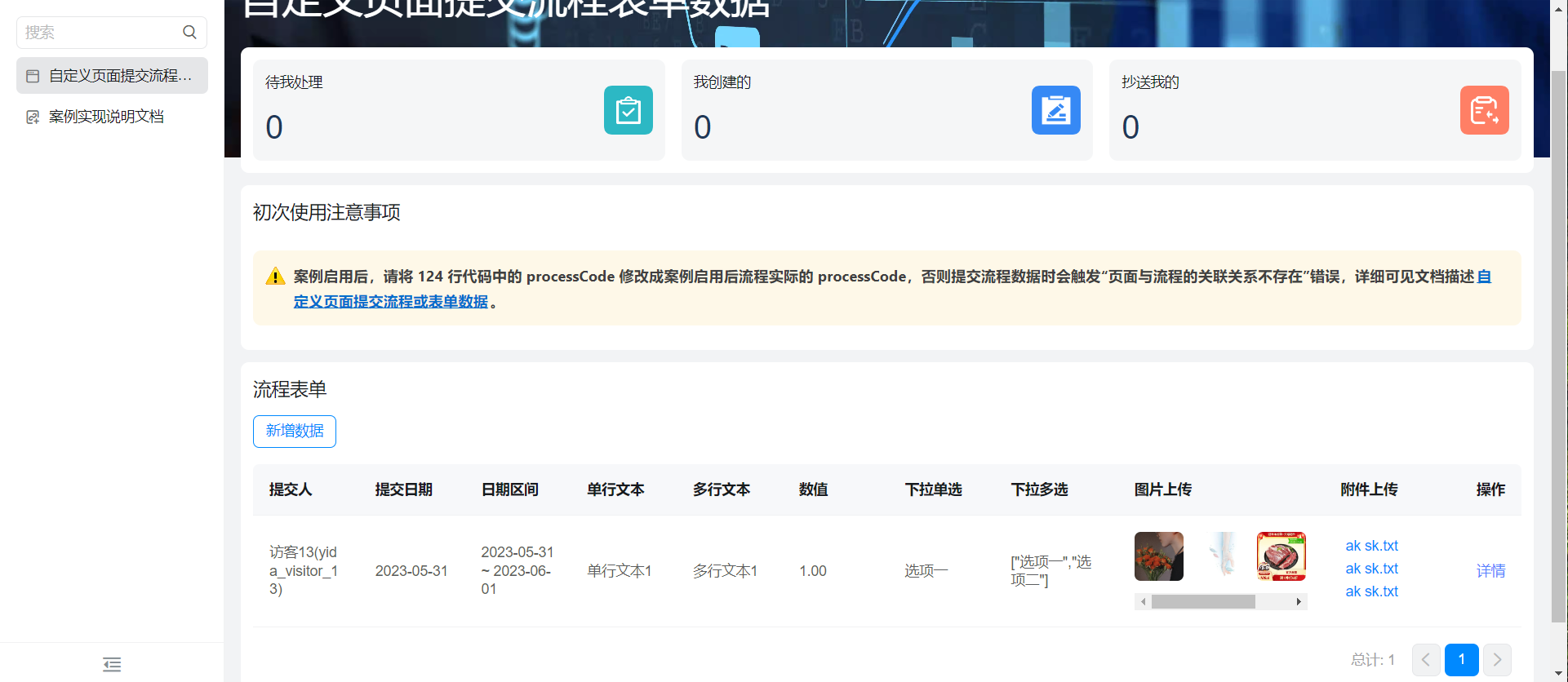
画像アップロードサムネイルをクリックすると大きな図が表示され、添付ファイルのアップロードクリック後に直接ダウンロードされます。
4. オンラインで試遊する
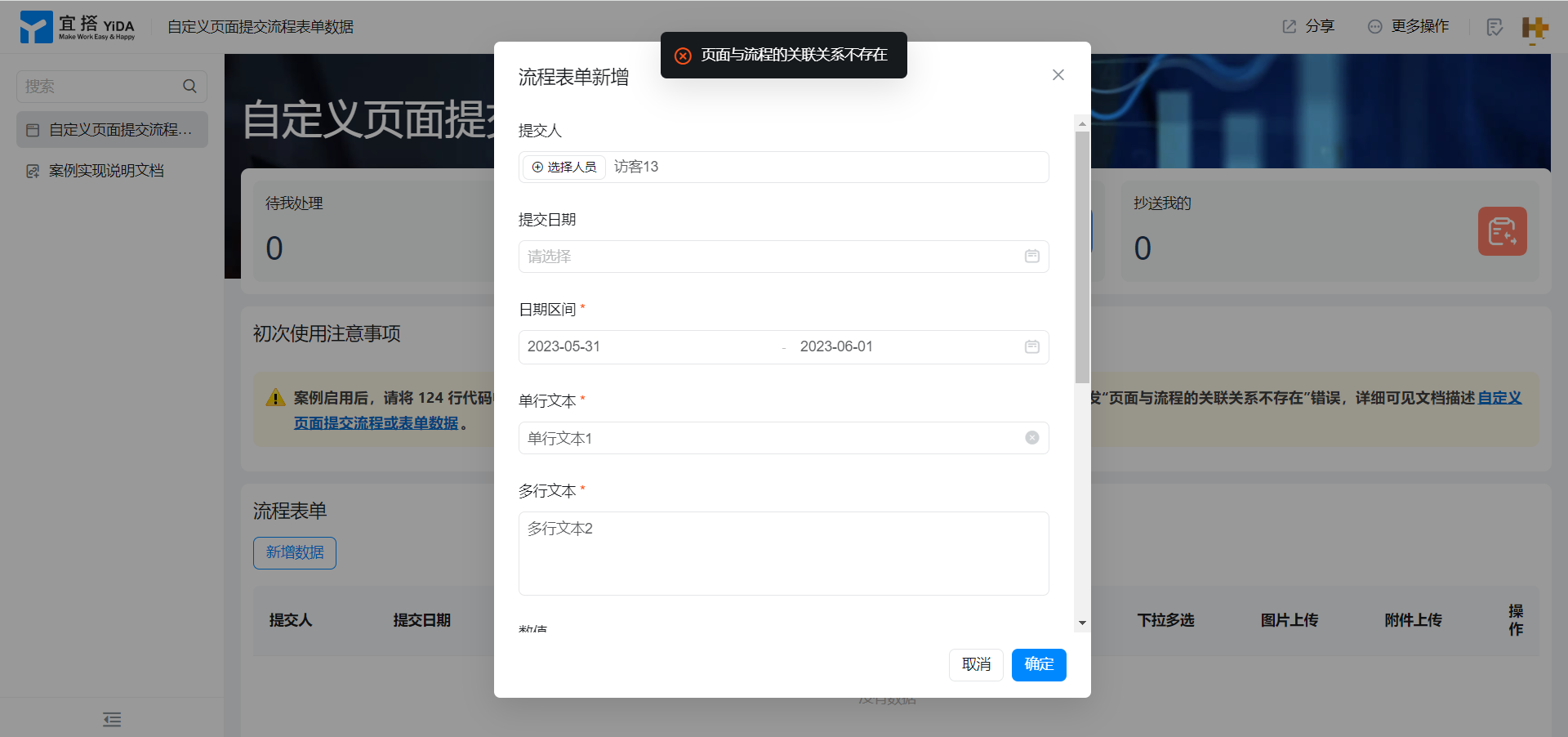
注意: ケースが有効になったら、次の124行のコードのprocesscodeをケースが有効になったプロセスの実際のprocesscodeに変更してください。
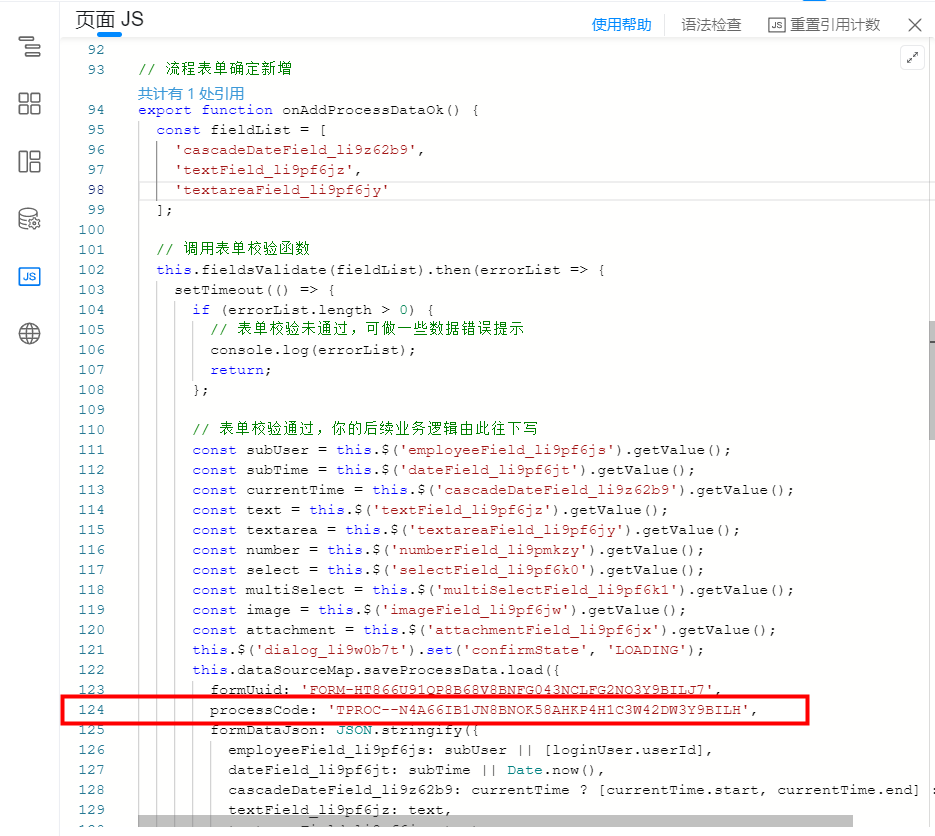
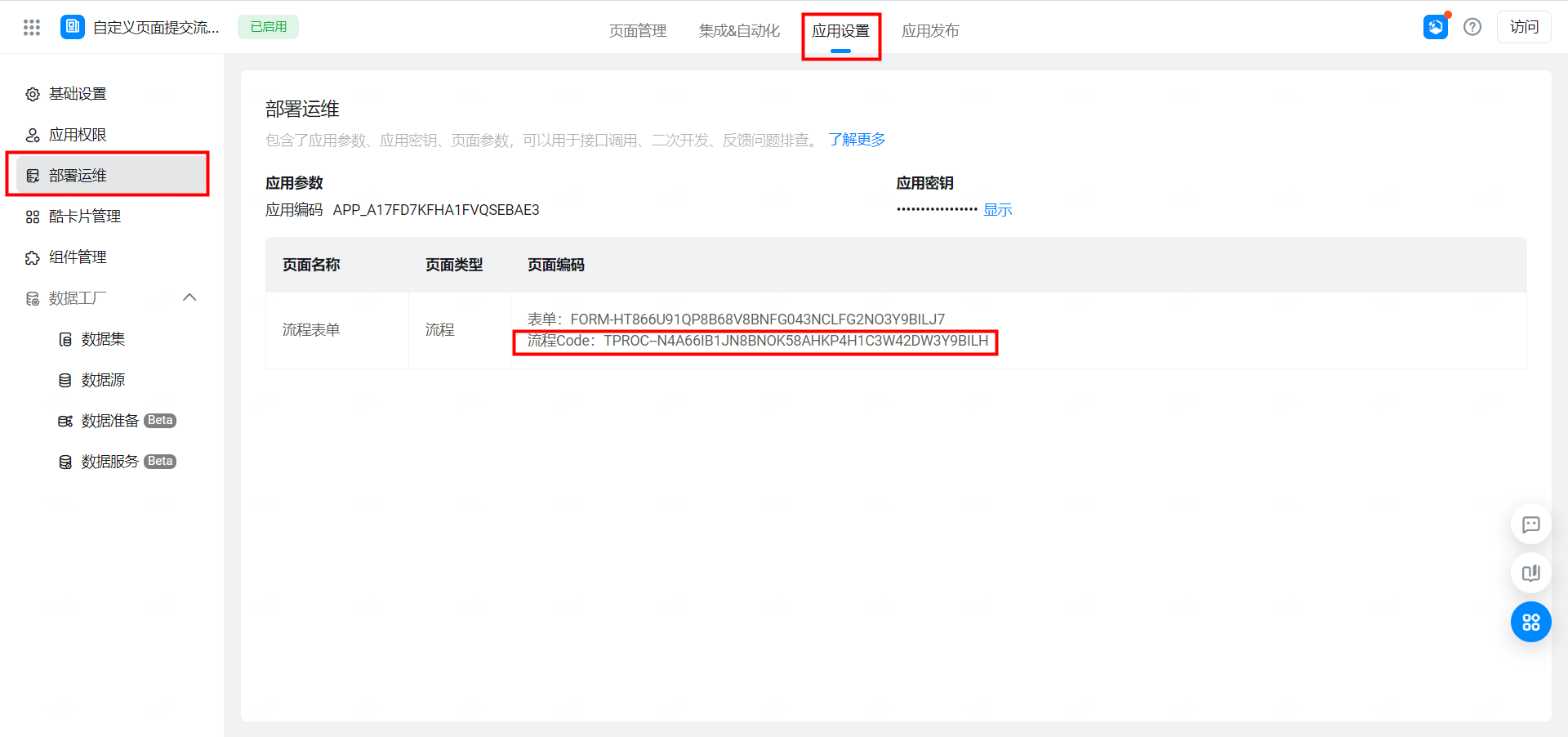
それ以外の場合は、次のエラーが発生します

この文書は機械翻訳により生成されています。翻訳により生じた齟齬や相違点は拘束力を持たず、コンプライアンスや執行目的において法的効力はありません。
このドキュメントは役に立ちましたか?